
- Installs
- —
- Apple does not publish download counts
- Rating
- 4.54
- Ratings
- 1.6K
- 1.6K reviews
- Version
- 2026.3.1
- Updated 19 Oct 2026
- Released
- 10 Apr 2020
- Tracked since 11 May 2026
- Size
- 34 MB
- Needs 13.4
Screenshots
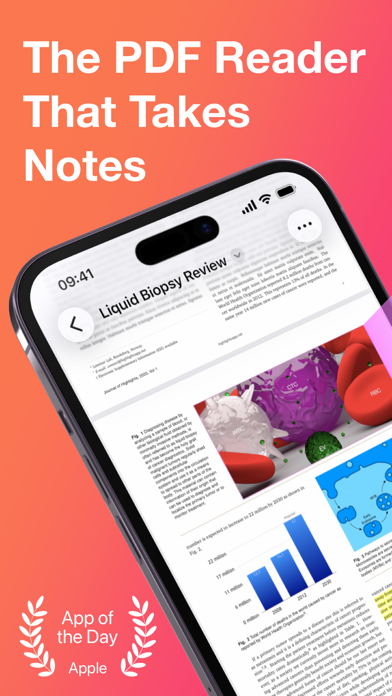
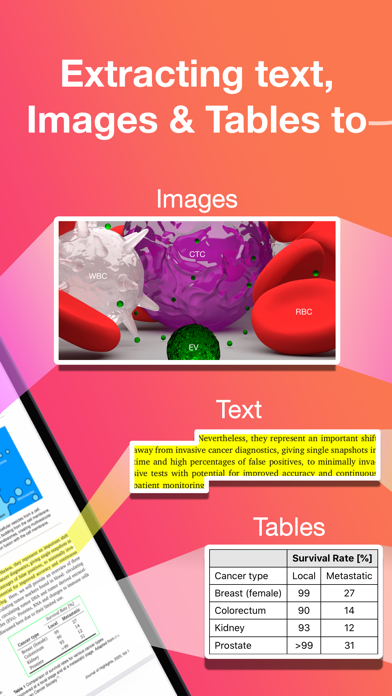

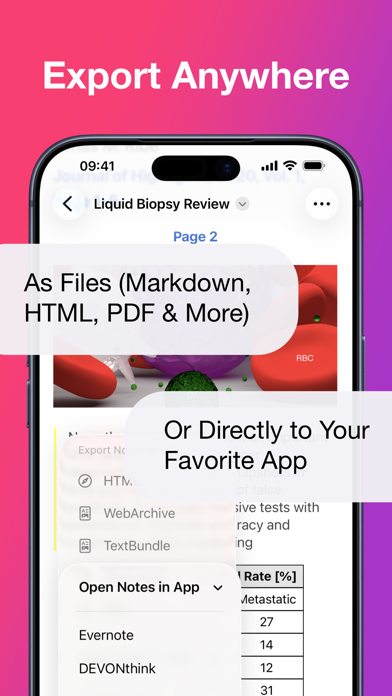
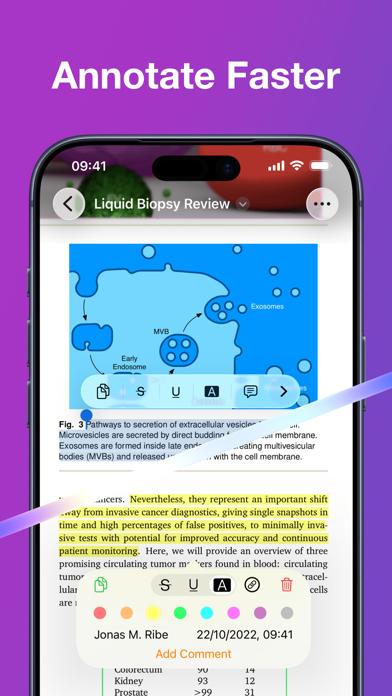
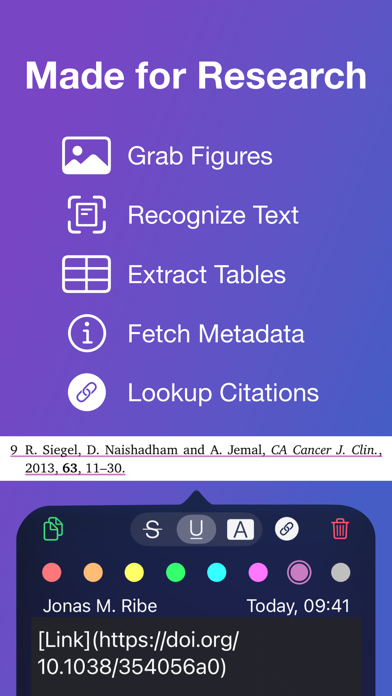
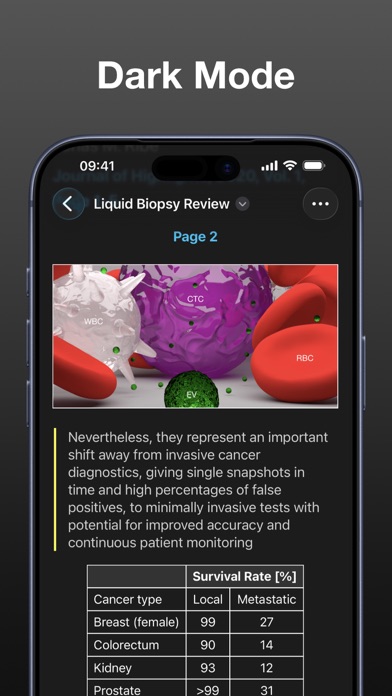

About Highlights: PDF Reader & Notes
The description on the store listing
"... an app that students, academics, and anyone who does substantial amounts of PDF-based research should try" - Macstories.net
"It’s the novel approach to PDF annotation that makes this app a cut above the rest"- TapSmart.com
*** "App of the Day" - App Store, US ***
USE HIGHLIGHTS FOR FREE
Highlights is a fast and lightweight PDF reader (under 10MB) packed with features to help you do your best research.
Free users have access to standard PDF reader features including document browsing, reading and annotating. There are NO ADS, time limits or tracking.
READ PDF DOCUMENTS
• Open PDF documents from anywhere
• Browse files using the familiar document browser
• Open PDFs in Single Page …
Read the full description
"... an app that students, academics, and anyone who does substantial amounts of PDF-based research should try" - Macstories.net "It’s the novel approach to PDF annotation that makes this app a cut above the rest"- TapSmart.com *** "App of the Day" - App Store, US *** USE HIGHLIGHTS FOR FREE Highlights is a fast and lightweight PDF reader (under 10MB) packed with features to help you do your best research. Free users have access to standard PDF reader features including document browsing, reading and annotating. There are NO ADS, time limits or tracking. READ PDF DOCUMENTS • Open PDF documents from anywhere • Browse files using the familiar document browser • Open PDFs in Single Page or Two Page scroll mode • Double tap to Smart Zoom in on a paragraph or figure • Scrub smoothly to the desired page • Search the entire document in an instant • Navigate using any connected keyboard or mouse STORE YOUR FILES WHERE YOU WANT • Full support for "Open In Place" lets you make edits to the file where it is • Access your files from iCloud Drive, Dropbox, Google Drive, OneDrive or Box using the document browser • Or keep them privately on device only HIGHLIGHT AND ANNOTATE FASTER • Select text with your finger, Apple Pencil or mouse pointer • Highlight, underline, strikethrough text and make image selections • Add comments to annotations or as individual sticky notes • Annotate with fewer taps using context aware popovers • Default annotation colors prevents you from having to repeatedly setting the color for the same type of annotation every time TURN ANNOTATIONS INTO NOTES • As you markup text and images the contents are extracted and sorted into notes • Customize the formatting and contents of your notes • Sort the annotations chronologically or create your own color coding EXTRACT TABLE DATA AND RECOGNIZE TEXT • Convert images containing text or tables to actual text and tables using machine learning - letting you get to the underlying data with a single tap SMART COPY Copy annotations to the desired format with one tap: • Text markup as text • Image selections as images • Tables as CSV • Citations as BibTex LOOKUP CITATIONS • Highlights will fetch DOI-links and metadata • Markup any reference and tap the link icon to look it up • If you have read the work already or have it in your reference manager library, Highlights will link you to it EXPORT ANYWHERE • Save or share your notes as portable files: Markdown, TextBundle, HTML, WebArchive or PDF • Share them to your favorite notes app: Apple Notes, Bear, Craft, Evernote, DEVONThink, Keep It, MindNode, Notion, Obsidian, Roam Research or Ulysses • Or send them to a colleague via mail. It's your notes, you decide where they go MUCH MORE • Dark mode • Multi-window support on iPadOS • Keyboard shortcuts and navigation • Support for system Copy and Undo gestures • Alternative app icons • Custom accent colors • Apple Pencil double-tap gestures • Power annotation tools For a full list of features see: highlightsapp.net/features HIGHLIGHTS PRO The Highlights Pro subscription unlocks advanced features on your iPhone, iPad and Mac: • Export options for other apps and easily editable formats • Extract information using table and text recognition • Customize accent colors and alternative app icons • Power annotation tools • Citation lookups • Smart Copy Highlights Pro includes a 14-day free trial. You can cancel your subscription at any time. The subscription will automatically renew unless auto-renew is turned off within 24-hour prior to the end of of the current period. Payments will be charged to your iTunes account and your account will be charged within 24-hours prior to the end of the current period. Any unused portion of a free trial period will be forfeited when you purchase a subscription. For more information about Highlights Pro: highlightsapp.net/pro Privacy Policy: highlightsapp.net/privacy Terms: highlightsapp.net/terms
Installs, last 30 days
Apple does not publish download counts. Estimates are in testing.
Estimated store revenue Estimated Beta
App Store, worldwide, monthly rate from the last 12 chart days to 19 Nov 2026
Below the top 100 grossing apps in the markets we calibrate. In the United States that usually means under about $6.4M a month. App Store purchases and subscriptions only, before Apple's 15 to 30% fee. Ads and web payments are not included.
Ratings
1,628 ratings, 1,628 reviews
- 5 ★79%
- 4 ★8.7%
- 3 ★3.6%
- 2 ★2.7%
- 1 ★5.5%
Recent reviews
Latest public reviews from the store
- 17 Mar 2026
Done With Subscription-Based Apps
I really like this app and I have used it for a lot of things (the pro-version), but I cannot justify paying a subscription price every year. I hope apps that have no yearly updates or drastic changes to their software reconsider the subscription-based model. It’s killing those of us who need to look through all of our subscriptions each month and determine what is actually worth our money. I used it for very, very simple annotation tasks and really like the ability to highlight automatically, use hotkeys to switch between colors and the ability to easily export my notes—however, it’s not worth paying 30 dollars every year for. I’d much rather pay a one-time fee of even 60-70 dollars for an app like this, but not interested in paying forever. I have found an alternative one-time-payment app with more features (though honestly, I like the simplicity of this app) that benefit my studies so will be using that instead.
- 15 Dec 2021
Soooo close to great, but needs to remember last page
I read a ton of PDFs, and I’ve never been fully satisfied with the reading/highlighting/annotation experiences in other apps. Highlights is so close to greatness now that it makes its remaining glitches all the more frustrating. I first tried this app earlier this year, but abandoned it back then because the highlighting experience was too difficult to control and I spent more time adjusting the selections than getting on with the reading. I'm happy to report that after checking again now, these issues seem to have been resolved. The interface is lovely, reading is mostly pleasant, and the side-by-side document/highlights view has quickly become a favorite. The simple, no-fuss exporting of highlights and notes and the ability to customize highlight metadata is a dream. In theory it also allows working with files directly from connected cloud services, which would be so much nicer than other pdf readers that make you clone documents and then manually sync. Unfortunately, the app never remembers the page I'm on in a document, and there doesn't even seem to be a way to manually bookmark where I leave off. For the longer documents I read, it's a PITA to find my place again each tim
- 22 Jul 2021
Lacks essential export feature and has annoyances
I had high hopes for this app to annotate PDFs collected as a background bibliography for review to prepare a science/engineering publication. But not in its current version. * Markdown export does not include the images. This eliminates my intent to use sophisticated, markdown-aware tools (e.g. Obsidian) to manage the exported annotation content. The lack of this ability alone leaves me with no greater power than my current go-to PDF editor app across macOS and iPadOS. * There is no way to clear the (exhaustive) list of recent files on the iPadOS app. * As another review noted, you will end in the File Editor and can inadvertently delete a folder or file from some other app (this may be a problem for other iPadOS apps due solely to the poor control in the Files app itself and if so should raise a red flag that apps should only be able to READ in the File directory, not muck about in it fully). * After you highlight a text region, you will not easily be able to adjust it. Essentially, the best if not only viable way to short or lengthen the highlight is to delete it and remake it. On the plus side, Highlights appears to work well dynamically with other PDF-editing apps (e.g. D
- 21 Apr 2021
Optimistic, if optimized (soon)
This app has ALMOST everything that would make it a replacement for PDF Expert (my current workhourse) or other annoation apps. As a Professor and director of a biomed research lab, my primary workflow involves downloading, annotating, and sharing PDFs with my team of 20 scientists. The Mac version is especially good on an M1 machine. Moreover, I find the text and image extraction capabilities to be excellent and so useful, as is the doi citation matching. Together with ReadCubePapers, the two apps are an ulitmate combination for managment of the large volume of publications I read or wish to file. What is missing? 1) The ability to scribble or freehand annoatate - especially on iPad. Really, it is a fatal flaw for me that has long been "planned" but implementation is needed soon, or my Pro subscription to Highlights will expire for good. 2) on iPad, he interaction with Apple Pencil also needs slight improvement with highlighting, as it awkwardly pauses just a second too long before reacting/responding; this leads to errors and then requires me to often try to highight multiple times unless I am VERY slow and careful when selecting text (and errors show in the Notes pane).
What reviewers bring up
Topics mentioned in the latest 8 reviews, by how many reviews mention them
Liked in good reviews (3 reviews)
- highlighting 2
- especially 2
- together 2
- ability 2
- notes 2
- pdfs 2
- wish 2
- show 2
Raised in bad reviews (2 reviews)
- page 2
- feel 2
Top chart positions
Latest App Store chart ranks by country, last 10 days
- Countries ranked
- 1 of 50
- Best rank
- #88
- Top 10 placements
- 0
- of 1 chart placements
- Average rank
- #88
Best countries on App Store
- 🇬🇷 Greece · Top grossing, Productivity#88
| Country | Chart | Category | Rank | Best (10 days) | Date |
|---|---|---|---|---|---|
| 🇬🇷 Greece | Top grossing | Productivity | #88 | #88 | 15 Nov 2026 |
Highlights: PDF Reader & Notes history
Release, install milestones, listing and store changes
- First released on the store 10 Apr 2020
Update frequency
How often Highlights: PDF Reader & Notes ships a new version, month by month
5 updates in the last 12 months. More often than most similar apps: they shipped a median of 2 updates in the same year.
Recent versions
Current version 2026.3.1
- Version 2026.3.119 Oct 2026
The iPhone Duo release with a whole new page layout mode called Auto where unfolding will automatically switch from single to two-page layout for a book-like experience. The Auto page layout mode is also available on iPads when rotating from portrait to landscape, but is off by default. To enable it go More (...) > Settings > Page Layout and select Auto. The default on iPad is Single page layout which will slide in the notes panel when rotating from portrait to landscape. The aspect ratios of the inner and outer displays on the iPhone Duo are ideal working with PDFs. To really utilize the space, Highlights lets you view PDF documents edge-to-edge in both the folded and unfolded state. The toolbar buttons float above the content in a vertical bar making them easy to reach. If you want to focus on the content, simply tap on the PDF to hide the buttons completely. You can still markup text and add annotations. Tap the PDF again to bring back the toolbar. The iPhone Duo brings features previously available only on iPad, including Apple Pencil support (coming later) and multiple windows. Highlights is built around these features, which means you can work on multiple PDFs, compare two documents side-by side on the inner display or tap and hold on a PDF in the document browser and select "Open in New Window" to open it in a separate window. This release contains a lot of under the hood improvements to allow for more flexible window resizing. This should also make toolbar contents and sheet presentations more consistent across all devices. In practice, this has some implications: - iPhones show more toolbar items when the document title is short - More predictable order of overflow items in the More menu (...) - More consistent appearance of sheets and location of dismiss buttons Other improvements: - Fixed Settings table view appearing with white background when presented as fullscreen sheet in light mode from Document Browser on iOS 26/27 - Fixed Table of Contents links in PDF Introduction Guide - Fixed issue with the navigation bar not re-appearing after being hidden when rotating large screen devices - Active Undo/Redo buttons in the More menu on iPhone now include the name of action it will perform - Improved contrast for table views in popovers and sheets with Liquid Glass - Fixed an issue with PDFs being offset vertically when changing between single and two-page layouts - Fixed an issue with PDFs in dark mode sometimes appearing with a gray background when resizing windows on iPad - Fixed an issue where the segmented control for switching between PDF and Notes could get tinted on iOS 27
- Version 2026.1.44 Jul 2026
Dark appearance for PDFs! Smart content handling gives your PDFs light text on a dark background without changing images and annotations. This can reduce eye strain and improve readability in dark environments while conserving battery life. To try it out: open a PDF document and go to Settings from the More menu in the top right corner, then set Auto Dark as your Appearance. The setting is also available in the menu bar on iPad under View. The Auto Dark setting will automatically match the PDF appearance to the system appearance. No more glaring white pages in Dark Mode! The new dark appearance for PDFs requires a device running iOS 26 and iPadOS 26 set to Dark Mode. Minor improvements: - Fixed a potential crash when generating thumbnails - Fixed an issue with quoted text in markdown exports containing line breaks - Tweaked onboarding animation transitions and colors - New onboarding flow
- Version 2026.1.36 Jun 2026
Dark appearance for PDFs! Smart content handling gives your PDFs light text on a dark background without changing images and annotations. This can reduce eye strain and improve readability in dark environments while conserving battery life. To try it out: open a PDF document and go to Settings from the More menu in the top right corner, then set Auto Dark as your Appearance. The setting is also available in the menu bar on iPad under View. The Auto Dark setting will automatically match the PDF appearance to the system appearance. No more glaring white pages in Dark Mode! The new dark appearance for PDFs requires a device running iOS 26 and iPadOS 26 set to Dark Mode. Minor improvements: - Fixed an issue with quoted text in markdown exports containing line breaks - Tweaked onboarding animation transitions and colors - New onboarding flow
- Version 2026.1.222 May 2026
Dark appearance for PDFs! Smart content handling gives your PDFs light text on a dark background without changing images and annotations. This can reduce eye strain and improve readability in dark environments while conserving battery life. To try it out: open a PDF document and go to Settings from the More menu in the top right corner, then set Auto Dark as your Appearance. The setting is also available in the menu bar on iPad under View. The Auto Dark setting will automatically match the PDF appearance to the system appearance. No more glaring white pages in Dark Mode! The new dark appearance for PDFs requires a device running iOS 26 and iPadOS 26 set to Dark Mode. Minor improvements: - Tweaked onboarding animation transitions and colors - New onboarding flow
Listing keywords
Words and phrases Highlights: PDF Reader & Notes repeats most in its store listing
Top phrases: highlights pro (4), highlightsapp net (4), pdf reader (3), alternative app icons (2), power annotation tools (2).
Highlighted words also appear in the title. Counts cover the title, short description and description.
Compliance
What the listing and the app package show
- Store status
- Live
- Upkeep
- Updated 19 Oct 2026
- Age rating
- 4+
Apps like Highlights: PDF Reader & Notes
 Infinity VPN: Unlimited ProxyQUTEN★ 4.27
 iFraction CalculatorCONG DUC TRAN★ 4.72
 Nori - Family AIDomus Next Inc.★ 4.84
 Online Portal by AppFolioAppFolio, Inc.★ 2.25
 Final Draft GoCast & Crew Production Software, LLC★ 3.99
 VPN Fly 2026VPN FREE CO., LIMITED★ 4.01
 Screen recorder. Recording appMobime★ 4.3
 Toca Boca fashion design ideasMohammed Sahraoui★ 4.08
 ManaBox MTGSkillDevs S.C.★ 4.62
Highlights: PDF Reader & Notes: questions and answers
Who makes Highlights: PDF Reader & Notes?
Highlights: PDF Reader & Notes is published by Jonas Myren Ribe.
When was Highlights: PDF Reader & Notes last updated?
The latest version (2026.3.1) was released on 19 Oct 2026.
Is Highlights: PDF Reader & Notes free?
Yes. Highlights: PDF Reader & Notes is free to download.
Is Highlights: PDF Reader & Notes still available?
Yes. Highlights: PDF Reader & Notes is live on App Store as of 19 Nov 2026.
Track Highlights: PDF Reader & Notes and its competitors
Watch any app for new versions, rating drops, chart moves and removals. Free plan, no card.