
- Installs
- —
- Apple does not publish download counts
- Rating
- 4.52
- Ratings
- 7K
- 7K reviews
- Version
- 3.5.3
- Updated 7 Dec 2020
- Released
- 17 Jul 2014
- Tracked since 11 May 2026
- Size
- 46 MB
- Needs 12.2
Also on App Store: Hours - Time tracking, Hours Time Tracking
Screenshots
About Hours Time Tracking
The description on the store listing
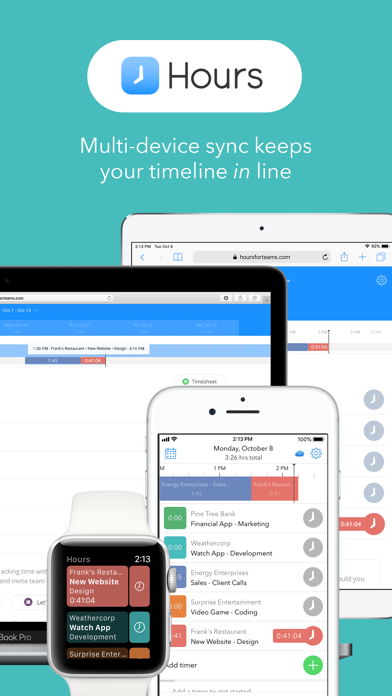
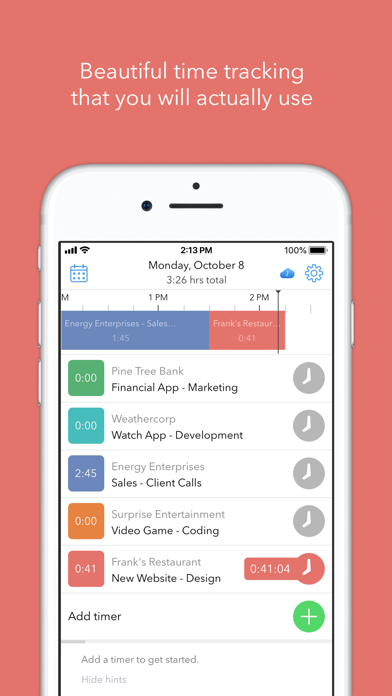
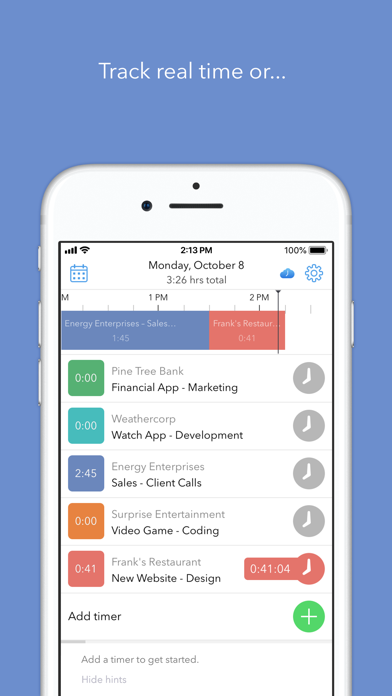
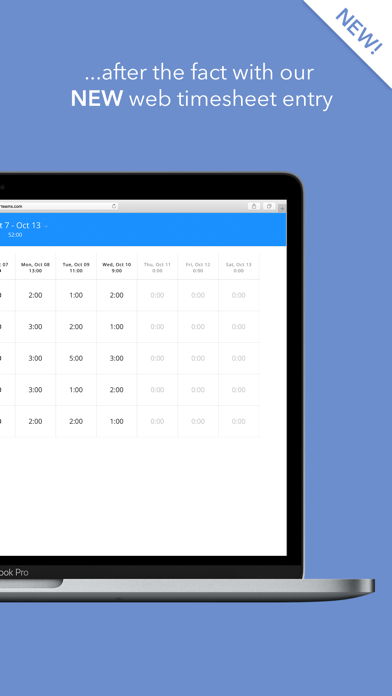
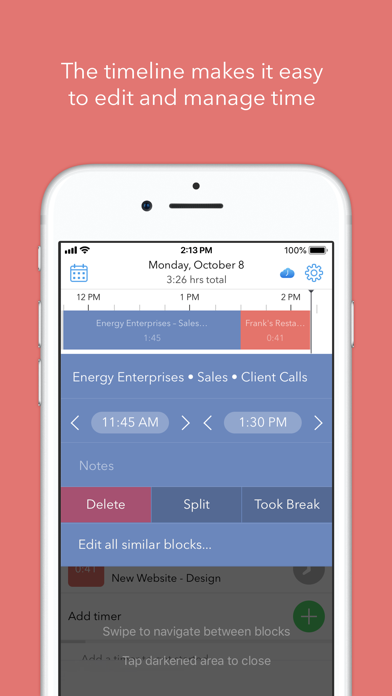
Hours Time Tracking let's you track time as an individual, freelancer, contractor, employee or as part of a team. Activate a simple timer to track where you spend your hours, use the visual timeline to correct mistakes or use the bulk timesheet entry to create a timesheet after the fact. Flexibility makes this the ideal time tracker tool to track all of your hours easily and quickly.
Whether you are tracking personal time or tracking your hours as a professional such as a freelancer, developer, contractor or part of a Team for employee time tracking, the Hours app is the perfect choice for an easy time tracker.
Multiple hours tracking options:
Hours Personal - easily track time for …
Read the full description
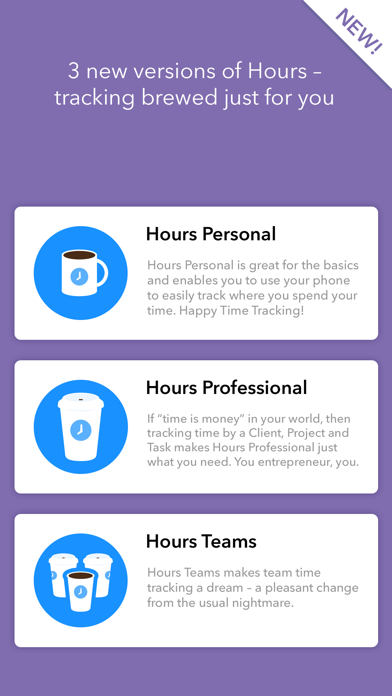
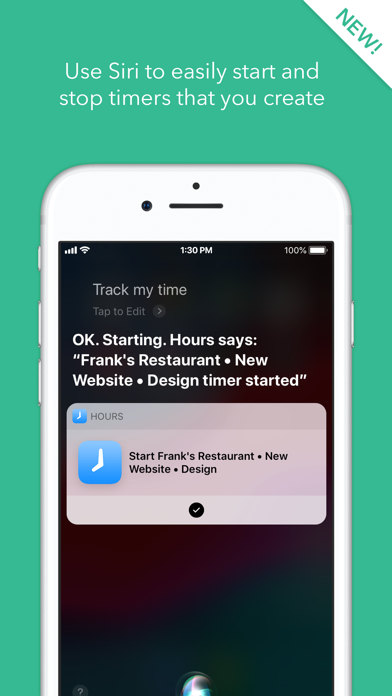
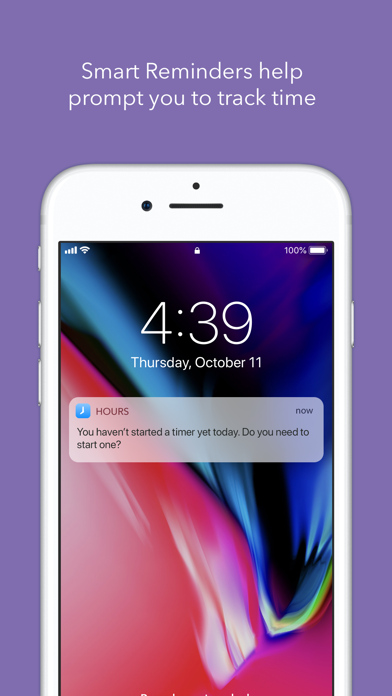
Hours Time Tracking let's you track time as an individual, freelancer, contractor, employee or as part of a team. Activate a simple timer to track where you spend your hours, use the visual timeline to correct mistakes or use the bulk timesheet entry to create a timesheet after the fact. Flexibility makes this the ideal time tracker tool to track all of your hours easily and quickly. Whether you are tracking personal time or tracking your hours as a professional such as a freelancer, developer, contractor or part of a Team for employee time tracking, the Hours app is the perfect choice for an easy time tracker. Multiple hours tracking options: Hours Personal - easily track time for personal use. Hours Professional - enables freelancers, contractors and entrepreneurs to track time on projects and invoice for their time. Hours Teams - enables collective tracking for team members working on a project. "The Perfect iPhone Time Tracking App" - Forbes "Surprisingly pleasant to use…well-thought-out interface" - TechCrunch “The world’s easiest way of tracking your time.” - 9to5Mac Best New Apps - Apple With a visual timeline, smart reminders, reporting, and an easy to use interface crafted by an Apple Design Award winning team, Hours lets you: - Choose between the Professional, Team and Personal version based on the features you need - Easily create simple timers that track tasks real time or use our timesheet option for after the fact time entry - Start/stop/switch timers with one tap - Edit the visual timeline to quickly identify and correct mistakes - Sync your time across multiple devices including Apple Watch and Hours Web - Invoice for your time with the Professional and Team versions - Use Siri to start and stop time tracking Please email us if you have any questions or suggestions to improve the app: [email protected] Hours offers an "Hours Pro" monthly subscription for $7.99 per month and an “Hours Pro” yearly subscription for $59.99 annually. When you purchase a subscription, it will be charged to your credit card through your iTunes account and will automatically renew unless canceled at least 24 hours prior to the end of the current period. Hours also offers an "Hours Personal” subscription for $19.99 annually. When you purchase a subscription, it will be charged to your credit card through your iTunes account and will automatically renew unless canceled at least 24 hours prior to the end of the current period. To manage your subscription, (including upgrading, downgrading and deactivating auto-renewal), go to the Account Settings screen after purchase. Instructions are available at: https://support.apple.com/en-us/HT202039 Privacy Policy: https://hourstimetracking.com/privacy-policy/ Terms of Service: https://hourstimetracking.com/terms-of-service/
Installs, last 30 days
Apple does not publish download counts. Estimates are in testing.
Estimated store revenue Estimated Beta
App Store, worldwide, monthly rate from the last 12 chart days to 19 Nov 2026
Below the top 100 grossing apps in the markets we calibrate. In the United States that usually means under about $6.4M a month. App Store purchases and subscriptions only, before Apple's 15 to 30% fee. Ads and web payments are not included.
Ratings
7,037 ratings, 7,037 reviews
No rating breakdown published for this app.
Recent reviews
Latest public reviews from the store
- 5 Sep 2024
Indispensable
I am a small business owner and custom jeweler; using the Hours app for my own time logs on different projects, as well as when I had employees, logging their time on their own devices or iPads I provided. It is so easy to get reports and collate time and, I would be completely lost on projecting how long orders or new inventory pieces take otherwise. As a jeweler, I need to switch between different projects and pieces. Sometimes every few minutes and the Hours app makes that very simple. I used to write everything down on post-it notes and the weekly assessing and collating of that information took almost a half a day. Now with the Hours app, which I’ve been using for around 10 years, I do not have to do that. I could not do my job as efficiently without the Hours app.
- 17 May 2023
Easy to use and generally pretty app
Within five minutes of downloading this app I was already up and running. It is very simple to set up. I like to color coding and I like the fact that I can jump back-and-forth between tasks just by tapping on the task name. The reporting looks very promising, but I do not have enough data in yet to get a clear picture as to how good it is. I do wish there was some graphing however. Overall I couldn't be happier this really fills a gap in my workflow and I am very sure I will use it exclusively for my time tracking. UPDATE: since my original purchase I continue to use use this app and I'm still very happy with it. It's interface is extremely easy to work with and it is fast to switch between tasks. I find it very relevant to the way I work. I still highly recommend this as a good time tracking app. UPDATE 2 This app continues to deliver. I use it everyday and to help with my time sheets. UPDATE 3 This app has gain some really nice features without impacting the fast access interface. This is a great update and this app continues to live on my main iPhone screen as a multi day go to app. I couldn't report my time as easily without it. It also lives in my notifications area which is
- 24 Jun 2021
back to the best
Update: I still love this app!! The reporting functionality has been much improved (my needs as a solo user are limited but real) since my last review below and I’ve had only rare crashes. I can’t imagine using any other time tracker at this point. I started with this app a long time ago, was a happy user, then had to abandon it when it started acting up in some of the ways to which other users have attested. I contacted support but didn't see the main issue I was having (overlaps I couldn't get rid of) go away. So I reluctantly switched to a different and app. Finding the replacement program lacking after several months' use, I contacted Hours customer support about my issues to see if there might have been any updates that could have addressed them, and was encouraged to try Hours again. I've been using it continuously since April, and it's now working as advertised. I do still occasionally get unintended overlaps when switching tasks or changing labels for a task -- it seems to happen when my internet connection is slow and the sync lags a bit. But such overlaps are rare and easy to locate and correct. I use the program to track my work as an academic in the humanities, so I
- 5 Oct 2018
Great on the phone and old watches. But no support for series 4.
With my phone and old watch, this was a 5-star app; with my only slight disappointment being the lack of ability to set overtime rules. But that’s easy enough to deal with myself after I export my CSV. BUT: The complication no longer works on the Apple Watch. I upgraded to the Series 4 yesterday, and the Hours complication will not let me add it to new faces. The app synced over, and it works when I launch it manually. The complication even works still on my legacy faces that transferred over when I switched. But I can’t add it to the new faces I’ve been trying to set up. This a problem for me, given my workflow and my unpredictable need for time tracking. My work is fairly interrupt driven and only certain clients and projects need to be tracked. So the ability to switch time tracking with just a couple of taps to the wrist was a godsend. So, tl;dr, this is a 5-star app on old hardware. But I guess the devs have abandoned it on the meantime, and if you have current hardware, you’re unsupported moving forward. So minus 2-stars on current gear.
What reviewers bring up
Topics mentioned in the latest 8 reviews, by how many reviews mention them
Liked in good reviews (4 reviews)
- different 3
- tasks 3
- long 3
- switch between 2
- reporting 2
- projects 2
- couldn't 2
- tracking 2
Raised in bad reviews (3 reviews)
- hours 3
- productivity 2
- suddenly 2
- account 2
- another 2
- needed 2
- create 2
- costs 2
Top chart positions
Latest App Store chart ranks by country, last 10 days
- Countries ranked
- 6 of 50
- Best rank
- #68
- Top 10 placements
- 0
- of 6 chart placements
- Average rank
- #81.7
Best countries on App Store
- 🇳🇴 Norway · Top grossing, Business#68
- 🇳🇱 Netherlands · Top grossing, Business#76
- 🇷🇴 Romania · Top grossing, Business#80
- 🇨🇱 Chile · Top grossing, Business#83
- 🇩🇰 Denmark · Top grossing, Business#86
- 🇫🇮 Finland · Top grossing, Business#97
| Country | Chart | Category | Rank | Best (10 days) | Date |
|---|---|---|---|---|---|
| 🇳🇴 Norway | Top grossing | Business | #68 | #68 | 12 Nov 2026 |
| 🇳🇱 Netherlands | Top grossing | Business | #76 | #76 | 14 Nov 2026 |
| 🇷🇴 Romania | Top grossing | Business | #80 | #47 | 15 Nov 2026 |
| 🇨🇱 Chile | Top grossing | Business | #83 | #83 | 14 Nov 2026 |
| 🇩🇰 Denmark | Top grossing | Business | #86 | #40 | 18 Nov 2026 |
| 🇫🇮 Finland | Top grossing | Business | #97 | #18 | 19 Nov 2026 |
Hours Time Tracking history
Release, install milestones, listing and store changes
- First released on the store 17 Jul 2014
Update frequency
How often Hours Time Tracking ships a new version, month by month
0 updates in the last 12 months. Less often than most similar apps: they shipped a median of 11 updates in the same year.
Recent versions
Current version 3.5.3
- Version 3.5.37 Dec 2020
Bug fixes and performance improvements
Listing keywords
Words and phrases Hours Time Tracking repeats most in its store listing
Top phrases: visual timeline (3), after the fact (2), automatically renew unless (2), canceled at least (2), hours time tracking (2).
Highlighted words also appear in the title. Counts cover the title, short description and description.
Compliance
What the listing and the app package show
- Store status
- Live
- Upkeep
- No update since 7 Dec 2020
- Age rating
- 4+
Apps like Hours Time Tracking
 Fax from iPhone - Send Docsoct★ 4.71
 Beans RouteOne Hundred Feet, Inc.★ 4.47
 PDF Converter - PDF Editor・Techgear Inc★ 4.38
 Super Dispatch: BOL App (ePOD)Super Dispatch★ 4.9
 ChambApp: Jobs Search New YorkOllin Services Inc★ 4.6
 Udemy BusinessUdemy★ 4.75
 Citrix Secure MailCitrix Systems, Inc.★ 4.49
 MattermostMattermost, Inc.★ 4.76
 BCare | بي كير للتأمينBCare - بي كير★ 4.59
Hours Time Tracking: questions and answers
Who makes Hours Time Tracking?
Hours Time Tracking is published by Hours, LLC.
When was Hours Time Tracking last updated?
The latest version (3.5.3) was released on 7 Dec 2020.
Is Hours Time Tracking free?
Yes. Hours Time Tracking is free to download.
Is Hours Time Tracking still available?
Yes. Hours Time Tracking is live on App Store as of 19 Nov 2026.
Track Hours Time Tracking and its competitors
Watch any app for new versions, rating drops, chart moves and removals. Free plan, no card.