- Installs
- —
- Apple does not publish download counts
- Rating
- 4.56
- Ratings
- 16.2K
- 16.2K reviews
- Version
- 2.2
- Updated 26 Nov 2020
- Released
- 17 May 2017
- Tracked since 11 May 2026
- Size
- 32 MB
- Needs 10.0
Also on Google Play: Hours Tracker - Time Clock
Screenshots
About Hours - Tracker & Time Clock
The description on the store listing
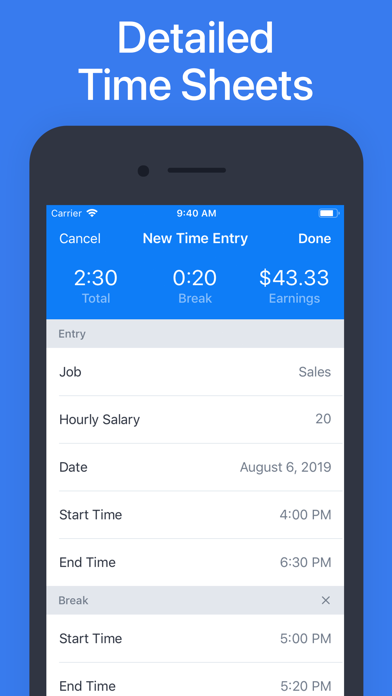
Hours is the easiest and most convenient way to keep track of your work hours. Either use the Clock feature to “Clock In” and out, or add your hours manually to the Log. At any time, you can see a weekly overview of the hours worked and salary earned.
As one of the leading time tracker apps on the App Store, Hours offers many useful and unique features, including:
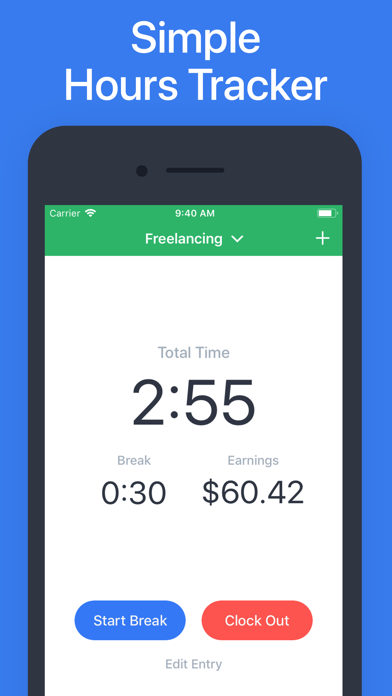
CLOCK TIMER
Keep a live timer during a shift and track hours and earnings by the minute.
MANUAL ENTRIES
If you don’t want to use the Clock feature, you can also add work hours manually.
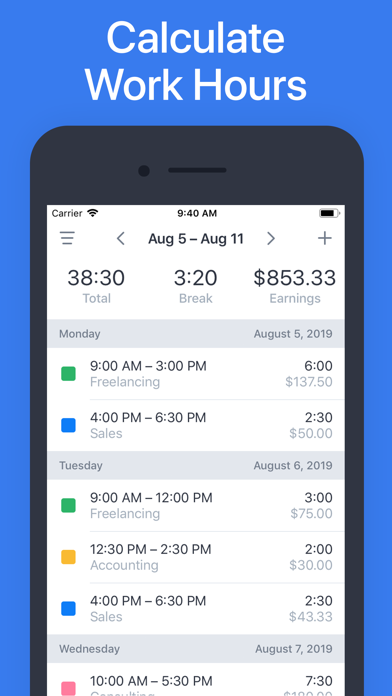
WEEKLY LOGS
On the Log page, you can see weekly overviews of the shifts you have worked, as well as the total hours and earnings for that …
Read the full description
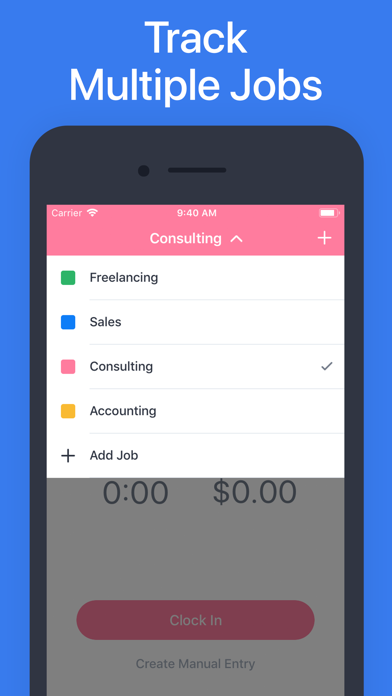
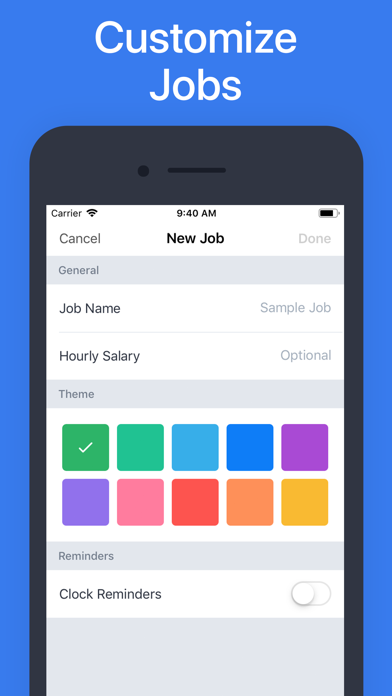
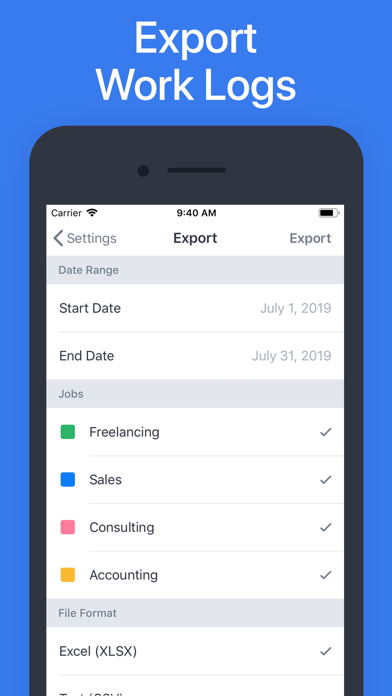
Hours is the easiest and most convenient way to keep track of your work hours. Either use the Clock feature to “Clock In” and out, or add your hours manually to the Log. At any time, you can see a weekly overview of the hours worked and salary earned. As one of the leading time tracker apps on the App Store, Hours offers many useful and unique features, including: CLOCK TIMER Keep a live timer during a shift and track hours and earnings by the minute. MANUAL ENTRIES If you don’t want to use the Clock feature, you can also add work hours manually. WEEKLY LOGS On the Log page, you can see weekly overviews of the shifts you have worked, as well as the total hours and earnings for that week. EARNINGS & TAXES* Calculate earnings and deduct taxes. MULTIPLE JOBS* Working more than just one job? Create multiple jobs with different settings. EXPORT* Export your work history in multiple formats. REMINDERS* With Clock Reminders, you will never forget to report your hours. PASSCODE PROTECTION* Keep your work log extra secure with a passcode lock. While the core functionality is complete free to use, some of the more advanced features (denoted with an asterisk above) require a paid subscription. Please see the subscription details below. ------------------------ Subscription Information - The subscription price of $29.99 per year automatically renews every year until cancelled. - Your payment will be charged to your iTunes Account as soon as you confirm your purchase. - You can manage your subscriptions and turn off auto-renewal from your Apple ID account settings after the purchase. - Your subscription will renew automatically, unless you turn off auto-renew at least 24 hours before the end of the current period. - The cost of renewal will be charged to your account in the 24 hours prior to the end of the current period. - When canceling a subscription, your subscription will stay active until the end of the period. Auto-renewal will be disabled, but the current subscription will not be refunded. About Subscriptions: http://onewave.se/hours/subscriptions.html Privacy Policy: http://onewave.se/hours/privacy.html
Installs, last 30 days
Apple does not publish download counts. Estimates are in testing.
Estimated store revenue Estimated Beta
App Store, worldwide, monthly rate from the last 13 chart days to 20 Nov 2026
Below the top 100 grossing apps in the markets we calibrate. In the United States that usually means under about $6.4M a month. App Store purchases and subscriptions only, before Apple's 15 to 30% fee. Ads and web payments are not included.
Ratings
16,229 ratings, 16,229 reviews
No rating breakdown published for this app.
Recent reviews
Latest public reviews from the store
- 5 May 2026
No response if reach out for help with app, also wish there was more functionality
Notes input in tracker do not transfer to spreadsheet exports. Also, all jobs do not show up in time tracking screen. It is limited ti a certain amount of jobs.
- 27 Apr 2026
Bueno
Fácil
- 17 Mar 2026
Bueno
Lo recomiendo
- 14 Feb 2026
Basic But Almost Perfect
Loving the app after using it for a week now. Very simple to use. I only wish I could categorize my entries by project and not just job name. Small issue.
What reviewers bring up
Topics mentioned in the latest 50 reviews, by how many reviews mention them
Liked in good reviews (41 reviews)
- hours 13
- track 8
- wish 4
- jobs 4
- excelente 3
- trabajo 3
- family 3
- useful 3
Raised in bad reviews (6 reviews)
- multiple 2
Top chart positions
Latest App Store chart ranks by country, last 10 days
Not in any tracked top chart in the last 10 days.
Hours - Tracker & Time Clock history
Release, install milestones, listing and store changes
- First released on the store 17 May 2017
Update frequency
How often Hours - Tracker & Time Clock ships a new version, month by month
0 updates in the last 12 months. Less often than most similar apps: they shipped a median of 3 updates in the same year.
Recent versions
Current version 2.2
- Version 2.226 Nov 2020
Minor fixes and improvements.
Listing keywords
Words and phrases Hours - Tracker & Time Clock repeats most in its store listing
Top phrases: hours and earnings (2), turn off auto (2), auto renewal (2), clock feature (2), current period (2).
Highlighted words also appear in the title. Counts cover the title, short description and description.
Compliance
What the listing and the app package show
- Store status
- Live
- Upkeep
- No update since 26 Nov 2020
- Age rating
- 4+
Apps like Hours - Tracker & Time Clock
 HoneyBook - Small Business CRMHoneyBook Inc.★ 4.77
 CoyoteGOCoyote Logistics LLC★ 4.65
 Trainline Business EUCapitaine Train★ 4.74
 Invoice Generator - ZohoZoho Corporation★ 4.87
 2nd Line - Second phone numberPatel Sardarben★ 4.59
 Cisco JabberCisco★ 4.57
 ScheduleFlex by ShiftboardShiftboard, Inc.★ 4.7
 Avigilon Alta OpenOpenPath Security, Inc.★ 4.8
 HD Supply Easy Order AppHD Supply, Inc.★ 4.82
Hours - Tracker & Time Clock: questions and answers
Who makes Hours - Tracker & Time Clock?
Hours - Tracker & Time Clock is published by One Wave AB.
When was Hours - Tracker & Time Clock last updated?
The latest version (2.2) was released on 26 Nov 2020.
Is Hours - Tracker & Time Clock free?
Yes. Hours - Tracker & Time Clock is free to download.
Is Hours - Tracker & Time Clock still available?
Yes. Hours - Tracker & Time Clock is live on App Store as of 20 Nov 2026.
Track Hours - Tracker & Time Clock and its competitors
Watch any app for new versions, rating drops, chart moves and removals. Free plan, no card.