
- Installs
- —
- Apple does not publish download counts
- Rating
- 4.32
- Ratings
- 277
- 277 reviews
- Version
- 2.9
- Updated 2 Oct 2026
- Released
- 29 Jun 2014
- Tracked since 26 May 2026
- Size
- 275 MB
- Needs 13.0
Screenshots
About hyperPad iPad Game Maker
The description on the store listing
Make Your Own Games on iPad. No Code Needed!
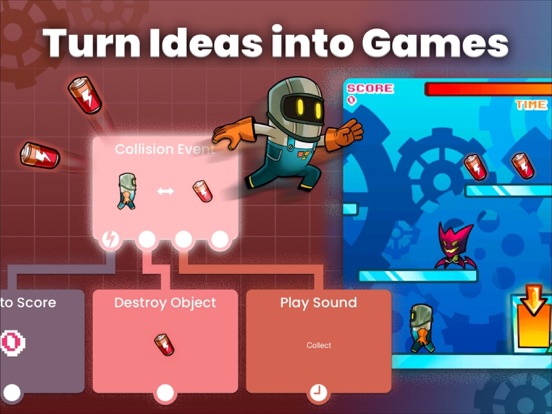
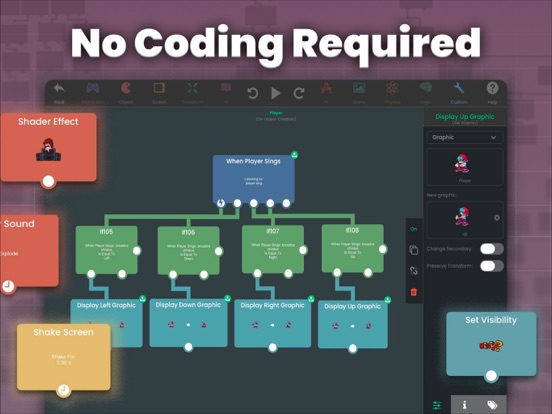
USD $14.99 one-time purchase. Lifetime access, no subscription. hyperPad is the most powerful no-code game development engine made for iPad. Build platformers, RPGs, rhythm games, puzzles, and more.
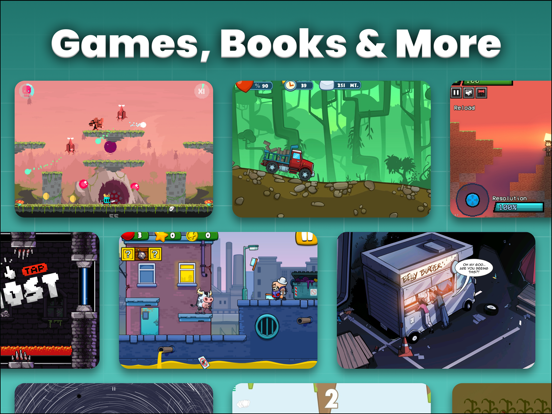
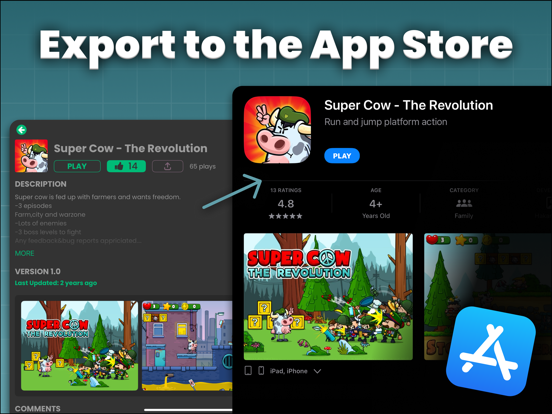
Perfect for beginners, kids learning coding, and indie game developers creating professional iOS games. Make interactive stories, apps, and full-featured mobile games visually, with drag-and-drop simplicity. Import assets, test instantly, and publish to the global hyperPad Hub or the App Store.
With over 250,000 plays and multiple App Store launches, hyperPad makes game creation mobile, convenient, and accessible. Build real games on your iPad or …
Read the full description
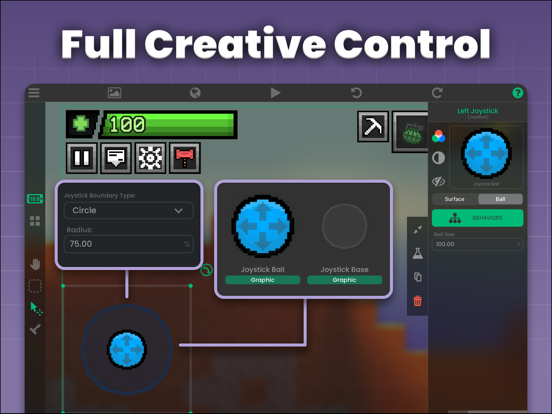
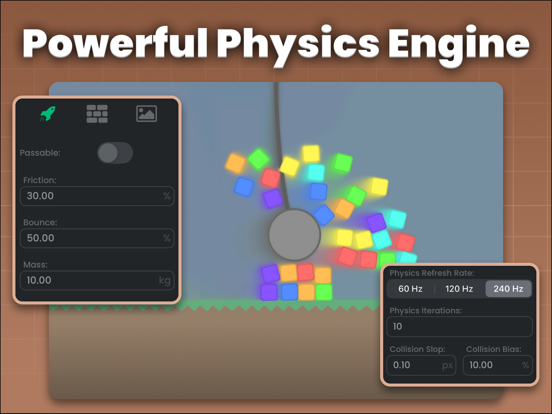
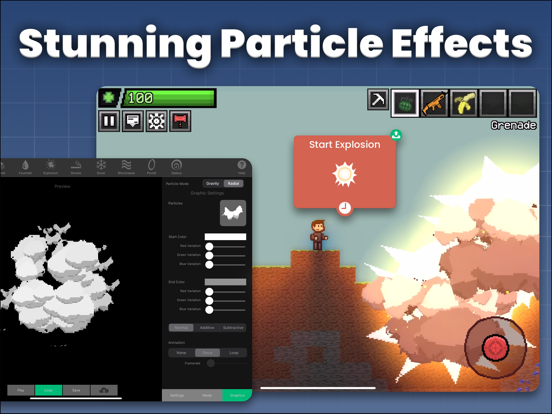
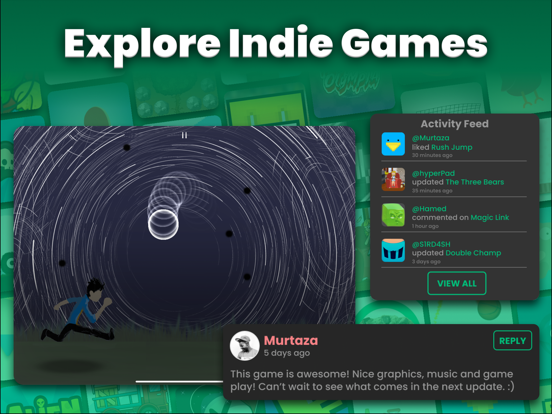
Make Your Own Games on iPad. No Code Needed! USD $14.99 one-time purchase. Lifetime access, no subscription. hyperPad is the most powerful no-code game development engine made for iPad. Build platformers, RPGs, rhythm games, puzzles, and more. Perfect for beginners, kids learning coding, and indie game developers creating professional iOS games. Make interactive stories, apps, and full-featured mobile games visually, with drag-and-drop simplicity. Import assets, test instantly, and publish to the global hyperPad Hub or the App Store. With over 250,000 plays and multiple App Store launches, hyperPad makes game creation mobile, convenient, and accessible. Build real games on your iPad or MacBook and start monetizing your games. Build Professional iOS Games With No Code: • Drag-and-drop objects to create your scenes • Design gameplay with visual logic blocks • Build platformers, RPGs, puzzles, simulators, rhythm games, and more • Real-time multiplayer games with built-in networking behaviors • Monetize with ad integration or export Xcode projects for App Store release Make Real Apps & Interactive Experiences: • Custom UI, menus, and overlays for fully interactive apps • Advanced physics, particle effects, and animations included • Instant testing with no compiling required • Share projects to the global hyperPad Hub and grow your audience Full Creative Control: • Import your own game art, music, sounds, and fonts • Animate characters, cutscenes, and interactive experiences • Build your game entirely on iPad Why Creators Love hyperPad: • Built for iPad with true visual game creation • Pro game dev features • Multiplayer, physics, animation, and particle effects ready • Trusted for pro game development, STEAM, and coding education • A global community of creators and easily share your games • Export Xcode projects and monetize on the App Store Perfect For: • Game development on iPad • No-code app and game creation • Visual coding for beginners, students, and kids • Indie developers seeking a powerful alternative to Mimo, Unity, or Bloxel • Digital artists from Photoshop or Procreate ready to make interactive games • Teachers and parents introducing coding in class Turn Your iPad into a Full Game Studio Start your game development journey today with hyperPad! Bring your ideas to life. Learn. Create. Explore. Tutorials & inspiration: YouTube @hyperPad Privacy: https://www.hyperpad.com/privacy Terms: https://www.hyperpad.com/legal FAQ • hyperPad game development does not work on iPhone. • Some features require connection to the internet (e.g., Hub/community). It will work best with a connection. • If your signup fails, please contact support. Which hyperPad app should I get? • hyperPad (green): Full editor with all features (paid, $14.99 one-time purchase) • hyperpad Starter (blue): Make one game for free • hyperpad Hub (purple): Play games for free
Installs since 29 Aug 2026
Apple does not publish download counts. Estimates are in testing.
Estimated store revenue Estimated Beta
App Store, worldwide, monthly rate from the last 12 chart days to 19 Nov 2026
Below the top 100 grossing apps in the markets we calibrate. In the United States that usually means under about $6.4M a month. App Store purchases and subscriptions only, before Apple's 15 to 30% fee. Ads and web payments are not included.
Ratings
277 ratings, 277 reviews
No rating breakdown published for this app.
Recent reviews
Latest public reviews from the store
No reviews in our sample for this app yet.
Top chart positions
Latest App Store chart ranks by country, last 10 days
Not in any tracked top chart in the last 10 days.
hyperPad iPad Game Maker history
Release, install milestones, listing and store changes
- First released on the store 29 Jun 2014
Update frequency
How often hyperPad iPad Game Maker ships a new version, month by month
3 updates in the last 12 months. More often than most similar apps: they shipped a median of 2 updates in the same year.
Recent versions
Current version 2.9
- Version 2.92 Oct 2026
hyperPad 2.9 is all about stability. This update brings more than 150 fixes to the editor, the player and the Hub. It fixes crashes, plugs memory leaks so long play and editing sessions stay smooth, and adds support for the latest versions of iPadOS. You can also now sign in with Google. New Features: • Sign in with Google on the login and sign-up screens. • hyperPad now asks for your permission before tracking (App Tracking Transparency). • Open iPhone photos (HEIC) and WebP images in hyperPad straight from Files and other apps. • Opening a file hyperPad can't import now tells you so instead of doing nothing. Bug Fixes: • Fixed crashes when opening projects on iPadOS 26 and loading levels on iPadOS 27. • Fixed a crash on iPadOS 15 when signing up, logging in, creating a project or sharing to the Hub. • Fixed Facebook login failing when tracking isn't allowed. • Fixed an issue that could sign you out when opening hyperPad without an internet connection. • Fixed reordering scenes and overlays changing Load Level targets or opening the wrong scene. • Fixed Branch doing nothing on Hub projects. Branched projects now open in the editor. • Fixed the Library getting stuck after sharing or exporting a project. • Fixed games ignoring touches after restarting from the pause menu. • Fixed jumping only working on the bottom of objects with sideways or custom gravity. • Fixed the Count Down behaviour showing the wrong time and running on after its object is destroyed. • Fixed Load Image on spawned objects so each copy keeps its own image. • Fixed Get Object returning zeros in layer mode. • Fixed collision and hit-by-bullet outputs mixing up spawned objects. • Fixed joystick-controlled objects playing the wrong direction animation. • Fixed hidden ad banners reappearing after rotating the device. • Fixed closed overlays that kept receiving messages and slowing games down. • Fixed objects that kept blocking touches after a touch or drag behaviour ended. • Fixed @-mentions and text formatting in Hub posts and comments that contain emoji. • Fixed editor crashes involving undo, layers, collision shapes, particles, copy and cut, and behaviour connections. • Fixed game crashes involving physics joints, Sort Array, HTTP requests, Spawn Object prefabs, audio effects and scene transitions. • Fixed Hub crashes when following users, opening posts, uploading screenshots, viewing your wallet and loading comments. • Fixed dozens more memory leaks across games, the editor and the Hub. • Security improvements for links, downloads and imported projects. hyperPad now requires iPadOS 15 or later. Plus 100+ more fixes and improvements. View the complete changelog on our forum.
- Version 2.716 Jul 2026
hyperPad just got a serious power-up. This update brings a completely reworked behaviour logic system under the hood, making iPad game development faster and smoother than ever. Experience up to 96× more objects at 60 FPS, reduced memory usage, smoother projects, new creator controls, and deep fixes across all hyperPad apps. If you are building 2D games, designing a music game, or prototyping a no-code app on the go, everything runs better. Find new features like camera anchors, pixel-perfect font rendering, and enhanced text customization that'll give game developers and artists more flexibility than ever. Plus, dozens of bug fixes improve stability, animation workflows, physics reliability, editor usability, and cross-platform compatibility. It's a faster, cleaner, more reliable hyperPad ecosystem from top to bottom — the best way to make games on iPad. New Features: • The entire behavior logic system has been reworked behind the scenes, resulting in significant performance improvements and reduced memory usage. • New language selection in user settings. • Added camera anchors: adjust how the camera repositions itself when switching aspect ratios. • You can now disable antialiasing for TTF fonts and BM fonts, allowing for crisp pixelated labels. • Added ability to adjust text dimensions and alignment of TTFLabels on the fly in the Set Label behaviour. • Rotate By, Skew By, and Scale By behaviours have been tweaked to allow multiple animations to run in parallel to match Move By behaviours. • The Modify Array behaviour can now delete an element by value instead of index. Bug Fixes: • Fixed numerous memory leaks and improved overall stability. • Fixed multiple crashes involving the Hub, animations, sound imports, bullets, menus, shaders, Socket.io behaviors, and spawned objects. • Fixed Keyboard Shortcut behaviours, including arrow key shortcuts not triggering events. • Fixed Shoot behaviours not working on scenery objects. • Fixed bullets not firing when objects switched layers. • Fixed physics attachments not persisting when object collisions were changed. • Fixed spawned objects not being able to jump. • Fixed Screen Wrap behaviours not working on spawned objects. • Fixed Receive Message behaviours not working after switching scenes. • Fixed global behaviours persisting between play sessions in the Hub. • Fixed prefab issues, including blank prefabs and animated graphics displaying full spritesheets. • Fixed shader properties carrying over between multiple objects. • Fixed Alerts not appearing in exported projects. Plus 25+ more fixes and improvements. View the complete changelog on our forum.
- Version 2.629 Mar 2026
Shaders are here! Add shader effects to objects, layers, backgrounds, or the whole game scene. Create advanced visual game effects directly from your iPad. Expect smoother animations, more behaviors, and major stability improvements. Try Shader Effect & Automate Shader behaviour and build a mini game demo scene in minutes. New Features • Added shaders: apply shader effects to objects, layers, the background or the entire scene with the new Shader Effect behavior. • Animate shaders: Animate shader properties over time with the new Automate Shader behavior. • Added the option to spawn prefabs and templates in the Spawn Object behavior. • You can now change the transition of opening and closing animations for the Text Bubble behavior. • Added animation settings for the Set Health Bar behavior - you can animate the progress change over time by specifying a duration and transition type. • Added animation settings for the Add to Score behavior - you can animate the score change over time by specifying a duration and transition type. • Added the ability to change a label’s dimensions and alignment in the Set Label behavior. • Added "Random Value" option in the Get Array Value behavior. • Added a Network Status behavior that checks for internet connection. Bug Fixes • Fixed prefab and template files being unable to be imported from outside the app. • Fixed the If behavior failing to recognize numbers in some cases. • Fixed the Spawn Object behavior causing crash when object contained arrays and dictionaries. • Fixed some Broadcast Message and Receive Message behaviors not working after switching scenes. • Fixed global UI behaviors persisting through play sessions in the Hub. • Fixed animated prefabs/templates displaying entire spritesheet instead of graphic. • Fixed saving template/prefab of a prefab resulting in a blank object. • Fixed cropping graphic not visually updating sprite in the editor. • Fixed a visual bug in toggles that made it hard to distinguish between the on and off state. • Fixed visual inconsistencies with the camera between the editor and preview. • Setting camera position in Screen View settings now match exactly what is set from the preview. • The Screen View screenshot now updates in real-time and maintains correct dimensions. • Fixed crashes in some projects when playing in the Hub • Fixed units and clear buttons not appearing on text fields in behaviors (iPadOS 26+) • Fixed the status bar being visible on exported projects • Fixed the Alert behavior not working in exported projects • Fixed the top navigation bar bleeding behind the status bar in the main pages. • Fixed the Get Velocity behavior not accounting for velocity applied by the Joystick Controlled behavior. • Fixed importing hyperPad files removing the original .tap file. • Fixed a crash with life indicators having empty sprites. • Fixed a crash when email is blank in the confirmation page when signing up. • Fixed a crash when picking assets. • Fixed a crash with the Set Input Field behavior. • Fixed crashes caused when opening object properties. • Fixed a crash with the Edit Text Field behavior. • Fixed a crash that occurred when switching between the player and editor.
Listing keywords
Words and phrases hyperPad iPad Game Maker repeats most in its store listing
Top phrases: game development (5), game creation (3), hyperpad hub (3), build platformers rpgs (2), drag and drop (2).
Highlighted words also appear in the title. Counts cover the title, short description and description.
Compliance
What the listing and the app package show
- Store status
- Live
- Upkeep
- Updated 2 Oct 2026
- Age rating
- 12+
Apps like hyperPad iPad Game Maker
 Shelly - SSH ClientTouch Foo★ 4.4
 Device Monitor Z: CPU x RAM OSPhan Nhut★ 4.53
 Python3ideHurryApp LTD★ 4.38
 ScarletSteven Troughton-Smith★ 4.46
 Wifi Analyzer: Network ScannerKupertino Labs★ 4.35
 Leaflet for Swift&Algorithm雷 戴★ 4.57
 Изучаем Python: CodXVyacheslav Shumkov★ 4.65
 NeoServer: SSH Client|TerminalSpace-Time Transformation Technology Co., Ltd.★ 4.78
 Spectre VPNPassion Only★ 3.89
hyperPad iPad Game Maker: questions and answers
Who makes hyperPad iPad Game Maker?
hyperPad iPad Game Maker is published by UntitledD.
When was hyperPad iPad Game Maker last updated?
The latest version (2.9) was released on 2 Oct 2026.
Is hyperPad iPad Game Maker free?
No. hyperPad iPad Game Maker is a paid app priced at $14.99.
Is hyperPad iPad Game Maker still available?
Yes. hyperPad iPad Game Maker is live on App Store as of 14 Nov 2026.
Track hyperPad iPad Game Maker and its competitors
Watch any app for new versions, rating drops, chart moves and removals. Free plan, no card.