
- Installs
- —
- Apple does not publish download counts
- Rating
- 4.42
- Ratings
- 323K
- 323K reviews
- Version
- 3.0.6
- Updated 22 Oct 2026
- Released
- 24 Jun 2010
- Tracked since 11 May 2026
- Size
- 660 MB
- Needs 17.6
Screenshots
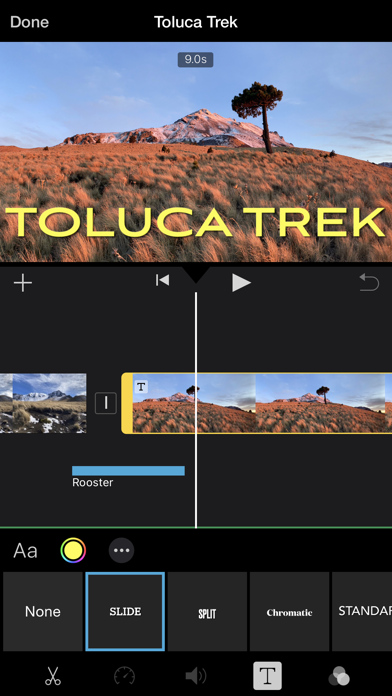
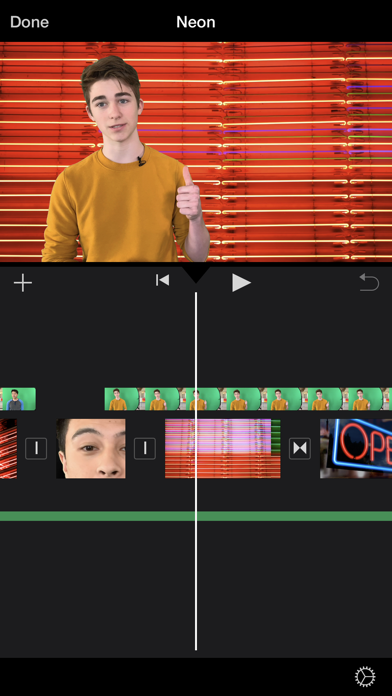
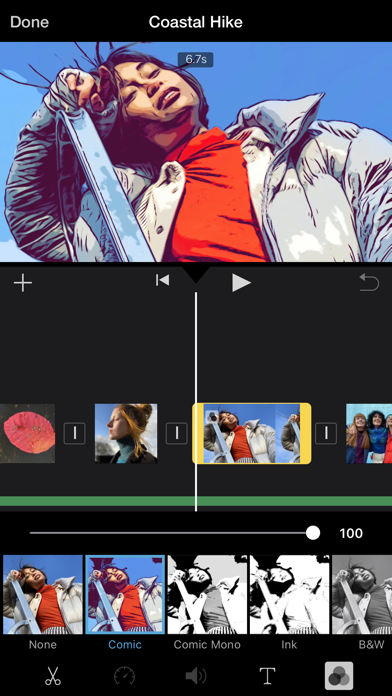
About iMovie
The description on the store listing
With a streamlined design and intuitive Multi-Touch gestures, iMovie lets you create Hollywood-style trailers and beautiful movies like never before.
Instantly create Magic Movies
• With just a few taps, you can create and share a beautiful, custom video
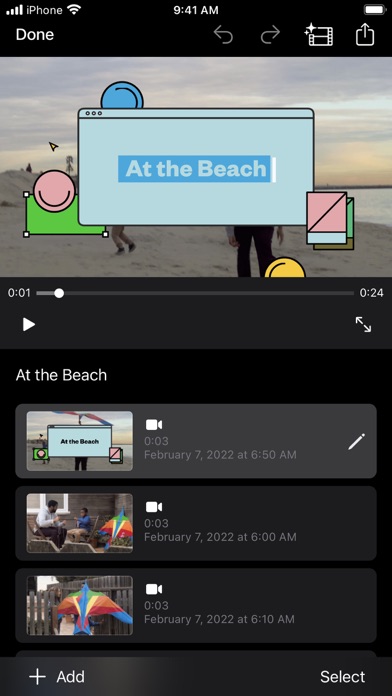
• Select an album or group of videos or images and iMovie will create a video for you—no video editing required—with titles, transitions, and music
• Easily rearrange or delete clips in the simplified shot list
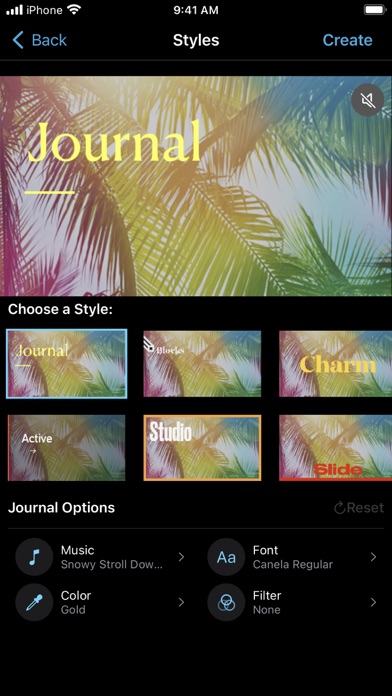
• Apply a different style to change up the look and feel of the whole video
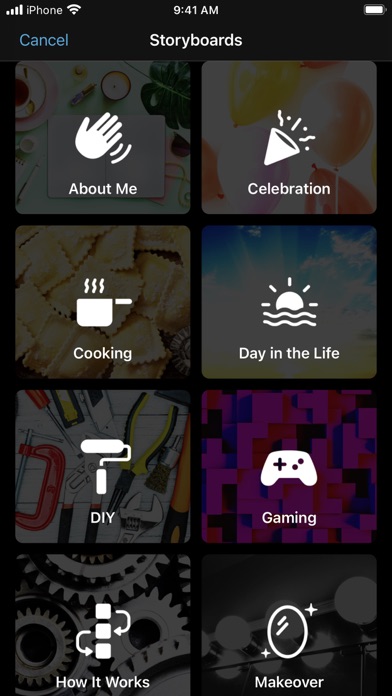
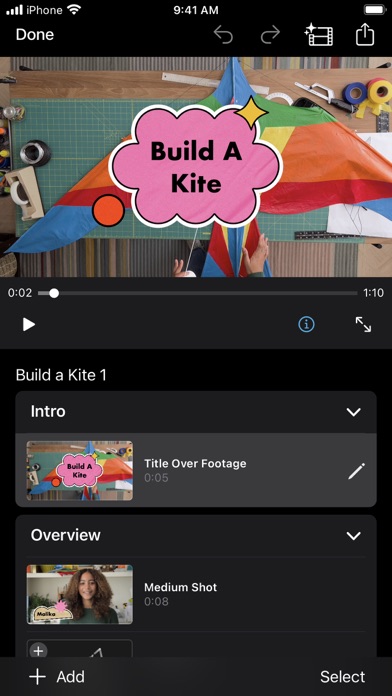
Learn storytelling with Storyboards
• Choose from 20 Storyboards that help you get started with popular video types
• Record video or take photos right …
Read the full description
With a streamlined design and intuitive Multi-Touch gestures, iMovie lets you create Hollywood-style trailers and beautiful movies like never before. Instantly create Magic Movies • With just a few taps, you can create and share a beautiful, custom video • Select an album or group of videos or images and iMovie will create a video for you—no video editing required—with titles, transitions, and music • Easily rearrange or delete clips in the simplified shot list • Apply a different style to change up the look and feel of the whole video Learn storytelling with Storyboards • Choose from 20 Storyboards that help you get started with popular video types • Record video or take photos right into each placeholder clip, or add media from your Photos library • Add, reorder, and delete clips as needed to organize and customize your story • Apply a dynamic visual style that includes title layouts, fonts, filters, color palettes, and music Make Hollywood-style trailers • Choose from 14 trailer templates with stunning graphics and original scores by some of the world’s top film composers • Customize movie studio logos, cast names, and credits • Select videos and photos for your trailer or record video right in iMovie Create beautiful movies • Choose from 8 unique themes with matching titles, transitions, and music • Give your movie the perfect look with 13 Apple-designed video filters • Choose from 11 animated title styles like Split, Reveal or Pop-up • Adjust any title by changing its font, color, size, location, and more • Add solid, gradient, and patterned backgrounds to your movie • Import and edit video captured in Cinematic mode on iPhone 13 or later • Add, adjust, and delete focus points and modify the depth of field effect in video recorded in Cinematic mode* • Easily add picture in picture, green screen, and split screen effects • Select from more than 130 soundtracks that automatically adjust to the length of your movie • Add sound effects, songs from your music library, and your own narration • Connect a keyboard and use simple shortcuts to edit movies quickly • Connect a trackpad or mouse to iPad for fast and accurate moviemaking iMovie everywhere • Transfer projects between your iPhone and iPad using AirDrop or iCloud Drive • Send projects to your Mac via AirDrop or iCloud Drive to finish editing with iMovie or Final Cut Pro • Connect an external display to your iPhone or iPad and choose to mirror the iMovie interface or display your video fullscreen while you edit** Share with friends and family • Send videos with Mail and Messages • Save to your Photos library in resolutions up to 4K at 60 frames per second*** • Export videos optimized for Instagram, YouTube, and other popular video destinations * Requires iPhone XS or later, iPad mini (5th generation or later), iPad Air (3rd generation or later), iPad Pro 11-inch or iPad Pro 12.9-inch (3rd generation or later) ** External display support requires iPhone 7 or later, iPad (6th generation) or later, iPad Air 3 or later, iPad Pro 12.9-inch (2nd generation) or later *** 4K at 60 frames per second support requires iPod touch (7th generation), iPhone SE (2nd generation), iPhone 7, iPad (6th generation) or later, iPad mini (5th generation), iPad Air 3 or later, iPad Pro 10.5-inch or later
Installs, last 30 days
Apple does not publish download counts. Estimates are in testing.
Estimated store revenue Estimated Beta
App Store, worldwide, monthly rate from the last 13 chart days to 20 Nov 2026
Below the top 100 grossing apps in the markets we calibrate. In the United States that usually means under about $6.4M a month. App Store purchases and subscriptions only, before Apple's 15 to 30% fee. Ads and web payments are not included.
Ratings
323,332 ratings, 323,332 reviews
- 5 ★73%
- 4 ★11%
- 3 ★5.2%
- 2 ★2.9%
- 1 ★7.9%
Recent reviews
Latest public reviews from the store
- 21 May 2026
Good job
OMG I love this and I’m gonna become a YouTuber all because of this iMovie best app ever
- 21 May 2026
Simple yet functional.
It’s a simple yet functional app, for free even!
- 21 May 2026
It’s mid
I like it, but it’s not that good and also when I want to put a song in the background, it says you can’t put this song on and blah blah blah and the song I can use are trash and also I can’t really do that much and I can’t delete stuff on my camera roll or else parts of the movie will go away so It’s mid.
- 21 May 2026
Incredibly Valuable Asset
The ease, functionality and overall capability of this Apple Signature Movie App is beyond amazing. I would encourage even the most nuanced of app users to give it a try. They will be pumping out content only thought possible in studios in 15-20 minutes. All you need are the photos stored you care about. It will literally do the rest. Thanks Apple!
What reviewers bring up
Topics mentioned in the latest 50 reviews, by how many reviews mention them
Liked in good reviews (38 reviews)
- videos 8
- imovie 7
- editing 6
- movies 4
- little 4
- making 4
- try 4
- sound effects 3
Raised in bad reviews (9 reviews)
- apple 3
- titles 2
- ken 2
- mac 2
Top chart positions
Latest App Store chart ranks by country, last 10 days
Not in any tracked top chart in the last 10 days.
iMovie history
Release, install milestones, listing and store changes
- First released on the store 24 Jun 2010
Update frequency
How often iMovie ships a new version, month by month
1 updates in the last 12 months. Less often than most similar apps: they shipped a median of 8 updates in the same year.
Recent versions
Current version 3.0.6
- Version 3.0.622 Oct 2026
• This update includes stability improvements and bug fixes
- Version 3.0.516 Dec 2024
• Fixes an issue where setting permissions for Photos library access could freeze iMovie.
Listing keywords
Words and phrases iMovie repeats most in its store listing
Top phrases: later ipad (8), generation or later (6), ipad pro inch (4), ipad pro (4), pro inch (4).
Highlighted words also appear in the title. Counts cover the title, short description and description.
Compliance
What the listing and the app package show
- Store status
- Live
- Upkeep
- Updated 22 Oct 2026
- Age rating
- 4+
Apps like iMovie
 VN: Video EditorUbiquiti Labs, LLC★ 4.76
 InstaSize: AI Photo EditorInstasize Inc.★ 4.67
 Lightroom: AI Photo EditorAdobe Inc.★ 4.77
 Photo Prints Now: CVS PhotoMEA Mobile★ 4.85
 BeautyPlus-Selfie Photo EditorPIXOCIAL TECHNOLOGY (SINGAPORE) PTE. LTD.★ 4.82
 Prequel: Photo & Video EditorPrequel Inc.★ 4.74
 Photo Editor-Axiem Systems★ 4.64
 Epson Smart PanelSeiko Epson Corporation★ 4.71
 Remini - AI Photo EnhancerBending Spoons Apps ApS★ 4.61
iMovie: questions and answers
Who makes iMovie?
iMovie is published by Apple.
When was iMovie last updated?
The latest version (3.0.6) was released on 22 Oct 2026.
Is iMovie free?
Yes. iMovie is free to download.
Is iMovie still available?
Yes. iMovie is live on App Store as of 20 Nov 2026.
Track iMovie and its competitors
Watch any app for new versions, rating drops, chart moves and removals. Free plan, no card.