
- Installs
- —
- Apple does not publish download counts
- Rating
- —
- Ratings
- —
- Version
- 1.4.6
- Updated 23 Jan 2018
- Released
- 12 Sep 2013
- Tracked since 10 May 2026
- Size
- 9 MB
- Needs 10.7
Screenshots


About Instashare - Transfer files
The description on the store listing
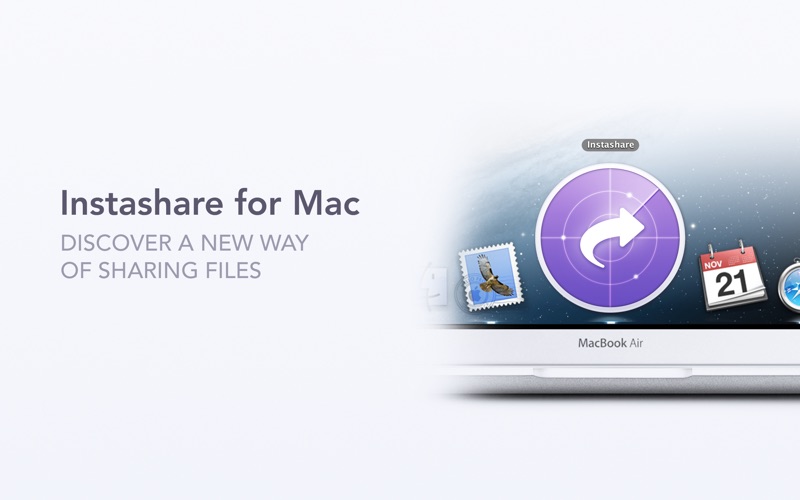
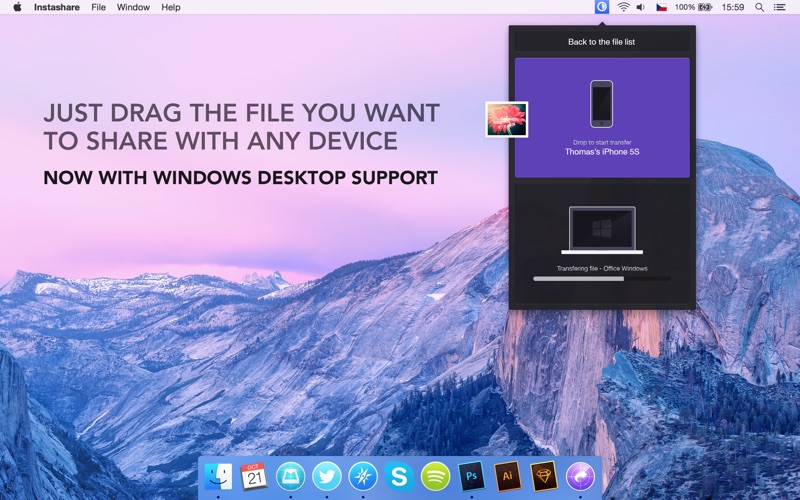
Transfer files the easy way, just drag & drop the file and we will handle the rest. Like Apple AirDrop, but works and on all major platforms and computers that don't support AirDrop. Apps are available for iOS, OS X, Windows, and Android.
With millions of downloads in the App Store, thousands of happy users and millions of photo and file transfers, this app is a necessary tool for your iOS device.
SIMPLE FILE SHARING
You don't need to be tech-savvy to share files, photos or videos.
AIRDROP SUPPORT FOR OLDER DEVICES
It adds Airdrop-like transfer capability to older devices without official support for Airdrop, like your older Mac or iOS devices with iOS 6.
SIMPLE TO USE
No need to pair …
Read the full description
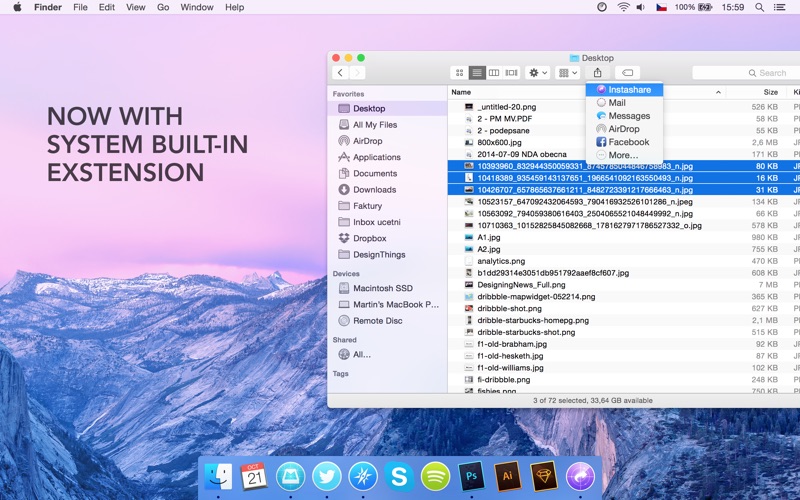
Transfer files the easy way, just drag & drop the file and we will handle the rest. Like Apple AirDrop, but works and on all major platforms and computers that don't support AirDrop. Apps are available for iOS, OS X, Windows, and Android. With millions of downloads in the App Store, thousands of happy users and millions of photo and file transfers, this app is a necessary tool for your iOS device. SIMPLE FILE SHARING You don't need to be tech-savvy to share files, photos or videos. AIRDROP SUPPORT FOR OLDER DEVICES It adds Airdrop-like transfer capability to older devices without official support for Airdrop, like your older Mac or iOS devices with iOS 6. SIMPLE TO USE No need to pair devices or set up a transfer to send files or photos. Designed for quick and easy sharing of files, photos, and videos from your PC or Mac to your iPad, iPhone, iPod touch or even from an Android device, photos and videos are automatically saved to the 'Camera roll' album. NO REGISTRATION Just open the app and start sharing files, holiday photos, or family videos – no need to enter emails or passwords. NO FILE TYPE LIMITS You can transfer any file type, no restrictions. MP3s, images, PDFs, presentations, and way more. PHOTOS AND VIDEOS Instashare preserves photo metadata in all transfer directions (EXIF information, location, etc). Transfer in full resolution. WORKS WITHOUT INTERNET You don't need to be connected to the internet, just use a local wi-fi or Bluetooth (iOS and OS X only) to transfer files. BUILT-IN EXTENSION You can use Instashare with various apps thanks to the system built-in extension – share pictures from Photo library, links from Safari, and other files straight from 3rd party apps. CLIPBOARD TRANSFER Stop retyping long URLs and so on. Just copy and transfer it in a few seconds. Drag a clipboard item & drop it on the device – it will be automatically copied to clipboard on the device. SECURE Files and photos are sent only between your devices, without making a copy somewhere in the Cloud. They never leave your local wi-fi network, keeping your files and photos safe. IOS DEVICE WAKEUP No need to manually open the mobile app to transfer a file or clipboard to device – just wait a few seconds for the device to appear. DOWNLOAD MOBILE APPS FOR FREE! Versions for other platforms available at instashareapp.com REQUIREMENTS To transfer files and photos between two devices, both of them need to have this app installed. Mobile apps are free, desktop apps are paid. Access to a properly configured wi-fi network (or bluetooth between iOS and OS X) is required for this app to work. Some public or private wi-fi networks may be configured to block communication between devices, preventing the transfer connection to be established. You don't need to use the latest device or OS available, works with older systems as well, from iOS 6, iPad 2 or iPhone 4. Videos on how the app works at instahsareapp.com and app support at support.twomanshow.co
Installs
Apple does not publish download counts. Estimates are in testing.
We publish iOS estimates only after they pass a back-test against real numbers. Chart history below is measured.
Estimated store revenue Estimated Beta
App Store, worldwide, monthly rate from the last 13 chart days to 20 Nov 2026
Below the top 100 grossing apps in the markets we calibrate. In the United States that usually means under about $6.4M a month. App Store purchases and subscriptions only, before Apple's 15 to 30% fee. Ads and web payments are not included.
Ratings
No rating breakdown published for this app.
Recent reviews
Latest public reviews from the store
No reviews in our sample for this app yet.
Top chart positions
Latest App Store chart ranks by country, last 10 days
Not in any tracked top chart in the last 10 days.
Instashare - Transfer files history
Release, install milestones, listing and store changes
- First released on the store 12 Sep 2013
Recent versions
Current version 1.4.6
- Version 1.4.623 Jan 2018
- Support for macOS High Sierra
Listing keywords
Words and phrases Instashare - Transfer files repeats most in its store listing
Top phrases: transfer files (4), wi fi (4), files and photos (3), photos and videos (3), built in extension (2).
Highlighted words also appear in the title. Counts cover the title, short description and description.
Compliance
What the listing and the app package show
- Store status
- Live
- Upkeep
- No update since 23 Jan 2018
- Age rating
- 4+
Apps like Instashare - Transfer files
 Super VPN: Fast Private ProxyGeek Incorporated★ 4.4
 Hubtel RetailerHubtel Limited★ 4.32
 Monthly Calendar 2022 - CalistOmoboto LLC★ 4.38
 Firstly: To-Do List & PlannerfocusCove LLC★ 4.7
 CBUS 311City of Columbus, Ohio★ 1.8
 Themes for Powerpoint - DesiGNGraphic Node★ 4.22
 iSiloDC & Co.★ 3.82
 Flashlight Pro [Multipurpose LED light]KAVAPOINT★ 3.88
 WiPryOscium LLC★ 2.68
Instashare - Transfer files: questions and answers
Who makes Instashare - Transfer files?
Instashare - Transfer files is published by Lukas Foldyna.
When was Instashare - Transfer files last updated?
The latest version (1.4.6) was released on 23 Jan 2018.
Is Instashare - Transfer files free?
No. Instashare - Transfer files is a paid app priced at $4.99.
Is Instashare - Transfer files still available?
Yes. Instashare - Transfer files is live on App Store as of 10 May 2026.
Track Instashare - Transfer files and its competitors
Watch any app for new versions, rating drops, chart moves and removals. Free plan, no card.