
- Installs
- —
- Apple does not publish download counts
- Rating
- 3.16
- Ratings
- 19
- 19 reviews
- Version
- 3.3.1
- Updated 23 Jul 2025
- Released
- 28 Feb 2011
- Tracked since 10 May 2026
- Size
- 49 MB
- Needs 17.6
Screenshots


About Interactive Sketchbook
The description on the store listing
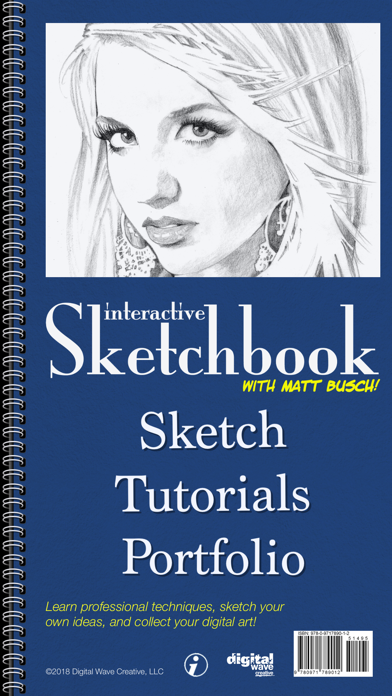
Learn professional techniques, sketch your own ideas, and collect your digital art! Practice advance techniques by drawing alongside tutorials from Matt Busch. Or sketch on your own with the option to import your own photo reference.
Sketchbooks have always been a way to collect your creative ideas and plan your visual masterpieces. Now with the limitless possibilities of Interactive Sketchbook, you'll never buy another paper sketchbook again!
Newly optimized as a universal app for iPhone, iPad, and the iPad Pro. Supports pressure variable drawing strokes via 3d touch, Apple Pencil, and Adonit styluses for the highest quality digital drawing experience.
•INNOVATIVE APPROACH•
THE …
Read the full description
Learn professional techniques, sketch your own ideas, and collect your digital art! Practice advance techniques by drawing alongside tutorials from Matt Busch. Or sketch on your own with the option to import your own photo reference. Sketchbooks have always been a way to collect your creative ideas and plan your visual masterpieces. Now with the limitless possibilities of Interactive Sketchbook, you'll never buy another paper sketchbook again! Newly optimized as a universal app for iPhone, iPad, and the iPad Pro. Supports pressure variable drawing strokes via 3d touch, Apple Pencil, and Adonit styluses for the highest quality digital drawing experience. •INNOVATIVE APPROACH• THE RIGHT TOOLS Three custom layers allow you to efficiently switch between the types of tools that are most useful. Draw loosely and plan your work in the "Sketch Layer". Enjoy precise control of line and value in the "Detail Layer" to make highlights and intricate details shine. Enjoy a unique "Tone Layer" that makes smooth shading easy and fun! Each layer's visibility can be toggled on and off. SIDE BY SIDE Whether using your own photo or a tutorial, split view allows you to use reference in a unique way, side by side. Pinch to zoom in on detail and both the drawing and reference stay perfectly in sync! Awesome for artists who want to draw from reference without being forced to trace. INTUITIVE FULL-PAGE MODE But when you do want to trace. . . swipe the binder over to utilize the full page where you can use your reference as a guide to get proportions picture perfect. Or enjoy full-screen mode with the reference layer toggled off to focus on detail, and maximize the iPad’s work surface. ENDLESS REAL-ESTATE With Interactive Sketchbook, you’ll never run out of pages. And with an undo and redo function you can explore being more creative without ruining your drawing or wasting paper. Like a tangible paper sketchbook Interactive Sketchbook is portable and always ready when inspiration strikes. •MATT BUSCH TUTORIALS• LEARN FROM A PRO Have a professional illustrator as your personal tour guide! Matt Busch has been illustrating some of the hottest properties in movies, books, and comics for 15 years! And now he’s your interactive instructor, sharing his secrets and teaching you the basics of sketching portraits. LOTS OF OPTIONS The application has 4 different interactive tutorials that guide you through the steps of creating great portraits. Follow along with Busch at your own pace across 11 visual steps and see every pencil stroke he makes. For more specific guidance, touch an area within a step to reveal Busch’s detailed tips. (Over 3 dozen detailed tips per tutorial!) •PORTFOLIO AND BEYOND• Store, view, edit and resume your drawings in the portfolio. A clean layout and professional presentation allows you to view all your sketches at a glance. Tap a thumbnail to view your latest creations up close. And now, with the new "Animate Sketch" feature, you can watch your drawings redraw themselves step by step! All your sketches are automatically saved and stored in the portfolio. And you can always continue any sketch from where you last left off! •APPLE PENCIL AND ADONIT STYLUS SUPPORT• Take your sketching even further by connecting an Apple Pencil, Logitech Crayon, Adobe Ink, Adonit Pixel, Adonit Touch, or Adonit Script stylus. All styluses support palm rejection to prevent stray marks while resting a hand on the screen during drawing. Also enjoy pressure sensitive strokes for better control of your line work and shading. Select Adonit styluses also utilize shortcut buttons for quick access to undo and redo. Treat yourself to Interactive Sketchbook now, or surprise a friend and “Gift this App”. Whether you are an occasional doodler or a professional illustrator, Interactive Sketchbook is a must-have tool for your iPad and iPhone!
Installs
Apple does not publish download counts. Estimates are in testing.
We publish iOS estimates only after they pass a back-test against real numbers. Chart history below is measured.
Estimated store revenue Estimated Beta
App Store, worldwide, monthly rate from the last 14 chart days to 21 Nov 2026
Below the top 100 grossing apps in the markets we calibrate. In the United States that usually means under about $6.4M a month. App Store purchases and subscriptions only, before Apple's 15 to 30% fee. Ads and web payments are not included.
Ratings
19 ratings, 19 reviews
No rating breakdown published for this app.
Recent reviews
Latest public reviews from the store
No reviews in our sample for this app yet.
Top chart positions
Latest App Store chart ranks by country, last 10 days
Not in any tracked top chart in the last 10 days.
Interactive Sketchbook history
Release, install milestones, listing and store changes
- First released on the store 28 Feb 2011
Recent versions
Current version 3.3.1
- Version 3.3.123 Jul 2025
New Features: • Improved Size and Orientation selection when starting a new sketch. • Improved settings view in the info Pane. Check out our new app: Focus Dial! Improve your ability to focus on the tasks and hobbies you care about! Thank you for supporting us at Digital Wave Creative, happy sketching!
Listing keywords
Words and phrases Interactive Sketchbook repeats most in its store listing
Top phrases: interactive sketchbook (6), apple pencil (3), matt busch (3), pencil and adonit (2), side by side (2).
Highlighted words also appear in the title. Counts cover the title, short description and description.
Compliance
What the listing and the app package show
- Store status
- Live
- Upkeep
- Updated 23 Jul 2025
- Age rating
- 4+
Apps like Interactive Sketchbook
 AITSO - Talking AI ChatbotDrum Starz★ 3.18
 李雷和韩梅梅2023:恋爱养成RPG晖 郑★ 4.5
 SoSkillsSoSkills★ 4.58
 Horror Movie ClassicsMacMillan Interactive Communications, LLC★ 4.84
 GranPlayerLuxza★ 2.68
 CineWisenet★ 4.38
 CGR CinémasThe Boxoffice Company France★ 4.82
 Sound Effects!TMSOFT★ 3.4
 Skill Addicts – Play & LearnSKillAddicts s.r.o★ 4.2
Interactive Sketchbook: questions and answers
Who makes Interactive Sketchbook?
Interactive Sketchbook is published by Digital Wave Creative.
When was Interactive Sketchbook last updated?
The latest version (3.3.1) was released on 23 Jul 2025.
Is Interactive Sketchbook free?
No. Interactive Sketchbook is a paid app priced at $4.99.
Is Interactive Sketchbook still available?
Yes. Interactive Sketchbook is live on App Store as of 1 Jul 2026.
Track Interactive Sketchbook and its competitors
Watch any app for new versions, rating drops, chart moves and removals. Free plan, no card.