
- Installs
- —
- Apple does not publish download counts
- Rating
- 2.33
- Ratings
- 3
- 3 reviews
- Version
- 22.0
- Updated 7 Jan 2026
- Released
- 23 Nov 2018
- Tracked since 10 May 2026
- Size
- 6 MB
- Needs 14.1
Screenshots


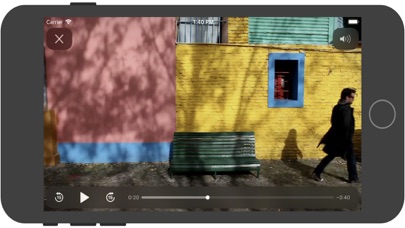

About IPTV fast
The description on the store listing
IPTV fast is a complete user defined IPTV solutions for live and non-live TV/stream.
Support M3U playlist formats, TXT playlist formats.
If you ever want to play M3U streams, if you need player supporting these live or non-live streams, the IPTV fast is a solution for these requirements.
- Built-in powerful player, No need to look for third party player to support these formats.
- Support Local M3U and TXT playlists, user can add playlists to their device
via iTunes's file sharing function (connecting their device to iTunes, then add playlists to its file sharing document).
- Support Remote playlists, user can add their http remote playlists.
Features
- Support m3u8 TV/Radio live or …
Read the full description
IPTV fast is a complete user defined IPTV solutions for live and non-live TV/stream. Support M3U playlist formats, TXT playlist formats. If you ever want to play M3U streams, if you need player supporting these live or non-live streams, the IPTV fast is a solution for these requirements. - Built-in powerful player, No need to look for third party player to support these formats. - Support Local M3U and TXT playlists, user can add playlists to their device via iTunes's file sharing function (connecting their device to iTunes, then add playlists to its file sharing document). - Support Remote playlists, user can add their http remote playlists. Features - Support m3u8 TV/Radio live or non-live stream, you can custom your own TV/Radio channel. - Support TXT and M3U playlist. - Support media formats such as m3u8, mp4, mp3. . . . . . - Download Remote playlists to Local. - Support My Favorites. How it works? 1. Make your own playlist 1A. Make your own TXT playlist Name your playlist as xxx.txt, then edit and save your file in format as below: TV or Radio Channel,Media Source Link One line one TV or Radio channel (do not forget The comma) For example: (line 1) TV 1,http://streamer.oodlz.it/hls/livestream.m3u8 (line 2) TV 2,http://stream.1music.hu/stream/1music.m3u8 (line 3) Radio 1,http://icestreaming.rai.it/1.mp3 etc. . . . . . (Save your xxx.txt file as UTF-8) 1B. Make your own M3U playlist (format 1) Name your playlist as xxx.txt, then edit and save your file in format as below: #EXTM3U #EXTINF:-1 tvg-logo=”sample.png” group-title=”No group”,Channel 1 Channel 1,https://edge.music-choice-play-chaina/play/chunklist.m3u8 #EXTINF:-1 tvg-logo=”sample.png” group-title=”No group”,Channel 2 Channel 2,https://nhkworld.webcdn.stream.ne.jp/live_wa_s.m3u8 #EXTINF:-1 tvg-logo=”sample.png” group-title=”No group”,Channel 3 Channel 3,http://77.89.199.174:81/hls/live2.m3u8 etc. . . . . . Save your xxx.txt file as UTF-8 format, then change its extension from xxx.txt to xxx.m3u. 1C. Make your own M3U playlist (format 2) Name your playlist as xxx.txt, then edit and save your file in format as below: #EXTM3U #EXTINF:-1 tvg-logo=”sample.png” group-title=”No group”,Channel 1 https://edge.music-choice-play-chaina/play/chunklist.m3u8 #EXTINF:-1 tvg-logo=”sample.png” group-title=”No group”,Channel 2 https://nhkworld.webcdn.stream.ne.jp/live_wa_s.m3u8 #EXTINF:-1 tvg-logo=”sample.png” group-title=”No group”,Channel 3 http://77.89.199.174:81/hls/live2.m3u8 etc. . . . . . Save your xxx.txt file as UTF-8 format, then change its extension from xxx.txt to xxx.m3u. 2. Add your xxx.txt or xxx.m3u file to your device 2A. Add local playlists to your device First, connecting your device t your computer, (1) If your macOS is earlier than Catalina, Open iTunes, click file sharing find the IPTV fast, add your playlist to its file share document. (2) If your macOS is Catalina or Big Sur or later, use Finder, you can drag your playlist to IPTV fast's file share document. 2B. Download remote playlist First, upload your playlist the a website, get its download url, If all this done, open IPTV fast, enter your playlist download url, press download. 3. Relax and watch your favorite shows on your device DISCLAIMER - IPTV fast does not supply or include any media or content. - IPTV fast has no affiliation with any third-party provider what so ever. - Users must provide their own contents. - I do not endorse the streaming of copyright protected material without permission of the copyright holder.
Installs
Apple does not publish download counts. Estimates are in testing.
We publish iOS estimates only after they pass a back-test against real numbers. Chart history below is measured.
Estimated store revenue Estimated Beta
App Store, worldwide, monthly rate from the last 13 chart days to 20 Nov 2026
Below the top 100 grossing apps in the markets we calibrate. In the United States that usually means under about $6.4M a month. App Store purchases and subscriptions only, before Apple's 15 to 30% fee. Ads and web payments are not included.
Ratings
3 ratings, 3 reviews
No rating breakdown published for this app.
Recent reviews
Latest public reviews from the store
No reviews in our sample for this app yet.
Top chart positions
Latest App Store chart ranks by country, last 10 days
Not in any tracked top chart in the last 10 days.
IPTV fast history
Release, install milestones, listing and store changes
- First released on the store 23 Nov 2018
Update frequency
How often IPTV fast ships a new version, month by month
1 updates in the last 12 months. More often than most similar apps: they shipped a median of 0 updates in the same year.
Recent versions
Current version 22.0
- Version 22.07 Jan 2026
Update for GoogleMobileAdsSdk.
Listing keywords
Words and phrases IPTV fast repeats most in its store listing
Top phrases: xxx txt (9), iptv fast (7), extinf tvg logo (6), logo sample png (6), png group title (6).
Highlighted words also appear in the title. Counts cover the title, short description and description.
Compliance
What the listing and the app package show
- Store status
- Live
- Upkeep
- Updated 7 Jan 2026
- Age rating
- 4+
Apps like IPTV fast
 AITSO - Talking AI ChatbotDrum Starz★ 3.18
 李雷和韩梅梅2023:恋爱养成RPG晖 郑★ 4.5
 SoSkillsSoSkills★ 4.58
 Horror Movie ClassicsMacMillan Interactive Communications, LLC★ 4.84
 GranPlayerLuxza★ 2.68
 CineWisenet★ 4.38
 CGR CinémasThe Boxoffice Company France★ 4.82
 Sound Effects!TMSOFT★ 3.4
 Skill Addicts – Play & LearnSKillAddicts s.r.o★ 4.2
IPTV fast: questions and answers
Who makes IPTV fast?
IPTV fast is published by 丽娜 夏.
When was IPTV fast last updated?
The latest version (22.0) was released on 7 Jan 2026.
Is IPTV fast free?
Yes. IPTV fast is free to download.
Is IPTV fast still available?
Yes. IPTV fast is live on App Store as of 1 Jul 2026.
Track IPTV fast and its competitors
Watch any app for new versions, rating drops, chart moves and removals. Free plan, no card.