- Installs
- —
- Apple does not publish download counts
- Rating
- 2.6
- Ratings
- 5
- 5 reviews
- Version
- 1.4.2
- Updated 27 Nov 2018
- Released
- 23 Dec 2009
- Tracked since 26 May 2026
- Size
- 13 MB
- Needs 8.0
Screenshots


About iRemoteDesktop
The description on the store listing
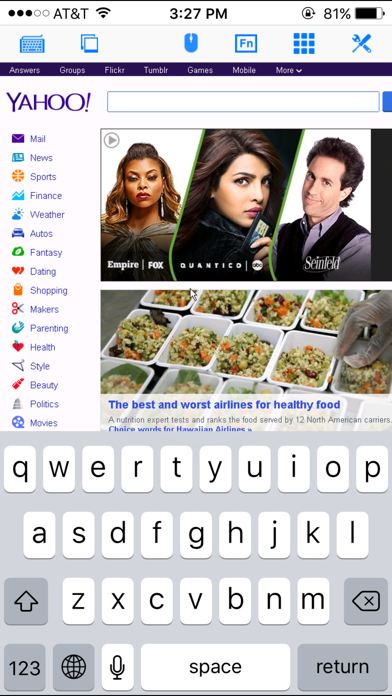
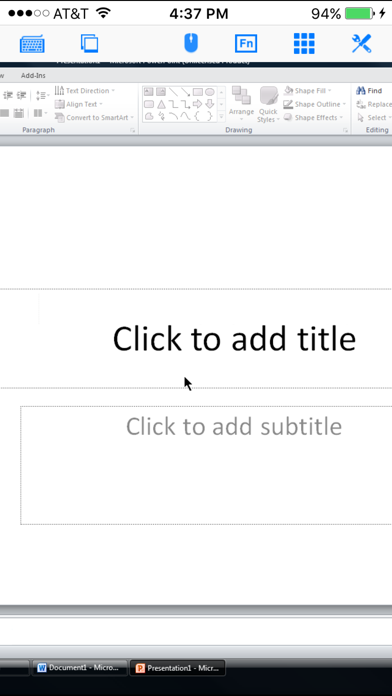
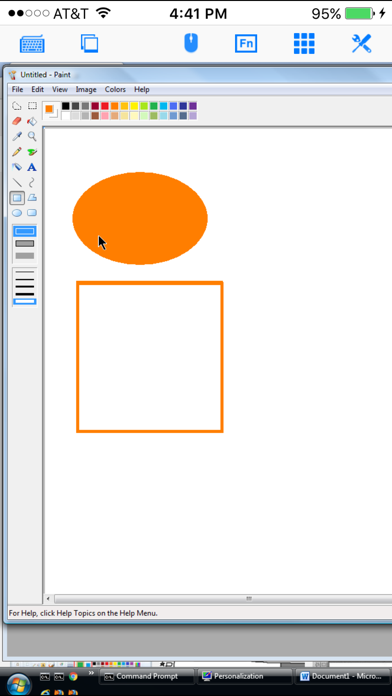
Specifically designed for both iPad and iPhone!! Optimized to use iPhone 4.0's HD screen!
If you want to access Windows PC from iPad/iPhone/iPod Touch, this is the app for you! Windows 7 Professional/Enterprise/Ultimate are supported!
iRemoteDesktop is a Windows Remote Desktop (RDP) client for iPhone/iPod Touch. Using it you can access your Windows PC from anywhere at anytime.
Note: Not all Windows support remote desktop. Check below for supported platforms or download the tool from http://www.hanamobiles.com/tools/HanaEasyConfig.exe.
Supported Platform:
- Windows XP Professional
- Windows Vista Business/Enterprise/Ultimate
- Windows 7 Professional/Enterprise/Ultimate
- Windows Server …
Read the full description
Specifically designed for both iPad and iPhone!! Optimized to use iPhone 4.0's HD screen! If you want to access Windows PC from iPad/iPhone/iPod Touch, this is the app for you! Windows 7 Professional/Enterprise/Ultimate are supported! iRemoteDesktop is a Windows Remote Desktop (RDP) client for iPhone/iPod Touch. Using it you can access your Windows PC from anywhere at anytime. Note: Not all Windows support remote desktop. Check below for supported platforms or download the tool from http://www.hanamobiles.com/tools/HanaEasyConfig.exe. Supported Platform: - Windows XP Professional - Windows Vista Business/Enterprise/Ultimate - Windows 7 Professional/Enterprise/Ultimate - Windows Server 2000/2003/2008 Important: The following systems are NOT supported: - Windows XP Home - Windows Vista Home Basic/Premium - Windows 7 Home Starter/Basic/Premium - Others not listed in "Supported Platform" section Features: - Multiple connections - Portrait and landscape mode - Various resolutions and colors support - Modifier keypad including Shift, Ctrl and Alt which enables you to press almost any key combinations. - Cut, copy & paste and other shortcuts keypad, including HOME, END, PAGE UP, PAGE DOWN, Arrow keys, etc. - Virtual mouse pad for precise and easy mouse control - Virtual left button and right mouse button - Easy dragging and resizing using virtual mousepad - Startup password protection - Support video output (need iPad or iOS4 and output connector) - External keyboard support - International keyboard support for many languages, including French, German, Korean, Russian etc. - Support iPhone built-in VPN - Easy to use UI Setup Instructions: http://www.hanajobs.com/mobile/posts/list/6958.page Note: - Make sure Remote Desktop is enabled on your computer - IMPORTANT: For Vista, Windows 7 and Windows Server, choose "Allow connections from computers running any version of Remote Desktop (less secure)" - Modify firewall settings to allow Remote Desktop. You should try to connect from another Windows computer to make sure the Remote Desktop is enabled. For more infomation on how to enable Remote Desktop, see Windows XP: http://www.microsoft.com/windowsXp/using/mobility/getstarted/Remoteintro.mspx Windows Vista/Windows 7: http://www.howtogeek.com/howto/windows-vista/turn-on-remote-desktop-in-windows-vista/ http://windows.microsoft.com/en-US/windows-vista/Remote-Desktop-Connection-frequently-asked-questions Tip: Q: How to do right click? A: To do a right click, tap the area you want to right click AND hold finger on the iPhone/iPod touch screen without releasing until you see the right context menu. Basically, press for a bit long time to do right click. Q: How to grab/move a window, icon or something else? A: Double tap and hold. For example, if you want to move a window in the desktop, double tap the window title bar and, on the second tap, hold down your finger until the window is grabbed, then move your finger around the screen to drag it to another position. Send your comments/suggestions to [email protected] or visit our website.
Installs
Apple does not publish download counts. Estimates are in testing.
We publish iOS estimates only after they pass a back-test against real numbers. Chart history below is measured.
Estimated store revenue Estimated Beta
App Store, worldwide, monthly rate from the last 13 chart days to 20 Nov 2026
Below the top 100 grossing apps in the markets we calibrate. In the United States that usually means under about $6.4M a month. App Store purchases and subscriptions only, before Apple's 15 to 30% fee. Ads and web payments are not included.
Ratings
5 ratings, 5 reviews
No rating breakdown published for this app.
Recent reviews
Latest public reviews from the store
No reviews in our sample for this app yet.
Top chart positions
Latest App Store chart ranks by country, last 10 days
- Countries ranked
- 2 of 50
- Best rank
- #26
- Top 10 placements
- 0
- of 3 chart placements
- Average rank
- #68
Best countries on App Store
- 🇨🇱 Chile · Top paid, Utilities#26
- 🇨🇴 Colombia · Top paid, Utilities#92
iRemoteDesktop history
Release, install milestones, listing and store changes
- First released on the store 23 Dec 2009
Update frequency
How often iRemoteDesktop ships a new version, month by month
0 updates in the last 12 months. Less often than most similar apps: they shipped a median of 1 updates in the same year.
Recent versions
Current version 1.4.2
- Version 1.4.227 Nov 2018
- Support for iPhone XS Max
Listing keywords
Words and phrases iRemoteDesktop repeats most in its store listing
Top phrases: remote desktop (7), iphone ipod touch (3), enterprise ultimate (3), iphone ipod (3), ipod touch (3).
Highlighted words also appear in the title. Counts cover the title, short description and description.
Compliance
What the listing and the app package show
- Store status
- Live
- Upkeep
- No update since 27 Nov 2018
- Age rating
- 4+
Apps like iRemoteDesktop
 Library of AviationNazmi Yavuz★ 4.82
 MyNOVECNorthern Virginia Electric Cooperative★ 2.28
 打工人小组件光翔 卓★ 4.96
 TruckbaysTruckbays LLC★ 4.3
 Tornado PRO PlayerMohammed Altam★ 4.44
 VDX - Video ManagerARISEPEAK LP★ 1.74
 TV CastingZeasn Info Technology Co., Ltd.★ 1.86
 Mil-Dot BallisticsTom Holsten★ 3.82
 MySontiqSontiq, Inc.★ 2.4
iRemoteDesktop: questions and answers
Who makes iRemoteDesktop?
iRemoteDesktop is published by Hana Mobile.
When was iRemoteDesktop last updated?
The latest version (1.4.2) was released on 27 Nov 2018.
Is iRemoteDesktop free?
No. iRemoteDesktop is a paid app priced at $4.99.
Is iRemoteDesktop still available?
Yes. iRemoteDesktop is live on App Store as of 1 Jul 2026.
Track iRemoteDesktop and its competitors
Watch any app for new versions, rating drops, chart moves and removals. Free plan, no card.