
- Installs
- —
- Apple does not publish download counts
- Rating
- —
- Ratings
- —
- Version
- 4.0.1
- Updated 27 Apr 2026
- Released
- 10 Jun 2013
- Tracked since 10 May 2026
- Size
- 95 MB
- Needs 12.0
Screenshots



About KDAN PDF Editor & Reader
The description on the store listing
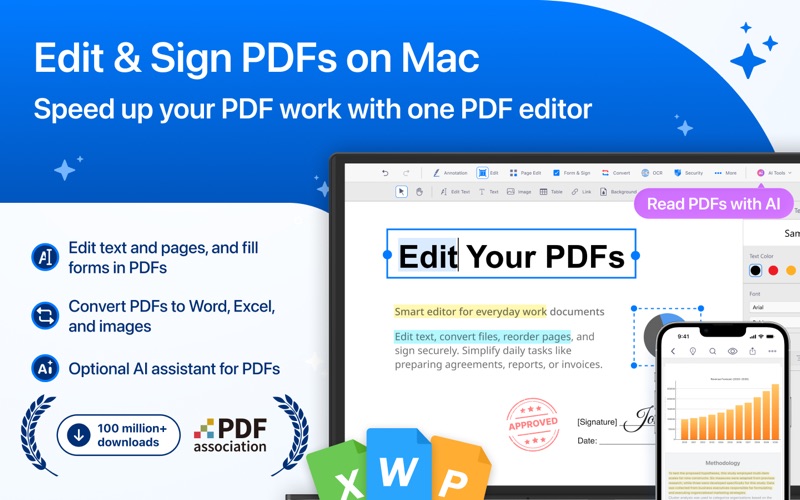
KDAN PDF is a fast PDF editor for Mac with a built-in AI assistant. Open a PDF and easily edit text, add notes, sign forms, merge or split pages, run OCR, compress, and convert - everything in one place. Editing features work offline with no watermarks, and it’s available on macOS, iOS, and iPadOS.
Use KDAN PDF to:
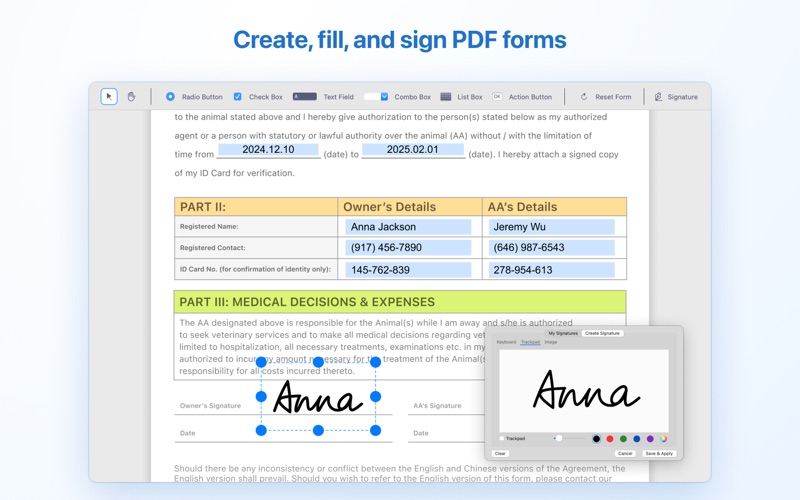
• Fill out, edit, and sign contracts, legal documents, and forms - no printing needed
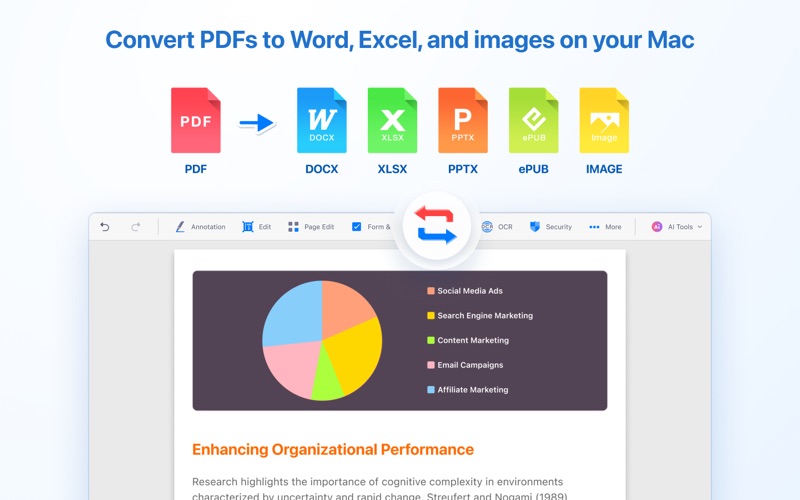
• Convert PDFs to Word, Excel, images, and more
• Organize pages - merge, split, reorder before sharing
• OCR scanned files to make them searchable for records and archives
• Protect sensitive files with passwords, watermarks, and redaction
• Review and explore reports, proposals, and …
Read the full description
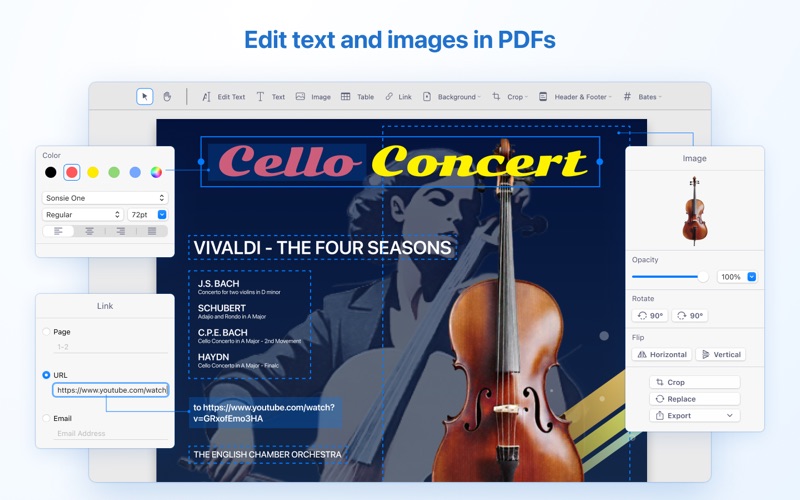
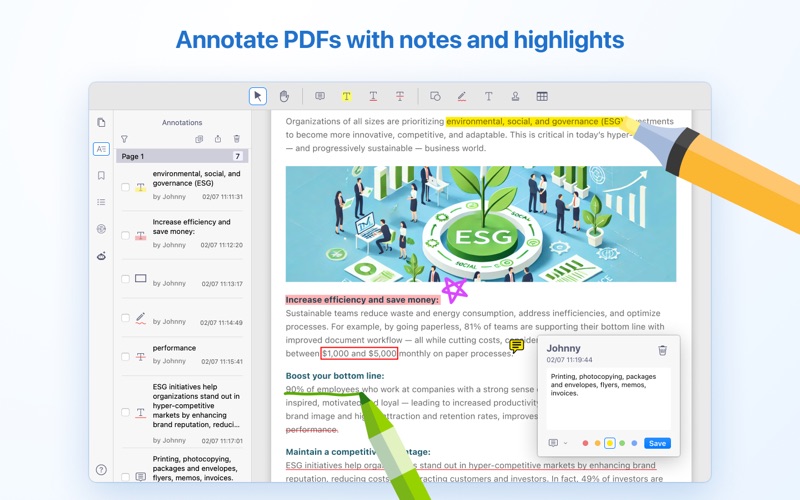
KDAN PDF is a fast PDF editor for Mac with a built-in AI assistant. Open a PDF and easily edit text, add notes, sign forms, merge or split pages, run OCR, compress, and convert - everything in one place. Editing features work offline with no watermarks, and it’s available on macOS, iOS, and iPadOS. Use KDAN PDF to: • Fill out, edit, and sign contracts, legal documents, and forms - no printing needed • Convert PDFs to Word, Excel, images, and more • Organize pages - merge, split, reorder before sharing • OCR scanned files to make them searchable for records and archives • Protect sensitive files with passwords, watermarks, and redaction • Review and explore reports, proposals, and presentations faster with optional KDAN PDF AI KDAN PDF is trusted by millions of users for its performance and reliability. Try it today! FEATURE HIGHLIGHTS EDIT PDF & TEXT • Fix errors and typos directly in PDFs - edit, add, or delete text • Add, edit, crop, and adjust images in PDFs • Add headers and footers • Add Bates numbering for easier reference, tracking, and organization • Use stamps or dynamic stamps to indicate status, provide feedback, or highlight information in a document CONVERT PDF • Offline file converter — convert files without an internet connection • Convert PDFs to Office formats, images, or ePub • Supported formats: DOCX, XLSX, CSV, PPTX, RTF, TXT, HTML, JPG, PNG, BMP, JP2, PUB, MOBI SIGN & FORMS • Fill and edit PDF forms • Create fillable forms with buttons, checkboxes, and list boxes • Create signatures and sign directly on PDFs • Create signatures using trackpad, keyboard, or images EDIT PAGES • Merge and split PDFs • Extract, rearrange, rotate, delete, and crop PDF pages • Change PDF background color • Append pages from another PDF to the current file OCR PDF • Recognize and extract text from PDFs • Export OCR results as text or as searchable, editable PDFs • Supports 50+ languages MANAGE & SHARE FILES • Compress files for easier sharing • Integrate with Google Drive and Dropbox • Send faxes directly from within the app SECURE PDF • Add passwords to protect PDFs from being viewed, copied, or printed • Add and remove PDF watermarks • Redact text (AI-assisted text redaction and manual text redaction) ANNOTATE & REVIEW PDF • Annotate PDFs with highlights, underlines, strikeouts, shapes, sticky notes, and text boxes • Add custom stamps with time and date information • Insert hyperlinks to external websites, target pages, and email addresses • Add tables with rows and columns VIEW FILES • View multiple PDFs as tabs • View PDFs in single-page or two-page view • Supports Dark Mode (available on macOS Mojave and later) • Present a PDF as a slideshow • Convert text to spoken audio (TTS, text-to-speech) • Create an outline for PDFs PDF WITH AI • Chat with PDF – Ask questions and get summaries or quick explanations from your PDFs. • Analyze & extract – Pull key data or tables from PDFs and turn them into spreadsheets. • Text redaction – Find and hide names, emails, IDs, and other sensitive information with AI-assisted or manual redaction. UPGRADE OPTIONS Unlock all features in KDAN PDF with a subscription. Enjoy a 7-day free trial in the app — your plan will renew automatically after the trial ends. You can manage your subscription and payments in your Apple account settings. To avoid renewal, cancel at least 24 hours before the next billing date. Terms of Service: https://pdf-reader.kdandoc.com/terms-of-service Privacy Policy: https://pdf-reader.kdandoc.com/privacy-policy GET IN TOUCH Email: [email protected] Tutorial: https://support.kdan.com/hc/en-us/categories/204531528 Reddit: https://www.reddit.com/r/kdanpdf/ Facebook: https://www.facebook.com/pdfreader/
Installs
Apple does not publish download counts. Estimates are in testing.
We publish iOS estimates only after they pass a back-test against real numbers. Chart history below is measured.
Estimated store revenue Estimated Beta
App Store, worldwide, monthly rate from the last 12 chart days to 19 Nov 2026
Below the top 100 grossing apps in the markets we calibrate. In the United States that usually means under about $6.4M a month. App Store purchases and subscriptions only, before Apple's 15 to 30% fee. Ads and web payments are not included.
Ratings
No rating breakdown published for this app.
Recent reviews
Latest public reviews from the store
No reviews in our sample for this app yet.
Top chart positions
Latest App Store chart ranks by country, last 10 days
Not in any tracked top chart in the last 10 days.
KDAN PDF Editor & Reader history
Release, install milestones, listing and store changes
- First released on the store 10 Jun 2013
Update frequency
How often KDAN PDF Editor & Reader ships a new version, month by month
1 updates in the last 12 months. About as often as similar apps, which shipped a median of 1 updates in the same year.
Recent versions
Current version 4.0.1
- Version 4.0.127 Apr 2026
- Improved PDF cropping and text editing for easy PDF adjustment - Refined stamp and theme settings for a consistent look. - Optimized app launch time
Listing keywords
Words and phrases KDAN PDF Editor & Reader repeats most in its store listing
Top phrases: kdan pdf (6), text redaction (3), available on macos (2), ai assisted (2), convert pdfs (2).
Highlighted words also appear in the title. Counts cover the title, short description and description.
Compliance
What the listing and the app package show
- Store status
- Live
- Upkeep
- Updated 27 Apr 2026
- Age rating
- 4+
Apps like KDAN PDF Editor & Reader
 Library of AviationNazmi Yavuz★ 4.82
 MyNOVECNorthern Virginia Electric Cooperative★ 2.28
 打工人小组件光翔 卓★ 4.96
 TruckbaysTruckbays LLC★ 4.3
 Tornado PRO PlayerMohammed Altam★ 4.44
 VDX - Video ManagerARISEPEAK LP★ 1.74
 TV CastingZeasn Info Technology Co., Ltd.★ 1.86
 Mil-Dot BallisticsTom Holsten★ 3.82
 MySontiqSontiq, Inc.★ 2.4
KDAN PDF Editor & Reader: questions and answers
Who makes KDAN PDF Editor & Reader?
KDAN PDF Editor & Reader is published by Kdan Mobile Software LTD.
When was KDAN PDF Editor & Reader last updated?
The latest version (4.0.1) was released on 27 Apr 2026.
Is KDAN PDF Editor & Reader free?
Yes. KDAN PDF Editor & Reader is free to download.
Is KDAN PDF Editor & Reader still available?
Yes. KDAN PDF Editor & Reader is live on App Store as of 10 May 2026.
Track KDAN PDF Editor & Reader and its competitors
Watch any app for new versions, rating drops, chart moves and removals. Free plan, no card.