- Installs
- —
- Apple does not publish download counts
- Rating
- 3.0
- Ratings
- 1
- Version
- 1.1.1
- Updated 10 Feb 2025
- Released
- 2 Mar 2023
- Tracked since 10 Nov 2026
- Size
- 6 MB
- Needs 15.0
Screenshots

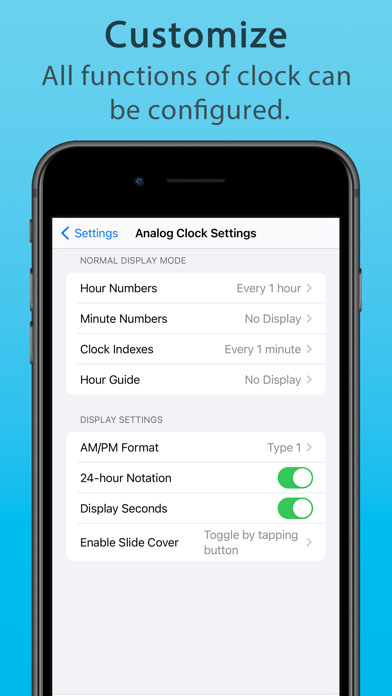
About Learning Clock Timer
The description on the store listing
This is an all-in-one clock learning app for children that includes a clock, alarm, and timer.
We also recommend this app for seniors who are looking for a clock app with a large display that is easy to read.
By using this app with your child, they will naturally acquire a sense of time and will be able to act calmly.
They can also learn how to read a clock correctly. We hope you will make use of this app at home and at school.
[ MAIN FUNCTIONS ]
- Clock
Both analog and digital clocks are displayed in large size and are very easy to read.
There are various functions that are useful in learning how to read a clock, such as dragging the hands of the clock with your finger to move them …
Read the full description
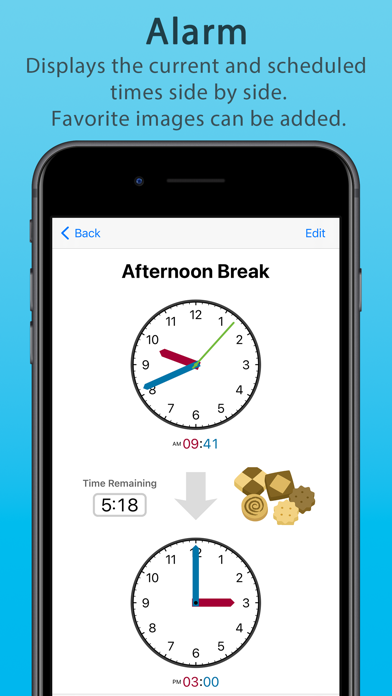
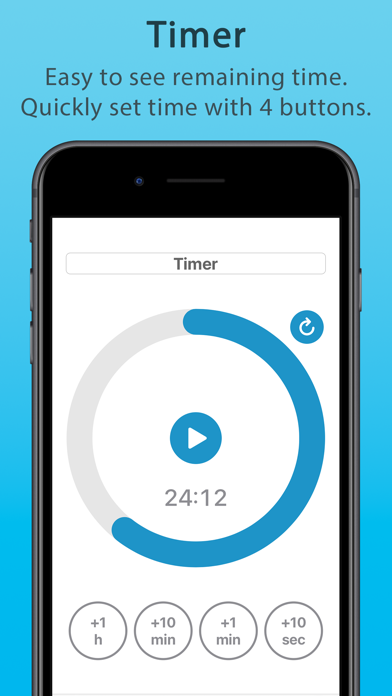
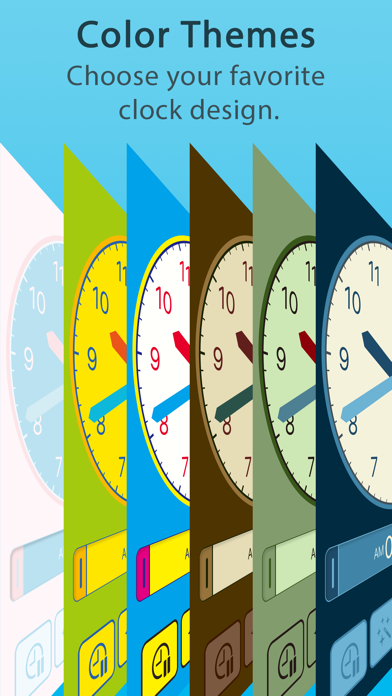
This is an all-in-one clock learning app for children that includes a clock, alarm, and timer. We also recommend this app for seniors who are looking for a clock app with a large display that is easy to read. By using this app with your child, they will naturally acquire a sense of time and will be able to act calmly. They can also learn how to read a clock correctly. We hope you will make use of this app at home and at school. [ MAIN FUNCTIONS ] - Clock Both analog and digital clocks are displayed in large size and are very easy to read. There are various functions that are useful in learning how to read a clock, such as dragging the hands of the clock with your finger to move them freely and switching the clock display mode with a single button. - Alarm The alarm screen displays both the current time and the scheduled time, making it easy to keep track of the time remaining until the scheduled time. Each alarm can be assigned an easy-to-understand label and image, so it can be used as a simple scheduler. - Timer The timer features a circle-shaped meter display for easy visualization of remaining time, and four buttons for quick and easy time setting. - Customization The settings screen allows you to customize all functions related to the clock in detail. You can also choose your favorite design from more than 10 different color themes. It is also possible to adjust the color of the text, the color of the hands of the clock, etc. [ TARGET USERS ] The main target users are between 4 and 12 years old, but the app was developed to be easy to use for people of all ages, from small children to seniors. The app is also compatible with various accessibility features, so we hope that it can be used as a support tool for people with disabilities. [ NOTES ] - When a small child uses the app, please use it with parents or guardians until the child becomes accustomed to its operation. - If Focus mode is ON in the device settings, the alarm sound will not sound. In that case, please register this app as an app that allows notifications in Focus settings. - For convenience, the app does not automatically sleep while the clock, alarm, and timer are in operation. Please be aware of the remaining battery level, etc. This function can be turned off in the settings within the app.
Installs
Apple does not publish download counts. Estimates are in testing.
We publish iOS estimates only after they pass a back-test against real numbers. Chart history below is measured.
Estimated store revenue Estimated Beta
App Store, worldwide, monthly rate from the last 13 chart days to 20 Nov 2026
Below the top 100 grossing apps in the markets we calibrate. In the United States that usually means under about $6.4M a month. App Store purchases and subscriptions only, before Apple's 15 to 30% fee. Ads and web payments are not included.
Ratings
1 ratings
No rating breakdown published for this app.
Recent reviews
Latest public reviews from the store
No reviews in our sample for this app yet.
Top chart positions
Latest App Store chart ranks by country, last 10 days
Not in any tracked top chart in the last 10 days.
Learning Clock Timer history
Release, install milestones, listing and store changes
- First released on the store 2 Mar 2023
Update frequency
How often Learning Clock Timer ships a new version, month by month
0 updates in the last 12 months. Less often than most similar apps: they shipped a median of 1 updates in the same year.
Recent versions
Current version 1.1.1
- Version 1.1.110 Feb 2025
• Improve compatibility with newer iOS *Due to technical reasons, this update requires iOS 15 or later • Remove in-app purchases • Minor bug fixes and small improvements
Listing keywords
Words and phrases Learning Clock Timer repeats most in its store listing
Top phrases: alarm and timer (2), clock alarm (2), read clock (2), target users (2).
Highlighted words also appear in the title. Counts cover the title, short description and description.
Compliance
What the listing and the app package show
- Store status
- Live
- Upkeep
- Updated 10 Feb 2025
- Age rating
- 4+
Apps like Learning Clock Timer
 Library of AviationNazmi Yavuz★ 4.82
 MyNOVECNorthern Virginia Electric Cooperative★ 2.28
 打工人小组件光翔 卓★ 4.96
 TruckbaysTruckbays LLC★ 4.3
 Tornado PRO PlayerMohammed Altam★ 4.44
 VDX - Video ManagerARISEPEAK LP★ 1.74
 TV CastingZeasn Info Technology Co., Ltd.★ 1.86
 Mil-Dot BallisticsTom Holsten★ 3.82
 MySontiqSontiq, Inc.★ 2.4
Learning Clock Timer: questions and answers
Who makes Learning Clock Timer?
Learning Clock Timer is published by Keaton.com.
When was Learning Clock Timer last updated?
The latest version (1.1.1) was released on 10 Feb 2025.
Is Learning Clock Timer free?
No. Learning Clock Timer is a paid app priced at $3.99.
Is Learning Clock Timer still available?
Yes. Learning Clock Timer is live on App Store as of 10 Nov 2026.
Track Learning Clock Timer and its competitors
Watch any app for new versions, rating drops, chart moves and removals. Free plan, no card.