- Installs
- —
- Apple does not publish download counts
- Rating
- 4.52
- Ratings
- 8.7K
- 8.7K reviews
- Version
- 3.1.1
- Updated 7 Nov 2026
- Released
- 21 Oct 2020
- Tracked since 10 May 2026
- Size
- 41 MB
- Needs 14.0
Screenshots
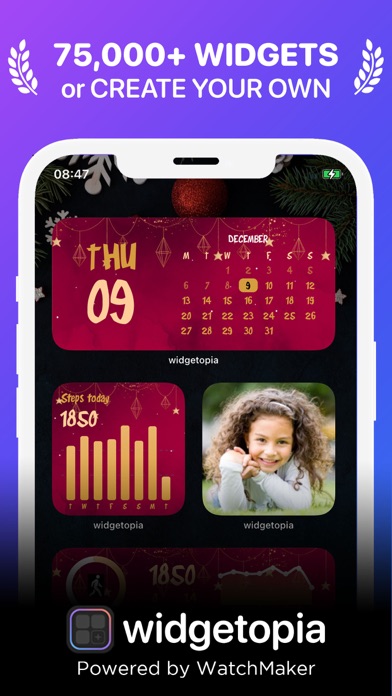
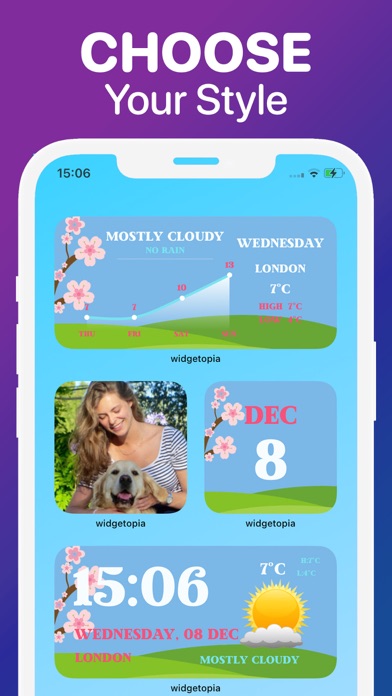

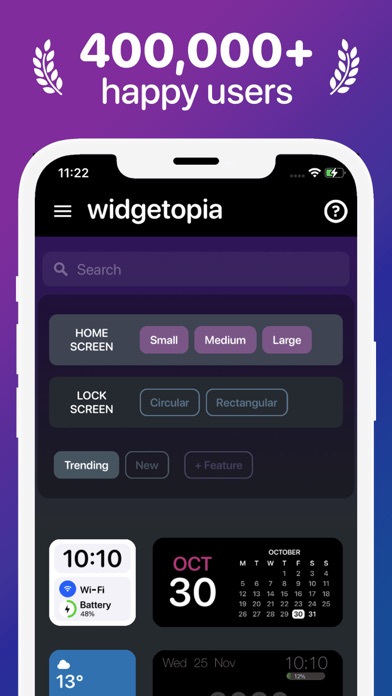
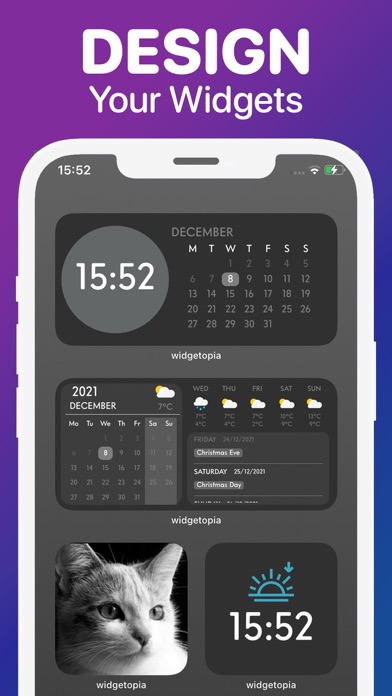
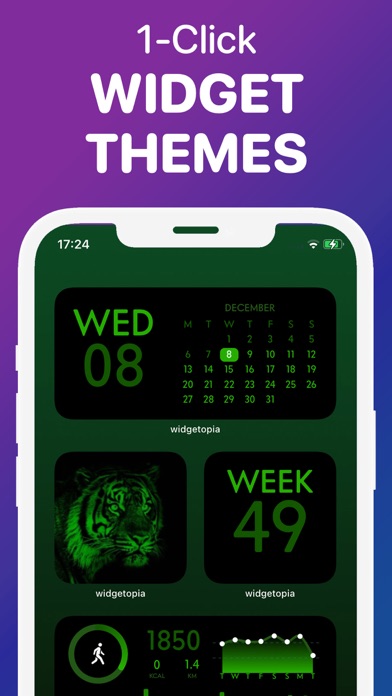
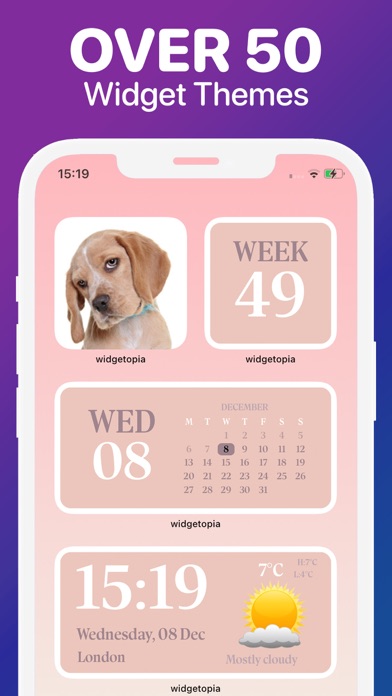
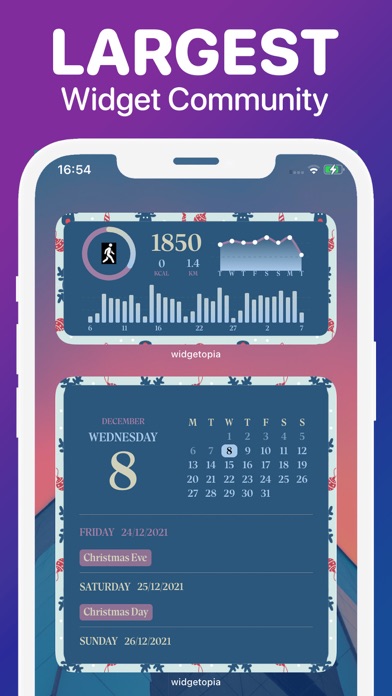
About Lock + Home Widgets widgetopia
The description on the store listing
From the team behind WatchMaker, the largest watchface design community in the world - get ready to make your home screen unique with widgetopia!
THOUSANDS OF WIDGETS
There are 100,000+ pre-built widgets which you can use right away!
CREATE YOUR OWN WIDGET
With widgetopia, you can use our powerful design tools to make your own designs and display any data you need.
- 100,000+ widgets, more each day!
- 5,000+ icons to make your iPhone look neat and stylish!
- 100+ wallpapers for your home / lock screen!
- Home and iOS 16 lock screen widgets!
- Install the whole icon pack at once!
- Over 70 widget themes!
- Full designer tools
- Weather Widget (current, hourly, daily)
- Calendar Widget
- …
Read the full description
From the team behind WatchMaker, the largest watchface design community in the world - get ready to make your home screen unique with widgetopia! THOUSANDS OF WIDGETS There are 100,000+ pre-built widgets which you can use right away! CREATE YOUR OWN WIDGET With widgetopia, you can use our powerful design tools to make your own designs and display any data you need. - 100,000+ widgets, more each day! - 5,000+ icons to make your iPhone look neat and stylish! - 100+ wallpapers for your home / lock screen! - Home and iOS 16 lock screen widgets! - Install the whole icon pack at once! - Over 70 widget themes! - Full designer tools - Weather Widget (current, hourly, daily) - Calendar Widget - Health Widget - Photo Widget - Battery Widget - Reminders Widget - Time & date - Digital clock - Analog clock including seconds - 100,000 Watch Hands + Backgrounds - Steps - Charts - Countdowns - Javascript expressions - Moon phase - Activity rings - Progress bars - Import widgets - Themeable Widgets - Transparent Widgets - Custom JSON Endpoints - Animated GIFs - Much more coming soon! REMIX EXISTING WIDGETS You can remix any widget you like and customize to your heart's content! Requires iOS 14+ PRICING AND TERMS Free version allows use of all widgets excluding those with weather data, including full design tools. Upgrade to the VIP version to unlock all widgets, get regular content updates and remove ads! – 1 week subscription price starts at $3.99 USD/week – 12 months subscription price starts at $19.99 USD/year - Payment will be charged to iTunes Account at confirmation of purchase - Subscription automatically renews unless auto-renew is turned off at least 24-hours before the end of the current period - Account will be charged for renewal within 24-hours prior to the end of the current period, and identify the cost of the renewal - Subscriptions may be managed by the user and auto-renewal may be turned off by going to the user's Account Settings after purchase - Any unused portion of a free trial period, if offered, will be forfeited when the user purchases a subscription to that publication, where applicable The prices above are in US dollars. Pricing in other countries may vary and actual charges may be converted to your local currency depending on the country. Privacy Policy: https://widgetopia.io/privacy/wm Terms of Use: https://widgetopia.io/terms/wm Requested access: Photos - use your own photos in your widget Notification - access to receive notifications about updates, new content, app news Calendar - display calendar data on widgets Bluetooth - display Bluetooth status on widgets Health - widgetopia optionally integrates with Apple Health. This data is used to display your step count and activity if you select one of those widget types. Permission for widgetopia to access this data is controlled through the Apple Health app.
Installs, last 30 days
Apple does not publish download counts. Estimates are in testing.
Estimated store revenue Estimated Beta
App Store, worldwide, monthly rate from the last 12 chart days to 19 Nov 2026
Below the top 100 grossing apps in the markets we calibrate. In the United States that usually means under about $6.4M a month. App Store purchases and subscriptions only, before Apple's 15 to 30% fee. Ads and web payments are not included.
Ratings
8,685 ratings, 8,685 reviews
- 5 ★78%
- 4 ★9.2%
- 3 ★4.9%
- 2 ★2.5%
- 1 ★5.3%
Recent reviews
Latest public reviews from the store
- 19 Apr 2026
I’m not in love with this app
I only rated this app five stars so everyone could see it, but truly I must say that it was not as expected. First of all this is NOT FOR THE YOUTH. There were a few widgets that I would not have liked to see. Also if you are looking for “app icons” this is NOT THE PLACE TO GO! There were only like five free chooses and there were only a few colors. This was disappointing. If you want to waist your time this is the app for you. Now to the developers. Please regulate what people can make. It is disgraceful, disgusting, and disappointing. Thanks.
- 20 Oct 2022
Widgetopia - Top alternative to Widgey
Widgey is the best widget maker but Widgetopia is the 2nd best widget maker. Widgetopia does not support inline widgets and XL Widgets. You can make unlimited widgets in Widgetopia but it tends to lag a lot. The only thing that needs needs payment are some icon packs, wallpapers, premade widgets and weather data. Widgetopia is the best widget maker for non Widgey paid edition (1-4 Purchases) users. It allows you to make custom widgets unlike Widgetsmith which is very restrictive and are not meant for power users. This app is good for power users. Please add XL Home widgets and In-line lock widgets, add dedicated iPad resolution, and Widget transparency upgrade to support almost all devices.
- 18 Jan 2022
Still on the fence
This widget app was the only one I could find so far that would let me move the date and time around and size it to fit the design I made. It looks really great and I don’t have to use the premium because I’m using my own image. But… the time…. The time is never really on time 😂 Been working to make my phone look like the phone UI in a game but ahahah the time throws me off. Sometimes it’ll be almost a whole hour off from what the actual time is 😂 But I am keeping it for now because, again, it’s the first app I’ve been able to find that I can customize the text to fit the image I have 😅
- 11 Jan 2022
I LOVE THIS, BUT…
Okay so I just got this and I just made my first widget! The creation of widgets can take a bit to learn but I was able to figure it out after about 1/2 an hour of trying to make a widget. It doesn’t come with a tutorial when making widgets but you can get picture pretty easily if you try hard enough. YOU GUYS CAN DO SO MUCH CUSTOMIZING WITH THIS APP WHEN IT COMES TO WIDGETS!!! While I absolutely love what you can do with this I do have to point to others that while you can make your own customized widgets- depending on what that widget is designed for the lag can be a big problem when it try’s to update. For example the widget I made was one that listed all of the events that came from my device’s calendar. While it did list them, accurately at that, the problem was when I was adding new events into my calendar. It took an hour for the widget to actually update to show that there were new events added. When looking on Reddit, this was apparently a reoccurring problem that many people had to deal with. And it wasn’t just for the calendar either. People were also complaining about the weather as well as when time was involved in the widgets.
What reviewers bring up
Topics mentioned in the latest 8 reviews, by how many reviews mention them
Liked in good reviews (6 reviews)
- widgets 4
- developers 3
- looking 3
- people 3
- first 3
- home 3
- add 3
- widgetopia 2
Raised in bad reviews (1 reviews)
No topic comes up twice.
Top chart positions
Latest App Store chart ranks by country, last 10 days
Not in any tracked top chart in the last 10 days.
Lock + Home Widgets widgetopia history
Release, install milestones, listing and store changes
- First released on the store 21 Oct 2020
Update frequency
How often Lock + Home Widgets widgetopia ships a new version, month by month
1 updates in the last 12 months. Less often than most similar apps: they shipped a median of 2 updates in the same year.
Recent versions
Current version 3.1.1
- Version 3.1.17 Nov 2026
3.1.1 - Now you can create and add iOS 27 Full-Screen Widgets! - Fix for scrolling layer thumbnails in editor
- Version 2.7.215 Nov 2025
2.7.2 - Bug fixes and optimizations
Listing keywords
Words and phrases Lock + Home Widgets widgetopia repeats most in its store listing
Top phrases: starts at usd (2), subscription price starts (2), apple health (2), current period (2), design tools (2).
Highlighted words also appear in the title. Counts cover the title, short description and description.
Compliance
What the listing and the app package show
- Store status
- Live
- Upkeep
- Updated 7 Nov 2026
- Age rating
- 4+
Apps like Lock + Home Widgets widgetopia
 Contact Cleanup舜 陈★ 4.62
 Degoo: Online Cloud StorageDegoo Backup AB★ 4.49
 Countdowns - Event CountdownShayes Apps LLC★ 4.69
 Urban VPNUrban Cyber Security INC★ 4.61
 Voice Language Translator ProDREAMTEAM APPS sp. z o.o.★ 4.52
 Mail App for GmailBloop LTD★ 4.56
 Ooma OfficeOoma Inc.★ 4.87
 Off The Record: Ticket LawyerOff the Record, Inc.★ 4.62
 Clean Now:Clean Up StorageAPPADIX COMPANY LIMITED★ 4.41
Lock + Home Widgets widgetopia: questions and answers
Who makes Lock + Home Widgets widgetopia?
Lock + Home Widgets widgetopia is published by Watch Faces & Widgets.
When was Lock + Home Widgets widgetopia last updated?
The latest version (3.1.1) was released on 7 Nov 2026.
Is Lock + Home Widgets widgetopia free?
Yes. Lock + Home Widgets widgetopia is free to download.
Is Lock + Home Widgets widgetopia still available?
Yes. Lock + Home Widgets widgetopia is live on App Store as of 19 Nov 2026.
Track Lock + Home Widgets widgetopia and its competitors
Watch any app for new versions, rating drops, chart moves and removals. Free plan, no card.