
- Installs
- —
- Apple does not publish download counts
- Rating
- 4.75
- Ratings
- 87
- 87 reviews
- Version
- 2.0.2
- Updated 1 Jun 2023
- Released
- 7 Aug 2022
- Tracked since 10 May 2026
- Size
- 7 MB
- Needs 16.0
Screenshots
About Logger - Time Clock Hours Log
The description on the store listing
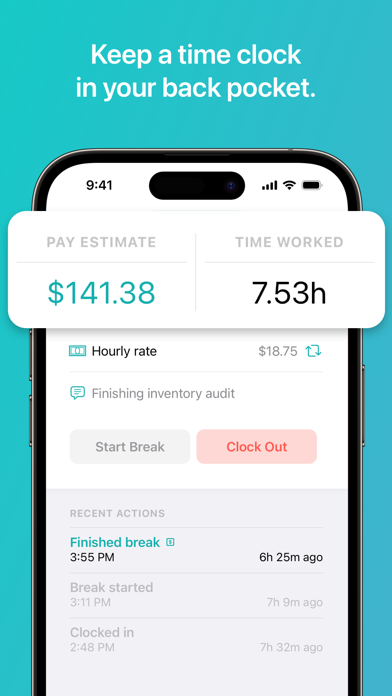
Logger tracks the time you work and calculates your pay. You can share your timesheet with an employer, client, or save for your records.
It's important to keep an accurate log of the hours you work. Logger is a powerful-yet-simple time keeping app. Clock-in when you start working, pause to take a break, and clock-out when it's quitting time. The entry is saved and organized automatically.
-----
## TRACK YOUR HOURS
Clock in when you start, take a break for lunch, and clock out when you're done. It's never been easier to keep an accurate record of the time you work.
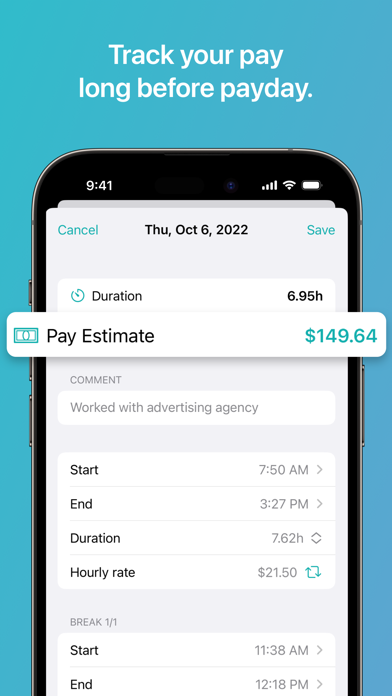
## REWRITE HISTORY
Your history is always under your control. Don't worry if you forgot to clock out or need to …
Read the full description
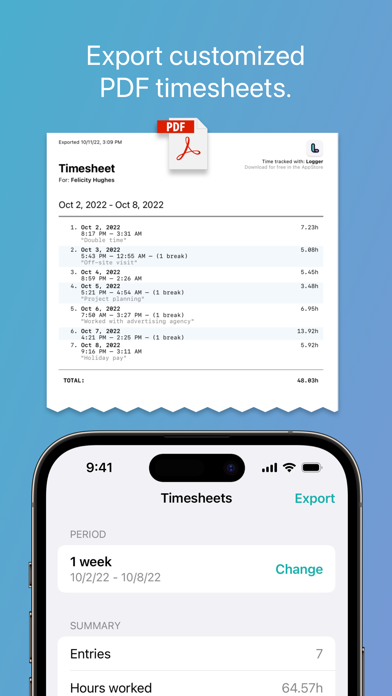
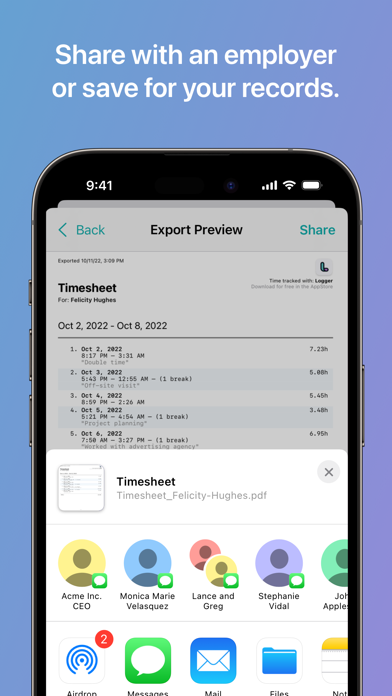
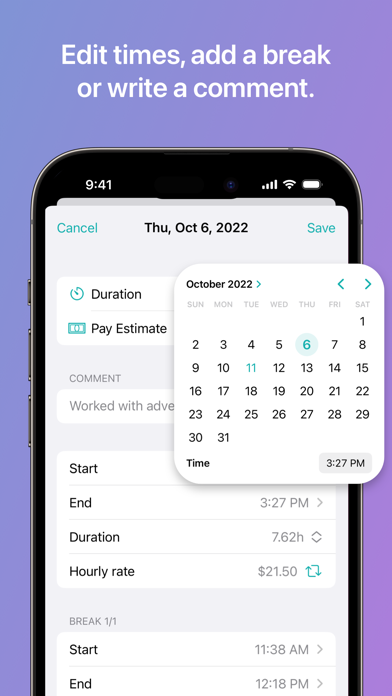
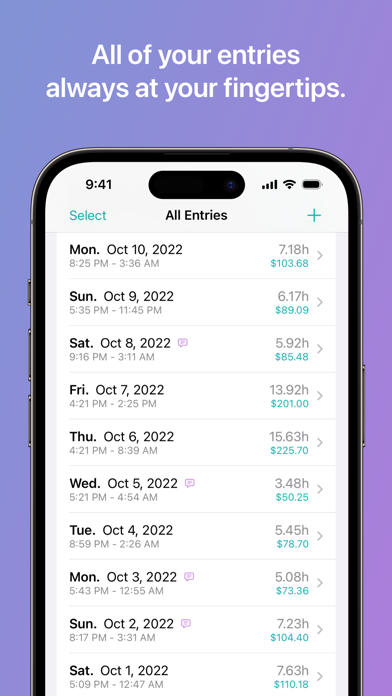
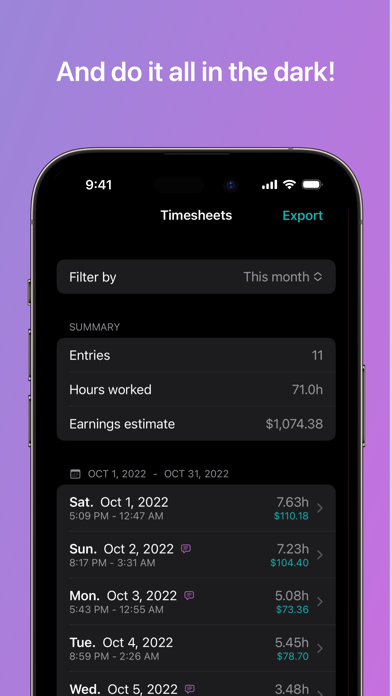
Logger tracks the time you work and calculates your pay. You can share your timesheet with an employer, client, or save for your records. It's important to keep an accurate log of the hours you work. Logger is a powerful-yet-simple time keeping app. Clock-in when you start working, pause to take a break, and clock-out when it's quitting time. The entry is saved and organized automatically. ----- ## TRACK YOUR HOURS Clock in when you start, take a break for lunch, and clock out when you're done. It's never been easier to keep an accurate record of the time you work. ## REWRITE HISTORY Your history is always under your control. Don't worry if you forgot to clock out or need to retroactively add a coffee break. With just a tap you can change the date, times, or add a comment. ## TIMESHEETS IN YOUR POCKET The Timesheet screen makes it easy to see totals for any pay period or custom time span. ## MAKE A NOTE Easily add comments to any entry. Comments are helpful for logging what you accomplished that day, or a reminder of where you left off in the middle of a project. ## ESTIMATE YOUR PAYCHECK (Pro) Logger calculates what you'll be paid for each shift (we call them Entries). Compare with your pay stubs to verify you're being paid the right amount. ## EXPORT AS PDF + SHARE (Pro) At the end of a pay period, you might need to report your hours to an employer or email it to a client for invoicing. Logger allows you to create a customized timesheet using your logged sessions. The app generates a professionally formatted PDF that you can text, email, or AirDrop to whoever needs it. ## DOWNLOAD TIMESHEETS (Pro) You can also save a copy of your timesheets to keep for your personal records. This comes in very handy when tax-season rolls around. (Eek!) ----- — Logger can help: - Record an accurate log of your hours worked - Show what your next paycheck will look like - Correctly invoice clients and customers - Manage payroll and handle personal bookkeeping - Make filing taxes easier - Verify the hours and pay on your paystubs are accurate - General time management ----- — Logger is perfect for: - Freelance workers, designers, and artists - Hourly employees - Working remotely (at home, etc.) - Those who frequently work off-site, away from the office - Subcontractors and shift-workers - Students to track study sessions ----- * The basic time keeping workflow will always be free. Some premium features, like exporting and pay estimates can be unlocked with a Logger Pro subscription. Logger Pro is a monthly service that costs just $1.99/month -- or save 50% with an Annual subscription for $11.99 (Prices vary by region). New users can try Logger Pro free for 3 days! * Payment will be charged to iTunes Account at confirmation of purchase (or after trial ends) and auto-renews at the same price unless disabled in iTunes Account Settings at least 24-hours before the end of the current period. Your subscription can be managed in your iTunes Account Settings. Any unused portion of a free trial, if offered, will be forfeited if you subsequently purchase a subscription. * Privacy policy: https://atomic.software/logger/privacy * Terms of Use: https://atomic.software/logger/terms
Installs since 29 Aug 2026
Apple does not publish download counts. Estimates are in testing.
Estimated store revenue Estimated Beta
App Store, worldwide, monthly rate from the last 13 chart days to 20 Nov 2026
Below the top 100 grossing apps in the markets we calibrate. In the United States that usually means under about $6.4M a month. App Store purchases and subscriptions only, before Apple's 15 to 30% fee. Ads and web payments are not included.
Ratings
87 ratings, 87 reviews
No rating breakdown published for this app.
Recent reviews
Latest public reviews from the store
No reviews in our sample for this app yet.
Top chart positions
Latest App Store chart ranks by country, last 10 days
Not in any tracked top chart in the last 10 days.
Logger - Time Clock Hours Log history
Release, install milestones, listing and store changes
- First released on the store 7 Aug 2022
Update frequency
How often Logger - Time Clock Hours Log ships a new version, month by month
0 updates in the last 12 months. Less often than most similar apps: they shipped a median of 2 updates in the same year.
Recent versions
Current version 2.0.2
- Version 2.0.21 Jun 2023
- Added walkthrough / tutorial to help you get the most out of the app. - Minor bug fixes and improvements. Note: Logger now requires iOS 16 (or greater) for this and subsequent versions. Unfortunately this was required for some exciting features we have coming up.
Listing keywords
Words and phrases Logger - Time Clock Hours Log repeats most in its store listing
Top phrases: itunes account (3), logger pro (3), itunes account settings (2), account settings (2), accurate log (2).
Highlighted words also appear in the title. Counts cover the title, short description and description.
Compliance
What the listing and the app package show
- Store status
- Live
- Upkeep
- No update since 1 Jun 2023
- Age rating
- 4+
Apps like Logger - Time Clock Hours Log
 HBDI®Herrmann International, Inc.★ 4.55
 WASHiNINNOVATION SCRIPT, UAB★ 4.2
 Center SphereCenter Sphere, LLC★ 4.54
 Job Quote MakerB TO J PTY LTD★ 4.83
 Dixie DirectDixie Direct Inc.★ 4.73
 Pocket Scanner – Doc ScannerKdan Mobile Software LTD★ 4.72
 ClockShark Time TrackingClockShark, LLC★ 2.82
 ConnectUCConnectUC LLC★ 3.88
 Hopp DriverBOLT TECHNOLOGY OU★ 4.81
Logger - Time Clock Hours Log: questions and answers
Who makes Logger - Time Clock Hours Log?
Logger - Time Clock Hours Log is published by Trent Morris.
When was Logger - Time Clock Hours Log last updated?
The latest version (2.0.2) was released on 1 Jun 2023.
Is Logger - Time Clock Hours Log free?
Yes. Logger - Time Clock Hours Log is free to download.
Is Logger - Time Clock Hours Log still available?
Yes. Logger - Time Clock Hours Log is live on App Store as of 14 Nov 2026.
Track Logger - Time Clock Hours Log and its competitors
Watch any app for new versions, rating drops, chart moves and removals. Free plan, no card.