- Installs
- —
- Apple does not publish download counts
- Rating
- 5.0
- Ratings
- 9
- 9 reviews
- Version
- 1.6.1
- Updated 31 Jul 2024
- Released
- 8 Mar 2023
- Tracked since 10 May 2026
- Size
- 19 MB
- Needs 16.0
Screenshots



About Magic Locker - Screen Master
The description on the store listing
Magic Locker will help you not to be distracted by other apps. Because you can control the time spent on other apps by locking down access to it.
Magic Locker is a new way to restrict your access to apps and control the app access time. It is especially suitable for protecting privacy, reducing harassment, and enabling parents to control children's use of mobile phones.
Features:
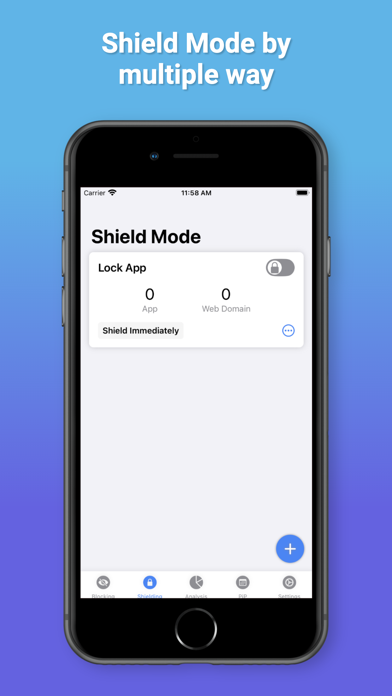
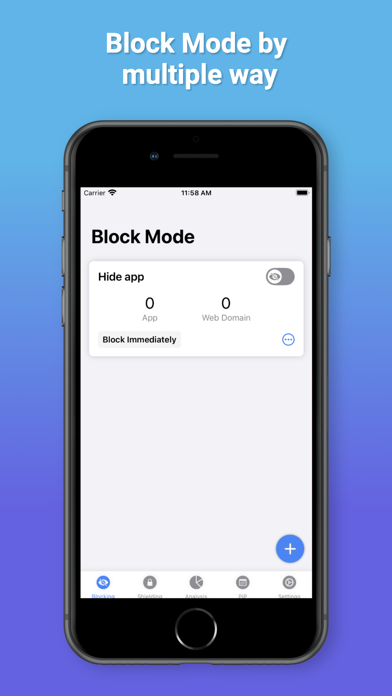
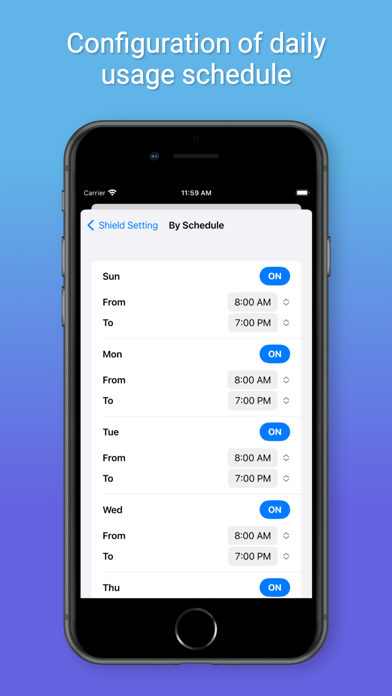
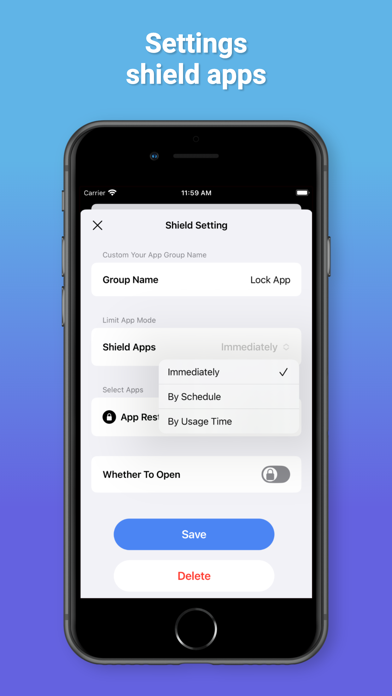
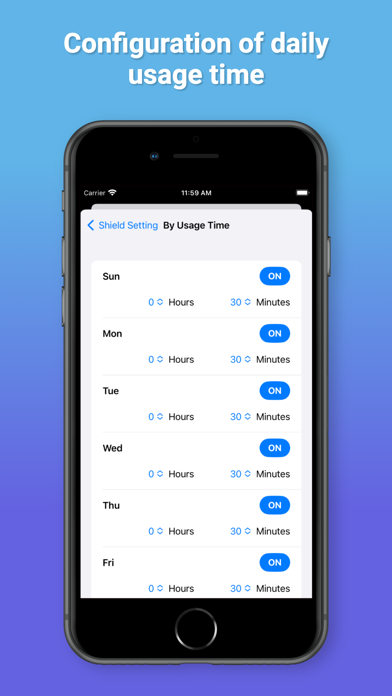
-Block mode: There are three ways to hide immediately, block by time, and use time. It lets you hide selected apps like social media, banking apps, photos, games, videos, and more from your device until you restore them, a feature that's great for protecting your privacy or reducing distractions. To achieve …
Read the full description
Magic Locker will help you not to be distracted by other apps. Because you can control the time spent on other apps by locking down access to it. Magic Locker is a new way to restrict your access to apps and control the app access time. It is especially suitable for protecting privacy, reducing harassment, and enabling parents to control children's use of mobile phones. Features: -Block mode: There are three ways to hide immediately, block by time, and use time. It lets you hide selected apps like social media, banking apps, photos, games, videos, and more from your device until you restore them, a feature that's great for protecting your privacy or reducing distractions. To achieve maximum protection of personal information and privacy. -Shield mode: It can add an application lock to your app to protect your privacy while improving your focus and improving your sleep quality. Set when your child plays games for real control. -Support viewing usage records, clear tracking of application usage in restricted mode -Avatar secret: Enter the avatar secret to enter another space. Protect your personal privacy and make it impossible for your children to unlock. Using a substitute secret, it can be used as a private notebook, which can record passwords, diaries and other content. -Parental Control: Supports locking apps and games that are not suitable for children, and can also prohibit app installation, deletion, and in-app purchase subscriptions. It allows you to control your children's mobile phone activities at any time, and also protects your important applications from being accidentally deleted by your children. Make your life safer and more comfortable, and let your children grow up healthily. - Highly customizable: edit groups according to your needs, add and remove apps, change names. #Privacy Statement - The apps you select in Magic Locker are provided by the iOS Screen Time feature as opaque markers, Magic Locker will never know which apps you have selected. - Magic Locker does not collect any data, including your selection of apps, location or usage information. - Magic Locker does not use any third-party SDK or services. Unlimited Access Membership Subscription - You can subscribe for unlimited access to all features within the app – Monthly subscription as well as lifetime purchase at the rate chosen by the subscription plan - Payment will be charged to iTunes account at confirmation of purchase – Subscription automatically renews unless auto-renew is turned off at least 24 hours before the end of the current period – Account will be charged for renewal within 24-hours prior to the end of the current period. Fees depend on plan selected – Subscriptions can be managed by the user and auto-renewal can be turned off by going to the user’s account settings after purchase – Once the user purchases a subscription, any unused portion of the free trial will be forfeited If you are a member, you will have access to the following features: 1. Unlimited grouping, add more applications 2. Password protect the application 3. Follow-up update with more new features Prices above are in US dollars. Pricing in other countries may vary and actual charges may be converted to local currency based on country. Visit http://support.apple.com/kb/ht4098 Terms of Use: https://magicx.link/TermsofService.html Privacy Policy: https://magicx.link/privacypolicy.html Billing terms: https://magicx.link/terms.html =====Contact us===== Email: [email protected]
Installs
Apple does not publish download counts. Estimates are in testing.
We publish iOS estimates only after they pass a back-test against real numbers. Chart history below is measured.
Estimated store revenue Estimated Beta
App Store, worldwide, monthly rate from the last 13 chart days to 20 Nov 2026
Below the top 100 grossing apps in the markets we calibrate. In the United States that usually means under about $6.4M a month. App Store purchases and subscriptions only, before Apple's 15 to 30% fee. Ads and web payments are not included.
Ratings
9 ratings, 9 reviews
No rating breakdown published for this app.
Recent reviews
Latest public reviews from the store
No reviews in our sample for this app yet.
Top chart positions
Latest App Store chart ranks by country, last 10 days
Not in any tracked top chart in the last 10 days.
Magic Locker - Screen Master history
Release, install milestones, listing and store changes
- First released on the store 8 Mar 2023
Update frequency
How often Magic Locker - Screen Master ships a new version, month by month
0 updates in the last 12 months. Less often than most similar apps: they shipped a median of 1 updates in the same year.
Recent versions
Current version 1.6.1
- Version 1.6.131 Jul 2024
1. Add the functions of prohibiting access to adult content and in-app purchases. 2. Optimize the logic and fix bugs.
Listing keywords
Words and phrases Magic Locker - Screen Master repeats most in its store listing
Top phrases: magic locker (7), avatar secret (2), current period (2), turned off (2), unlimited access (2).
Highlighted words also appear in the title. Counts cover the title, short description and description.
Compliance
What the listing and the app package show
- Store status
- Live
- Upkeep
- No update since 31 Jul 2024
- Age rating
- 4+
Apps like Magic Locker - Screen Master
 Library of AviationNazmi Yavuz★ 4.82
 MyNOVECNorthern Virginia Electric Cooperative★ 2.28
 打工人小组件光翔 卓★ 4.96
 TruckbaysTruckbays LLC★ 4.3
 Tornado PRO PlayerMohammed Altam★ 4.44
 VDX - Video ManagerARISEPEAK LP★ 1.74
 TV CastingZeasn Info Technology Co., Ltd.★ 1.86
 Mil-Dot BallisticsTom Holsten★ 3.82
 MySontiqSontiq, Inc.★ 2.4
Magic Locker - Screen Master: questions and answers
Who makes Magic Locker - Screen Master?
Magic Locker - Screen Master is published by 彩群 雷.
When was Magic Locker - Screen Master last updated?
The latest version (1.6.1) was released on 31 Jul 2024.
Is Magic Locker - Screen Master free?
Yes. Magic Locker - Screen Master is free to download.
Is Magic Locker - Screen Master still available?
Yes. Magic Locker - Screen Master is live on App Store as of 1 Jul 2026.
Track Magic Locker - Screen Master and its competitors
Watch any app for new versions, rating drops, chart moves and removals. Free plan, no card.