- Installs
- —
- Apple does not publish download counts
- Rating
- 3.79
- Ratings
- 24
- 24 reviews
- Version
- 1.4
- Updated 21 Dec 2016
- Released
- 17 Sep 2014
- Tracked since 10 May 2026
- Size
- 13 MB
- Needs 10.0
Screenshots
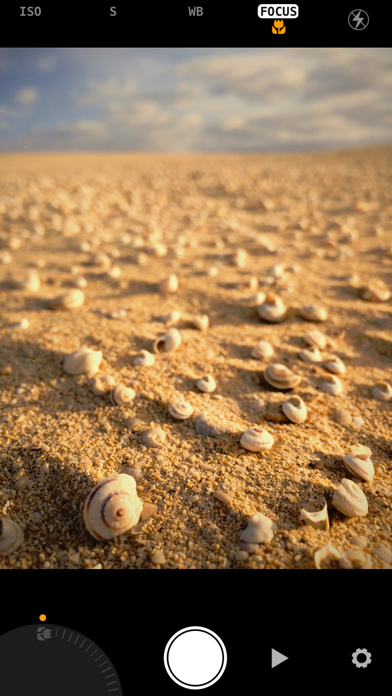
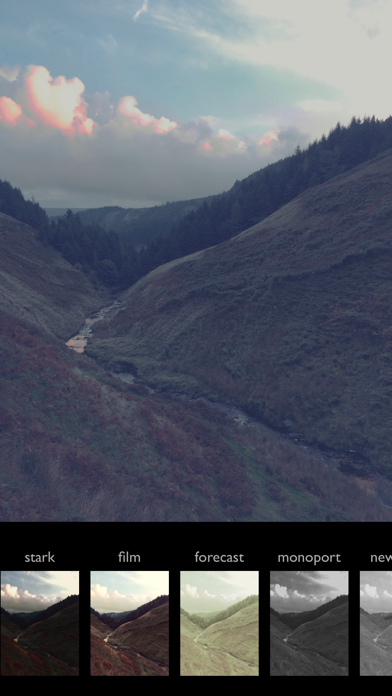
About Manual Cam
The description on the store listing
*** Topped No.1 Paid App in several countries! ***
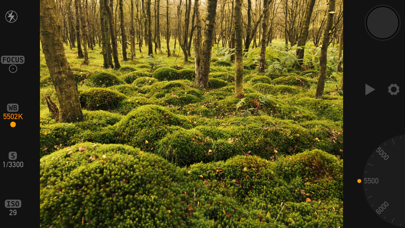
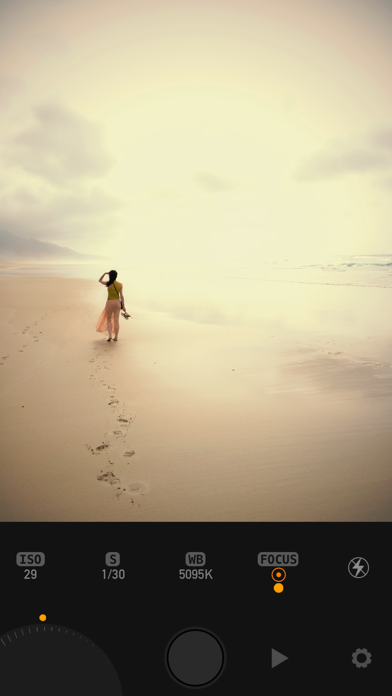
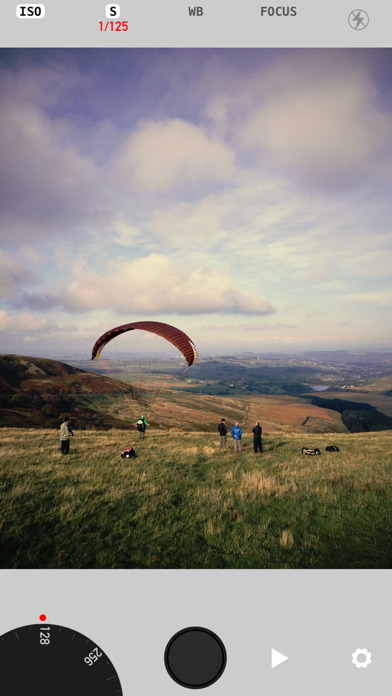
Take full manual control of your iPhones camera and take your photography to a whole new level! All the photo's you see in the screenshots are all taken with Manual Cam straight out of the camera! ..with no further adjustments or post processing! See Apple's Pinterest Page for more info..
"...one of the best implementations of manual control on the iPhone we've seen so far." dpreview.com
Featured in 'Best New Apps' and 'Shoot Beautiful Photos' by Apple.
"App of the Week" appadvice.com
Having full creative control of your camera allows you to get incredible pictures that were just not previously possible.
Use our beautiful …
Read the full description
*** Topped No.1 Paid App in several countries! *** Take full manual control of your iPhones camera and take your photography to a whole new level! All the photo's you see in the screenshots are all taken with Manual Cam straight out of the camera! ..with no further adjustments or post processing! See Apple's Pinterest Page for more info.. "...one of the best implementations of manual control on the iPhone we've seen so far." dpreview.com Featured in 'Best New Apps' and 'Shoot Beautiful Photos' by Apple. "App of the Week" appadvice.com Having full creative control of your camera allows you to get incredible pictures that were just not previously possible. Use our beautiful precision crafted interface with adjustment wheel for full manual control over ISO, Shutter Speed, White Balance and Focus, or use gestures across the whole screen. See an uncluttered view of your photo in the viewfinder with a choice of, minimal to no info at all. Easy to use interface with customizable levels of detail for novices and pros alike. Mix and match fully automatic modes and individually lock / adjust just the ones you want. E.g. you can have fully automatic exposure and only adjust manual focus. CONTROL - White Balance : for richer more accurate colors - especially skin tones. - Exposure Compensation : stop images being too dark or too bright, or just make an artistic choice for more beautiful light. - Focus to exactly the part at the picture you want or lock to create close up macro shots easier. - ISO : get much sharper images in the dark, or much clearer photos in normal light with less noise. - Shutter Speed : for fast action shots, or lower to produce cool effects like motion blur. FILTERS Live filters! See the world live through your chosen filter BEFORE you take the picture. Our professional grade filters are based on the same technology used in cinema post-production. Easily swipe left or right to change filter or use the browser. SETTINGS - Timer : set a photo to be taken hands free after a delay of 2 or 10 seconds after you press the shutter. - Grid : overlay a grid over the viewfinder to aid composition. - Format : choose from square or normal 4:3 sized photos. - Zoom On Focus : the viewfinder will automatically zoom the view to aid accurate focusing. - User Interface Color : personalise the color of your camera from Silver, Black or Low contrast Grey. - Optional GPS Geotagging (Jpeg only) USER GUIDE is available on our website at www.lofopi.com * Please note that all iPhone and iPad cameras have a fixed aperture so it's not possible for the app to have any aperture controls.
Installs
Apple does not publish download counts. Estimates are in testing.
We publish iOS estimates only after they pass a back-test against real numbers. Chart history below is measured.
Estimated store revenue Estimated Beta
App Store, worldwide, monthly rate from the last 12 chart days to 19 Nov 2026
Below the top 100 grossing apps in the markets we calibrate. In the United States that usually means under about $6.4M a month. App Store purchases and subscriptions only, before Apple's 15 to 30% fee. Ads and web payments are not included.
Ratings
24 ratings, 24 reviews
No rating breakdown published for this app.
Recent reviews
Latest public reviews from the store
No reviews in our sample for this app yet.
Top chart positions
Latest App Store chart ranks by country, last 10 days
Not in any tracked top chart in the last 10 days.
Manual Cam history
Release, install milestones, listing and store changes
- First released on the store 17 Sep 2014
Recent versions
Current version 1.4
- Version 1.421 Dec 2016
This update from Apple will improve the functionality of this app. No new features are included. RAW fix
Listing keywords
Words and phrases Manual Cam repeats most in its store listing
Top phrases: manual control (3), full manual control (2), full manual (2), fully automatic (2), manual cam (2).
Highlighted words also appear in the title. Counts cover the title, short description and description.
Compliance
What the listing and the app package show
- Store status
- Live
- Upkeep
- No update since 21 Dec 2016
- Age rating
- 4+
Apps like Manual Cam
 Video CollageaZeR DiLLs★ 4.08
 Vee for VideoMedious★ 2.98
 Beauty Camera -Selfie, StickerBhuvan Gupta★ 4.5
 FinalCamXShenzhen Xiaozhen Technology Co.,Ltd.★ 4.44
 Magic Studio - AI Photo EditorMagicStudio.com★ 4.62
 Foto Impresiones: 1 Hr PhotoSoftwareX★ 4.98
 SnapGeo - AI Location FinderRECEP ASLAN★ 4.24
 Family Photo Maker - AIRick-y Media★ 4.12
 BeautifAI: AI Try OnJAI UYGULAMA VE YAPAY ZEKA TEKNOLOJILERI ANONIM SIRKETI★ 4.36
Manual Cam: questions and answers
Who makes Manual Cam?
Manual Cam is published by LOFOPI.
When was Manual Cam last updated?
The latest version (1.4) was released on 21 Dec 2016.
Is Manual Cam free?
Yes. Manual Cam is free to download.
Is Manual Cam still available?
Yes. Manual Cam is live on App Store as of 1 Jul 2026.
Track Manual Cam and its competitors
Watch any app for new versions, rating drops, chart moves and removals. Free plan, no card.