
- Installs
- —
- Apple does not publish download counts
- Rating
- 4.55
- Ratings
- 356
- 356 reviews
- Version
- 5.5.1
- Updated 2 Jul 2025
- Released
- 27 May 2021
- Tracked since 10 May 2026
- Size
- 62 MB
- Needs 17.0
Screenshots


About McClockface – Flip Clock
The description on the store listing
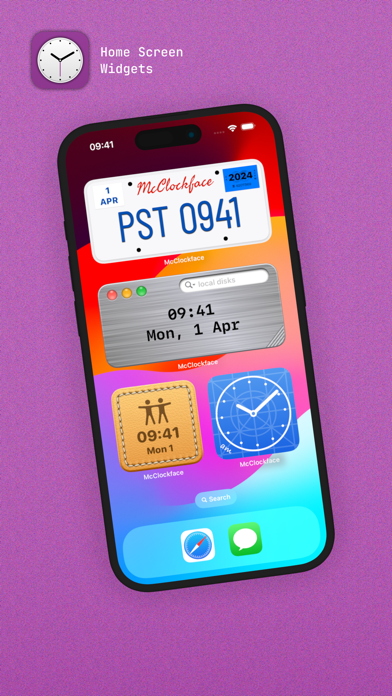
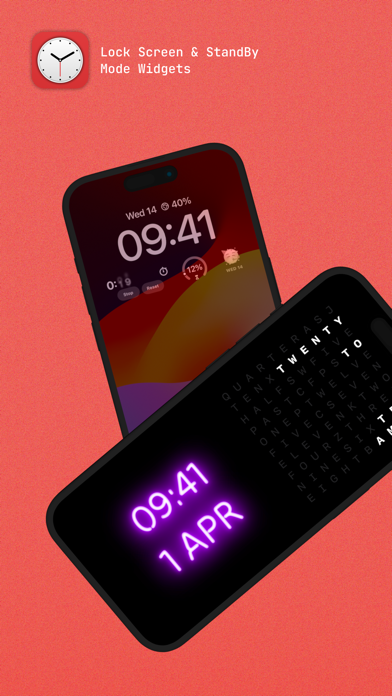
Add beautiful timepiece widgets to your Home Screen, Lock Screen, and StandBy mode with McClockface.
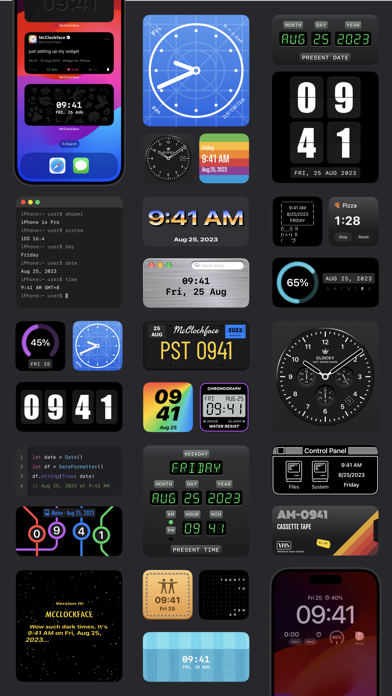
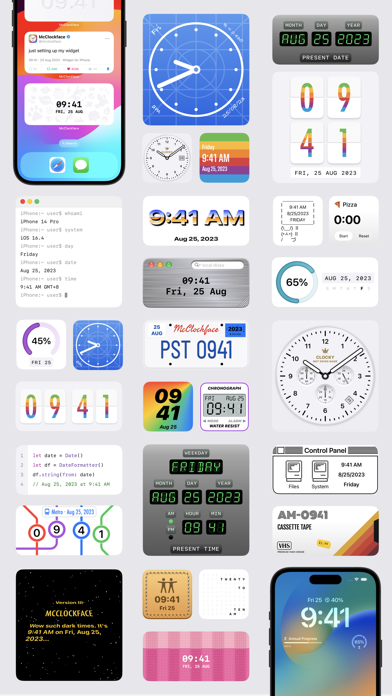
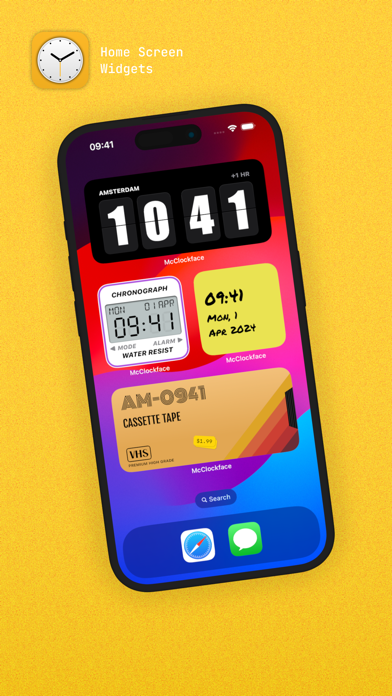
McClockface provides a collection of playful widget designs that provide the date, time, and other chronographic info, such as day and annual progress, at a glance, with options to customize colors and time zones widget-by-widget.
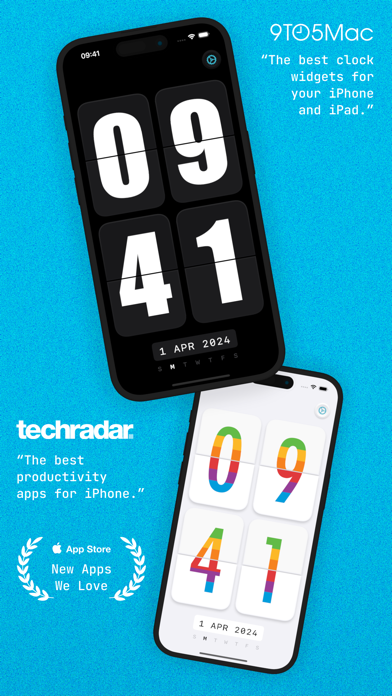
The in-app timepiece displays a silky-smooth retro flip clock that makes a perfect display for your nightstand or whilst charging your device.
There are currently 32 exclusive widget designs available (and counting) with different sizes to discover in the system widget gallery for Home Screen, Lock Screen, and StandBy mode.
---
HOME SCREEN WIDGETS
The …
Read the full description
Add beautiful timepiece widgets to your Home Screen, Lock Screen, and StandBy mode with McClockface. McClockface provides a collection of playful widget designs that provide the date, time, and other chronographic info, such as day and annual progress, at a glance, with options to customize colors and time zones widget-by-widget. The in-app timepiece displays a silky-smooth retro flip clock that makes a perfect display for your nightstand or whilst charging your device. There are currently 32 exclusive widget designs available (and counting) with different sizes to discover in the system widget gallery for Home Screen, Lock Screen, and StandBy mode. --- HOME SCREEN WIDGETS The McClockface widget lineup is now stronger than ever, with numerous vibrant, colorful designs to choose from, including stitched leather, knitted socks, sticky notes, neon signs, VHS cassette tapes, scratched metal, blueprints, metro maps, license plates, bunny memes, and so much more! --- LOCK SCREEN WIDGETS Lock Screen widgets are perfect for quickly viewing info on the go. Simplified versions of some McClockface widgets are available on Lock Screen for both iPhone and iPad, including the default clock and the progress gauges. There’s also a weekday emoji widget that’s exclusive to Lock Screen. --- STANDBY MODE WIDGETS StandBy mode widgets are available on iPhone whilst charging your device. McClockface offers 20 elegant and customizable widget designs for StandBy mode. --- INTERACTIVE WIDGETS Stopwatch widgets are available for Home Screen, Lock Screen, and StandBy mode. These super handy widgets allow you to time an event without the need to open an app or even unlock your device. --- ALTERNATE APP ICONS With over 15 colorful app icons available, there’s something here to make everyone’s Home Screen shine. --- SOUNDS & HAPTICS Funny animal sounds and subtle haptic effects help bring the app to life. --- Some of the content discussed above and displayed in screenshots, specifically, all widgets, alternate app icons, custom fonts, and sound effects, require an in-app purchase. The free version of McClockface is free forever, and contains no ads: The free version gives you unlimited access to the in-app flip clock. McClockface Plus is required for the additional content mentioned above, which can be accessed by either an auto-renewing subscription or a one-time in-app purchase. --- Payment will be charged to your Apple ID account at the confirmation of purchase. The subscription automatically renews unless it is canceled at least 24 hours before the end of the current period. Your account will be charged for renewal within 24 hours before the end of the current period. You can manage and cancel your subscriptions by going to your App Store account settings after purchase. Cancellation of the current active subscription period is not allowed. --- Privacy Policy: https://sites.google.com/view/lazycatapps/home/mcclockface/privacy-policy Terms of Use: https://www.apple.com/legal/internet-services/itunes/dev/stdeula
Installs since 29 Aug 2026
Apple does not publish download counts. Estimates are in testing.
Estimated store revenue Estimated Beta
App Store, worldwide, monthly rate from the last 14 chart days to 21 Nov 2026
Below the top 100 grossing apps in the markets we calibrate. In the United States that usually means under about $6.4M a month. App Store purchases and subscriptions only, before Apple's 15 to 30% fee. Ads and web payments are not included.
Ratings
356 ratings, 356 reviews
No rating breakdown published for this app.
Recent reviews
Latest public reviews from the store
- 6 May 2025
Great app! Responsive developer!
I suggested an enhancement and the developer ended up implementing it. It’s rare to see a developer be communicative and proactive. I had to recently give up my IAP, but as soon as I can afford it I will be subscribing again!
- 28 Oct 2024
The best
You can change it to dark or light change the boldness it really good so get it no subscription unless you want different fonts and stuff really good download it now
- 30 Sep 2024
I love it! But Bug in widgets for iOS 17.
When you have the time tiles in a stack on iOS 17 and select dark mode the background is shows as blurry or sometimes white and blurry. This is when you have added it to a widget stack. Did not happen with prior iOS updates. Still broken on iOS beta on iPad Os too.
- 4 Sep 2022
Best Clock Widget App By Far!
This is one of the best clock apps in the store. Certainly the best for widgets. The only reason that it gets four stars is because the extensive widget options aren’t also available for the in-app nightstand/desk clock. As far as I can tell, just the flip clock is available in-app. Some more requests: Please make the date/time format customizable in app and/or by widget rather than fixed to the system setting. I’d really like to mix and match and make custom clocks that start with Monday instead of Sunday, or use French day abbreviations, or display d/m/y.
What reviewers bring up
Topics mentioned in the latest 8 reviews, by how many reviews mention them
Liked in good reviews (8 reviews)
- widgets 5
- clock 4
- options 3
- different 2
- available 2
- requests 2
- select 2
- custom 2
Raised in bad reviews (0 reviews)
No topic comes up twice.
Top chart positions
Latest App Store chart ranks by country, last 10 days
Not in any tracked top chart in the last 10 days.
McClockface – Flip Clock history
Release, install milestones, listing and store changes
- First released on the store 27 May 2021
Update frequency
How often McClockface – Flip Clock ships a new version, month by month
0 updates in the last 12 months. Less often than most similar apps: they shipped a median of 1 updates in the same year.
Recent versions
Current version 5.5.1
- Version 5.5.12 Jul 2025
General fixes and improvements
Listing keywords
Words and phrases McClockface – Flip Clock repeats most in its store listing
Top phrases: lock screen (7), standby mode (6), home screen (5), home screen lock (3), screen and standby (3).
Highlighted words also appear in the title. Counts cover the title, short description and description.
Compliance
What the listing and the app package show
- Store status
- Live
- Upkeep
- Updated 2 Jul 2025
- Age rating
- 4+
Apps like McClockface – Flip Clock
 Magnifier: Magnifying GlassGODHITECH JSC★ 4.16
 WeWashWeWash GmbH★ 3.85
 My Kia +Kia Corporation★ 1.5
 Airtel XsafeBharti Airtel Ltd.★ 3.86
 Feng Shui Home - Buddha MantraHai Nam Trinh★ 4.61
 Tử Vi 2026 - Đông TâyLien Khanh★ 4.55
 BloGo Salon + MedSpaMisty's Hair Styles, LLC★ 5.0
 STRK - Add Friends & ChatAhmet Cabak★ 4.3
 4D King Live 4D ResultsNick Goh★ 4.59
McClockface – Flip Clock: questions and answers
Who makes McClockface – Flip Clock?
McClockface – Flip Clock is published by David Steppenbeck.
When was McClockface – Flip Clock last updated?
The latest version (5.5.1) was released on 2 Jul 2025.
Is McClockface – Flip Clock free?
No. McClockface – Flip Clock is a paid app.
Is McClockface – Flip Clock still available?
Yes. McClockface – Flip Clock is live on App Store as of 21 Nov 2026.
Track McClockface – Flip Clock and its competitors
Watch any app for new versions, rating drops, chart moves and removals. Free plan, no card.