
- Installs
- —
- Apple does not publish download counts
- Rating
- 4.46
- Ratings
- 26
- 26 reviews
- Version
- 3.8.48
- Updated 26 Nov 2025
- Released
- 8 Feb 2022
- Tracked since 10 May 2026
- Size
- 164 MB
- Needs 14.0
Screenshots
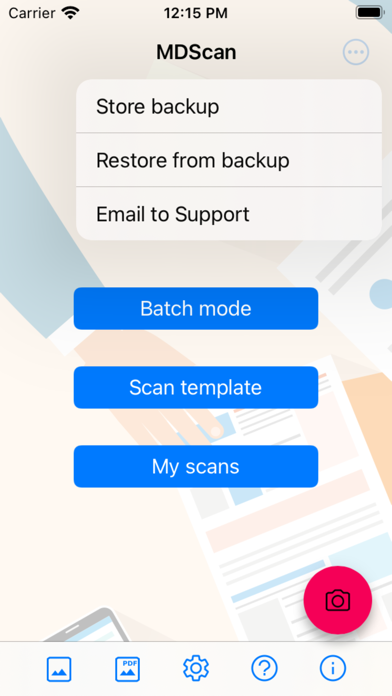
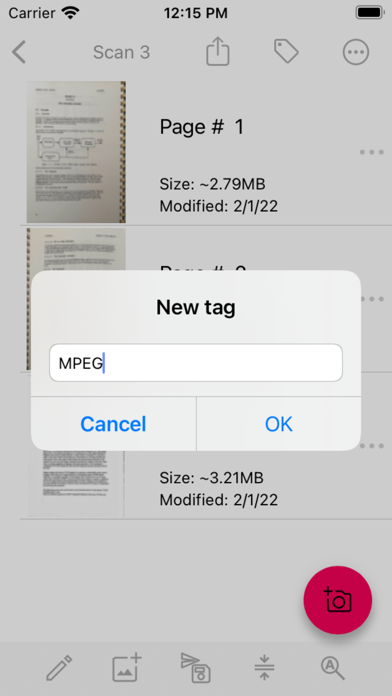
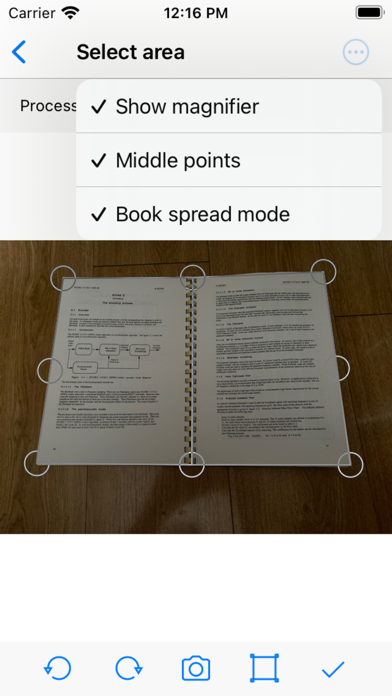
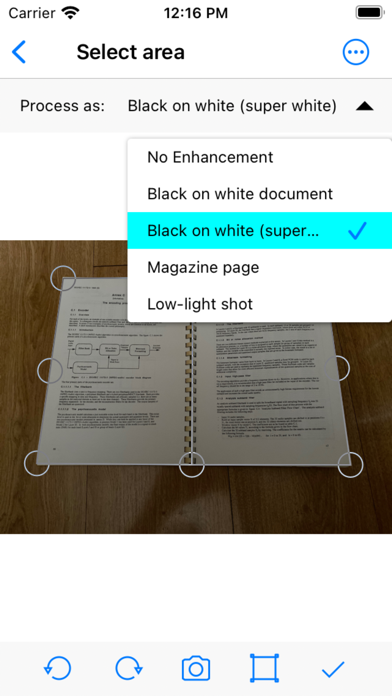
About MDScan Lite
The description on the store listing
All image processing is done only on your device! No documents will go online without your desire!
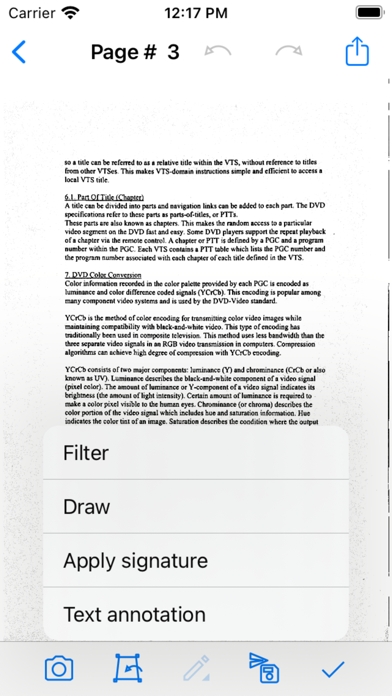
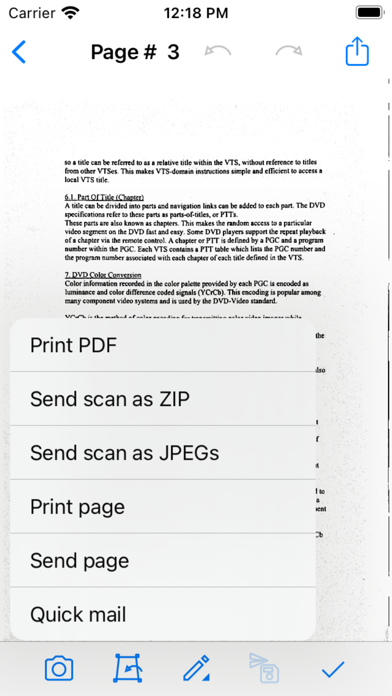
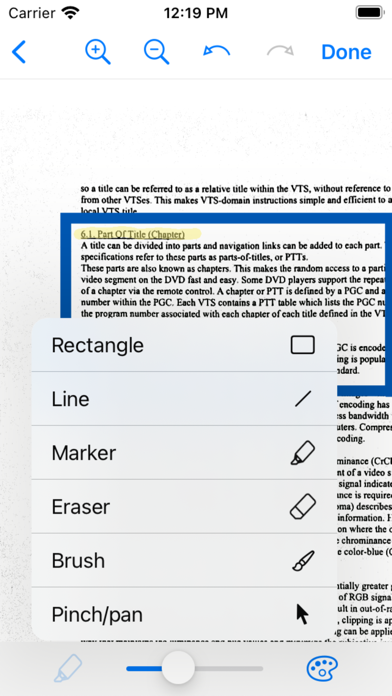
Take a picture with your camera, edit it using the many enhancing features, save into a preferred format and share on social media, email, cloud services.
MDScan is a mobile doc scanner that allows you to scan any type of document using your phone camera. This could be receipts, text pages, coupons, posters, magazine articles, invoices, pictures, and any printed documents.
How does it work?
1. Take a picture with your camera
2. Choose an editing option (you can select “unenhanced”)
3. Easily adjust the scan area using the 4 borders on the page
4. Confirm the scan to the set dimensions …
Read the full description
All image processing is done only on your device! No documents will go online without your desire! Take a picture with your camera, edit it using the many enhancing features, save into a preferred format and share on social media, email, cloud services. MDScan is a mobile doc scanner that allows you to scan any type of document using your phone camera. This could be receipts, text pages, coupons, posters, magazine articles, invoices, pictures, and any printed documents. How does it work? 1. Take a picture with your camera 2. Choose an editing option (you can select “unenhanced”) 3. Easily adjust the scan area using the 4 borders on the page 4. Confirm the scan to the set dimensions (ready presets available) 5. Choose filters to enhance the quality (optional) 6. Save and Export into a PDF or JPG 7. Share on Social Media, Email, Cloud Servers More detailed information: This mobile scanner is perfect to use on the go - anywhere and anytime. With a variety of presets, MDScan guarantees great experience and its automatized functions are suitable for the busiest users looking to scan PDF documents with their mobile device’s camera. If you are looking for a mobile scanning application that automatically detects borders, corrects distortion, and equalizes brightness to create clear, legible documents, you are definitely on the right page. Speaking of great user experience and automatic functions, the MDScan integrates seamlessly with cloud storage services such as Google Drive and Dropbox. In addition, you can send your scanned documents with email services, Facebook (Messenger), Twitter, and other apps if installed on your device. This scanner app shines in terms of uploading but has no second when it comes to converting pictures taken from your phone's camera into legitimate documents you can use for business purposes. With the Mobile Doc Scanner (MDScan) + OCR, you can now add multiple pages easier than ever. Whenever you want to scan a new page, you just need to press the caption button and you’re all set! All of the scanned documents and pages are stored and available under the “My Scans” field. You can also try the Batch mode, which allows you to scan multiple pages within seconds! There is a feature called “Process page laters (spy mode)” that allows you to scan as many documents as you want to without facing any processing delays. Of course, you can work with a photo or document that is already saved in your file system. Whether a PDF file or a regular picture, you can use the same editing options as if you just scanned a picture with your camera. Another great feature this document scanner app offers is OCR (Optical Character Recognition) which stands for the electronic conversion of images of typed, handwritten or printed text into machine-encoded text. Whether scanned from a PDF file or a photo you just took, this new version of Mobile Doc Scanner (MDScan) + OCR guarantees fast performance, user-friendly interface, and professional results. Let’s sum up what you get downloading the MDScan: * Convert any image into a PDF format. * Document edge detection and perspective correction. * Improved image quality * Quick scan and multi-page documents * Share easily and upload instantly User satisfaction is our main goal and if you have any questions or suggestions on how we can improve the Mobile Doc Scanner (MDScan) + OCR, contact us at our support email. We do our best to respond as soon as possible!
Installs
Apple does not publish download counts. Estimates are in testing.
We publish iOS estimates only after they pass a back-test against real numbers. Chart history below is measured.
Estimated store revenue Estimated Beta
App Store, worldwide, monthly rate from the last 12 chart days to 19 Nov 2026
Below the top 100 grossing apps in the markets we calibrate. In the United States that usually means under about $6.4M a month. App Store purchases and subscriptions only, before Apple's 15 to 30% fee. Ads and web payments are not included.
Ratings
26 ratings, 26 reviews
No rating breakdown published for this app.
Recent reviews
Latest public reviews from the store
No reviews in our sample for this app yet.
Top chart positions
Latest App Store chart ranks by country, last 10 days
Not in any tracked top chart in the last 10 days.
MDScan Lite history
Release, install milestones, listing and store changes
- First released on the store 8 Feb 2022
Update frequency
How often MDScan Lite ships a new version, month by month
1 updates in the last 12 months. About as often as similar apps, which shipped a median of 1 updates in the same year.
Recent versions
Current version 3.8.48
- Version 3.8.4826 Nov 2025
Fixed a crash when importing images on iOS devices below version 18.
Listing keywords
Words and phrases MDScan Lite repeats most in its store listing
Top phrases: mobile doc scanner (4), doc scanner (4), mobile doc (4), doc scanner mdscan (3), scanner mdscan ocr (3).
Highlighted words also appear in the title. Counts cover the title, short description and description.
Compliance
What the listing and the app package show
- Store status
- Live
- Upkeep
- Updated 26 Nov 2025
- Age rating
- 4+
Apps like MDScan Lite
 Robin - Mobile AppRobin Powered, Inc★ 3.32
 Bright AisleMedia Solutions Corp★ 2.52
 Rhingie: phone call 2nd numberDating onlain, ooo★ 3.96
 PayClockLathem Time Corporation★ 2.08
 云电话-网络电话虚拟隐私小号国辉 李★ 4.74
 QuicklynQuicklyn★ 4.86
 Diligent BoardsDiligent Corporation★ 3.32
 DATABASICSDATABASICS★ 3.8
 vMEyeSuperGuangzhou Kedi Intelligence Technology Co., Ltd.★ 3.14
MDScan Lite: questions and answers
Who makes MDScan Lite?
MDScan Lite is published by Mikhail Kuznetsov.
When was MDScan Lite last updated?
The latest version (3.8.48) was released on 26 Nov 2025.
Is MDScan Lite free?
Yes. MDScan Lite is free to download.
Is MDScan Lite still available?
Yes. MDScan Lite is live on App Store as of 1 Jul 2026.
Track MDScan Lite and its competitors
Watch any app for new versions, rating drops, chart moves and removals. Free plan, no card.