
- Installs
- —
- Apple does not publish download counts
- Rating
- 4.61
- Ratings
- 879
- 879 reviews
- Version
- 13.10.10
- Updated 13 Aug 2026
- Released
- 22 Jun 2011
- Tracked since 10 May 2026
- Size
- 239 MB
- Needs 13.0
Also on Google Play: Measure Map Pro (7.4K ratings), Measure Map Pro (165 ratings)
Screenshots
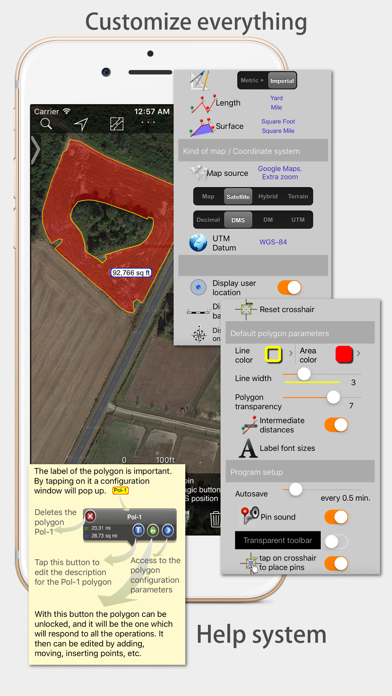
About Measure Map Pro
The description on the store listing
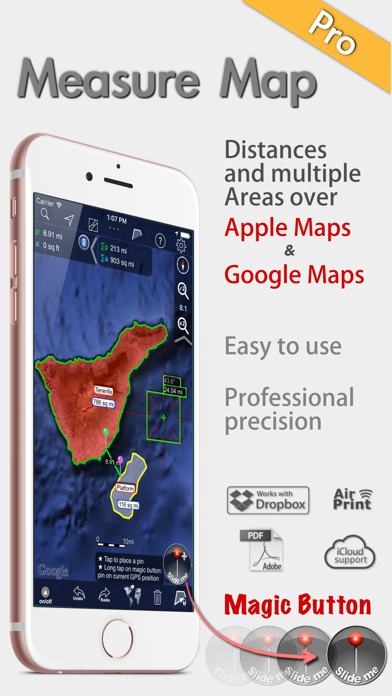
Measure Map Pro lets you quickly and easily measure multiple distances, perimeters and areas with laser sharp precision!. Use it for small areas or large, then share with coworkers. Click “...More” to learn why you should download this App today!
Calculate surface areas, buildings, plots, floors, forest areas or dimensions for fencing, sports tours, trips or anything you need for field work without having to go to the spot to take measurements. Only one finger to calculate with astonishing accuracy all these measurements over satellite images.
That’s what Measure Map Pro is for, to put a powerful, portable measuring tool right in the palm of your hand. Your iPhone, iPod touch or iPad can …
Read the full description
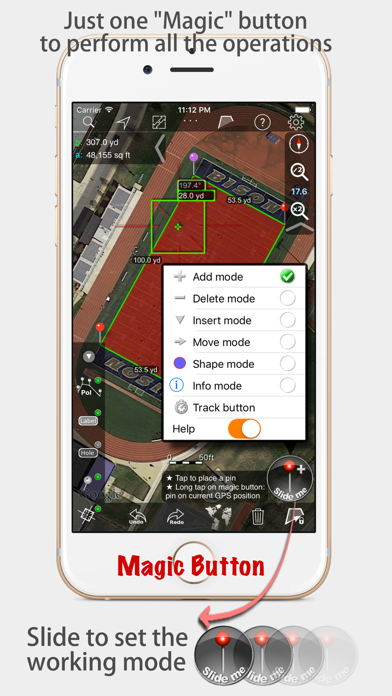
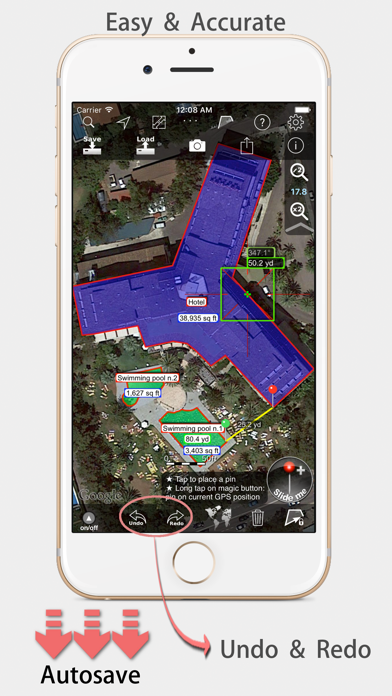
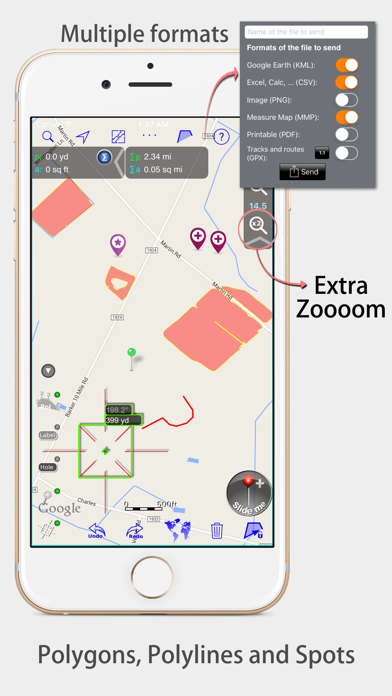
Measure Map Pro lets you quickly and easily measure multiple distances, perimeters and areas with laser sharp precision!. Use it for small areas or large, then share with coworkers. Click “...More” to learn why you should download this App today! Calculate surface areas, buildings, plots, floors, forest areas or dimensions for fencing, sports tours, trips or anything you need for field work without having to go to the spot to take measurements. Only one finger to calculate with astonishing accuracy all these measurements over satellite images. That’s what Measure Map Pro is for, to put a powerful, portable measuring tool right in the palm of your hand. Your iPhone, iPod touch or iPad can now provide you with totally precise measurements of any distance, from as small as one tenth of a meter to as big as thousands of kilometers or miles, even taking the curvature of the earth’s surface into account when measuring. It does all that, fast and effortlessly. Just one "magic" button for all the operations to easily place points without loosing it's professional accuracy. Some impressive features you get in Measure Map Pro (some of them via in-app purchase): * Autosave * Attractive, smooth, easy navigation and use * For iPhone and iPad * Apple or G00GLE Maps with extra zoom level. * Displays Maps View: Map, Satellite, Hybrid and Terrain. * Undo and redo operations as needed * AirPrint and iCloud support * More maps with extra zoom level through in-app purchase: Bing, Here, and ArcGIS. And Open Street, Open Cycle, World Street and more in the future * Operations: Add, delete intermediate pins, insert between pins, move pins, get info. * Circles and rectangles * Multiple areas and routes on screen * Display of altitude above sea level, azimuth and angle * Calculates azimuth or bearing * Search for current location, text (villages, places of interest, etc.) * Length units: meters, kilometers, feet, yards, miles, nautical miles, ken, ri, bù, lǐ * Surface units: square meters and kilometers, ares, hectares, square foot, square yards, square miles, acres, fanegas (Valencian, Castilian or Colombian), tsubo, bu, so, lí, mǔ * Intermediate distances between pins can be displayed * Attach pictures to points * Ability to select color and thickness of the perimeter line. * Ability to select the color and transparency of the selected area. * Working format: Measure Map, KMZ, KML (G00GLE Earth), CSV (Excel), Autocad (DXF), Shape (SHP), GPX, Image (PNG) and PDF * Export and import of surfaces and routes via e-mail, iTunes, AirDrop and Dropbox. * Save to photo album * Download surfaces and routes from the Internet. * Calculates multiple areas and routes simultaneously * Ability to create inner polygons as "holes". * Drawing of shapes: circle and rectangle. * More maps with extra zoom level through in-app purchase * Calculates azimuth or bearing * Attach pictures to points * Displays altitude above sea level, azimuth and angle. * Imports KML, KMZ and GPX format files besides exporting them. * Track mode: drops pins on current GPS position at regular intervals. (Continued use of GPS running in the background can dramatically decrease battery life) * Coordinate system DM * Apple Pencil drawing mode (with iPad Pro) * Image layers If precise measurements are important to you, this is the app you need. You won’t find one that is better, more accurate and easier to use.
Installs since 29 Aug 2026
Apple does not publish download counts. Estimates are in testing.
Estimated store revenue Estimated Beta
App Store, worldwide, monthly rate from the last 12 chart days to 19 Nov 2026
Below the top 100 grossing apps in the markets we calibrate. In the United States that usually means under about $6.4M a month. App Store purchases and subscriptions only, before Apple's 15 to 30% fee. Ads and web payments are not included.
Ratings
879 ratings, 879 reviews
- 5 ★80%
- 4 ★11%
- 3 ★3.0%
- 2 ★1.8%
- 1 ★4.4%
Recent reviews
Latest public reviews from the store
- 17 Nov 2025
Long time User
I am in the asphalt business, and have been using MeasureMap for nearly 10 years at this point. At first, I didn’t trust the measurements and would go verify everything by hand. The margin of error was negligible …even less so now with all the experience i have drawing site maps up on MeasureMap. The multiple sources of satellite images reduce the amount of times i find myself without a good satellite image, with some being taken in the winter which helps with parking lots surrounded by trees. Anyone talking bad in their review clearly doesn’t know what they are talking about. The ONLY gripe i have about this app is the lack of the ability to group my drawn shapes into layers, so i can have the subtotals of different types of work totaled for me instead of having to manually go thru and separate anything i want in a separate group. Other than that this app is incredibly accurate and useful. I don’t write reviews, but i was checking the app store to see if there was an update for the app and i saw the reviews and thought “these guys have no idea what they are talking about”
- 26 Jul 2023
Great mapping app for the price
I bought to Measure Map Pro Pro level to measure the acreage of riparian buffers. The remote location had very poor cellular broadband reception, but the app worked well offline. I liked the fact that it caches the high resolution satellite imagery locally on the iPhone which enables working in offline mode. To cache, you need to be connected to WiFi, then use the app to zoom in on the remote areas where you plan to work and it will save the image tiles on your phone. The app also supports streaming GPS input (you can set a time or distance traveled interval for how often to record a GPS coordinate. I used a Bluetooth-paired Bad Elf Pro GPS with this app. The one problem I ran into was that even though I attempted to close and name each polygon at each job site location, the app continued to connect all the job sites together as a continuous polygon which is not what I wanted and threw off my area measurements. I’m not sure why it did this and will need to keep experimenting. Perhaps it was related to my use of GPS to record polygon boundaries. Better user instructions on how to close and save each named polygon with its own area measurements as separate projects while using a
- 11 Mar 2023
The Best w/ Great Development over Many Years
I have been using this app as a construction inspector for as long as I can remember. I love the capabilities it has to work with existing KMZ files and creating new KMZ files. I use this to layout construction signage, both the measuring functionality and saving points. I then use the app to stake the signage and adjust points to actual staked locations. Then I export the KMZ, load it into Google Maps and send link and KMZ to contractor and others as necessary for review. It helps me make excellent deliverables when the GPS rover is unnecessary. Over the years I have communicated with their support many times and they are awesome. This is not a fly by night app, this is the best measuring app there is.
- 10 Nov 2022
Very Good but glitchy at times and needs some updates.
This is a great app. I’m always happy to use it. It is very useful. I have no problems getting the work done I need to do using this app. I will continue to use the app and it is definitely worth the subscription cost as long as it’s making me money. But the app is glitchy and requires me to close it and open it back up sometimes. A cool added feature would be allowing me to insert pins consecutively by choosing a pin that I want to start adding pins from without having to select two existing pins every time I want to insert a new pin. another improvement would be allowing me to save a group of outlines for a single property and later be able to search for those outlines or select them from a list. I would love to see this app as a desktop app and not only a tablet app.
What reviewers bring up
Topics mentioned in the latest 8 reviews, by how many reviews mention them
Liked in good reviews (7 reviews)
- long 4
- measurements 3
- asphalt 3
- close 3
- maps 3
- find 3
- pro 3
- gps 3
Raised in bad reviews (1 reviews)
No topic comes up twice.
Top chart positions
Latest App Store chart ranks by country, last 10 days
Not in any tracked top chart in the last 10 days.
Measure Map Pro history
Release, install milestones, listing and store changes
- First released on the store 22 Jun 2011
Update frequency
How often Measure Map Pro ships a new version, month by month
3 updates in the last 12 months. More often than most similar apps: they shipped a median of 0 updates in the same year.
Recent versions
Current version 13.10.10
- Version 13.10.1013 Aug 2026
Apple Pencil support for iPad Pro de 13" (M4)
- Version 13.10.928 May 2026
- Street View functionality restored. - Altitudes restored.
- Version 13.10.824 Feb 2026
Bug fixes and performance improvements.
Listing keywords
Words and phrases Measure Map Pro repeats most in its store listing
Top phrases: measure map (5), measure map pro (4), map pro (4), extra zoom level (3), maps with extra (3).
Highlighted words also appear in the title. Counts cover the title, short description and description.
Compliance
What the listing and the app package show
- Store status
- Live
- Upkeep
- Updated 13 Aug 2026
- Age rating
- 4+
Apps like Measure Map Pro
 ARRIS SURFboard ManagerARRIS Group, Inc.★ 1.28
 PlanetsQ Continuum★ 4.49
 Authenticator App ◦Apex Innovate Limited★ 4.36
 APDL - Airline Pilot LogbookNC Software, Inc.★ 4.4
 NGTeco HomeNGTECO CO., LIMITED★ 4.69
 VPN RedCat master Proxy ProVPN Free Service★ 4.59
 iQR Pro EAndres Ramirez★ 4.65
 MovieFlix : Movies & TV ShowsJules Bernavate★ 4.04
 Label ExpertXiamen AiYin Technology Co.,Ltd★ 4.43
Measure Map Pro: questions and answers
Who makes Measure Map Pro?
Measure Map Pro is published by Blue Blink One, SL.
When was Measure Map Pro last updated?
The latest version (13.10.10) was released on 13 Aug 2026.
Is Measure Map Pro free?
Yes. Measure Map Pro is free to download.
Is Measure Map Pro still available?
Yes. Measure Map Pro is live on App Store as of 14 Nov 2026.
Track Measure Map Pro and its competitors
Watch any app for new versions, rating drops, chart moves and removals. Free plan, no card.