
- Installs
- —
- Apple does not publish download counts
- Rating
- 4.26
- Ratings
- 23
- 23 reviews
- Version
- 2.13.0
- Updated 29 Jun 2026
- Released
- 28 Jul 2011
- Tracked since 10 May 2026
- Size
- 11 MB
- Needs 13.0
Screenshots
About MemoCal Plus
The description on the store listing
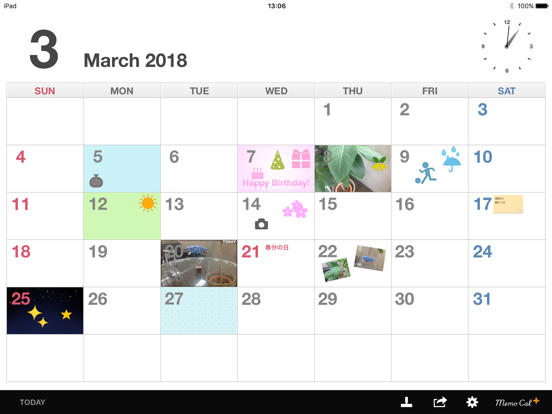
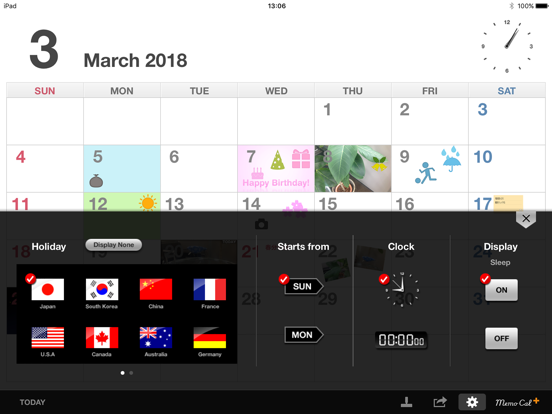
MemoCal Plus is an intuitively simple and easy to use calendar application. It incorporates many fun and practical features that enable you to add handwritten memos and photos, and input text directly into the calendar.
--MemoCal Plus Functions--
+Arranging and Taking Photos (Camera equipped iPad is required for taking photos)
The addition of the photo function means this application can now be used in an even wider variety of scenarios. Photos stored on your iPad can be enlarged, reduced, rotated, and arranged as photo icons, and can also be set as background photos. Also, if your iPad is equipped with a camera, you can take photos directly within the application, which is great for …
Read the full description
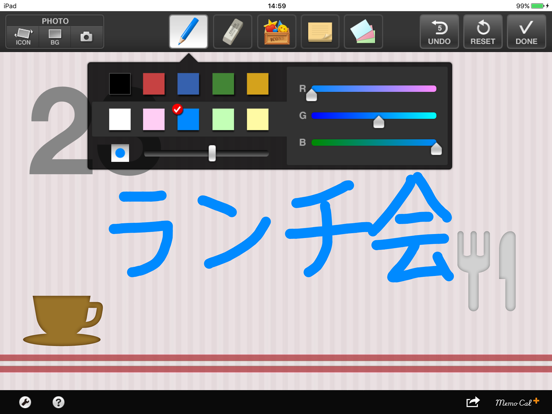
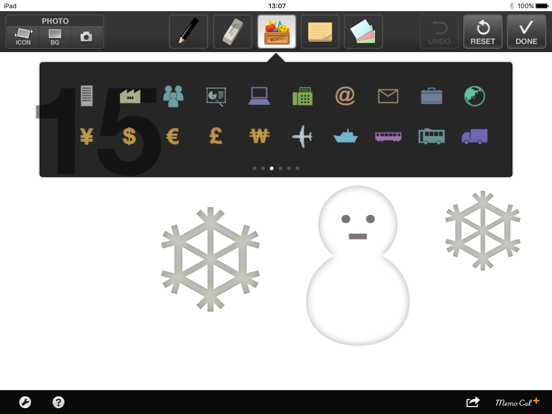
MemoCal Plus is an intuitively simple and easy to use calendar application. It incorporates many fun and practical features that enable you to add handwritten memos and photos, and input text directly into the calendar. --MemoCal Plus Functions-- +Arranging and Taking Photos (Camera equipped iPad is required for taking photos) The addition of the photo function means this application can now be used in an even wider variety of scenarios. Photos stored on your iPad can be enlarged, reduced, rotated, and arranged as photo icons, and can also be set as background photos. Also, if your iPad is equipped with a camera, you can take photos directly within the application, which is great for making a daily baby diary or meal diary. You can add memos to your photos for an even more personal touch! +Text Input with Tags Tags are ideal for when you want to input more information than just in a simple handwritten memo. Using tags is really simple. Just arrange the tag on the screen and tap the enlarge button, and you can then enter text. When the tag is reduced again, entered text is displayed as a thumbnail so you can conveniently check the contents at a glance. +Changing Background Colors and Setting Wallpaper You can choose the background of day cells in full colors. You can also set the wallpaper according to events, making the overall look of the calendar more bright and colorful! +UNDO You can undo up to 5 previous pen and eraser operations using the UNDO button. +Pen and Eraser Default Settings You can set the pen color and thickness and eraser thickness to the desired settings so your handwritten memos turn out exactly how you want them! +Pen Color, Icons You can choose from 10 pen colors, and a maximum of 120 icons. *Icons will be updated in sequence. +Pen Writing You can write dots with a simple tap of the finger, making memo writing feel smooth and natural. +Sleep Settings You can switch the sleep setting button ON/OFF to display the calendar without the iPad switching to sleep mode. * Please note that the battery will run down faster when the sleep setting is OFF. +Supports Japanese, English, German, French, Spanish, Korean and Chinese languages National holidays and guidance are now supported in 7 languages. -- Produce&Design : Plusryu Programming : HaL Engineering
Installs
Apple does not publish download counts. Estimates are in testing.
We publish iOS estimates only after they pass a back-test against real numbers. Chart history below is measured.
Estimated store revenue Estimated Beta
App Store, worldwide, monthly rate from the last 13 chart days to 20 Nov 2026
Below the top 100 grossing apps in the markets we calibrate. In the United States that usually means under about $6.4M a month. App Store purchases and subscriptions only, before Apple's 15 to 30% fee. Ads and web payments are not included.
Ratings
23 ratings, 23 reviews
No rating breakdown published for this app.
Recent reviews
Latest public reviews from the store
No reviews in our sample for this app yet.
Top chart positions
Latest App Store chart ranks by country, last 10 days
Not in any tracked top chart in the last 10 days.
MemoCal Plus history
Release, install milestones, listing and store changes
- First released on the store 28 Jul 2011
Update frequency
How often MemoCal Plus ships a new version, month by month
1 updates in the last 12 months. About as often as similar apps, which shipped a median of 1 updates in the same year.
Recent versions
Current version 2.13.0
- Version 2.13.029 Jun 2026
Fixed minor bugs and improved overall stability.
- Version 2.12.023 Apr 2025
Calendar through 2028 has been added.
Listing keywords
Words and phrases MemoCal Plus repeats most in its store listing
Top phrases: memocal plus (3), pen and eraser (2), handwritten memos (2), pen color (2), sleep setting (2).
Highlighted words also appear in the title. Counts cover the title, short description and description.
Compliance
What the listing and the app package show
- Store status
- Live
- Upkeep
- Updated 29 Jun 2026
- Age rating
- 4+
Apps like MemoCal Plus
 Library of AviationNazmi Yavuz★ 4.82
 MyNOVECNorthern Virginia Electric Cooperative★ 2.28
 打工人小组件光翔 卓★ 4.96
 TruckbaysTruckbays LLC★ 4.3
 Tornado PRO PlayerMohammed Altam★ 4.44
 VDX - Video ManagerARISEPEAK LP★ 1.74
 TV CastingZeasn Info Technology Co., Ltd.★ 1.86
 Mil-Dot BallisticsTom Holsten★ 3.82
 MySontiqSontiq, Inc.★ 2.4
MemoCal Plus: questions and answers
Who makes MemoCal Plus?
MemoCal Plus is published by 株式会社HARISH.
When was MemoCal Plus last updated?
The latest version (2.13.0) was released on 29 Jun 2026.
Is MemoCal Plus free?
No. MemoCal Plus is a paid app priced at $4.99.
Is MemoCal Plus still available?
Yes. MemoCal Plus is live on App Store as of 1 Jul 2026.
Track MemoCal Plus and its competitors
Watch any app for new versions, rating drops, chart moves and removals. Free plan, no card.