- Installs
- —
- Apple does not publish download counts
- Rating
- —
- Ratings
- —
- Version
- 2.4.1
- Updated 21 Apr 2019
- Released
- 27 Apr 2017
- Tracked since 10 May 2026
- Size
- 11 MB
- Needs 10.10
Screenshots
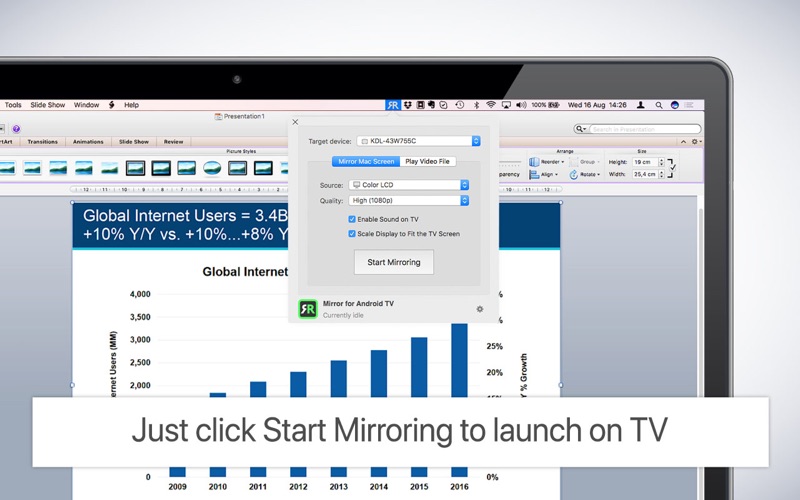

About Mirror for Android TV
The description on the store listing
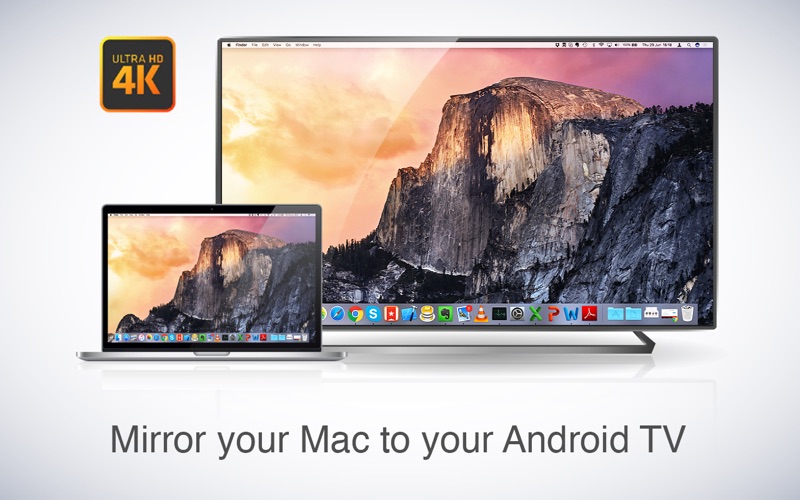
Application to mirror the screen and sound of your Mac to Android TV. Works on any TV, settop box or Media Player with the Android TV operating system.
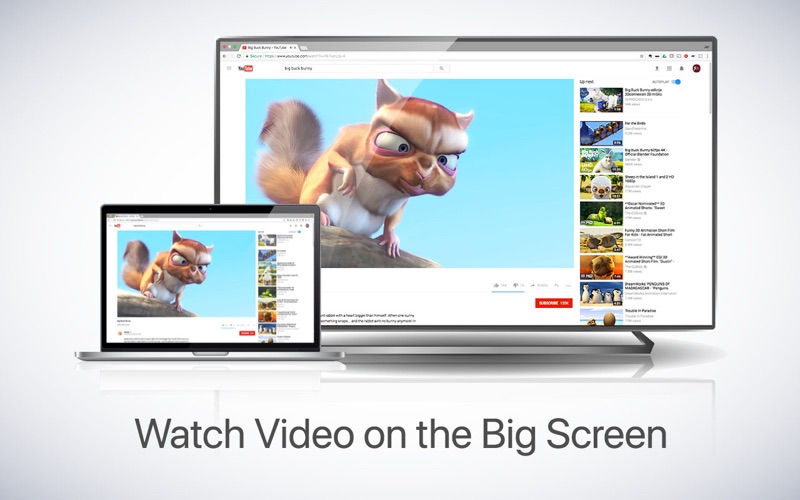
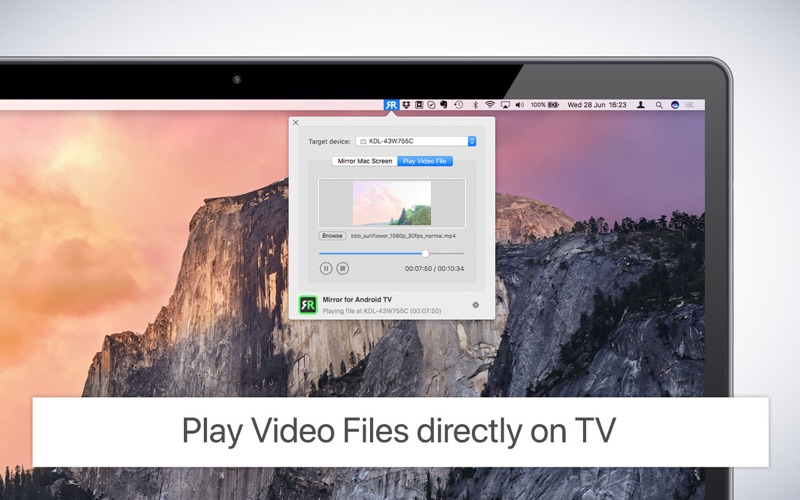
You can also stream individual video files from your Mac to your Android TV. Also, we included the option to watch one window on your Mac, and another window on your TV!
App has been tested to work with:
- Philips Android TV
- Sony Android TV
- Bouygues Bbox Miami
In using the app, there will be a about 2 to 3 seconds of latency (lag). So this mirroring is not suitable for gaming.
However, it is very suitable for watching movies, giving presentations, watching photos, and much more!
The quality of your experience will be dependent on …
Read the full description
Application to mirror the screen and sound of your Mac to Android TV. Works on any TV, settop box or Media Player with the Android TV operating system. You can also stream individual video files from your Mac to your Android TV. Also, we included the option to watch one window on your Mac, and another window on your TV! App has been tested to work with: - Philips Android TV - Sony Android TV - Bouygues Bbox Miami In using the app, there will be a about 2 to 3 seconds of latency (lag). So this mirroring is not suitable for gaming. However, it is very suitable for watching movies, giving presentations, watching photos, and much more! The quality of your experience will be dependent on the quality of your local network. Some tips to enhance the experience: 1. Restart your router. Just take out the power plug, wait 10 seconds and put it back in. This resets your router and will make your home network faster and more stable. Why this works? Routers are in essence little computers, with software. Software will have small memory leaks and some processes will stop working correctly over time. That’s why it is a good idea to reset your router once in a while. Our recommendation: once a week. 2. Don’t do network intense work while screen mirroring. As explained, screen mirroring is network intense. For the best performance, don’t do other network intense work at the same time. This includes making timemachine backups over the network and uploading/downloading large files from the internet while screen mirroring. 3. Put your Mac and your Android TV on the same router channel. Some routers (dual band) have create both a 2.4Ghz and a 5Ghz wireless network. For the best performance, put your Mac and your TV on the same network. Preferably the 5Ghz network. But definitely not the Mac on 5Ghz and the TV on 2.4Ghz, because that will negatively impact the performance of screen mirroring. 4. Use an AC or N router. Newer routers support Wifi AC and N. Older routers might only have Wifi B and/or G. B and G are not really up to scratch anymore for modern networking tasks, so go for an AC or N router. If your router supports AC and N, also make sure that your router is set to use either the Wifi N or Wifi AC networking. How the app works: First, make sure that your Android TV is on the same local network and same subnet as your Mac. The TV should not be in screen mirroring mode, but just on "TV" Mode or any HDMI IN port. After launching the app, you will see the app icon appearing in the top bar of your Mac and the app will look for your TV on the network. It will show your TV when it has found it. Now, you have two options: Mirror your Mac Screen: Use this option to put the screen of your Mac on TV. In source, you can select which screen (or attached monitor) you want to display on TV. If you are running multiple applications on your Mac, you can also select which application window you want to see on TV. Enable Sound: check this to hear the sound of your Mac coming from the TV. You will need the additional (free) audio driver, which you can download here: http://bit.ly/MirrorAudio Play Video File: Use this option if you have a video file on your Mac and you want to play just the file on TV. Drop it in the box and it will play on TV. Settings (the icon in the bottom right of the app): click here to request support from our 24/7 support staff. They usually respond within 2 hours on any query that you might have. If your question is technical, please also include the diagnostics information. Limitations: Apple has HDCP DRM protection for playing iTunes movies. This means that screen mirroring is not possible when watching movies from iTunes. When you like the app, please don't forget to give it a positive rating! Thanks in advance from the AirBeamTV development team! Please give us feedback by mailing to [email protected]
Installs
Apple does not publish download counts. Estimates are in testing.
We publish iOS estimates only after they pass a back-test against real numbers. Chart history below is measured.
Estimated store revenue Estimated Beta
App Store, worldwide, monthly rate from the last 13 chart days to 20 Nov 2026
Below the top 100 grossing apps in the markets we calibrate. In the United States that usually means under about $6.4M a month. App Store purchases and subscriptions only, before Apple's 15 to 30% fee. Ads and web payments are not included.
Ratings
No rating breakdown published for this app.
Recent reviews
Latest public reviews from the store
No reviews in our sample for this app yet.
Top chart positions
Latest App Store chart ranks by country, last 10 days
Not in any tracked top chart in the last 10 days.
Mirror for Android TV history
Release, install milestones, listing and store changes
- First released on the store 27 Apr 2017
Recent versions
Current version 2.4.1
- Version 2.4.121 Apr 2019
- Bugfixes and Stability Improvements
Listing keywords
Words and phrases Mirror for Android TV repeats most in its store listing
Top phrases: android tv (8), screen mirroring (6), network intense (3), ac or router (2), network intense work (2).
Highlighted words also appear in the title. Counts cover the title, short description and description.
Compliance
What the listing and the app package show
- Store status
- Live
- Upkeep
- No update since 21 Apr 2019
- Age rating
- 4+
Apps like Mirror for Android TV
 Video CollageaZeR DiLLs★ 4.08
 Vee for VideoMedious★ 2.98
 Beauty Camera -Selfie, StickerBhuvan Gupta★ 4.5
 FinalCamXShenzhen Xiaozhen Technology Co.,Ltd.★ 4.44
 Magic Studio - AI Photo EditorMagicStudio.com★ 4.62
 Foto Impresiones: 1 Hr PhotoSoftwareX★ 4.98
 SnapGeo - AI Location FinderRECEP ASLAN★ 4.24
 Family Photo Maker - AIRick-y Media★ 4.12
 BeautifAI: AI Try OnJAI UYGULAMA VE YAPAY ZEKA TEKNOLOJILERI ANONIM SIRKETI★ 4.36
Mirror for Android TV: questions and answers
Who makes Mirror for Android TV?
Mirror for Android TV is published by AirBeamTV BV.
When was Mirror for Android TV last updated?
The latest version (2.4.1) was released on 21 Apr 2019.
Is Mirror for Android TV free?
No. Mirror for Android TV is a paid app priced at $14.99.
Is Mirror for Android TV still available?
Yes. Mirror for Android TV is live on App Store as of 10 May 2026.
Track Mirror for Android TV and its competitors
Watch any app for new versions, rating drops, chart moves and removals. Free plan, no card.