
- Installs
- —
- Apple does not publish download counts
- Rating
- 4.66
- Ratings
- 2.5K
- 2.5K reviews
- Version
- 2026.59
- Updated 10 Nov 2026
- Released
- 27 May 2020
- Tracked since 11 May 2026
- Size
- 47 MB
- Needs 17.0
Also on Google Play: Mouse & Keyboard, Mouse & Keyboard
Screenshots
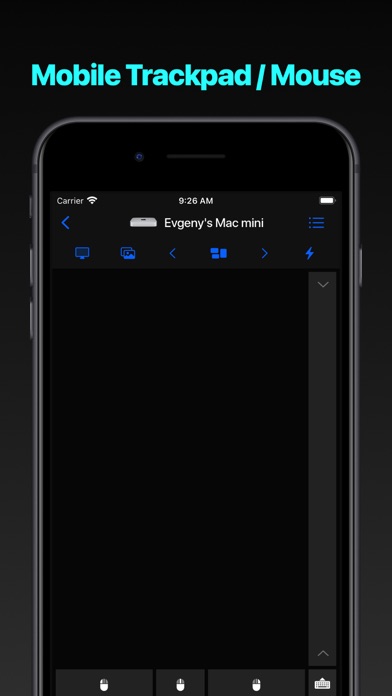
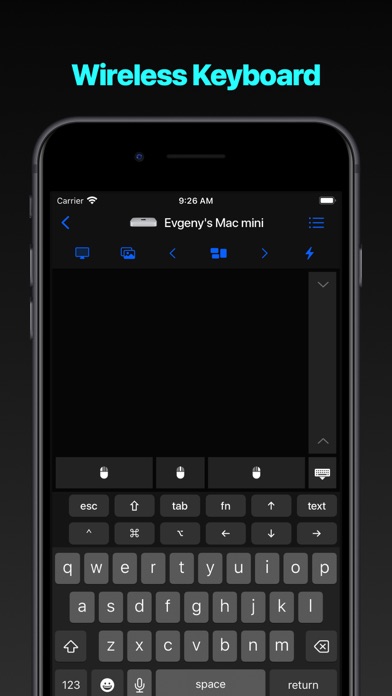
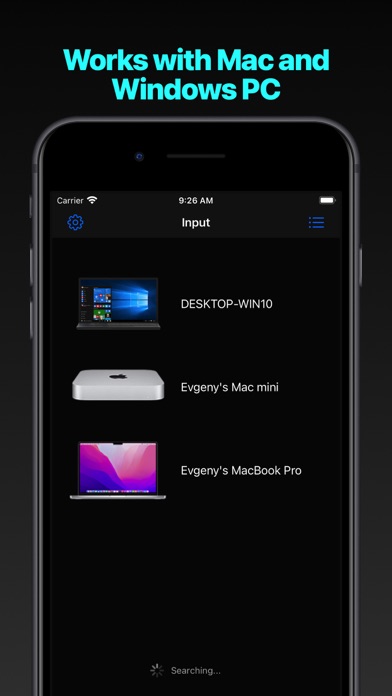
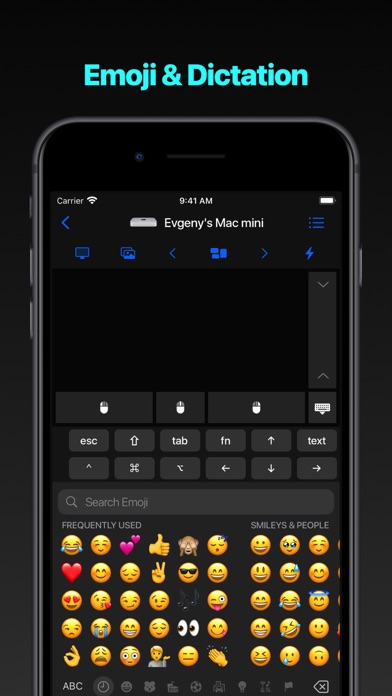
About Mouse · Keyboard
The description on the store listing
Turn your iPhone or iPad into a powerful trackpad and keyboard for your
Mac or PC. Present with confidence, browse from the couch, or answer
messages without reaching for your computer.
Why You’ll Love Input
- Feels instantly natural. Smooth, precise multi-touch tracking with
scrolling, swipes, and gestures that behave just like a real
trackpad.
- Type comfortably anywhere. Enjoy a full-screen keyboard with text
shortcuts, emoji, and function keys—perfect for long messages or
quick replies.
- Works with all your computers. Install the free helper on any Mac or
PC and switch between devices with a single tap.
- Built for privacy. Everything stays on your local …
Read the full description
Turn your iPhone or iPad into a powerful trackpad and keyboard for your Mac or PC. Present with confidence, browse from the couch, or answer messages without reaching for your computer. Why You’ll Love Input - Feels instantly natural. Smooth, precise multi-touch tracking with scrolling, swipes, and gestures that behave just like a real trackpad. - Type comfortably anywhere. Enjoy a full-screen keyboard with text shortcuts, emoji, and function keys—perfect for long messages or quick replies. - Works with all your computers. Install the free helper on any Mac or PC and switch between devices with a single tap. - Built for privacy. Everything stays on your local network. Connections use HTTPS and require on-device approval before pairing. - Made for every moment. Landscape or portrait, light or dark mode—Input adapts beautifully to any iPhone or iPad screen. Quick Setup 1. Download the free helper for Mac or PC at rs.ltd/get 2. Make sure your devices share the same Wi-Fi or Personal Hotspot 3. Open Input, select your computer, and you’re ready to go Requirements - Mac with macOS 10.10+ or PC running Windows 7 SP1+ - Latest helper app from rs.ltd/get - Shared network connection (Wi-Fi or Personal Hotspot); details at rs.ltd/connect Input turns any spot—sofa, stage, or bedside—into the perfect place to control your computer with ease and precision.
Installs, last 30 days
Apple does not publish download counts. Estimates are in testing.
Estimated store revenue Estimated Beta
App Store, worldwide, monthly rate from the last 12 chart days to 19 Nov 2026
Below the top 100 grossing apps in the markets we calibrate. In the United States that usually means under about $6.4M a month. App Store purchases and subscriptions only, before Apple's 15 to 30% fee. Ads and web payments are not included.
Ratings
2,511 ratings, 2,511 reviews
No rating breakdown published for this app.
Recent reviews
Latest public reviews from the store
- 26 Dec 2025
Decent free app!
The app was free and easy to install. It works pretty well but takes time to get used to. I think a long press feature for clicking would work better though instead of pressing buttons. There could be a lock feature on the long press click too in order to use left click for extended periods too. The regular swiping could still be used to move the mouse though. I just think it would be a great way to make this feel like a real mouse where the buttons are easy and fast to reach. I personally use this for drawing so features like that would be great for drawing on PCs with more storage. I prefer this over a mouse because it’s easier to draw. However other than that great app!
- 9 Nov 2025
Great app
I downloaded the mobile app and connected it to my windows pc easily. Set up was simple. For all around mouse snd keyboard use on a phone with a small screen may not be efficient however with a tablet or larger screen you will get more benefit. I use the app as a comparison to a remote because or tv doesn’t have the spectrum app. Now i can steam spectrum online and scroll the channels with my phone. Explore things from my bed without a bulky mouse and keyboard. One thing I would suggest for improvement is the desktop helper app ui. The font is bunched together, and when pairing through the local network the yes and no selection was hidden underneath the taskbar and had to guess which button to click for allow. With that fix id switch my rating to a 5 star.
- 12 Nov 2024
Mouse*keyboard Amazing
Best App and it’s free. Broke my ergonomic wireless mouse while trying to watch a movie on my desktop, and this was one of 3 apps that I downloaded, and this app by far was the best app as a mouse replacement. The installation was straight forward, and as long as your computer is on the same WiFi connection and you download the windows app(which is what I am using, but there is a Mac option as well), everything runs smoothly. The keyboard option is also a great feature. Sometimes I don’t feel like getting up to type, and with this app, I have the option of typing directly from my phone. I highly recommend this app.
- 25 Oct 2024
Workflow Essential
I take notes on my iPad while watching lectures and videos on my pc. This app allows me to pause the lecture and take the note immediately. Before I took the note as the lecture was still playing. Since it’s medically impossible for humans to multitask (this is a substantiated fact google “gorillas in our midst” landmark psychological study regarding multitasking) I must regress in the video to find the time where I began taking the note, this destroyed my workflow, and resulted in a video 50 min in length taking about 2 hours to watch and take notes. Use of this app reduced that length to about 80 min. This App saved me 40 minutes. Which, in my field, is the difference between paying in the hundreds of dollars and thousands of dollars.
What reviewers bring up
Topics mentioned in the latest 8 reviews, by how many reviews mention them
Liked in good reviews (8 reviews)
- keyboard 4
- mouse 4
- computer 3
- windows 3
- desktop 3
- where 3
- feel 3
- downloaded 2
Raised in bad reviews (0 reviews)
No topic comes up twice.
Top chart positions
Latest App Store chart ranks by country, last 10 days
- Countries ranked
- 21 of 50
- Best rank
- #4
- Top 10 placements
- 3
- of 21 chart placements
- Average rank
- #39.2
Best countries on App Store
- 🇵🇭 Philippines · Top paid, Productivity#4
- 🇪🇸 Spain · Top paid, Productivity#6
- 🇦🇷 Argentina · Top paid, Productivity#10
- 🇨🇦 Canada · Top paid, Productivity#14
- 🇹🇭 Thailand · Top paid, Productivity#16
- 🇻🇳 Vietnam · Top paid, Productivity#17
| Country | Chart | Category | Rank | Best (10 days) | Date |
|---|---|---|---|---|---|
| 🇵🇭 Philippines | Top paid | Productivity | #4 | #4 | 18 Nov 2026 |
| 🇪🇸 Spain | Top paid | Productivity | #6 | #6 | 18 Nov 2026 |
| 🇦🇷 Argentina | Top paid | Productivity | #10 | #4 | 15 Nov 2026 |
| 🇨🇦 Canada | Top paid | Productivity | #14 | #7 | 18 Nov 2026 |
| 🇹🇭 Thailand | Top paid | Productivity | #16 | #16 | 18 Nov 2026 |
| 🇻🇳 Vietnam | Top paid | Productivity | #17 | #5 | 15 Nov 2026 |
| 🇲🇽 Mexico | Top paid | Productivity | #21 | #7 | 18 Nov 2026 |
| 🇨🇿 Czechia | Top paid | Productivity | #21 | #6 | 17 Nov 2026 |
| 🇰🇷 South Korea | Top paid | Productivity | #23 | #7 | 18 Nov 2026 |
| 🇦🇪 United Arab Emirates | Top paid | Productivity | #24 | #7 | 16 Nov 2026 |
Mouse · Keyboard history
Release, install milestones, listing and store changes
- First released on the store 27 May 2020
Update frequency
How often Mouse · Keyboard ships a new version, month by month
8 updates in the last 12 months. More often than most similar apps: they shipped a median of 2 updates in the same year.
Recent versions
Current version 2026.59
- Version 2026.5910 Nov 2026
[NEW] Added Share Logs in Settings to make it easier to send diagnostics to support [FIX] Fixed an issue that could hide a Mac or PC in the device list when another computer was detected
- Version 2026.5315 Oct 2026
[NEW] Added Share Logs in Settings to make it easier to send diagnostics to support [FIX] Fixed an issue that could hide a Mac or PC in the device list when another computer was detected
- Version 2026.4126 Aug 2026
[NEW] Organize computers into rooms and rearrange them within each room using drag and drop [NEW] Customize the Mac, PC, and iPad Input top bar with keyboard shortcuts; Mac and PC also support Live View and Take Screenshot actions [FIX] Accessibility, persistence, and stability improvements
- Version 2026.3316 Jul 2026
[FIX] Better support for different keyboard layouts [FIX] App freezing when connecting to Mac/Windows [FIX] Minor UI issues and crashes
Listing keywords
Words and phrases Mouse · Keyboard repeats most in its store listing
Top phrases: mac or pc (3), rs ltd (3), fi or personal (2), iphone or ipad (2), personal hotspot (2).
Highlighted words also appear in the title. Counts cover the title, short description and description.
Compliance
What the listing and the app package show
- Store status
- Live
- Upkeep
- Updated 10 Nov 2026
- Age rating
- 4+
Apps like Mouse · Keyboard
 VPN Proxy MasterMaple Labs Co., Ltd★ 4.58
 Bee - Your Personal AIBluush Inc★ 4.76
 Klok - Time Zone ConverterBuuuk Private Limited★ 4.72
 MilanoteMilanote★ 4.69
 Voice Changer (Sound Effects)JINMIN ZHOU★ 4.08
 ESS 41 - Reflexis OneReflexis Systems Inc★ 1.42
 Sofa: Downtime OrganizerAstrio, LLC★ 4.69
 VPN Cat Pro 2026SIMPLE INNOV PTE. LTD.★ 4.38
 Translator +ㅤRocket Apps GmbH★ 4.75
Mouse · Keyboard: questions and answers
Who makes Mouse · Keyboard?
Mouse · Keyboard is published by Remote Sunrise LTD.
When was Mouse · Keyboard last updated?
The latest version (2026.59) was released on 10 Nov 2026.
Is Mouse · Keyboard free?
No. Mouse · Keyboard is a paid app.
Is Mouse · Keyboard still available?
Yes. Mouse · Keyboard is live on App Store as of 19 Nov 2026.
Track Mouse · Keyboard and its competitors
Watch any app for new versions, rating drops, chart moves and removals. Free plan, no card.