- Installs
- —
- Apple does not publish download counts
- Rating
- —
- Ratings
- —
- Version
- 3.1
- Updated 11 Apr 2021
- Released
- 9 Mar 2018
- Tracked since 10 May 2026
- Size
- 10 MB
- Needs 10.11
Screenshots


About MultiTab Text Editor
The description on the store listing
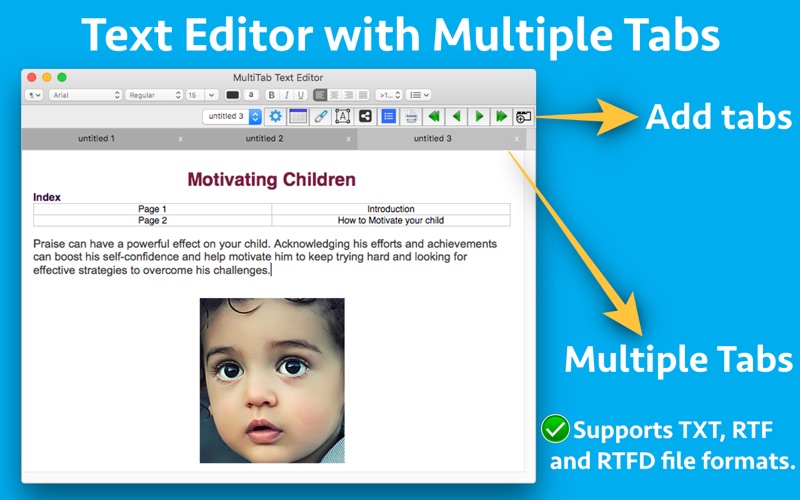
A Text and Document Editor that supports Multiple Tabs. The application support TXT, RTF and RTFD files formats. Using the application you will be able to open & work on multiple files at once in multiple different tabs. Tabs could also be switched easily using the provided buttons or using the shortcuts. Using Multiple tabs makes managing documents easier & allows to work on multiple documents without switching between windows.
*** Insert tables and Images to the document***
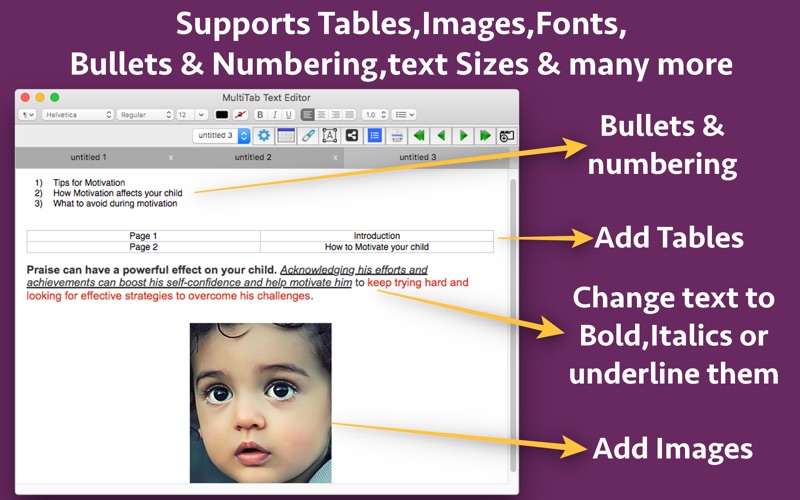
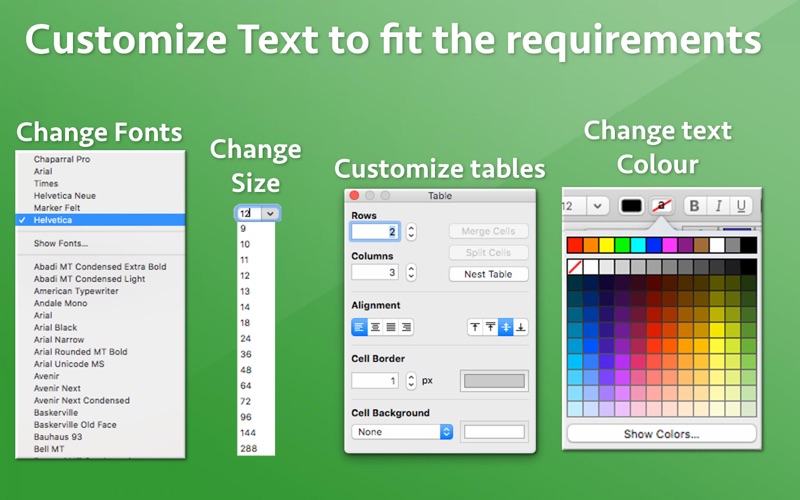
The application also supports adding images, tables, Fonts, text size, hyperlinking, printing & many more.The application supports file formats of RTFD,RTF and TXT.
The application also retains the formatting of text …
Read the full description
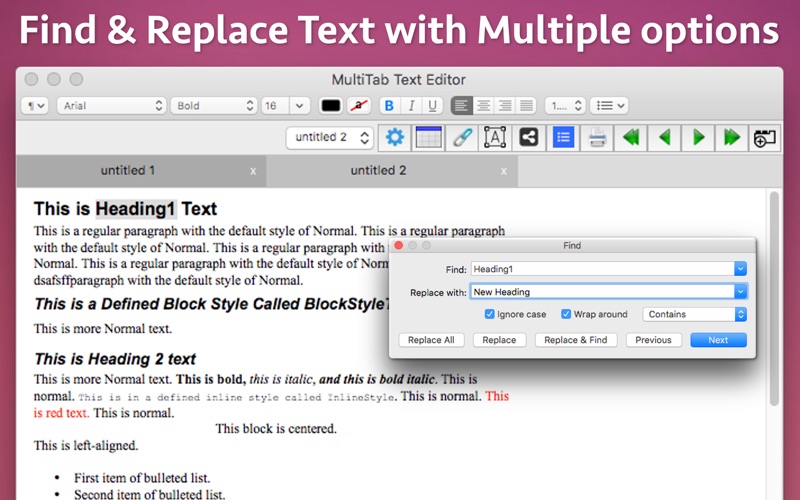
A Text and Document Editor that supports Multiple Tabs. The application support TXT, RTF and RTFD files formats. Using the application you will be able to open & work on multiple files at once in multiple different tabs. Tabs could also be switched easily using the provided buttons or using the shortcuts. Using Multiple tabs makes managing documents easier & allows to work on multiple documents without switching between windows. *** Insert tables and Images to the document*** The application also supports adding images, tables, Fonts, text size, hyperlinking, printing & many more.The application supports file formats of RTFD,RTF and TXT. The application also retains the formatting of text and data when you copy & paste the text from the internet browser or other applications to it. Below are the features of the application: ** Add Images : Add Images to the documents. ** Add Tables : Using the application you could create tables of any number of rows and columns. ** Add Hyperlinks : Select any text or Image and add hyperlink to it. (add website links) ** Bullets and Numbering : Add bullets and numbering automatically. ** Share : Share selected text with any supported application like Notes, Facebook, Twitter and etc. ** Fonts : Choose between more than 200 fonts and customize the text. ** Bold,Italics and Underline : Change the text to bold, italic or underline it. ** Text Size and Colour : Change the Text size and apply any colour of choice to it. ** Text Alignment : Change the text alignment to left, center or right. ** Print : Print directly from the application. ** Save All : Using this feature, all of the open tabs could be saved at once. ** Line Spacing : Using this feature, the space between the lines could be adjusted as well. ** Styles : The text could be struck through, shadowed & outlined as well using the application. ** Spelling & Grammar : Make the written text more accurate by using the features of spelling and Grammar. ** Find and Replace : Standard find & replace feature. ** Zoom In and Zoom Out : Zoom In or Zoom Out the contents. ** Retaining text format on Copy & paste - The application preserves the text formatting when a text is pasted inside it.For example: The bold and coloured text will appear in the same way when these are pasted inside the application. The application also seamlessly integrates with the system menu.You could open the documents directly from Finder. In order to open a document, just right click on it.After this go to "Open With" and select "MultiTab Text Editor". The document will be opened in the application in a new Tab.
Installs
Apple does not publish download counts. Estimates are in testing.
We publish iOS estimates only after they pass a back-test against real numbers. Chart history below is measured.
Estimated store revenue Estimated Beta
App Store, worldwide, monthly rate from the last 13 chart days to 20 Nov 2026
Below the top 100 grossing apps in the markets we calibrate. In the United States that usually means under about $6.4M a month. App Store purchases and subscriptions only, before Apple's 15 to 30% fee. Ads and web payments are not included.
Ratings
No rating breakdown published for this app.
Recent reviews
Latest public reviews from the store
No reviews in our sample for this app yet.
Top chart positions
Latest App Store chart ranks by country, last 10 days
Not in any tracked top chart in the last 10 days.
MultiTab Text Editor history
Release, install milestones, listing and store changes
- First released on the store 9 Mar 2018
Update frequency
How often MultiTab Text Editor ships a new version, month by month
0 updates in the last 12 months. Less often than most similar apps: they shipped a median of 1 updates in the same year.
Recent versions
Current version 3.1
- Version 3.111 Apr 2021
- Minor bug fixes. In case of any issue or questions, please write to us on [email protected]. We will be happy to assist.
Listing keywords
Words and phrases MultiTab Text Editor repeats most in its store listing
Top phrases: change the text (3), text size (3), bullets and numbering (2), multitab text editor (2), work on multiple (2).
Highlighted words also appear in the title. Counts cover the title, short description and description.
Compliance
What the listing and the app package show
- Store status
- Live
- Upkeep
- No update since 11 Apr 2021
- Age rating
- 4+
Apps like MultiTab Text Editor
 Library of AviationNazmi Yavuz★ 4.82
 MyNOVECNorthern Virginia Electric Cooperative★ 2.28
 打工人小组件光翔 卓★ 4.96
 TruckbaysTruckbays LLC★ 4.3
 Tornado PRO PlayerMohammed Altam★ 4.44
 VDX - Video ManagerARISEPEAK LP★ 1.74
 TV CastingZeasn Info Technology Co., Ltd.★ 1.86
 Mil-Dot BallisticsTom Holsten★ 3.82
 MySontiqSontiq, Inc.★ 2.4
MultiTab Text Editor: questions and answers
Who makes MultiTab Text Editor?
MultiTab Text Editor is published by Ruchira Ramesh.
When was MultiTab Text Editor last updated?
The latest version (3.1) was released on 11 Apr 2021.
Is MultiTab Text Editor free?
No. MultiTab Text Editor is a paid app priced at $4.99.
Is MultiTab Text Editor still available?
Yes. MultiTab Text Editor is live on App Store as of 10 May 2026.
Track MultiTab Text Editor and its competitors
Watch any app for new versions, rating drops, chart moves and removals. Free plan, no card.