
- Installs
- —
- Apple does not publish download counts
- Rating
- 3.03
- Ratings
- 197
- 197 reviews
- Version
- 2.11.6
- Updated 19 Oct 2026
- Released
- 8 Sep 2018
- Tracked since 10 May 2026
- Size
- 122 MB
- Needs 16.0
Screenshots
About Multitasking Split Screen
The description on the store listing
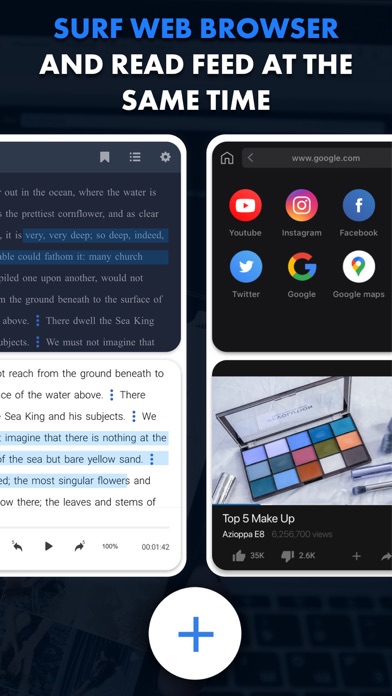
Browse the web, watch videos, work, and study simultaneously on split screen. Stop switching between tabs and apps. Now you can handle multiple tasks and boost your productivity!
Key features:
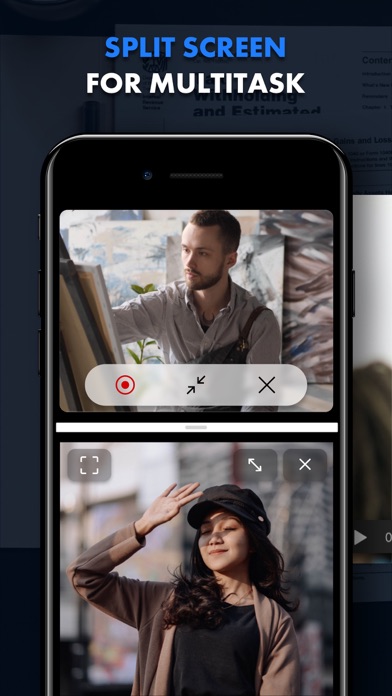
— Split screen
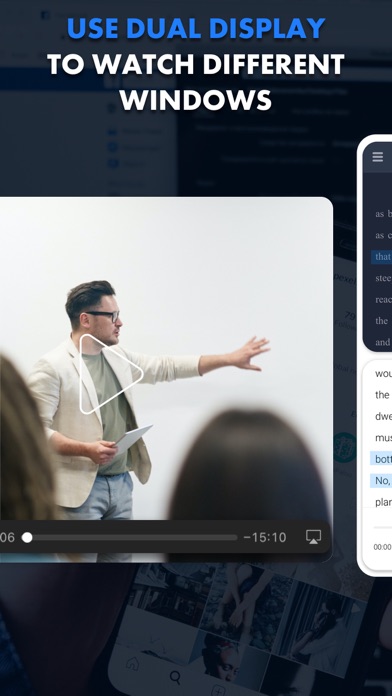
Divide your screen into multiple windows and enjoy true multitasking. You can watch movies, shop online, and work on documents — all at the same time.
— Full customization
Easily resize windows to create the perfect layout for your workflow.
— Offline access
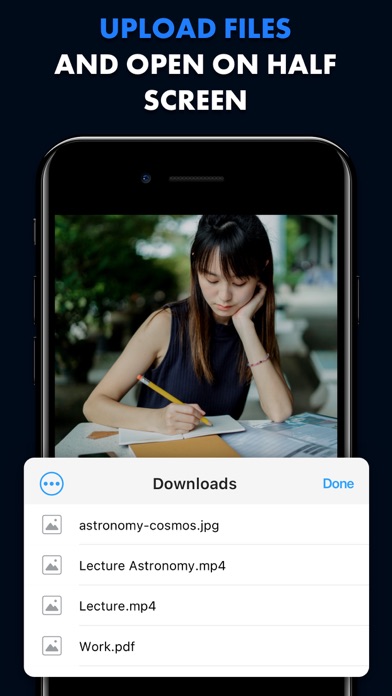
Download PDF, DOC, and TXT files and view them side-by-side — perfect for research or working on the go.
— AI-powered translation
Instantly translate websites to or from any language with our built-in AI translator, …
Read the full description
Browse the web, watch videos, work, and study simultaneously on split screen. Stop switching between tabs and apps. Now you can handle multiple tasks and boost your productivity! Key features: — Split screen Divide your screen into multiple windows and enjoy true multitasking. You can watch movies, shop online, and work on documents — all at the same time. — Full customization Easily resize windows to create the perfect layout for your workflow. — Offline access Download PDF, DOC, and TXT files and view them side-by-side — perfect for research or working on the go. — AI-powered translation Instantly translate websites to or from any language with our built-in AI translator, unlocking a world of content. — Recording & streaming Capture your screen and easily record yourself using your webcam. Stream gameplay, tutorials, or connect with your audience. — Lightning-fast navigation Quickly switch between websites in each window with intuitive controls. Optimize your time: — Watch interesting lectures and take notes on the second screen. — Compare products from different markets side-by-side, without endless tab switching or struggling to remember key features. — Check the latest mail while reading news. — Analyze two charts to compare data and uncover key correlations, and much more. Start doing more today. Download now and explore the power of a true multi-window experience! Unlock premium features with a subscription, including video recording and live streaming, file downloads for offline viewing, and AI-powered website translation. Terms of Use: https://tool-style.com/tos Privacy Policy: https://tool-style.com/privacy
Installs since 29 Aug 2026
Apple does not publish download counts. Estimates are in testing.
Estimated store revenue Estimated Beta
App Store, worldwide, monthly rate from the last 13 chart days to 20 Nov 2026
Below the top 100 grossing apps in the markets we calibrate. In the United States that usually means under about $6.4M a month. App Store purchases and subscriptions only, before Apple's 15 to 30% fee. Ads and web payments are not included.
Ratings
197 ratings, 197 reviews
No rating breakdown published for this app.
Recent reviews
Latest public reviews from the store
No reviews in our sample for this app yet.
Top chart positions
Latest App Store chart ranks by country, last 10 days
Not in any tracked top chart in the last 10 days.
Multitasking Split Screen history
Release, install milestones, listing and store changes
- First released on the store 8 Sep 2018
Update frequency
How often Multitasking Split Screen ships a new version, month by month
5 updates in the last 12 months. More often than most similar apps: they shipped a median of 1 updates in the same year.
Recent versions
Current version 2.11.6
- Version 2.11.519 Oct 2026
More tabs, fewer hiccups. We’ve fixed bugs to keep your multitasking running smoothly.
- Version 2.11.327 Jul 2026
Small modifications have been made in the app's design to make it more user-friendly.
- Version 2.11.226 Jun 2026
We caught a bug and fixed it! This quick update restores full stability so you can get back to your multitasking without interruptions.
- Version 2.11.09 Jun 2026
Expand your workflow with our new Picture in Picture mode, enabling seamless content viewing alongside your active tasks. We have also implemented underlying stability improvements and resolved minor bugs to provide a more refined and reliable multitasking experience.
Listing keywords
Words and phrases Multitasking Split Screen repeats most in its store listing
Top phrases: split screen (3), side by side (2), ai powered (2), key features (2).
Highlighted words also appear in the title. Counts cover the title, short description and description.
Compliance
What the listing and the app package show
- Store status
- Live
- Upkeep
- Updated 19 Oct 2026
- Age rating
- 17+
Apps like Multitasking Split Screen
 Decora Digital Dimmer & TimerLeviton Manufacturing Co. Inc.★ 1.7
 VPN Freedom - Unlimited ProxyMobile Cosmos, LLC★ 4.61
 DS camSynology Inc.★ 3.0
 ScheduledDaytadashi atoji★ 4.66
 MyLotteryDal Rupnik★ 4.21
 Anti Cam: Find Hidden Device章松 张★ 4.56
 Coin Flip - Toss Tiny Decision佳成 姚★ 4.54
 Booster - Clean up StorageArc Global★ 4.38
 NetShadeRayner Software LLC★ 4.55
Multitasking Split Screen: questions and answers
Who makes Multitasking Split Screen?
Multitasking Split Screen is published by ToolStyle.
When was Multitasking Split Screen last updated?
The latest version (2.11.6) was released on 19 Oct 2026.
Is Multitasking Split Screen free?
Yes. Multitasking Split Screen is free to download.
Is Multitasking Split Screen still available?
Yes. Multitasking Split Screen is live on App Store as of 14 Nov 2026.
Track Multitasking Split Screen and its competitors
Watch any app for new versions, rating drops, chart moves and removals. Free plan, no card.