
- Installs
- —
- Apple does not publish download counts
- Rating
- 3.4
- Ratings
- 10
- Version
- 1.1.5
- Updated 21 Nov 2025
- Released
- 7 Mar 2024
- Tracked since 14 Jul 2026
- Size
- 219 MB
- Needs 16.4
Screenshots
About Muse Pro
The description on the store listing
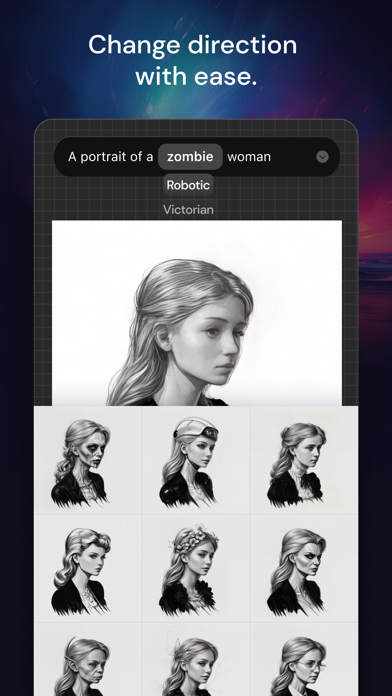
Muse Pro is the epitome of digital creativity on the iPad, catering to both established and aspiring artists. With an extensive selection of handcrafted brushes, cutting-edge artistic tools, an advanced layering system, and a high-speed graphics engine, Muse Pro enables you to bring to life expressive sketches, vibrant paintings, detailed illustrations. Designed to harmonize with the iPad and Apple Pencil, Muse Pro turns any setting into your personal art studio, offering the following features for an unparalleled creative experience:
• Core Features
Designed with an intuitive interface for the iPad and Apple Pencil.
Smooth and responsive smudge sampling powered by Metal, drawing at 120 …
Read the full description
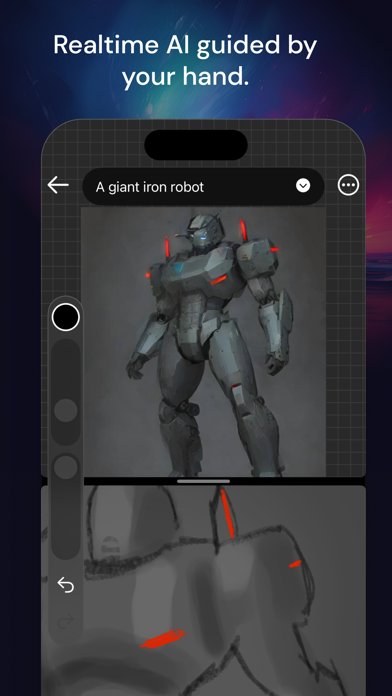
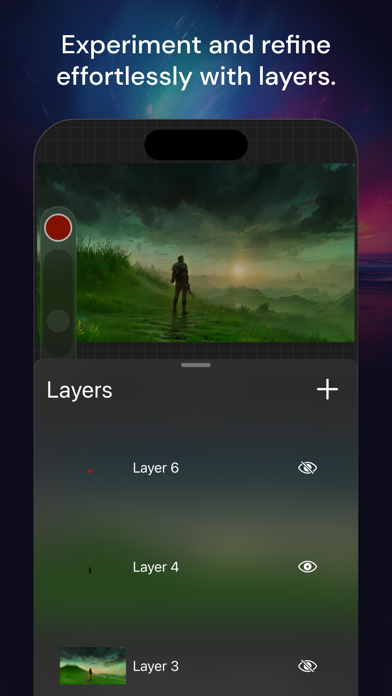
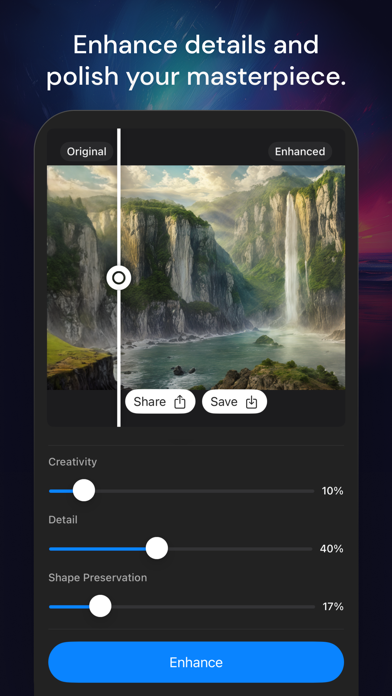
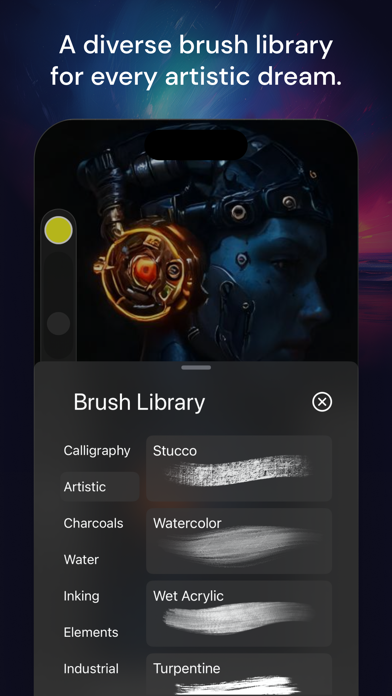
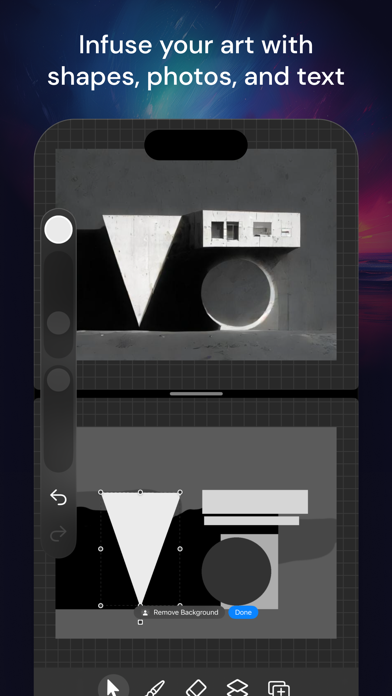
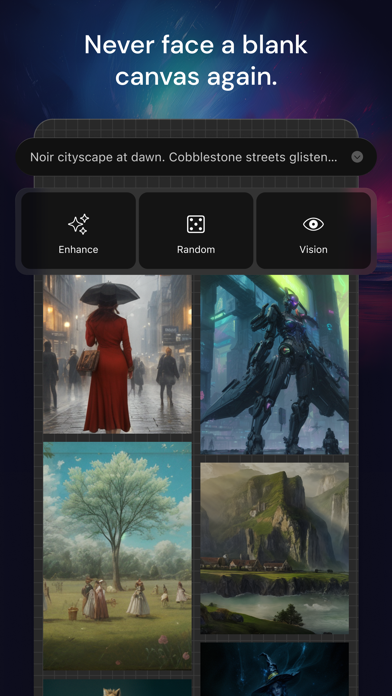
Muse Pro is the epitome of digital creativity on the iPad, catering to both established and aspiring artists. With an extensive selection of handcrafted brushes, cutting-edge artistic tools, an advanced layering system, and a high-speed graphics engine, Muse Pro enables you to bring to life expressive sketches, vibrant paintings, detailed illustrations. Designed to harmonize with the iPad and Apple Pencil, Muse Pro turns any setting into your personal art studio, offering the following features for an unparalleled creative experience: • Core Features Designed with an intuitive interface for the iPad and Apple Pencil. Smooth and responsive smudge sampling powered by Metal, drawing at 120 fps on Apple's XDR Pro Display. Continuous auto-save ensures your work is always secure. • Breakthrough Brushes A wide array of hundreds of beautifully crafted brushes. Brush sets for organizing your painting, sketching, and drawing tools. Import and export capabilities for custom .brushset brushes. • Advanced Layering System Offers precise control over details and composition through layer management. Select layers for individual movement or transformation of objects. • The Design Tools You Need Add vector Text to your illustrations for enhanced communication. Crop and Resize your canvas to achieve the perfect composition. A custom rendering engine that perfects your strokes in real-time for flawless results. Streamline and stabilization features smooth out strokes, ideal for calligraphy and precise inking. Use Scribble to change prompt settings and create text effortlessly. • AI Features Real-time AI generation at up to 30 fps for dynamic creativity. A Prompt enhancer, powered by GPT-4, assists in crafting detailed prompts. Image to prompt conversion with GPT-4 Vision for enhanced AI-driven creation. Creative upscaler and image enhancer: upscale your drawings up to 4x and easily switch styles for ultra-high definition images. • Share Your Creations Support for importing JPG, PNG, and TIFF image files. Export your artwork as layered .musepro files or in high-quality PNG format, making it easy to share with peers. Muse Pro is accessible on your Mac, iPhone, and iPad, offering an intuitive interface with gestures like two-finger tap to undo, three-finger tap to redo, and four-finger tap to clear a layer. It also supports light and dark mode and accommodates both left and right-handed users, ensuring a seamless and inclusive creative process. Terms of Service: https://bit.ly/muse-pro-tos Privacy Policy: https://bit.ly/muse-pro-privacy
Installs
Apple does not publish download counts. Estimates are in testing.
We publish iOS estimates only after they pass a back-test against real numbers. Chart history below is measured.
Estimated store revenue Estimated Beta
App Store, worldwide, monthly rate from the last 12 chart days to 19 Nov 2026
Below the top 100 grossing apps in the markets we calibrate. In the United States that usually means under about $6.4M a month. App Store purchases and subscriptions only, before Apple's 15 to 30% fee. Ads and web payments are not included.
Ratings
10 ratings
- 5 ★50%
- 4 ★0.0%
- 3 ★10%
- 2 ★20%
- 1 ★20%
Recent reviews
Latest public reviews from the store
No reviews in our sample for this app yet.
Top chart positions
Latest App Store chart ranks by country, last 10 days
Not in any tracked top chart in the last 10 days.
Muse Pro history
Release, install milestones, listing and store changes
- First released on the store 7 Mar 2024
Update frequency
How often Muse Pro ships a new version, month by month
1 updates in the last 12 months. More often than most similar apps: they shipped a median of 0 updates in the same year.
Recent versions
Current version 1.1.5
- Version 1.1.521 Nov 2025
New brushsets Previously: Added new eyedropper color picker Added "Recent Brushes" category Fixed the AI strength setting. Enhanced Real-Time Generation: Experience accelerated creation, bringing your visions to life faster than ever. Advanced Color Picker: Delve deeper into color customization with extensive controls for hue, saturation, brightness, and RGB. Innovative Overlay View: Introducing a direct manipulation AI generation experience, merging technology with creativity seamlessly. Refined Layer Management: Achieve precise control over layer visibility through our enhanced opacity settings. Sophisticated AI Sliders: Enhance your creative process with greater influence over AI generations, courtesy of our advanced sliders. Weekly Subscription Option: Uniting flexibility with creativity, our weekly subscription offers uninterrupted access to cutting-edge features. Enhanced Apple Pencil Integration: Effortlessly switch tools or access the Color Picker with a double tap. Experience dynamic flow and opacity adjustments. Lasso Selection Tool: Streamline your workflow with the ability to crop and copy canvas sections for faster image composition. Vision Pro Compatibility: Experience our interface, optimized for Vision Pro, designed for unparalleled efficiency. Auto-Translator: Elevate your creativity by prompting in any language, with our new multi-language to English translation feature. Revamped User Interface: Enjoy a slimmer design for an expanded creative workspace. Guaranteed Stability: We've eradicated all crash-inducing issues, ensuring a 100% crash-free experience.
Listing keywords
Words and phrases Muse Pro repeats most in its store listing
Top phrases: muse pro (5), finger tap (3), advanced layering system (2), ipad and apple (2), advanced layering (2).
Highlighted words also appear in the title. Counts cover the title, short description and description.
Compliance
What the listing and the app package show
- Store status
- Live
- Upkeep
- Updated 21 Nov 2025
- Age rating
- 12+
Apps like Muse Pro
 AI Cut - Photo Generate & EditBeijing Changhai Internet Technology Co., Ltd.★ 4.1
 Birthday Invitations Makerwilliam leandro aristizabal giraldo★ 4.7
 Artimind - AI Video GeneratorAPERO TECHNOLOGIES GROUP PTE.LTD★ 1.42
 AI VistaSCIENJOY META TECHNOLOGY LLC★ 2.9
 Logotipo - AI Logo GeneratorMobile Ocean★ 4.02
 Anime AI Maker: DreamtuneLYKOV STUDIO LTD★ 4.34
 DIY Wallpaper Maker DIYScreenEvgenii Fomin★ 4.68
 Vintage Camera - Film FiltersPlane Cubes★ 4.42
 Color Widgets - WallpapersFlying Pigeons LLC★ 4.34
Muse Pro: questions and answers
Who makes Muse Pro?
Muse Pro is published by StyleOf.
When was Muse Pro last updated?
The latest version (1.1.5) was released on 21 Nov 2025.
Is Muse Pro free?
Yes. Muse Pro is free to download.
Is Muse Pro still available?
Yes. Muse Pro is live on App Store as of 14 Jul 2026.
Track Muse Pro and its competitors
Watch any app for new versions, rating drops, chart moves and removals. Free plan, no card.