
- Installs
- —
- Apple does not publish download counts
- Rating
- 4.83
- Ratings
- 54
- 54 reviews
- Version
- 5.1
- Updated 4 Nov 2026
- Released
- 10 Jun 2017
- Tracked since 10 May 2026
- Size
- 4 MB
- Needs 15.6
Screenshots
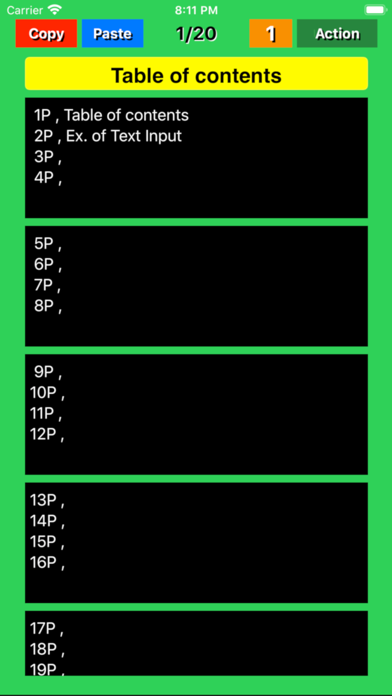
About MyNote -Simple note app-
The description on the store listing
Summary
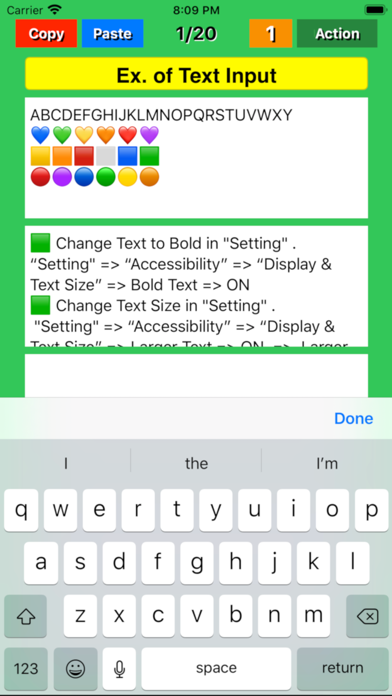
"My Note -a simple note app-" is an application for iPhone/iPad with iOS13.3 or later that is suitable for writing down ideas, schedules, and checklists, just like a notebook. In particular, it has uniquely useful features such as
(a) the ability to instantly change the text size by simply pinching the screen,
(b) the ability to automatically expand the column height according to the text length or font size change, and
(c) the ability to create a table of contents.
Description of Functions and Features
(1) Notepad function
(a) Page composition; Each page consists of a title and ten columns of text.
(b) Start Page; The page is displayed from the last …
Read the full description
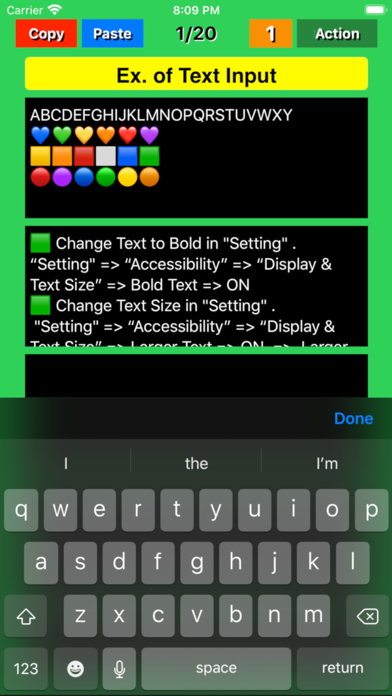
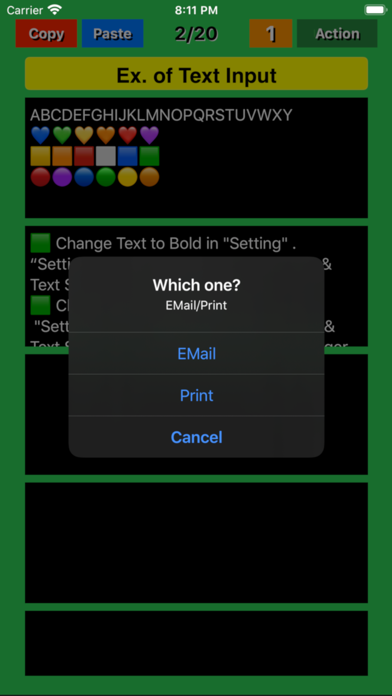
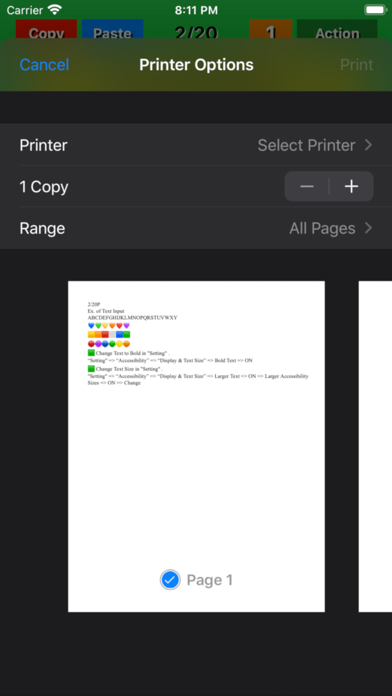
Summary "My Note -a simple note app-" is an application for iPhone/iPad with iOS13.3 or later that is suitable for writing down ideas, schedules, and checklists, just like a notebook. In particular, it has uniquely useful features such as (a) the ability to instantly change the text size by simply pinching the screen, (b) the ability to automatically expand the column height according to the text length or font size change, and (c) the ability to create a table of contents. Description of Functions and Features (1) Notepad function (a) Page composition; Each page consists of a title and ten columns of text. (b) Start Page; The page is displayed from the last finished page and can be edited. (c) Column Expansion; The height of each column is automatically expanded or restored according to the length of the text in that column. (d) Scrolling; Each page can be scrolled vertically by swiping vertically. (e) Page Turnover; Swipe left and right or tap the left and right frames to turn pages. The number of pages to be turned is either "1" or "5" as set by the turning-pages-buttons (second button from the right). Pages are turned from the end of the page to the beginning, or from the beginning to the end. (f) Text editing; When you tap the screen, the cursor appears there and at the same time the keyboard appears at the bottom of the screen. You can use the keyboard to enter text at the cursor position. The cursor will automatically move to the position behind the character you have entered. Edits are finalized by pressing the "Done" button on the keyboard and saved on the terminal for the next readout. (2) "Copy" function By tapping the "Copy" button on each page, the title and text are copied to the device's memory. The text is also copied to the clipboard. (3) "Paste" function Tapping the "Paste" button on a page overwrites the title and text stored in the memory to the title and text fields of the page, respectively. Tap "Overwrite" on the confirmation screen that appears before overwriting to execute the overwrite. If a blank page is copied and pasted onto a page of your choice, all text can be erased at once. (4) Table of contents creation function When you press and hold the "Paste" button on any page, a prompt will appear asking if you want to create a table of contents. If you choose "Yes," a table of contents will be created. (5) "Mail" function On any page, press the "Action" button to display the "Mail" or "Print" selection screen. Select "E-mail" and follow the instructions on the "E-mail" screen. Set and confirm the title, destination, Cc/Bcc, and sender, then click the "Send" button to send the message, or the "Cancel" button to cancel the message. (6) "Print" function Pressing the "Action" button on any page brings up a screen for selecting whether to E-mail or print the document. Select "Print" and follow the instructions on the print screen. Select a printer, set and confirm the number of sheets to be printed and the page range to be printed, and then click "Print" to print. (7) Instant font size change function The text size can be instantly changed by simply pinching the screen. Tips on how to use it well If, for example, the diary pages are about to fill up, start another archive page and transcribe the entire page into one of the columns on the archive page. Then the original page can be used for another purpose. In other words, 10 pages of content can fit on one archive page.
Installs since 29 Aug 2026
Apple does not publish download counts. Estimates are in testing.
Estimated store revenue Estimated Beta
App Store, worldwide, monthly rate from the last 19 chart days to 27 Nov 2026
Below the top 100 grossing apps in the markets we calibrate. In the United States that usually means under about $6.4M a month. App Store purchases and subscriptions only, before Apple's 15 to 30% fee. Ads and web payments are not included.
Ratings
54 ratings, 54 reviews
No rating breakdown published for this app.
Recent reviews
Latest public reviews from the store
No reviews in our sample for this app yet.
Top chart positions
Latest App Store chart ranks by country, last 10 days
Not in any tracked top chart in the last 10 days.
MyNote -Simple note app- history
Release, install milestones, listing and store changes
- First released on the store 10 Jun 2017
Update frequency
How often MyNote -Simple note app- ships a new version, month by month
2 updates in the last 12 months. More often than most similar apps: they shipped a median of 0 updates in the same year.
Recent versions
Current version 5.1
- Version 5.04 Nov 2026
The recommended changes for iOS 27.0 were applied, and it was confirmed that the app continues to function as it did before.
- Version 4.912 Jun 2026
The bug caused by changing the cursor size has been fixed by restoring the size to its original state.
- Version 4.630 Oct 2025
Confirmed to work properly on iPhone with the latest IOS 26.0.1.
Listing keywords
Words and phrases MyNote -Simple note app- repeats most in its store listing
Top phrases: table of contents (4), title and text (3), archive page (3), follow the instructions (2), font size change (2).
Highlighted words also appear in the title. Counts cover the title, short description and description.
Compliance
What the listing and the app package show
- Store status
- Live
- Upkeep
- Updated 4 Nov 2026
- Age rating
- 4+
Apps like MyNote -Simple note app-
 EZCast ProNimbleTech Digital Inc.★ 2.15
 The Hit ListKarelia Software LLC★ 3.55
 Audio Notebook PocketQrayon, LLC★ 4.67
 Milk for UsDaniel Rinser★ 3.73
 JotLinkT-One Corporation★ 4.29
 Oriole - Text to Speech ReaderOriole AI Inc.★ 4.62
 Code Master - Source Code EditorJustin Bush★ 2.71
 ASUS AiCloudASUS★ 2.42
 Samepage: Team CollaborationPaylocity★ 3.49
MyNote -Simple note app-: questions and answers
Who makes MyNote -Simple note app-?
MyNote -Simple note app- is published by fumio ueda.
When was MyNote -Simple note app- last updated?
The latest version (5.1) was released on 4 Nov 2026.
Is MyNote -Simple note app- free?
Yes. MyNote -Simple note app- is free to download.
Is MyNote -Simple note app- still available?
Yes. MyNote -Simple note app- is live on App Store as of 21 Nov 2026.
Track MyNote -Simple note app- and its competitors
Watch any app for new versions, rating drops, chart moves and removals. Free plan, no card.