
- Installs
- —
- Apple does not publish download counts
- Rating
- 1.73
- Ratings
- 15
- 15 reviews
- Version
- 1.2.2
- Updated 16 Sep 2014
- Released
- 17 Jul 2012
- Tracked since 10 May 2026
- Size
- 16 MB
- Needs 7.0
Screenshots
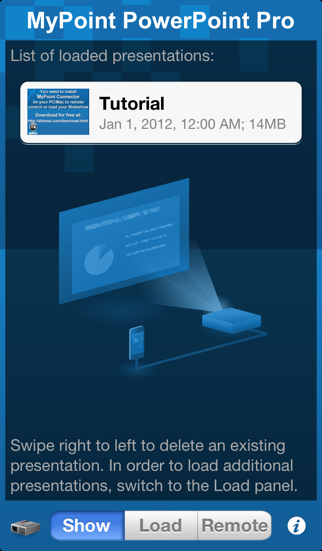
About MyPoint PowerPoint Presentation Pro
The description on the store listing
Control PowerPoint presentations that are running on your computer.
Rehearse your slide show while on the go.
Show your presentation without a computer by using a VGA adapter (iPhone 4 / iPad or later) or an Apple TV via AirPlay mirroring (iPhone4S, iPad 2, or later).
MyPoint improves the slideshow for both the presenter and the audience in many ways:
- Presenter can keep in contact with the audience at all times, no need to turn around or go back to the computer.
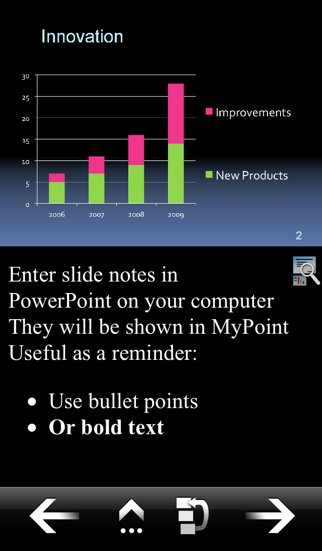
- Comments or notes on the current slide are visible to the presenter.
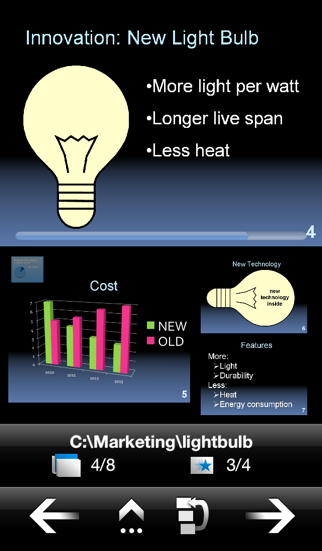
- Preview of the next slides helps presenter to prepare audience on what's coming next.
- Requests from the audience to go back to a certain slide can …
Read the full description
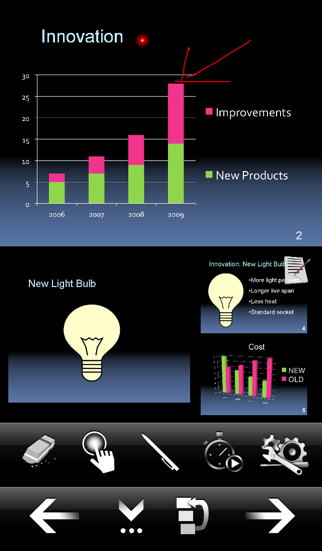
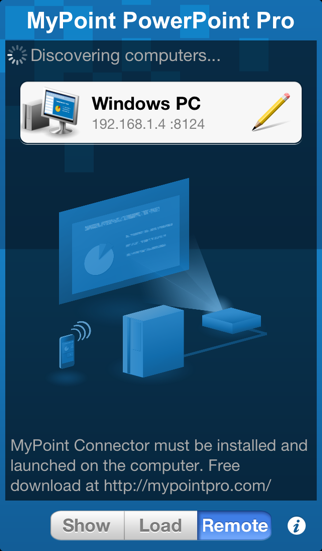
Control PowerPoint presentations that are running on your computer. Rehearse your slide show while on the go. Show your presentation without a computer by using a VGA adapter (iPhone 4 / iPad or later) or an Apple TV via AirPlay mirroring (iPhone4S, iPad 2, or later). MyPoint improves the slideshow for both the presenter and the audience in many ways: - Presenter can keep in contact with the audience at all times, no need to turn around or go back to the computer. - Comments or notes on the current slide are visible to the presenter. - Preview of the next slides helps presenter to prepare audience on what's coming next. - Requests from the audience to go back to a certain slide can be fulfilled in an instant. Features: * Slide navigation: back / next / jump to slide via slide browser * Display on iPhone: Current slide, notes, preview of next 3 slides * Network connection: Wifi, auto-detection of computer via Bonjour * Slideshows: Supports slideshows with notes, animations, and different screen ratio's (e.g. widescreen) * Portrait, landscape and full-screen mode (iPad only) * Several pointer shapes to choose from, replacing a traditional laser pointer * Annotate or mark the current slide with the pen in different colors * A timer keeps let's you easily keep track of your time while presenting. * Synchronizes automatically with current slide after re-launch of App during a presentation You need to install a small application on your PC/Mac, which can be downloaded at: http://mypointpro.com/download.html This allows you to: * control presentations on your computer * load presentations from your computer to your iOS device so that you can later on show or rehearse your presentation without a computer. Current limitations; most of them we plan to address in future releases: - When controlling presentations on your computer: * You cannot switch presentations via MyPoint, but you can switch presentations on your computer and MyPoint will pick up the new presentation. - When showing presentations via VGA adapter or AirPlay (AppleTV) : * Movements of animations or slide transitions are not displayed. * The supported slide resolution is limited by the resolution of the computer display used when loading the presentation from your computer. In case you are interested in a particular enhancement please contact us via our support email. Currently supported: * PowerPoint 2003, 2007, 2010 or 2013 on Windows 8, 7, Vista, XP, or 2003 * PowerPoint 2008 or 2011 on Mac OS X 10.6, 10.7, 10.8, or 10.9 For controlling or loading presentations iPhone / iPad / iPod touch and computer have to be connected to the same WiFi network.
Installs
Apple does not publish download counts. Estimates are in testing.
We publish iOS estimates only after they pass a back-test against real numbers. Chart history below is measured.
Estimated store revenue Estimated Beta
App Store, worldwide, monthly rate from the last 14 chart days to 21 Nov 2026
Below the top 100 grossing apps in the markets we calibrate. In the United States that usually means under about $6.4M a month. App Store purchases and subscriptions only, before Apple's 15 to 30% fee. Ads and web payments are not included.
Ratings
15 ratings, 15 reviews
No rating breakdown published for this app.
Recent reviews
Latest public reviews from the store
No reviews in our sample for this app yet.
Top chart positions
Latest App Store chart ranks by country, last 10 days
- Countries ranked
- 4 of 50
- Best rank
- #67
- Top 10 placements
- 0
- of 4 chart placements
- Average rank
- #79.8
Best countries on App Store
- 🇨🇴 Colombia · Top paid, Productivity#67
- 🇨🇱 Chile · Top paid, Productivity#74
- 🇵🇪 Peru · Top paid, Productivity#89
- 🇮🇩 Indonesia · Top paid, Productivity#89
MyPoint PowerPoint Presentation Pro history
Release, install milestones, listing and store changes
- First released on the store 17 Jul 2012
Recent versions
Current version 1.2.2
- Version 1.2.216 Sep 2014
This update from Apple will improve the functionality of this app. No new features are included. Support for iOS 8
Listing keywords
Words and phrases MyPoint PowerPoint Presentation Pro repeats most in its store listing
Top phrases: current slide (4), ipad or later (2), presentation without computer (2), iphone ipad (2), switch presentations (2).
Highlighted words also appear in the title. Counts cover the title, short description and description.
Compliance
What the listing and the app package show
- Store status
- Live
- Upkeep
- No update since 16 Sep 2014
- Age rating
- 4+
Apps like MyPoint PowerPoint Presentation Pro
 GoTime RepairAudatex North America Inc.★ 3.94
 Super VPN: Fast Private ProxyGeek Incorporated★ 4.4
 Hubtel RetailerHubtel Limited★ 4.32
 Monthly Calendar 2022 - CalistOmoboto LLC★ 4.38
 CBUS 311City of Columbus, Ohio★ 1.8
 Themes for Powerpoint - DesiGNGraphic Node★ 4.22
 iSiloDC & Co.★ 3.82
 Flashlight Pro [Multipurpose LED light]KAVAPOINT★ 3.88
 WiPryOscium LLC★ 2.68
MyPoint PowerPoint Presentation Pro: questions and answers
Who makes MyPoint PowerPoint Presentation Pro?
MyPoint PowerPoint Presentation Pro is published by Didonai LLC.
When was MyPoint PowerPoint Presentation Pro last updated?
The latest version (1.2.2) was released on 16 Sep 2014.
Is MyPoint PowerPoint Presentation Pro free?
No. MyPoint PowerPoint Presentation Pro is a paid app priced at $7.99.
Is MyPoint PowerPoint Presentation Pro still available?
Yes. MyPoint PowerPoint Presentation Pro is live on App Store as of 1 Jul 2026.
Track MyPoint PowerPoint Presentation Pro and its competitors
Watch any app for new versions, rating drops, chart moves and removals. Free plan, no card.