- Installs
- —
- Apple does not publish download counts
- Rating
- 2.36
- Ratings
- 42
- 42 reviews
- Version
- 2.7.1
- Updated 26 Oct 2020
- Released
- 30 Sep 2014
- Tracked since 10 May 2026
- Size
- 179 MB
- Needs 9.1
Also on Google Play: Neo Notes (814 ratings)
Screenshots

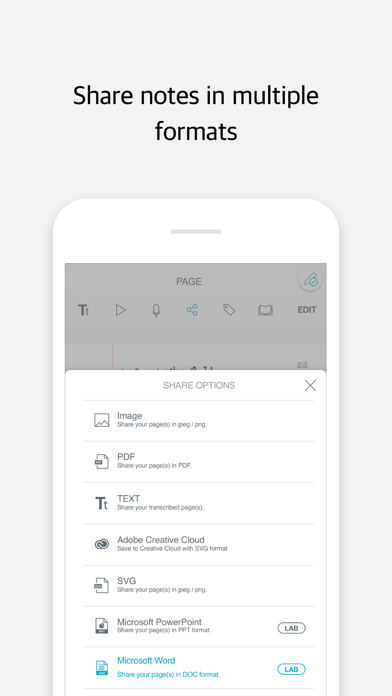
About Neo Notes
The description on the store listing
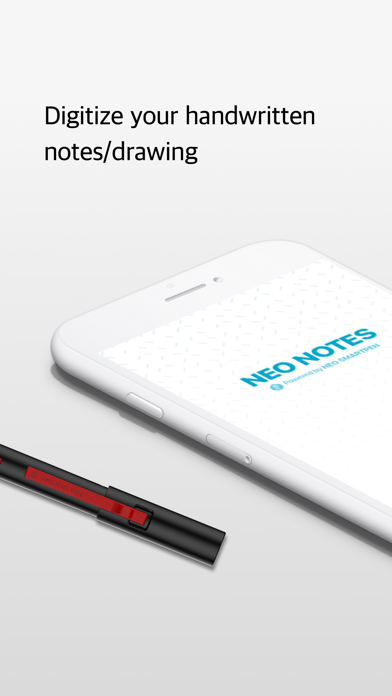
Neo smartpen is an innovation which transfers the handwritten data to digital text by using technology.
Now, you can keep your handwriting in a digital form and bring them everywhere.
Neo Notes is a dedicated application of Neo smartpen. You can digitize your handwriting instantly and simultaneously. It also provides an offline mode that stores your handwriting and transfer when the pen is connected with your smartphone.
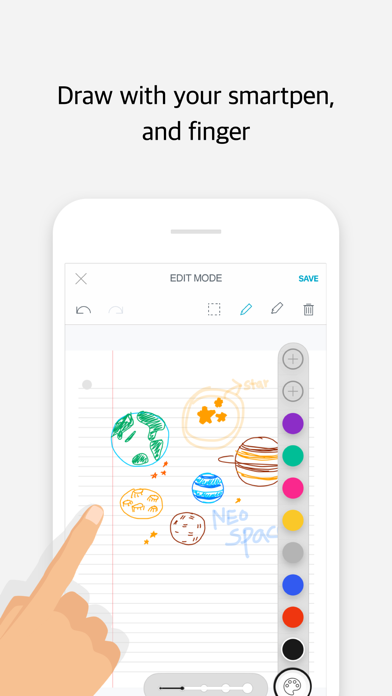
Transferred data can be easily edited and shared in a variety of platforms. Enhance your work productivity, learning, and self-development.
[Main Updates]
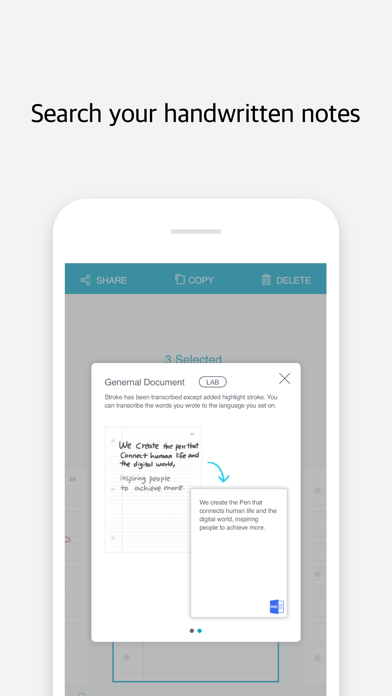
- The search function has been enhanced. From now on, you can search without running transcribe.
- The design has …
Read the full description
Neo smartpen is an innovation which transfers the handwritten data to digital text by using technology. Now, you can keep your handwriting in a digital form and bring them everywhere. Neo Notes is a dedicated application of Neo smartpen. You can digitize your handwriting instantly and simultaneously. It also provides an offline mode that stores your handwriting and transfer when the pen is connected with your smartphone. Transferred data can be easily edited and shared in a variety of platforms. Enhance your work productivity, learning, and self-development. [Main Updates] - The search function has been enhanced. From now on, you can search without running transcribe. - The design has changed from Notebook cover to the Settings. - You can share your handwritten documents in Microsoft Word(.docx) and PowerPoint(pptx) format. This function is experimental, and it will be stabilized gradually. ------------ Main Features ----------- [Digital Storage] Neo smartpen saves the handwritten data to the connected smart device. Its sensitive pressure recognition saves the handwritten data on the Ncode notebook accurately. [Editing Function] You can edit and change the font color and size as you prefer or delete any unnecessary data. You can also emphasize important information with a highlighter in edit mode. [Text Transcription] You can transcribe handwritten to digital text with a simple touch with a fingertip. Convert your written data to a digital text and copy & paste it on your memos or emails. Neo Notes support up to 15 different language transcriptions. [Auto Save Options] Use our “Authentication Center” and log in with your choice of Cloud services; OneNote, Evernote, Adobe CC or Google Drive. Then you can toggle on Auto Save Function at “Auto Save Options”. Now, you can check your data anywhere. [Easy and Convenient Share] Your handwritten contents can be shared via email, SNS and different applications in PDF, image, text and vector format. [Google Drive Backup and Restoring] If you upload your written contents to Google drive, then you can download it to other smart devices and continue to write or edit. Even if you wish to use different devices alternatively or change it to brand new one, you can save and download the existing data from Google drive. [Record & Playback] Record your voice while you write down your notes. You can playback the audio files that are synced with the pen strokes. Do not miss any important parts of your lectures or conversation by using the record function. [Tag & Search] You can easily search for any data by using a tag function. You can effectively manage your handwritten data by tagging it into different subjects. You may easily search your saved written contents by data or text. [Offline Sync] Neo smartpen saves written data on the offline mode and then automatically transfers and saves data once it is connected to your smart device. You can write without connecting it to your smart devices. (Neo smartpen is able to save up to 1,000 pages of written data) [Notebox] You can lock the used notebook before you use the same kind of notebook with this function. (If a used notebook is not locked your handwriting on the new notebook may overlap with used notebook) [Calendar View] The calendar view helps you to quickly search the data by date. Not only the date, but also the written place and the weather are recorded, so it is convenient to remember the environment at the time of writing. [Calendar Sync] Once you write your schedule on to “N Planner” it will sync with the designated online calendar. (Google Calendar, Outlook Calendar)
Installs
Apple does not publish download counts. Estimates are in testing.
We publish iOS estimates only after they pass a back-test against real numbers. Chart history below is measured.
Estimated store revenue Estimated Beta
App Store, worldwide, monthly rate from the last 13 chart days to 20 Nov 2026
Below the top 100 grossing apps in the markets we calibrate. In the United States that usually means under about $6.4M a month. App Store purchases and subscriptions only, before Apple's 15 to 30% fee. Ads and web payments are not included.
Ratings
42 ratings, 42 reviews
No rating breakdown published for this app.
Recent reviews
Latest public reviews from the store
- 23 Feb 2020
Great concept but...
Bought the pen and calendar and was great at first. But the app is not account-centric so I cannot view my documents on multiple devices. Thus, I can see my doc on my iPad but not on my iPhone. This tool can only be truly useful for business if not limited to a single device. Once that is an available feature, could be five stars but until then it is just a promising tool.
- 17 Dec 2019
Pretty good, needs to use iCloud to sync across devices
Overall I like the pen and app. I have two of the Moleskine books and use the PDF paper for pads so I can print my own and overall am satisfied. I’d be more satisfied and bump up the rating if it used iCloud to sync across devices. If I take notes I can save them to either my iPhone, iPad, or Windows PC...but not all three. The app NEEDS to sync across devices so notes are available on any device I use. Syncing with OneNote is awful; if you write on the same page over the course of multiple syncs, it saves the same page several times as it looked with every sync. I don’t even bother with that anymore.
- 14 Feb 2018
Amazing
I am using the M1 pen and iPhone 7. Application is stable, text recognition is great. Looking forward to better OneNote integration. Currently the application syncs to OneNote, but needs to create a new page each time you add to a page, and OneNote can not recognize the handwriting. Everyone is amazed when I show them the app and Pen.
- 11 Nov 2017
Doesn’t understand basic symbols used in note-taking
I want to like this app and pen. I love having the page images become sortable and taggable on my laptop. But it’s nuts that the app doesn’t recognize basic symbols used in note-taking. Stars, arrows, text inserted into a line with carats all become gobbledygook. Also the non-recognition of tabs — even a simple text transcription could include a string of spaces. This app could be so, so much better with that small upgrade.
What reviewers bring up
Topics mentioned in the latest 8 reviews, by how many reviews mention them
Liked in good reviews (1 reviews)
No topic comes up twice.
Raised in bad reviews (4 reviews)
- pen 4
- neo 3
- upload 2
- notes 2
- sync 2
Top chart positions
Latest App Store chart ranks by country, last 10 days
Not in any tracked top chart in the last 10 days.
Neo Notes history
Release, install milestones, listing and store changes
- First released on the store 30 Sep 2014
Recent versions
Current version 2.7.1
- Version 2.7.126 Oct 2020
[Fixed] Google Drive 404 error fixed [Added] Neo Notes service termination notice [Other] Update & stabilization of minor bugs
Listing keywords
Words and phrases Neo Notes repeats most in its store listing
Top phrases: neo smartpen (5), google drive (4), handwritten data (4), auto save (3), digital text (3).
Highlighted words also appear in the title. Counts cover the title, short description and description.
Compliance
What the listing and the app package show
- Store status
- Live
- Upkeep
- No update since 26 Oct 2020
- Age rating
- 4+
Apps like Neo Notes
 The Hit ListKarelia Software LLC★ 3.55
 Audio Notebook PocketQrayon, LLC★ 4.67
 Milk for UsDaniel Rinser★ 3.73
 JotLinkT-One Corporation★ 4.29
 Oriole - Text to Speech ReaderOriole AI Inc.★ 4.62
 Code Master - Source Code EditorJustin Bush★ 2.71
 ASUS AiCloudASUS★ 2.42
 Samepage: Team CollaborationPaylocity★ 3.49
 AI Writer Master & AssistantSmash Inc★ 4.75
Neo Notes: questions and answers
Who makes Neo Notes?
Neo Notes is published by NeoLAB Convergence Inc.
When was Neo Notes last updated?
The latest version (2.7.1) was released on 26 Oct 2020.
Is Neo Notes free?
Yes. Neo Notes is free to download.
Is Neo Notes still available?
Yes. Neo Notes is live on App Store as of 1 Jul 2026.
Track Neo Notes and its competitors
Watch any app for new versions, rating drops, chart moves and removals. Free plan, no card.