
- Installs
- —
- Apple does not publish download counts
- Rating
- 3.52
- Ratings
- 386
- 386 reviews
- Version
- 4.0.5
- Updated 6 Oct 2023
- Released
- 16 Nov 2017
- Tracked since 10 May 2026
- Size
- 17 MB
- Needs 15.0
Screenshots

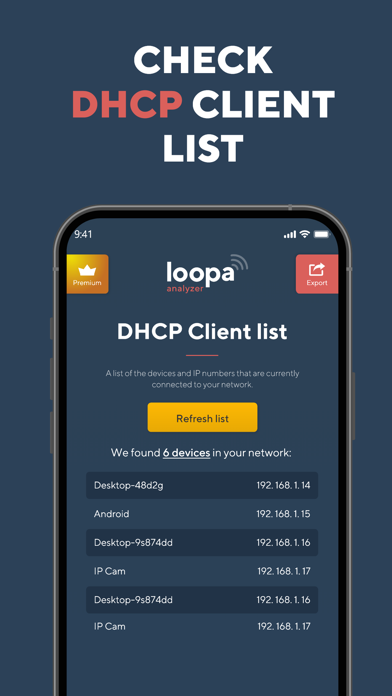
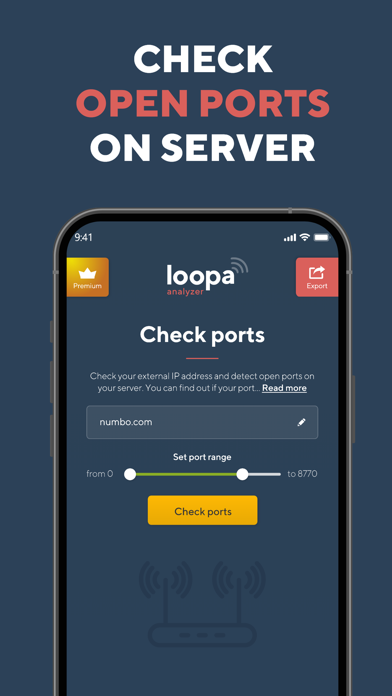
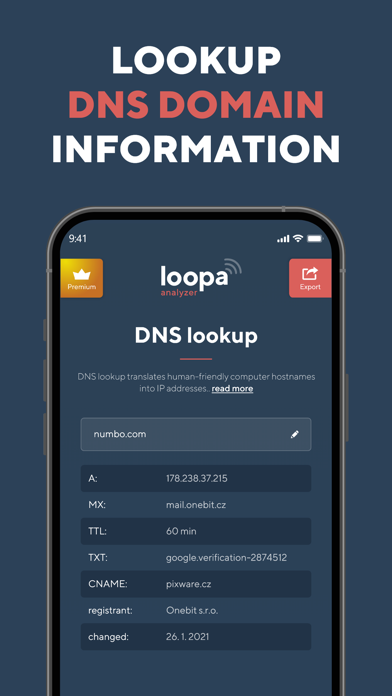
About Network Analyzer Master: Loopa
The description on the store listing
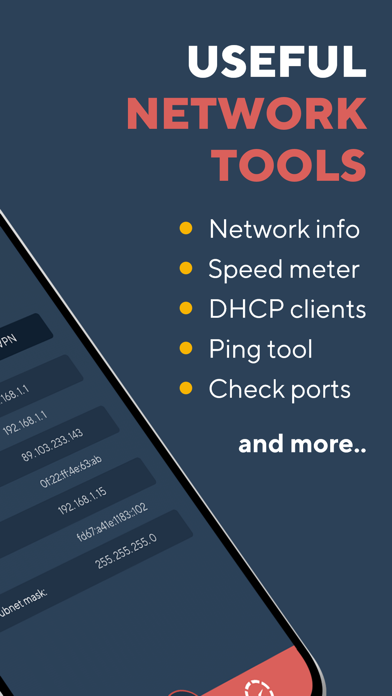
Network Analyzer will provide you with a detailed analysis of your home network along with network and cell information.
NETWORK INFORMATION
• Connection status
You get main network info as external IP address, gateway and DNS server
• Wi-Fi details
Network Analyzer will tell you all the information you need to know about your Wi-Fi Connection status. SSID, BSSID, IP address subnet mask and vendor.
• CELL Info
All your cell information in one place - your network status and type, carrier ID and country, IP address, MCC and MNC, and VoIP support.
• VPN details
The provided info is VPN connection status, provider name, IP address and subnet mask.
TOOLS
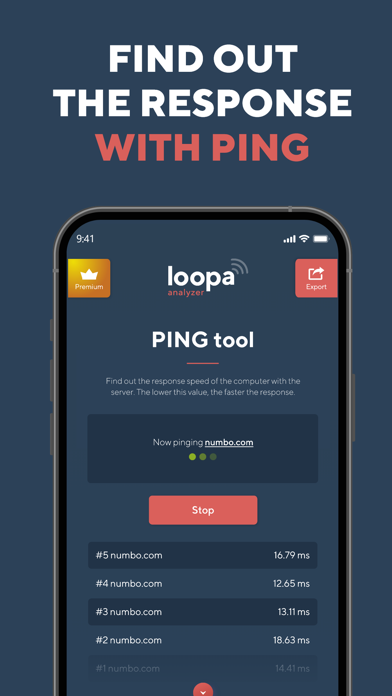
• PING
Let you test the …
Read the full description
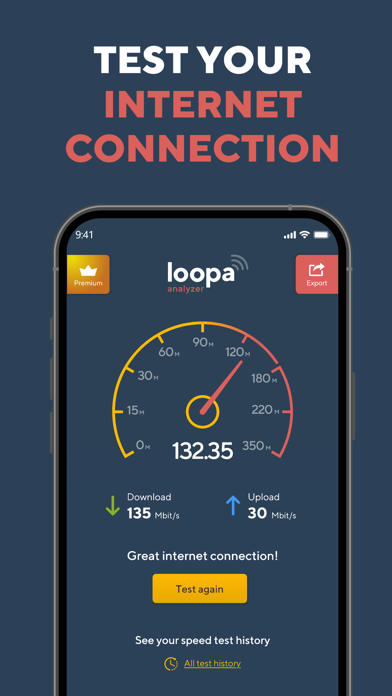
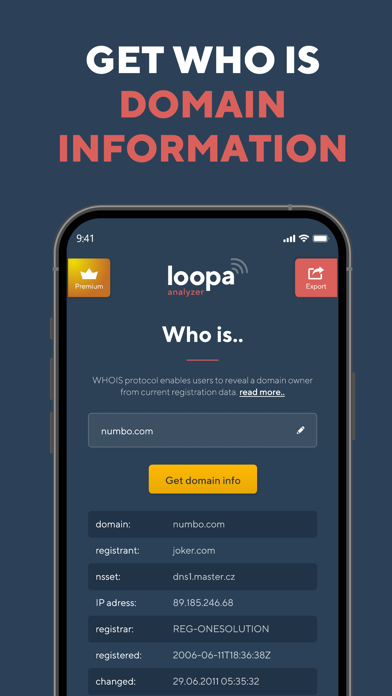
Network Analyzer will provide you with a detailed analysis of your home network along with network and cell information. NETWORK INFORMATION • Connection status You get main network info as external IP address, gateway and DNS server • Wi-Fi details Network Analyzer will tell you all the information you need to know about your Wi-Fi Connection status. SSID, BSSID, IP address subnet mask and vendor. • CELL Info All your cell information in one place - your network status and type, carrier ID and country, IP address, MCC and MNC, and VoIP support. • VPN details The provided info is VPN connection status, provider name, IP address and subnet mask. TOOLS • PING Let you test the reachability of a host on an Internet Protocol network. Gives you and idea about the latency to other IP. • TRACEROUTE Network diagnostic commands for displaying the route and measuring transit delays of packets across an Internet Protocol network. Shows you Internet path from you to other IP location. • PORT SCAN Port scanner allows you to quickly find open ports on network computers and retrieve versions of programs running on the detected ports. • DNS lookup & record details DNS Lookup tool fetches all DNS Records of a domain and shows as received. If you changed your hosting or DNS records, then this tool is for you to verify that your records are entered correctly to avoid any downtime. The records fetched by this tool are A, AAAA, CNAME, MX, NS, PTR, SRV, SOA, TXT, CAA. Select any record which you want to check or select ANY to get all DNS records of your domain. • WHOIS Data lookup WHOIS protocol enables users to access current registration data. The results displayed come directly from registry operators and/or registrars in real-time. WI-FI LAN SCANNER Discover a fast and reliable way to detect all network devices and gain insight into their IP address and vendor name. SPEED TEST Measure your internet speed with just one tap. Wifi Analyzer gives you accurate results about your real download and upload speed. Download Network Analyzer right now and gain a reliable speed test tool as well as detailed information about your networks. Were you satisfied with Network Analyzer? Please, take a moment and leave a review. ___ Network Analyzer offers a Premium subscription with access to all features and no ads for a year. Network Analyzer renews automatically, cancellations must be made at least 24 hours before your subscription ends to avoid renewal. You can manage or turn off Network Analyzer Master auto-renew from your iTunes Account Settings. Payment will be charged to iTunes Account at confirmation of purchase. Terms of Service: https://www.bestwifianalyzer.com/terms-of-use-conditions/ Privacy Policy: https://www.bestwifianalyzer.com/privacy-policy/
Installs since 29 Aug 2026
Apple does not publish download counts. Estimates are in testing.
Estimated store revenue Estimated Beta
App Store, worldwide, monthly rate from the last 13 chart days to 20 Nov 2026
Below the top 100 grossing apps in the markets we calibrate. In the United States that usually means under about $6.4M a month. App Store purchases and subscriptions only, before Apple's 15 to 30% fee. Ads and web payments are not included.
Ratings
386 ratings, 386 reviews
No rating breakdown published for this app.
Recent reviews
Latest public reviews from the store
- 8 Apr 2020
Greatest tool
Greatest tool I have
- 19 Feb 2020
Great app
Easy to use
- 15 Feb 2020
Seems to work
Not sure how accurate the speed test is, but at least it lets you know the network is working.
- 10 Feb 2020
Minimalistic
I give it credit for scanning and getting addresses. But it doesn’t sniff out the MAC nor the equipment name or identifier. I’d buy it if it did that. Update: After some research, it seems iOS will not allow MAC address access.
What reviewers bring up
Topics mentioned in the latest 50 reviews, by how many reviews mention them
Liked in good reviews (15 reviews)
- tool 4
- fast 2
- wish 2
- far 2
Raised in bad reviews (33 reviews)
- test 6
- ads 6
- signal strength 5
- network 5
- other 5
- speed 5
- wifi 5
- information 4
Top chart positions
Latest App Store chart ranks by country, last 10 days
Not in any tracked top chart in the last 10 days.
Network Analyzer Master: Loopa history
Release, install milestones, listing and store changes
- First released on the store 16 Nov 2017
Update frequency
How often Network Analyzer Master: Loopa ships a new version, month by month
0 updates in the last 12 months. Less often than most similar apps: they shipped a median of 1 updates in the same year.
Recent versions
Current version 4.0.5
- Version 4.0.56 Oct 2023
Compatibility with iOS 17
Listing keywords
Words and phrases Network Analyzer Master: Loopa repeats most in its store listing
Top phrases: network analyzer (8), ip address (5), connection status (3), dns records (3), wi fi (3).
Highlighted words also appear in the title. Counts cover the title, short description and description.
Compliance
What the listing and the app package show
- Store status
- Live
- Upkeep
- No update since 6 Oct 2023
- Age rating
- 4+
Apps like Network Analyzer Master: Loopa
 Prayer Times & QiblaYahya Alzahrani★ 4.68
 Statistics Calculator--Dogahe★ 4.44
 BTU Calculator - Data CentersCristinel Bontas★ 4.58
 Universal Remote – TV ControlControlla TV LTD.★ 4.54
 Petra: Aptos Crypto WalletAptos Labs★ 4.76
 Angle Gradient InclinometerSHIGETO TAKAGI★ 4.34
 givestar - Fundraising AppTapSimple★ 4.75
 Calculator for PadBeijing Free Sight Technology Co., Ltd★ 4.34
 FUZE: Mobile ChargingFuze Technology Inc.★ 4.29
Network Analyzer Master: Loopa: questions and answers
Who makes Network Analyzer Master: Loopa?
Network Analyzer Master: Loopa is published by Master Network Tools s.r.o..
When was Network Analyzer Master: Loopa last updated?
The latest version (4.0.5) was released on 6 Oct 2023.
Is Network Analyzer Master: Loopa free?
Yes. Network Analyzer Master: Loopa is free to download.
Is Network Analyzer Master: Loopa still available?
Yes. Network Analyzer Master: Loopa is live on App Store as of 14 Nov 2026.
Track Network Analyzer Master: Loopa and its competitors
Watch any app for new versions, rating drops, chart moves and removals. Free plan, no card.