
- Installs
- —
- Apple does not publish download counts
- Rating
- 4.78
- Ratings
- 64
- 64 reviews
- Version
- 2026.09
- Updated 4 Nov 2026
- Released
- 12 Mar 2024
- Tracked since 10 May 2026
- Size
- 254 MB
- Needs 16.4
Screenshots



About Nitro Photo
The description on the store listing
Introducing Nitro, the brand new photo editor and manager from the developer of RAW Power. Nitro is designed for every photographer and every photograph. Try Nitro for free for 7 days without any obligation. No subscription signup, no nonsense. Requires iOS 16 or later.
Easy, Powerful, Fast. Built with the latest technologies, Nitro has exceptional integration with iOS, including the most control over Apple’s RAW decoder. Its combination of flexible storage options, camera support, and editing tools is unmatched by any app. If you liked Aperture or RAW Power, you’ll love Nitro.
Flexible Storage Options
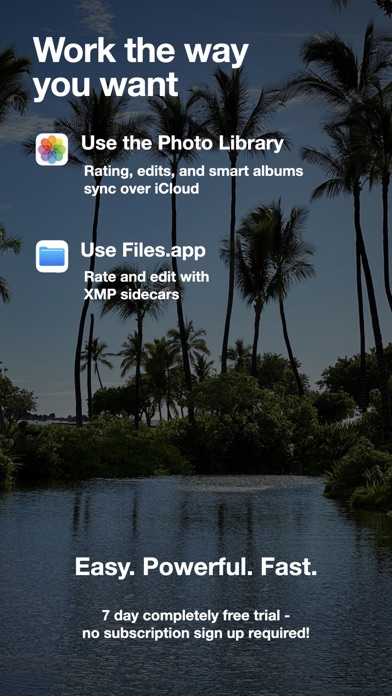
* Store your images in Files.app, external storage, or use Apple’s Photo Library
* …
Read the full description
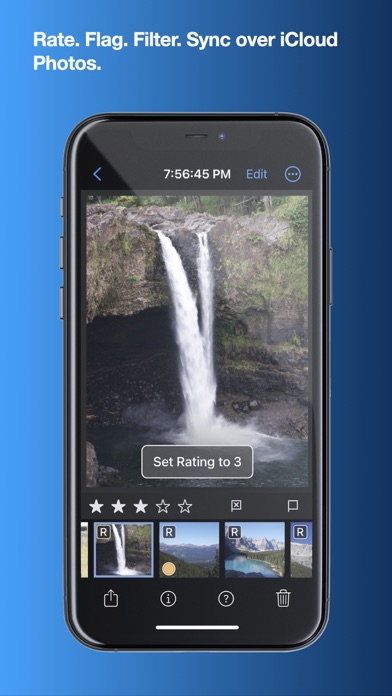
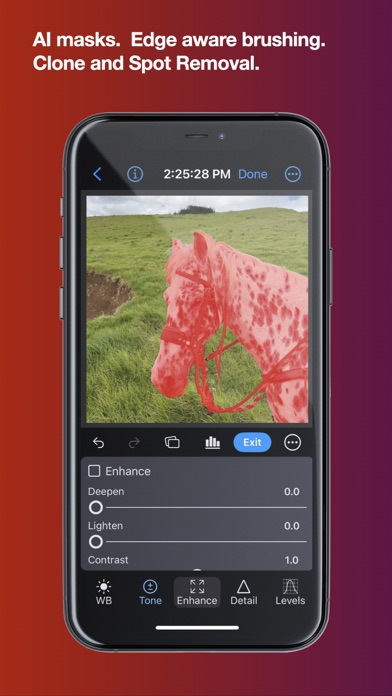
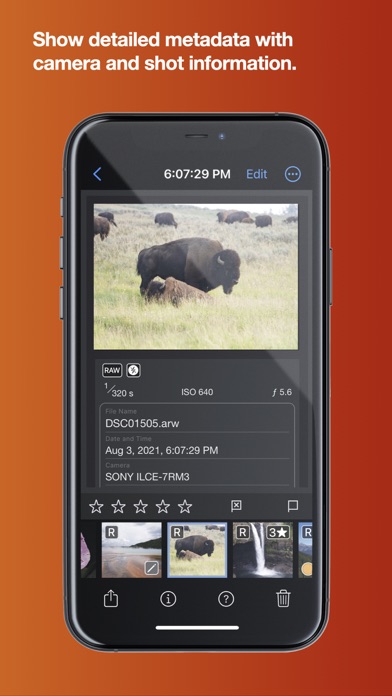
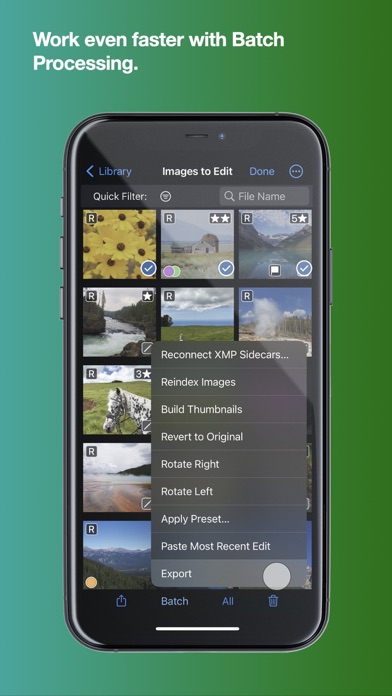
Introducing Nitro, the brand new photo editor and manager from the developer of RAW Power. Nitro is designed for every photographer and every photograph. Try Nitro for free for 7 days without any obligation. No subscription signup, no nonsense. Requires iOS 16 or later. Easy, Powerful, Fast. Built with the latest technologies, Nitro has exceptional integration with iOS, including the most control over Apple’s RAW decoder. Its combination of flexible storage options, camera support, and editing tools is unmatched by any app. If you liked Aperture or RAW Power, you’ll love Nitro. Flexible Storage Options * Store your images in Files.app, external storage, or use Apple’s Photo Library * Rate, flag, and filter your images by 11 criteria, including rating, orientation and file type * Add keywords to images in the file system, manually or with AI assistance * With Photos, ratings, edits, and smart albums sync over iCloud * With Files.app and external storage, ratings and edits are stored in XMP sidecars * Move originals, ratings, and edits between the Photo Library and Files.app * UGreen NAS is not compatible with Nitro (bug reported to UGreen) Thoughtful purchasing and trial options * Try the app with absolutely no obligation. No signup, no unexpected charges. * Buy the app once, or get an inexpensive monthly and annual plan * All purchases include all platforms: macOS, iPhone, and iPad! Stop waiting for camera support * Supports more cameras than Photos, Darkroom, or Photomator, including compressed Fujifilm, Nikon HE and GoPro RAWs * By far, the most control over Apple’s RAW decoder. Fine tune your RAWs with noise reduction, moire, ProRAW tone mapping, and more. Seeing is Believing * View detailed metadata side-by-side * Synchronized Pan and Zoom of up to 4 images at once (iPad only) * Comparison mode helps you pick your favorites from a burst * Light and Dark user interface modes Masking with AI * AI-generated masks to quickly isolate a subject or background * Linear and radial gradients with invert and control over the ramp * Brushes provide full control over your mask, including softness, strength, and size * Edge Aware brushes automatically follow contours * Fine tune AI and gradients with brushes for maximum control Quick Fixes * Remove objects using Generative AI * Clone * Spot/Wire Removal * Highlight Recovery * Auto Enhance 16 Professional Adjustments * Tone, Enhance, White Balance, RAW * Crop, Lens Correction, Perspective * Levels, Curves, HSL, Split Toning * Detail, Depth, Black and White, Vignette, Channel Mixer * Apply most adjustments to masks including Levels, Curves, Blur, HSL, and Fringe control Presets, LUTs, and Copy/Paste * Quickly enhance images with a large set of presets and LUTs * Import your own LUTs and make your own presets * Advanced Copy and Paste of adjustments * Camera presets let you apply adjustments automatically by camera model Do More with the Photo Library * Make Smart Albums with complex queries * Search by file name, file type (including RAW+JPEG), and more * Sync everything over iCloud * Edit inside Nitro or with the included Photo Editing Extension Do More with the File System * Rate, flag, and edit non-destructively * All data is stored in XMP sidecars next to your originals * Search by file name, camera, lens, ISO, and more Workflow the way you want * Batch processing of presets, rotation and export * Export with control over size, compression, format, and metadata * Launch other apps after export for custom workflows * Integrated watermarking with both images and text * RAW Power edits are 100% compatible with Nitro After the trial, you need to purchase the app or subscribe to use all the features. Privacy Policy: https://www.iubenda.com/privacy-policy/68647707 Terms of Use: http://www.apple.com/legal/itunes/appstore/dev/stdeula
Installs since 29 Aug 2026
Apple does not publish download counts. Estimates are in testing.
Estimated store revenue Estimated Beta
App Store, worldwide, monthly rate from the last 13 chart days to 20 Nov 2026
Below the top 100 grossing apps in the markets we calibrate. In the United States that usually means under about $6.4M a month. App Store purchases and subscriptions only, before Apple's 15 to 30% fee. Ads and web payments are not included.
Ratings
64 ratings, 64 reviews
No rating breakdown published for this app.
Recent reviews
Latest public reviews from the store
No reviews in our sample for this app yet.
Top chart positions
Latest App Store chart ranks by country, last 10 days
- Countries ranked
- 1 of 50
- Best rank
- #90
- Top 10 placements
- 0
- of 1 chart placements
- Average rank
- #90
Best countries on App Store
- 🇳🇿 New Zealand · Top grossing, Photo & Video#90
| Country | Chart | Category | Rank | Best (10 days) | Date |
|---|---|---|---|---|---|
| 🇳🇿 New Zealand | Top grossing | Photo & Video | #90 | #90 | 15 Nov 2026 |
Nitro Photo history
Release, install milestones, listing and store changes
- First released on the store 12 Mar 2024
Update frequency
How often Nitro Photo ships a new version, month by month
4 updates in the last 12 months. More often than most similar apps: they shipped a median of 0 updates in the same year.
Recent versions
Current version 2026.09
- Version 2026.094 Nov 2026
REFRESHED USER INTERFACE: * Over 60 changes to the visual design of Nitro. * The bottom bars are gone, and their controls relocated, giving images and controls the full height of the window. * Reorganized toolbar. * Refreshed library view. * Brushing controls now sit next to the sliders and options, saving space. * Better spacing and layout throughout the interface. * Better background colors in Light mode. * Improved video playback interface. NEW FEATURES: * Borders can now be inset or outset (that is, not covering the image). * New preference to show the time / battery level on iPads. * Add a "Delete Immediately" option in Move to Trash, and show progress while deleting. * Info now identifies linearized DNG and ProRAW files (all ProRAWs are linearized). * Nitro now supports the iPhone Duo. * Batch keywording on iPad and macOS in the PhotoLibrary on OS 27. OTHER CHANGES: * Fix bug when exporting Photo Library images with external edits. * Fix some issues where the image would not be sufficiently sharp after zooming or resizing the window. * Improve quality of image watermarks. * Subject masks now work correctly if perspective is applied to the image. * The RAW v9 help dialog now points to a web page with the current list of RAW v9 cameras. * Help videos now open a browser on the Mac for higher quality playback. * You can now zoom to the cursor on both Mac and iPad using Z key. * Clone controls on iPhone are now fully visible. * Fix bug with Quick Filter where picking the same item twice no longer cleared it.
- Version 2026.07.013 Aug 2026
Fix crash with AI Eraser on iPhones when used in portrait screen orientation.
- Version 2026.52 Jun 2026
USABILITY AND PERFORMANCE * Improve performance when arrowing through images especially outside of Edit. * Improve performance of metadata display and Exif display. * Arrowing through images now scrolls to keep the next image visible to provide better context. * Thumbnail size icons in the grid have been updated. * Split Toning color circles now scale up when the panel is wider. * ExifTool now runs on a background thread for better responsiveness. * Right-click (Mac) or tap and hold (iPhone/iPad) on the Info or ExifTool panel to change the font size. * You can now drag multiple items from the grid to the Photo Library sidebar. * Drag and drop in the Photo Library on Mac will display multiple small thumbnails to make it easier to use. * Watermark and Border setup options have moved into their respective export popups. * iPhone/iPad: the file name and date are now shown at the top of the screen. * iPhone: the Edit button is now an icon to give more room for the file name. * Curves pop-out on iPhone has been improved — the curve and image are larger and the layout is cleaner. * In vertical orientation on iPhone, the Curves panel gives more space to the curve itself, and the In/Out controls can be hidden. * Keyword filtering is now significantly faster. * You can now zoom past 100% on tightly cropped images. * Reduce memory use. BUG FIXES * Fixed: masks on RAW images were incorrectly positioned after applying perspective correction. * Fixed: adding an image to a file system folder placed it in the wrong position in the grid when sorted by File Creation Date. * Fixed: pressing two arrow keys at the same time would cause repeated keypresses and could not be cancelled. * Fixed: a color profile was incorrectly shown for RAW images, which do not have one. * Fixed: the histogram would sometimes not update while zoomed in. * Fixed: filtering in grid view did not always indicate the item number correctly. * Fixed: purchase status was not correctly reported when both a lifetime purchase and subscription were active. * Fixed: changes to the Photo Library did not always update the sidebar. * Fixed: sometimes when arrowing in Edit, a previous image would appear briefly. * Fixed: sometimes ISO was not written out during export. * Other fixes and improvements.
- Version 2026.44 May 2026
2026.4: Fixed a bug with portrait orientation images being incorrectly rotated. 2026.3 NEW FEATURES: * Combined Crop and Perspective: Crop, Perspective, and Straighten are now together in one place, making perspective correction much easier. The interface has been redesigned to give you more screen space on iPhones, and Presets and Copy/Paste are shared across both Crop and Perspective. * Advanced Perspective Tool: Tackling complex perspective distortion is now a lot more powerful — simply draw a rectangle or a pair of horizontal or vertical lines to correct it. You can also combine the new tool with the existing slider-based controls, and even stretch the image to fix aspect ratio issues. Best of all, the new tool keeps much more of your image visible while you work. * Duplicate Image: You can now duplicate images whether they're stored in the File System or Photo Library. * Multiple Watermarks: You can now create and manage more than one watermark to suit different needs. USABILITY: * The grid now shows you which item number you're currently viewing, so it's easier to keep your place. * Press the Space bar to quickly jump between the Grid and Viewer. Prefer to use it for zooming instead? There's a new preference to make that switch. * You can now search for images with no keywords, or for images that have any keywords at all. * White Balance now displays the color temperature of each built-in preset. * Press and hold the arrow keys for faster navigation. BUG FIXES AND IMPROVEMENTS: * Fixed an issue where the left sidebar wasn't expanding and collapsing the right item in some situations. * Fixed three crashes. * Fixed an issue in Crop and other tools where the app could unexpectedly switch to a different image. * Fixed a scrolling issue in the grid that could feel like it was working against you. * Fixed the Duplicate + Invert command when used with gradient masks. * Fixed an issue with window restoration. * Performance improvements for the grid and histogram. * Added buttons in Settings to clear the Nitro internal databases if needed. * When resetting adjustments for a RAW+JPEG pair, the app now remembers which file of the pair you were working on. * The software keyboard on iPads and iPhones no longer covers the active text field. * Added support for the GoPro Hero 11 Black and Hero 12 Black. * Fixed an issue where the Replace Edits setting wasn't being remembered. * Fixed an issue where keywords weren't always saved when going directly to Edit from Keywords. * Various other fixes and improvements.
Listing keywords
Words and phrases Nitro Photo repeats most in its store listing
Top phrases: photo library (3), raw power (3), apple’s raw decoder (2), compatible with nitro (2), control over apple’s (2).
Highlighted words also appear in the title. Counts cover the title, short description and description.
Compliance
What the listing and the app package show
- Store status
- Live
- Upkeep
- Updated 4 Nov 2026
- Age rating
- 4+
Apps like Nitro Photo
 Guerrilla Filmmaker: CameraGuerrilla Apps Ltd★ 4.52
 Beaver PointBeaver technology (Shenzhen) Co. , Ltd.★ 1.38
 FunFor Cam - Retro Film Analog新乐 陶★ 4.64
 Birthday Frames With SongsDeepak Jalwa★ 4.82
 U GuardUniden Corporation★ 1.91
 Jolly LightsWrinkle-free Games, LLC★ 4.42
 ArtPlay: Video EditorHigh Mountain Electronic Commerce Development Limited★ 4.76
 SnapX - Save & Edit & Repost建妹 邓★ 4.53
 Presets for Lightroom・UniqAV PRO GROUP LTD★ 4.47
Nitro Photo: questions and answers
Who makes Nitro Photo?
Nitro Photo is published by Gentlemen Coders.
When was Nitro Photo last updated?
The latest version (2026.09) was released on 4 Nov 2026.
Is Nitro Photo free?
Yes. Nitro Photo is free to download.
Is Nitro Photo still available?
Yes. Nitro Photo is live on App Store as of 14 Nov 2026.
Track Nitro Photo and its competitors
Watch any app for new versions, rating drops, chart moves and removals. Free plan, no card.