
- Installs
- —
- Apple does not publish download counts
- Rating
- —
- Ratings
- —
- Version
- 1.4
- Updated 30 Jun 2025
- Released
- 5 Dec 2016
- Tracked since 10 May 2026
- Size
- 4 MB
- Needs 15.6
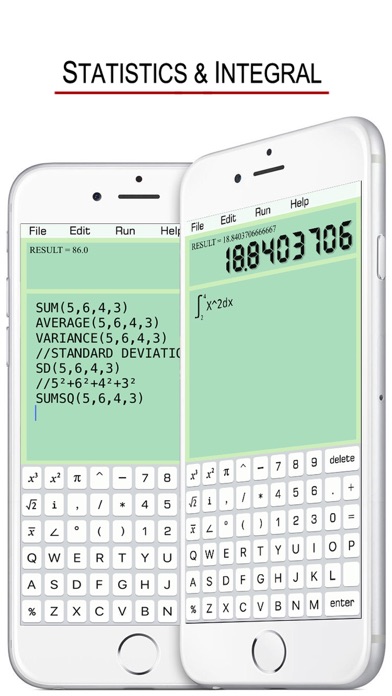
Screenshots
About Notebook Calculator
The description on the store listing
DOING LONG CALCULATIONS IN NOTEBOOK !
GO BACK & CHANGE ERRORS EASILY !
JUST LIKE TYPE IN A TEXT FIELD !
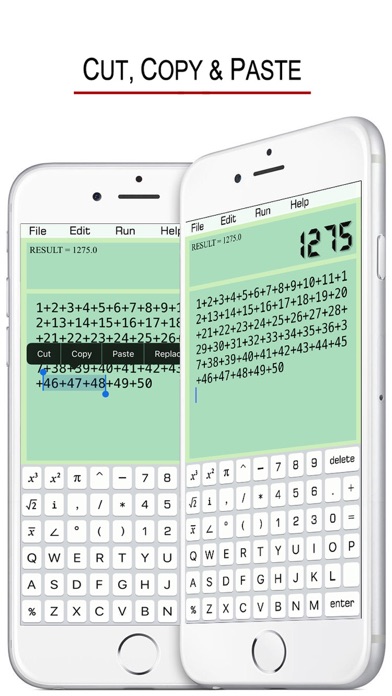
COPY + CUT + PASTE
EDIT & SAVE CALCULATION HISTORY !
SCIENTIFIC & GRAPHIC CALCULATOR !
• It Supports the File Management !
- Create a file
- Save
- Open
- Delete
• Mathematical Functions:
SIN(X) : sine of x
COS(X) : cosine of x
TAN(X) : tangent of x
COT(X) : cotangent of x
ASIN(X) : arcsine of x
ACOS(X) : arccosine of x
ATAN(X) : arctangent of x
SINH(X) : hyperbolic sine
COSH(X) : hyperbolic cosine
TANH(X) : hyperbolic tangent
ASINH(X) : inverse hyperbolic sine
ACOSH(X) : inverse …
Read the full description
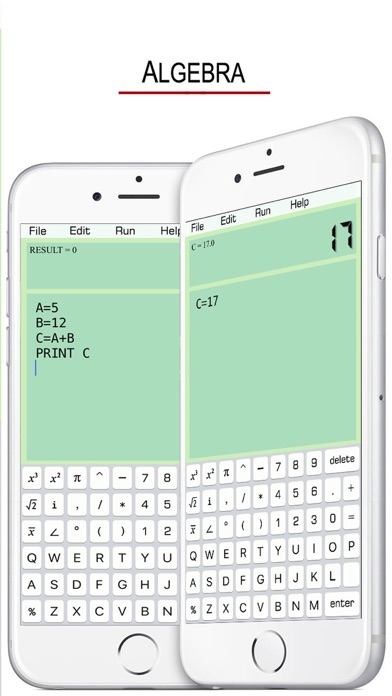
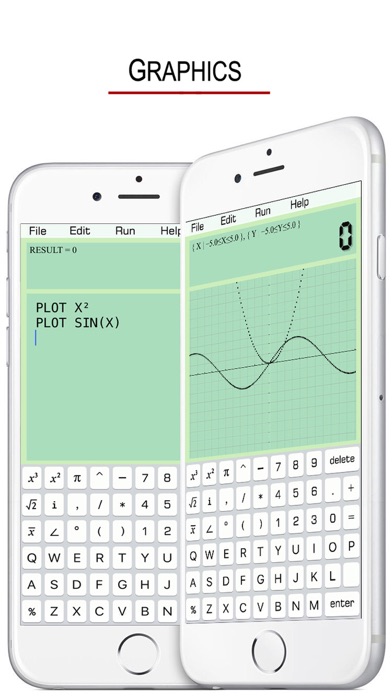
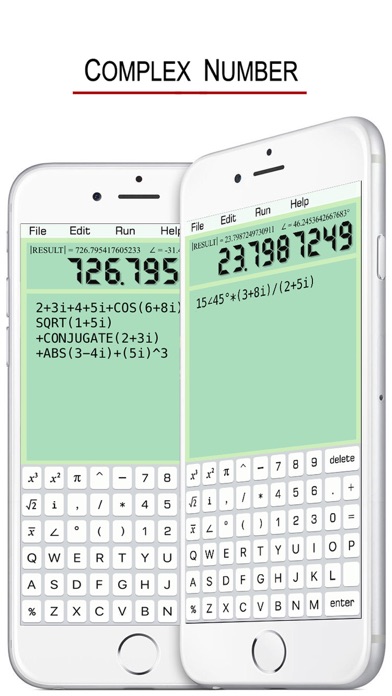
DOING LONG CALCULATIONS IN NOTEBOOK ! GO BACK & CHANGE ERRORS EASILY ! JUST LIKE TYPE IN A TEXT FIELD ! COPY + CUT + PASTE EDIT & SAVE CALCULATION HISTORY ! SCIENTIFIC & GRAPHIC CALCULATOR ! • It Supports the File Management ! - Create a file - Save - Open - Delete • Mathematical Functions: SIN(X) : sine of x COS(X) : cosine of x TAN(X) : tangent of x COT(X) : cotangent of x ASIN(X) : arcsine of x ACOS(X) : arccosine of x ATAN(X) : arctangent of x SINH(X) : hyperbolic sine COSH(X) : hyperbolic cosine TANH(X) : hyperbolic tangent ASINH(X) : inverse hyperbolic sine ACOSH(X) : inverse hyperbolic cosine ATANH(X) : inverse hyperbolic tangent SQRT(X) : square root of x ABS(X) : absolute value of x FCT(X) : x factorial LOG(X,Y) : logarithm of y to base x LN(X) : natural logarithm of x LOG(X) : base-10 logarithm of x LOG10(X) : base-10 logarithm of x LOG2(X) : base-2 logarithm of x EXP(X) : base-e exponential of x ERF(X) : the error function of x ERFC(X) : the complementary error function of x ROUND(X) : integral nearest to x CEIL(X) : the smallest integral that is not less than x FLOOR(X) : the largest integral that is not greater than x TGAMMA(X) : the gamma function of x LGAMMA(X) : the natural logarithm of the absolute value of the gamma function of x X^Y : y-th power of x • Statistical functions: SUM(a1,a2,a3,a4) : a1+a2+a3+a4 AVERAGE(a1,a2,a3,a4) : (a1+a2+a3+a4)÷4 VARIANCE(a1,a2,a3,a4) : variance SD(...) : standard deviation SUMSQ(...) : sum of squares AD(...) : absolute deviation CV(...) : coefficient of variation SVARIANCE(...) : sample variance SSD(...) : sample standard deviation SCV(...) : sample coefficient of variance • Help Manual: “//” means a line comment or annotation. A=2 B=3 C=A+B Click “Run”, the screen shows: C=5 If the line C=A+B is annotated , A=2 B=3 //C=A+B Click “Run”, the screen shows: B=3 - Variable Naming Rules: Start with letters, and not involving keywords. A, A1, B25, HAT (right) PRINT1, COS (wrong) - The Usage of PRINT: A=10+5 B=10/5 PRITN A,B Click “Run”, the screen shows: A=15 B=2 Default variable name is RESULT , e.g. 16+5*6 Click “Run”, the screen shows: RESULT=46 - Combination & Arrangement: C(n,k) = n!/(k!(n-k)!) A(n,k) = n!/(n-k)! - Complex Number When there is “i” or “∠” on the screen, it automatically enters Complex Number Calculation Mode. e.g. X=3+4i or X=5∠53.1° 9 functions are available for the Mode. SIN(X), COS(X), TAN(X) COT(X), SINH(X), COSH(X) SQRT(X), ABS(X), CONJUGATE(X) - Integral INTEGRAL X²,2,4 Default precision is 300 times of calculations. It can be more accurate, e.g. 500 times. INTEGRAL X²,2,4,500 - Graphics PLOT SIN(X) PLOT X² Default length = 10, width = 10. Specify the lenght = 20, width = 5. Then we have, PLOT X²,20,5 Default dense is 150 points. It also can be customized, e.g. 200 points. PLOT X²,20,5,200
Installs
Apple does not publish download counts. Estimates are in testing.
We publish iOS estimates only after they pass a back-test against real numbers. Chart history below is measured.
Estimated store revenue Estimated Beta
App Store, worldwide, monthly rate from the last 15 chart days to 22 Nov 2026
Below the top 100 grossing apps in the markets we calibrate. In the United States that usually means under about $6.4M a month. App Store purchases and subscriptions only, before Apple's 15 to 30% fee. Ads and web payments are not included.
Ratings
No rating breakdown published for this app.
Recent reviews
Latest public reviews from the store
No reviews in our sample for this app yet.
Top chart positions
Latest App Store chart ranks by country, last 10 days
Not in any tracked top chart in the last 10 days.
Notebook Calculator history
Release, install milestones, listing and store changes
- First released on the store 5 Dec 2016
Update frequency
How often Notebook Calculator ships a new version, month by month
0 updates in the last 12 months. Less often than most similar apps: they shipped a median of 1 updates in the same year.
Recent versions
Current version 1.4
- Version 1.430 Jun 2025
Built with iOS SDK 18.
Listing keywords
Words and phrases Notebook Calculator repeats most in its store listing
Top phrases: a1 a2 a3 (5), a2 a3 a4 (5), a1 a2 (5), a2 a3 (5), a3 a4 (5).
Highlighted words also appear in the title. Counts cover the title, short description and description.
Compliance
What the listing and the app package show
- Store status
- Live
- Upkeep
- Updated 30 Jun 2025
- Age rating
- 4+
Apps like Notebook Calculator
 Library of AviationNazmi Yavuz★ 4.82
 MyNOVECNorthern Virginia Electric Cooperative★ 2.28
 打工人小组件光翔 卓★ 4.96
 TruckbaysTruckbays LLC★ 4.3
 Tornado PRO PlayerMohammed Altam★ 4.44
 VDX - Video ManagerARISEPEAK LP★ 1.74
 TV CastingZeasn Info Technology Co., Ltd.★ 1.86
 MySontiqSontiq, Inc.★ 2.4
 Laboratory TimerShazino★ 4.66
Notebook Calculator: questions and answers
Who makes Notebook Calculator?
Notebook Calculator is published by 俊 姜.
When was Notebook Calculator last updated?
The latest version (1.4) was released on 30 Jun 2025.
Is Notebook Calculator free?
No. Notebook Calculator is a paid app priced at $1.99.
Is Notebook Calculator still available?
Yes. Notebook Calculator is live on App Store as of 10 May 2026.
Track Notebook Calculator and its competitors
Watch any app for new versions, rating drops, chart moves and removals. Free plan, no card.