
- Installs
- —
- Apple does not publish download counts
- Rating
- 4.4
- Ratings
- 187
- 187 reviews
- Version
- 3.4
- Updated 23 Feb 2025
- Released
- 19 Sep 2017
- Tracked since 10 May 2026
- Size
- 16 MB
- Needs 12.4
Screenshots
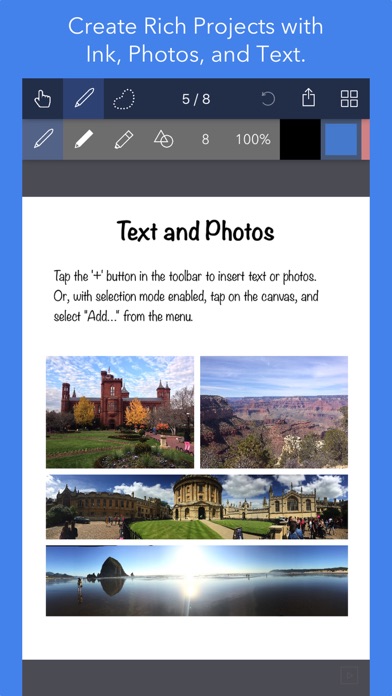
About Noteflow+ Digital Notebook
The description on the store listing
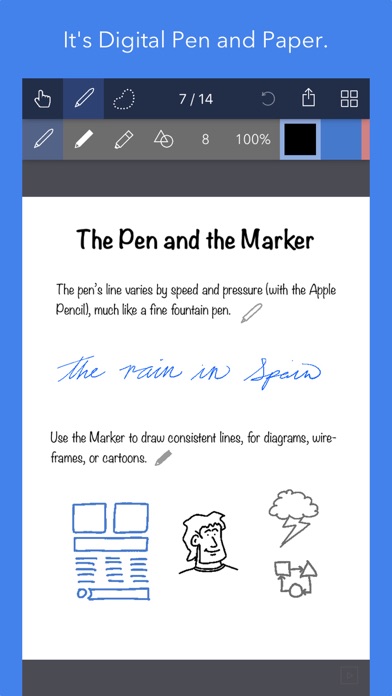
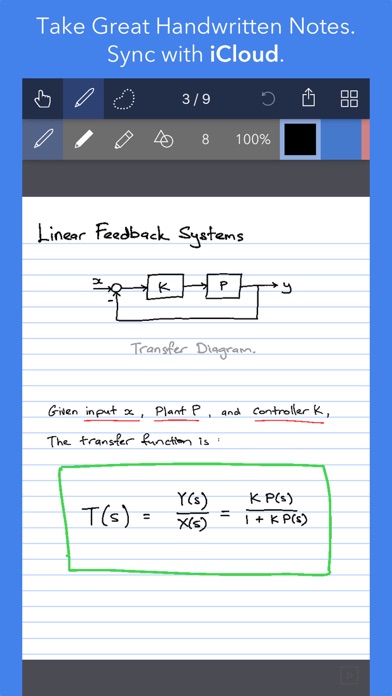
Noteflow is designed to replace pen and paper. It is a modern digital notebook that lets you get the most out of your iPad or iPhone.
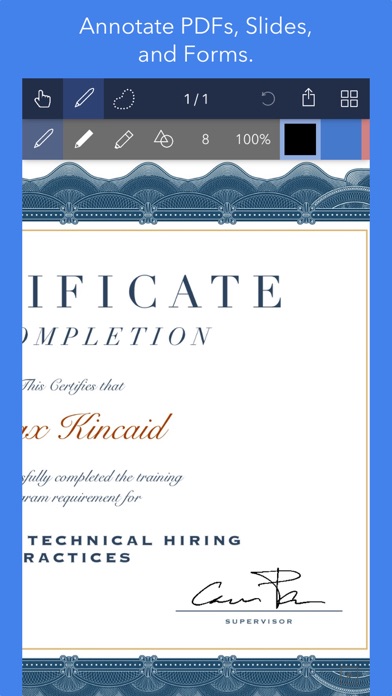
Use it for taking notes, annotating PDFs, sketching and doodling, plus a whole lot more:
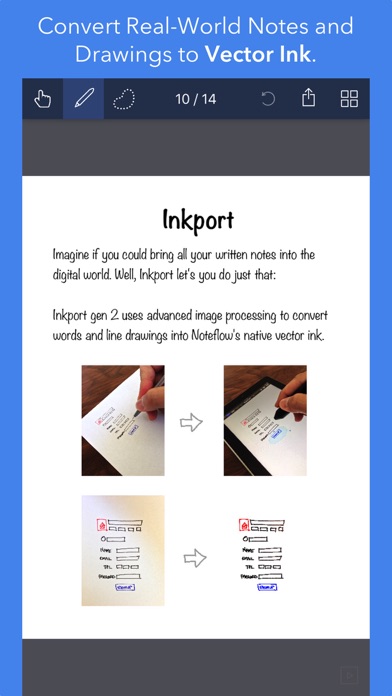
Copy and paste from the real world: Use Inkport gen 2 to snap a picture of a whiteboard or writing and convert it into Noteflow's native vector ink. No special paper needed. Then resize, re-color, or edit as if you wrote it in Noteflow.
Create layered drawings without layers: Use the highlighter tool to color and shade behind existing ink. Use Color-Select to separate and edit individual colors. It's a much more fluid and natural editing experience than with layers. …
Read the full description
Noteflow is designed to replace pen and paper. It is a modern digital notebook that lets you get the most out of your iPad or iPhone. Use it for taking notes, annotating PDFs, sketching and doodling, plus a whole lot more: Copy and paste from the real world: Use Inkport gen 2 to snap a picture of a whiteboard or writing and convert it into Noteflow's native vector ink. No special paper needed. Then resize, re-color, or edit as if you wrote it in Noteflow. Create layered drawings without layers: Use the highlighter tool to color and shade behind existing ink. Use Color-Select to separate and edit individual colors. It's a much more fluid and natural editing experience than with layers. Use the straight-line tool with a grid for fast and intuitive wireframes and drafting. Drag-and-drop, cloud-storage, and more: Noteflow natively integrates with iOS's file system and drag-and-drop capabilities. Drop photos and text into Noteflow, and drag your drawings into other apps. Store your files locally or sync with the cloud service of your choice. Make Noteflow a seamless part of your workflow, the way you like. SPACE FOR YOUR IDEAS TO ROAM Our vision for Noteflow is simple: to be digital pen and paper. The magic of pen and paper is in their versatility. They are useful for so many things, but particularly for the freeform capture of ideas. Noteflow expands upon this quality. You can naturally do all the things you normally do with pen and paper: take notes in meetings or class, and jot down flashes of inspirations on the go. And you can take that to a whole new level: One of Noteflow’s best uses is for "thinking on digital paper": quickly capture key ideas and concepts, then move and organize them on the screen. Noteflow's vector ink engine lets you scale and edit your work without any loss of quality. Your words and drawings remain tack sharp when zoomed in, giving you a huge effective working canvas even on a single page. There are analogues in the physical world, such as sketchnotes or everyday working on a white board, but being able to fluidly edit and move your ideas around the page is something you can only do digitally. When you represent the ideas in your head with your own personal scribbles on the screen, it effectively becomes an extension of your mind - giving you more room to think. We've designed every part of Noteflow to let you intuitively capture and work on your ideas the way you like. Whether it's dropping in existing information, quickly sketching concepts, or assembling polished presentations for others. By resizing ink and zooming in, you have a huge effective canvas to work with, even on a single page. As your ideas shape up, Noteflow has all the tools you need to tidy them up and format them to share with others. DIGITAL TOOLS FOR A DIGITAL AGE I hope you'll find Noteflow a useful part of your workflow, and that you'll discover new ways to do things with it that weren't easy before. We're very proud of the work we've put into Noteflow, but we're also just seen the beginning of what's possible with powerful new digital platforms like the iPad. Our goal is to push these platforms to their limits to craft useful tools. Tools that can help us think a little more clearly, communicate a bit more effectively, and connect with other in new and enriching ways. Thanks for joining us on this journey! -- The App Makers @ Qrayon.
Installs since 29 Aug 2026
Apple does not publish download counts. Estimates are in testing.
Estimated store revenue Estimated Beta
App Store, worldwide, monthly rate from the last 12 chart days to 19 Nov 2026
Below the top 100 grossing apps in the markets we calibrate. In the United States that usually means under about $6.4M a month. App Store purchases and subscriptions only, before Apple's 15 to 30% fee. Ads and web payments are not included.
Ratings
187 ratings, 187 reviews
No rating breakdown published for this app.
Recent reviews
Latest public reviews from the store
- 12 Apr 2022
Long Time User
This app for a long time. It is definitely time for a refresh or update. It has gotten to the point where it is not as user-friendly as it could be. I get a lot of ‘file deleted’ messages. It is an actually deleted per se, butIt does cost a lot of hassle trying to get my documents to function. There are limitations that seem like they could be conquered by now. Each page should be customizable rather than uniform stationary. When I export with graphics, there is always a graphic missing from the first page. There are just so many small glitches. I still use the app regularly but there are small time-consuming glitches that I wish I could be refreshed, corrected and just feature updates that seem long overdue. Don’t get me wrong it is definitely worth having.
- 27 Jan 2022
Great UX
Very happy with the app. It’s helping me learn better. I do wish if there’s a feature to fix the location of the page when I write. My hand kept moving it. And more brushes please. And is there a read only mode where I can just swipe right and left to turn pages? I also wish I can double tap with two or three fingers to fit the page to the width of the iPad.
- 3 Jan 2021
Outstanding tool for thoughts and organization
As one who uses their iPad as their collective life in electronic form, this app has brought a different and improved dimension in mental impressions, key to recall. Top of the mind recall is critical in my world. My impressions at this early stage are, that this app will become a primary tool for me as I develop the habit to use it. Maybe not totally perfect but my enthusiasm may be inflating my rating just a bit.
- 27 Jan 2020
Good but.....
This is my second app by this developer. I like the simplicity of the app. However, I would like to see some improvements made to the eraser tool. I am not able to get smooth lines/edges when erasing. I end up having to clean up edges using the background color in the pen tool. I will say that I read the previous reviews before buying the full version. The pencil only tool has been fixed (small icon in the lower left corner) and I have not seen the stray marks from my hand resting on the screen when using my Apple Pencil. So it seems this issue was fixed. Otherwise this is just what I was looking for.
What reviewers bring up
Topics mentioned in the latest 8 reviews, by how many reviews mention them
Liked in good reviews (6 reviews)
- feature 3
- better 3
- page 3
- hand 3
- tool 3
- apple pencil 2
- background 2
- documents 2
Raised in bad reviews (2 reviews)
- stop 2
Top chart positions
Latest App Store chart ranks by country, last 10 days
Not in any tracked top chart in the last 10 days.
Noteflow+ Digital Notebook history
Release, install milestones, listing and store changes
- First released on the store 19 Sep 2017
Recent versions
Current version 3.4
- Version 3.423 Feb 2025
+ Fix image rendering issue
Listing keywords
Words and phrases Noteflow+ Digital Notebook repeats most in its store listing
Top phrases: pen and paper (4), drag and drop (2), digital notebook (2), huge effective (2), single page (2).
Highlighted words also appear in the title. Counts cover the title, short description and description.
Compliance
What the listing and the app package show
- Store status
- Live
- Upkeep
- Updated 23 Feb 2025
- Age rating
- 4+
Apps like Noteflow+ Digital Notebook
 Tradify - Quote & Invoice ToolTradify Limited★ 4.83
 PrismHR Employee PortalPrismHR★ 1.83
 Shemagh Albassam - شماغ البسامMOHAMED AL SAAD AL AJLAN AND SONS TRADING COMPANY★ 4.26
 Super Collage for Hmp,Voyeur,ShazamWilson Tjoa★ 4.57
 Chatee AI: Intelligent DefenseADVERA LTD★ 4.56
 AVM MAG (Aviation Maintenance)Gregory Lampa★ 4.73
 PingboardPingboard Inc.★ 4.74
 Desert Sun TanningRevetize★ 4.88
 Cookin: Business ManagerCookin Inc★ 4.81
Noteflow+ Digital Notebook: questions and answers
Who makes Noteflow+ Digital Notebook?
Noteflow+ Digital Notebook is published by Qrayon, LLC.
When was Noteflow+ Digital Notebook last updated?
The latest version (3.4) was released on 23 Feb 2025.
Is Noteflow+ Digital Notebook free?
No. Noteflow+ Digital Notebook is a paid app priced at $14.99.
Is Noteflow+ Digital Notebook still available?
Yes. Noteflow+ Digital Notebook is live on App Store as of 14 Nov 2026.
Track Noteflow+ Digital Notebook and its competitors
Watch any app for new versions, rating drops, chart moves and removals. Free plan, no card.