- Installs
- —
- Apple does not publish download counts
- Rating
- 4.58
- Ratings
- 6.3K
- 6.3K reviews
- Version
- 3.11
- Updated 19 Sep 2017
- Released
- 11 Dec 2013
- Tracked since 10 May 2026
- Size
- 57 MB
- Needs 8.0
Screenshots
About Notepad+ Pro
The description on the store listing
Fully optimized for iPad Pro and Apple Pencil!
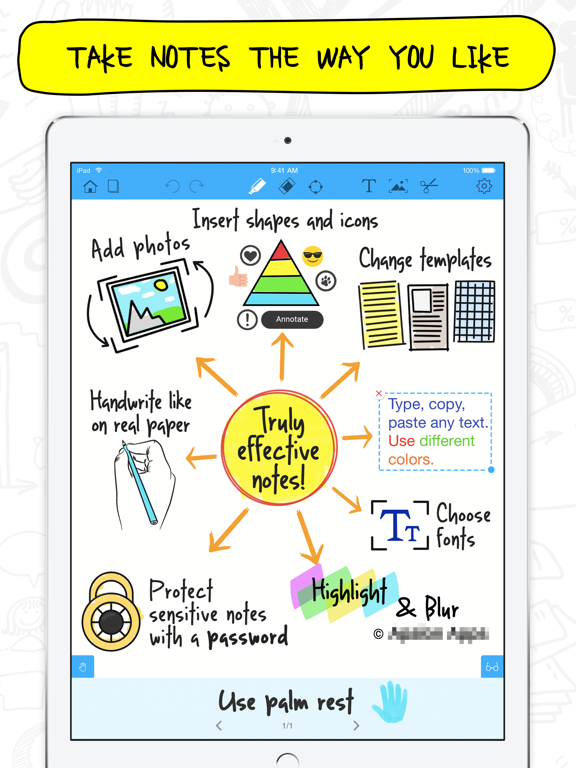
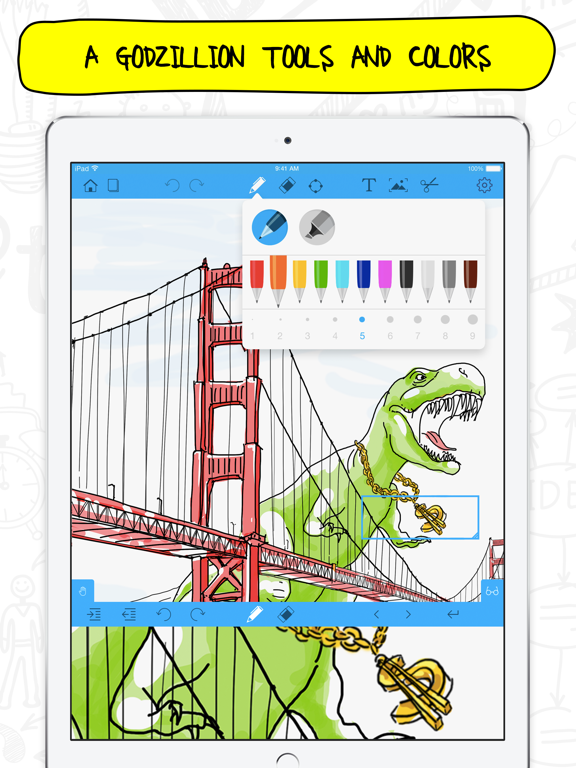
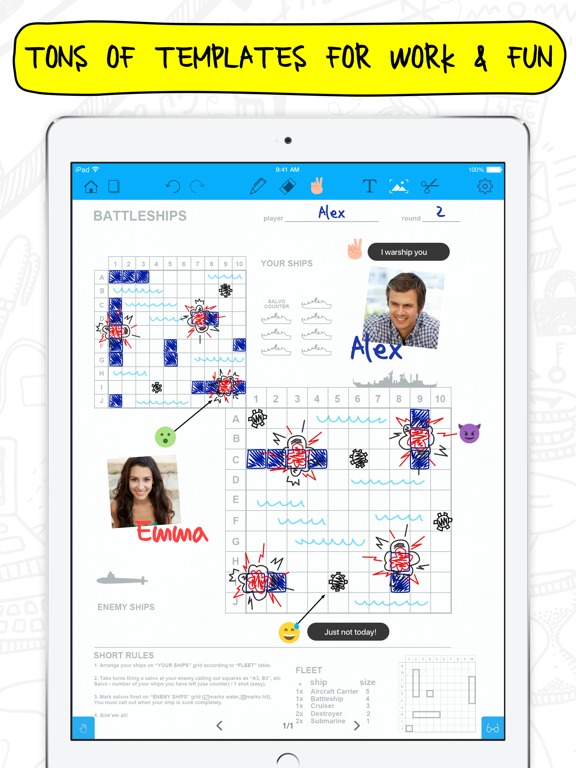
Notepad+ is pen and paper right on your iPad exactly when you need them. Take notes, draw, make sketches, annotate PDFs, create lists and memos, export your notes, and discover other great features. From now on you can be more productive than ever!
CREATE & ANNOTATE
- Take notes in lectures, seminars, business meetings, and conferences
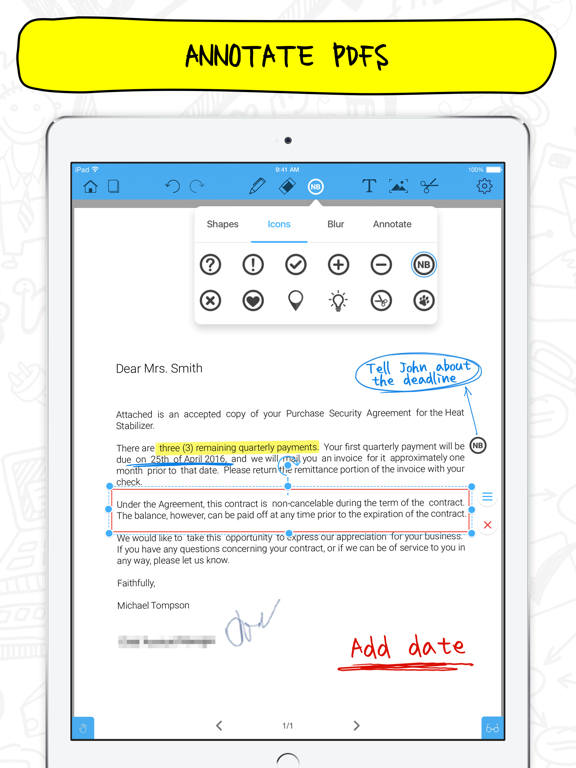
- Аnotate and edit files in various formats: PDF, Excel, Keynote, Numbers and more
- Organize notes on a virtual board
- Quickly assign a unique title to each note
- Change the template of any note in seconds
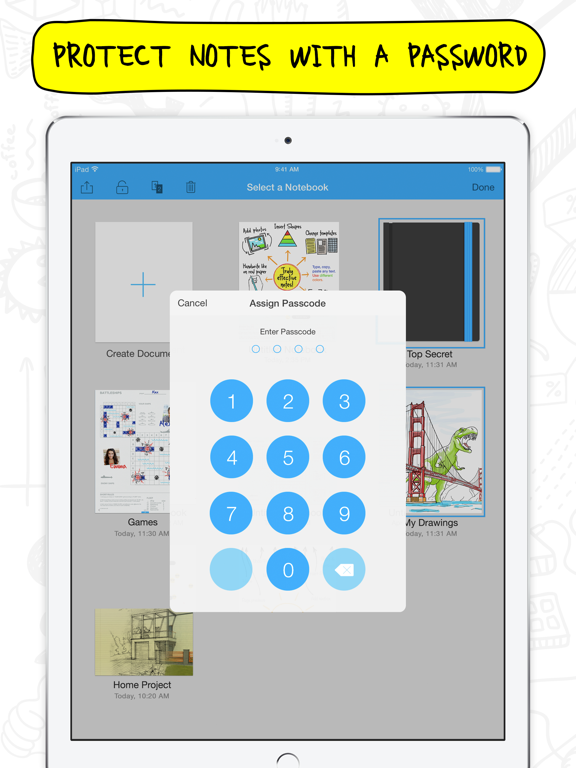
- Protect sensitive notes with a password
- Always pick up where you left off with the autosave …
Read the full description
Fully optimized for iPad Pro and Apple Pencil! Notepad+ is pen and paper right on your iPad exactly when you need them. Take notes, draw, make sketches, annotate PDFs, create lists and memos, export your notes, and discover other great features. From now on you can be more productive than ever! CREATE & ANNOTATE - Take notes in lectures, seminars, business meetings, and conferences - Аnotate and edit files in various formats: PDF, Excel, Keynote, Numbers and more - Organize notes on a virtual board - Quickly assign a unique title to each note - Change the template of any note in seconds - Protect sensitive notes with a password - Always pick up where you left off with the autosave feature CUSTOMIZE & EDIT - Move images easily from other apps using iOS 11 Drag and Drop - Choose your template from 8 template galleries (Basic, Education, Lifestyle, Business, Sports, Games, Photo Frames, Music) - Enjoy the editing options you're used to: easily cut, copy and paste any content - Make the most of ink pens, highlighters and colors for true handwriting experience - Enlarge parts on your screen to better see words and images with Magnification Tool - Zoom in and out to pay attention to details while sketching or drawing - Add photos to make your notes more visually appealing - Use helpful Icons, funny smileys and add text next to them to make your notes more catchy and emotional - Hide sensitive content with a single tap using Blur - Reorganize your notes with a drag-and-drop gesture, sort them by date created or modified - Use the iPad keyboard to type your notes - Experience all the advantages of maximum portability when using Smart Keyboard for iPad Pro - Use your finger or stylus when writing or drawing - Use Apple Pencil to create sketches or take notes without accidental marks or blots applying palm rejection function - Adjust the palm rest to prevent marks - Photo extension: mark up images right in your iPad's Photos app, use pens and highlighters to add notes and captions easily. - Create notes by importing and editing files in numerous formats: Excel (.xls), Keynote (.key), Numbers (.numbers), Pages (.pages), PDF (.pdf), Powerpoint (.ppt), Word (.doc), Rich Text Format (.rtf), Rich Text Format Directory (.rtfd), Keynote ’09 (.key), Numbers ‘09 (.numbers), Pages ‘09 (.pages) EXPORT & SHARE - Share a page or the whole notebook - Select a format (PDF or image) for better manageability - Email, print, save to Photos or iTunes - Use the Quick Search to find important notes in an instance GET 24/7 SUPPORT - Ask questions about the app and get immediate help with managing your notes - just contact us at [email protected] Notepad+ gives you the best of a digital notebook, all in one place. AdChoices: http://www.apalon.com/privacy_policy.html#4 For complete access to all Notepad+ features, you will need to allow access to the following: *Photos – so you can import your snapshots, mark them up, and save them. *Camera – so you can take photos and edit them within the app. *Contacts – so you can add them to documents and email your notes.
Installs, last 30 days
Apple does not publish download counts. Estimates are in testing.
Estimated store revenue Estimated Beta
App Store, worldwide, monthly rate from the last 12 chart days to 19 Nov 2026
Below the top 100 grossing apps in the markets we calibrate. In the United States that usually means under about $6.4M a month. App Store purchases and subscriptions only, before Apple's 15 to 30% fee. Ads and web payments are not included.
Ratings
6,335 ratings, 6,335 reviews
- 5 ★77%
- 4 ★13%
- 3 ★4.6%
- 2 ★1.7%
- 1 ★3.5%
Recent reviews
Latest public reviews from the store
- 10 Jan 2019
Go to app
ANOTHER UPDATE This is still a go to app for me. Two requests: please add a button to select a highlighter pen directly without going through the main pen menu. Also, being able to categorize pages would be handy. But of the two, having separate menus for the pen and highlighter is the higher priority for me. ************ I love this app. It’s ability who’s the one the reasons why I bought an iPad Pro. My two top request for the app are that multitasking be enabled so that I can use this app while using other apps on the iPad Pro. And secondly, I would like to be able to export all of the pages and I document as one unit rather than a separate pages. Other than that I love the ability to write with multiple pen colors and sizes and Multiple highlighter colors and sizes. **** UPDATE: This app is one of my go-to apps. It sits in my launch bar (or whatever iOS is calling that.) I just want to mention again how helpful the ability to have multi-tasking with this app would be. I’d have the app open all the time, and, honestly, that would make my iPad Pro all the more useful. So this is my New Year’s wish from the app developers! :-) **** Ok, I’m still wishing and
- 23 Jan 2018
I really hope developers will read my review~
This app really useful. I really enjoy and lecture all of my notes with this app but this app have 2 things that I wanted developers to improve. First is “drawing straight line tool” becoz even i use ruler(yes real ruler)and try to draw straight line. I cant even make a straight line. I think straight line tool is really important for drawing something (You have a line tool in shape tools but its too slow to draw many line with that tool. I wish you can make drawing line tool like notes writer app). Second thing is copy and paste tools. Its still difficult to use if u can make it similar to default note apps on ipad. I think this app will be the best note app in App store. :)
- 28 Oct 2017
Slow glitchy drawing when use pencil and hand touches the screen
The app seems great, nice templates for teaching, presentations, etc. The only problem I have (and which makes the app less usable) is the drawing becomes less responsive and slow when you put your hand on the iPad screen for more convenient drawing. At this moment lines become noticeably slow, you can see how a line is not yet finished while you have already finished a drawing. When only the pencil (Apple Pencil for iPad Pro) touches the screen there’s no this issue, and drawing is pretty responsive, like on real paper. But once you put your hand on the screen, it becomes almost unusable when you need to draw pictures fast at explanations. But constantly holding a hand in the air makes it super inconvenient to draw. The technical reason of this issue is that the app seems tries to draw lines when a multitouch is applied (two fingers on the screen), and when you put your hand on the screen it seems treats it as a second touch together with the pencil. Please fix this issue so the drawing is responsive, and the app will be usable. Thanks!
- 21 Sep 2017
Wow! Where have you been all my iPad Pro life???
This app is incredible. On short notice, I ended up attending a training conference. I didn't want to write on the "hotel" provided notepads. I don't type fast enough to run through the slides while typing. I downloaded this and in 1 minute I was logging my notes down efficiently. This lets me just jot down power notes, organize them, move the order around, and choose between paper style, ink color and thickness, etc. Love it! I have referred to tons of people at this training. Especially when people want to share notes, we just email it to each other. Nuff said.
What reviewers bring up
Topics mentioned in the latest 8 reviews, by how many reviews mention them
Liked in good reviews (3 reviews)
- ipad 3
- developers 2
- through 2
- useful 2
- wish 2
Raised in bad reviews (4 reviews)
- notes 3
- downloaded 2
- templates 2
- however 2
- another 2
- without 2
- select 2
- money 2
Top chart positions
Latest App Store chart ranks by country, last 10 days
Not in any tracked top chart in the last 10 days.
Notepad+ Pro history
Release, install milestones, listing and store changes
- First released on the store 11 Dec 2013
Update frequency
How often Notepad+ Pro ships a new version, month by month
0 updates in the last 12 months. Less often than most similar apps: they shipped a median of 4 updates in the same year.
Recent versions
Current version 3.11
- Version 3.1119 Sep 2017
* Performance and stability improvements for flawless work on iOS 11.
Listing keywords
Words and phrases Notepad+ Pro repeats most in its store listing
Top phrases: take notes (3), drag and drop (2), key numbers numbers (2), keynote key numbers (2), numbers numbers pages (2).
Highlighted words also appear in the title. Counts cover the title, short description and description.
Compliance
What the listing and the app package show
- Store status
- Live
- Upkeep
- No update since 19 Sep 2017
- Age rating
- 4+
Apps like Notepad+ Pro
 Galaxy VPN - Fast & SecurityBLUE REV SOAR TECHNOLOGY LIMITED★ 4.61
 Miro: your visual workspaceRealtimeBoard Inc.★ 4.69
 A Cleaner: Storage CleanupHONG KONG LITTLE BEAR INFORMATION TECHNOLOGY CO., LIMITED★ 4.3
 Add Watermark -Batch ProcessSaraswati Javalkar★ 4.84
 PlatoVPN Fast:Super VPN ProxyMogoTech Inc.★ 4.73
 Group Text | Mass MessageMass Text LLC★ 4.34
 ViVi Keyboard: Theme & ChatbotMetaverse Technology LTD★ 4.27
 Drukpa Lunar CalendarLich Viet JSC★ 4.75
 Microsoft 365 AdminMicrosoft Corporation★ 4.65
Notepad+ Pro: questions and answers
Who makes Notepad+ Pro?
Notepad+ Pro is published by Mosaic S.r.l..
When was Notepad+ Pro last updated?
The latest version (3.11) was released on 19 Sep 2017.
Is Notepad+ Pro free?
No. Notepad+ Pro is a paid app priced at $19.99.
Is Notepad+ Pro still available?
Yes. Notepad+ Pro is live on App Store as of 19 Nov 2026.
Track Notepad+ Pro and its competitors
Watch any app for new versions, rating drops, chart moves and removals. Free plan, no card.