- Installs
- —
- Apple does not publish download counts
- Rating
- —
- Ratings
- —
- Version
- 1.2
- Updated 14 Jan 2018
- Released
- 5 Jun 2017
- Tracked since 10 May 2026
- Size
- 6 MB
- Needs 10.12
Screenshots
About Noto
The description on the store listing
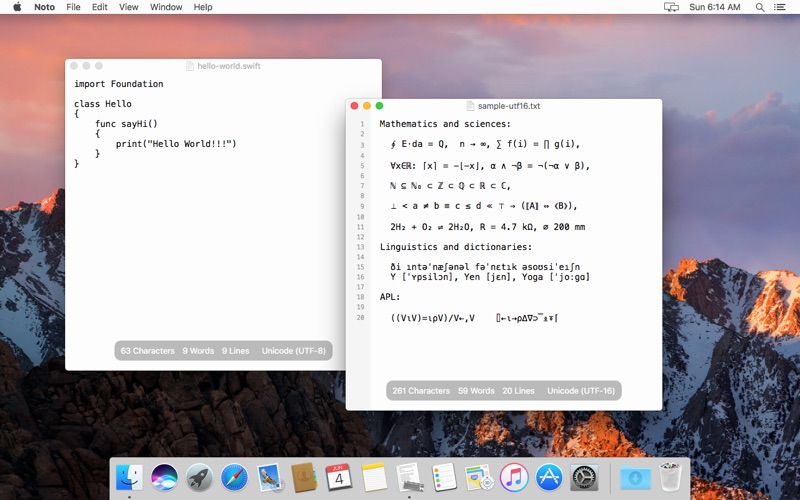
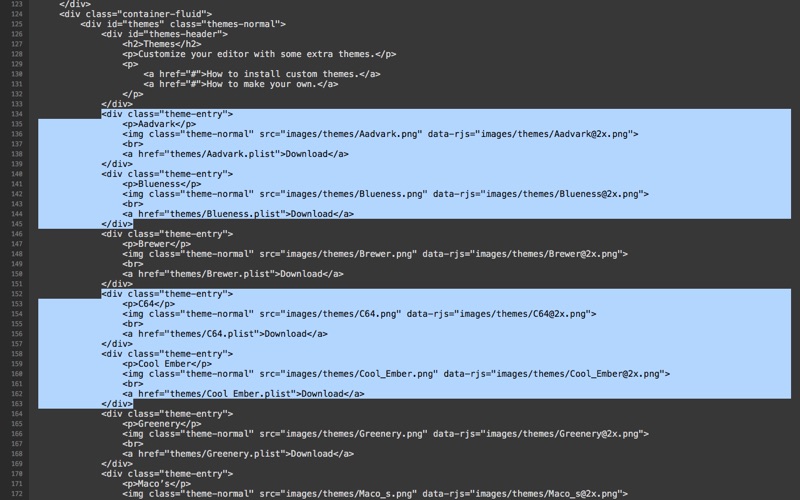
Noto is a simple, pretty, and straightforward plain text editor for macOS.
With few but focused features, Noto is the ideal tool to maintain short notes, lists, and source code files without clutter.
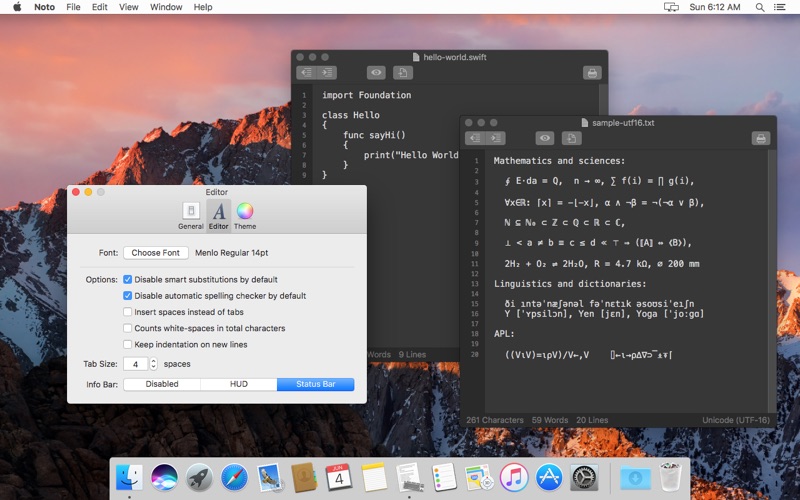
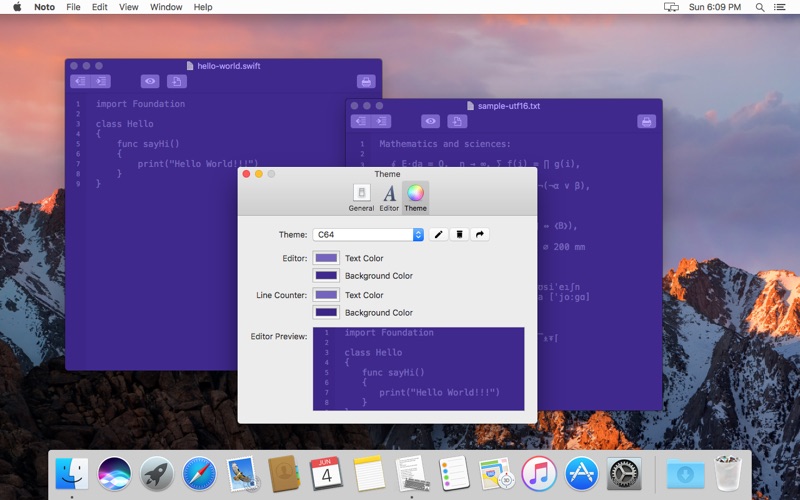
Customize the appearance of the editor with your preferred colors; download themes, or create and share your own. Toggle different panels to customize the appearance of the editor, such as a line numbers bar, the toolbar, and an information bar that displays statistics about the document (characters, words, and lines count; document encoding).
Open and save documents using specific file encodings (especially useful to read and write files from/to older systems, for example).
Some of the …
Read the full description
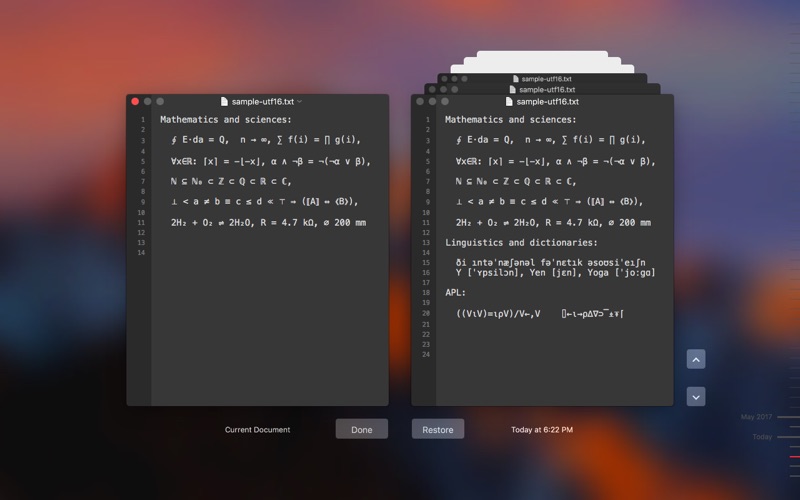
Noto is a simple, pretty, and straightforward plain text editor for macOS. With few but focused features, Noto is the ideal tool to maintain short notes, lists, and source code files without clutter. Customize the appearance of the editor with your preferred colors; download themes, or create and share your own. Toggle different panels to customize the appearance of the editor, such as a line numbers bar, the toolbar, and an information bar that displays statistics about the document (characters, words, and lines count; document encoding). Open and save documents using specific file encodings (especially useful to read and write files from/to older systems, for example). Some of the other features include: * iCloud Drive support: Store your files on iCloud Drive and have them always with you. * File versioning support: Browse, copy, and restore previous versions of your file. Works out of the box on macOS, but works even better if you tore your files on iCloud Drive and/or if you have Time Machine enabled. * Distraction free mode: Work on full screen and see only your content. You can hide all non-essential panels to make most use of your screen space. * Multiple-selection indentation: Select several chunks of text by holding Command to increase and decrease the indentation. Useful for quickly fixing a piece of code. * Invisible characters rendering: Enable this feature to have Noto show hints of invisible characters in the text, so you can see those pesky whitespaces at the end of lines. Noto is Free Software distributed under the GPLv3 license, and with source available on GitHub. Please notice: Due to the way the Mac App Store distributes applications, you can't redistribute Noto if you downloaded it from the Mac App Store. If you wish to have a freely redistributable binary, visit the Noto website and download the signed binary from there.
Installs
Apple does not publish download counts. Estimates are in testing.
We publish iOS estimates only after they pass a back-test against real numbers. Chart history below is measured.
Estimated store revenue Estimated Beta
App Store, worldwide, monthly rate from the last 12 chart days to 19 Nov 2026
Below the top 100 grossing apps in the markets we calibrate. In the United States that usually means under about $6.4M a month. App Store purchases and subscriptions only, before Apple's 15 to 30% fee. Ads and web payments are not included.
Ratings
No rating breakdown published for this app.
Recent reviews
Latest public reviews from the store
No reviews in our sample for this app yet.
Top chart positions
Latest App Store chart ranks by country, last 10 days
Not in any tracked top chart in the last 10 days.
Noto history
Release, install milestones, listing and store changes
- First released on the store 5 Jun 2017
Recent versions
Current version 1.2
- Version 1.214 Jan 2018
Updated invisibles rendering. Now uses more intuitive invisible character representations. Adds new help book. Plenty of performance improvements (and more under work to be released in the next version).
Listing keywords
Words and phrases Noto repeats most in its store listing
Top phrases: icloud drive (3), customize the appearance (2), files on icloud (2), mac app store (2), invisible characters (2).
Highlighted words also appear in the title. Counts cover the title, short description and description.
Compliance
What the listing and the app package show
- Store status
- Live
- Upkeep
- No update since 14 Jan 2018
- Age rating
- 4+
Apps like Noto
 Super VPN: Fast Private ProxyGeek Incorporated★ 4.4
 Hubtel RetailerHubtel Limited★ 4.32
 Monthly Calendar 2022 - CalistOmoboto LLC★ 4.38
 Firstly: To-Do List & PlannerfocusCove LLC★ 4.7
 CBUS 311City of Columbus, Ohio★ 1.8
 Themes for Powerpoint - DesiGNGraphic Node★ 4.22
 iSiloDC & Co.★ 3.82
 Flashlight Pro [Multipurpose LED light]KAVAPOINT★ 3.88
 WiPryOscium LLC★ 2.68
Noto: questions and answers
Who makes Noto?
Noto is published by Bruno Philipe Resende Silva.
When was Noto last updated?
The latest version (1.2) was released on 14 Jan 2018.
Is Noto free?
Yes. Noto is free to download.
Is Noto still available?
Yes. Noto is live on App Store as of 10 May 2026.
Track Noto and its competitors
Watch any app for new versions, rating drops, chart moves and removals. Free plan, no card.