
- Installs
- —
- Apple does not publish download counts
- Rating
- 4.71
- Ratings
- 1.9K
- Version
- 3.13.0
- Updated 12 Feb 2025
- Released
- 21 Jul 2016
- Tracked since 10 May 2026
- Size
- 61 MB
- Needs 13.0
Also on Google Play: nPlayer (4.1K ratings)
Screenshots
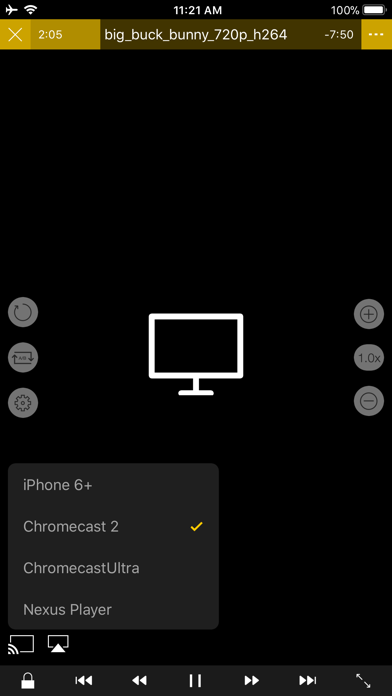
About nPlayer
The description on the store listing
** nPlayer officially supports DTS (DTS HD ), DTS Headphone:X.
** nPlayer supports Dolby (AC3, E-AC3).
** nPlayer is the universal app. You can install it in any other iOS device without additional purchase.
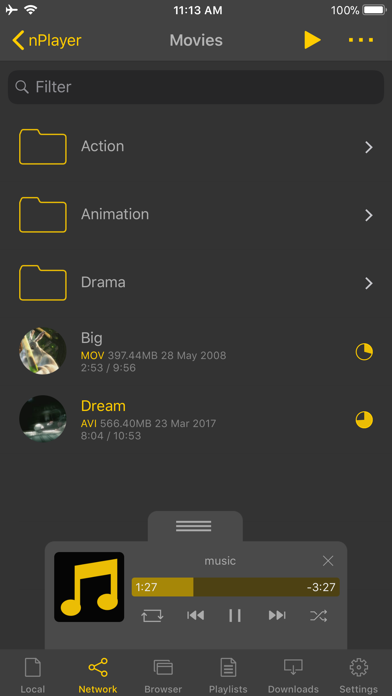
- You don't need to convert video files to MP4 to play them in your mobile device. nPlayer enable you to play all kinds of video formats and codecs without file converting efforts.
- You don't need to store video files in your device with limited storage space. nPlayer's powerful and various network technologies will help you to stream them from remote devices.
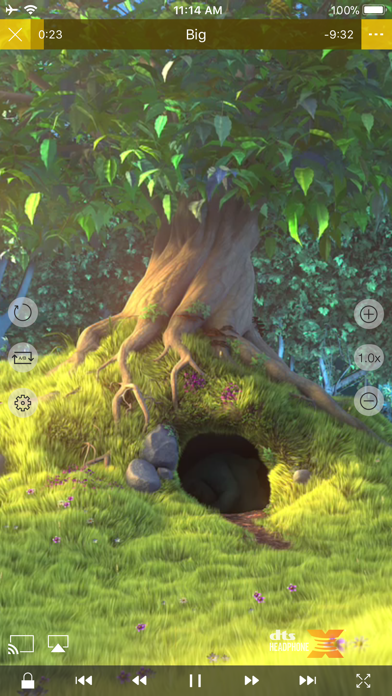
- With your finger tip, you can adjust playback position, move to previous and next subtitle position, adjust location …
Read the full description
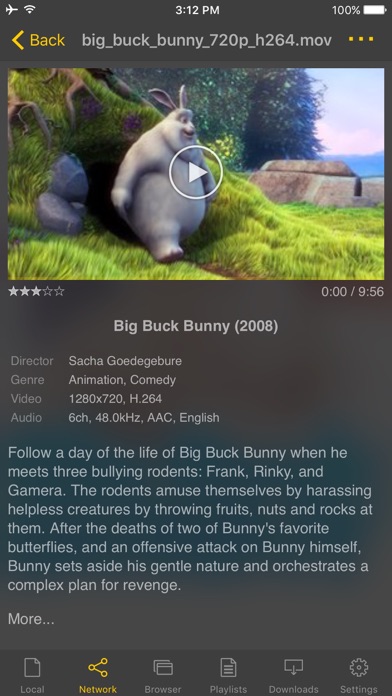
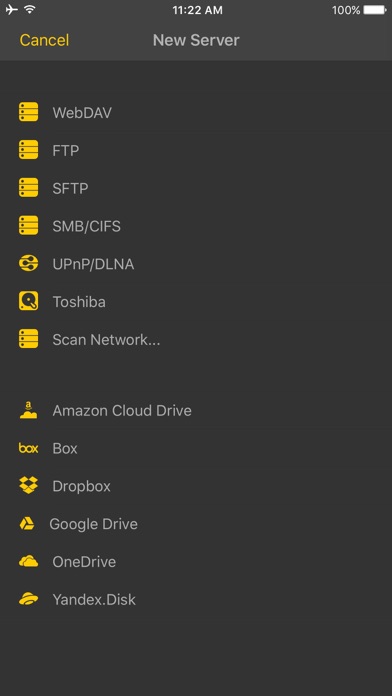
** nPlayer officially supports DTS (DTS HD ), DTS Headphone:X. ** nPlayer supports Dolby (AC3, E-AC3). ** nPlayer is the universal app. You can install it in any other iOS device without additional purchase. - You don't need to convert video files to MP4 to play them in your mobile device. nPlayer enable you to play all kinds of video formats and codecs without file converting efforts. - You don't need to store video files in your device with limited storage space. nPlayer's powerful and various network technologies will help you to stream them from remote devices. - With your finger tip, you can adjust playback position, move to previous and next subtitle position, adjust location and font size of subtitles, control volume and brightness. - Experience nPlayer, thousands of users recommendations. * Features - Supports officially DTS audio codec (DTS HD) - Supports Dolby audio codec (AC3, E-AC3) - Supports iXpand Drive - Supports Chromecast - Supports video cast for Smart TV - Supports HDMI output - Supports video files : MP4, MOV, MKV, AVI, WMV, ASF, FLV, OGV, RMVB, TP etc. - Supports audio files : MP3, WAV, WMA, FLAC, APE etc. - Supports subtitle files : SMI, SRT, SSA, IDX, SUB, LRC, SUP, MLP2 etc. - Supports image files : JPG, PNG, BMP, GIF, TIFF etc. - Supports playlist files : CUE, M3U, PLS - Supports WebDAV, FTP, SFTP, HTTP, SMB/CIFS, NFS - Supports UPnP/DLNA (supports subtitles if DLNA server provides subtitles information.) - Supports cloud service (Box, Dropbox, OneDrive, Yandex.Disk) - Supports in-app web browser - Supports iTunes video/audio play (except for DRM contents) - Supports videos and pictures in Album - Playback speed control : 0.5x ~ 4.0x - Resume playback - AB repeat(specific section repetition) - Screen lock - Supports AV1/HEVC/H.264/MPEG4 Hardware acceleration - Supports 3D video mode - Screen flip horizontally, vertically. brightness and saturation control - Aspect ratio : Default, 1:1, 3:2, 4:3, 5:3, 16:9, 1.85:1 etc - Supports multi-track audio - Supports audio boost - Supports audio sync - Supports lyrics display - Supports Dolby, DTS HDMI Bitstream (Passthru) - Supports embedded subtitles - Supports multi-track subtitles - Supports user’s selection of subtitle files - Supports addition of optional subtitle files while playback - Supports subtitles font, color, shadow, outline customization - Supports subtitles sync - Supports external subtitle fonts - Supports SAMI(SMI) tag - Supports SSA/ASS with full styling, embedded subtitles - File management : Delete, Move, Rename, Create a folder - Playlist management : Add, Delete, Modify - Supports recently played list - Folder lock - Supports Open-in - Supports UI theme * Gesture Features - Tap : Menu - Double tap : Pop-up play - Drag horizontally : Playback position adjustment - Drag vertically on right half of the screen : Volume control - Drag vertically on left half of the screen : Brightness control - Pinch on the screen : Screen size adjustment - Drag horizontally on subtitle text : Move to previous/next subtitle text - Drag vertically on subtitle text : Subtitle position adjustment - Pinch on subtitle text : Subtitle font size adjustment - Supports finger gesture customization
Installs
Apple does not publish download counts. Estimates are in testing.
We publish iOS estimates only after they pass a back-test against real numbers. Chart history below is measured.
Estimated store revenue Estimated Beta
App Store, worldwide, monthly rate from the last 12 chart days to 19 Nov 2026
Below the top 100 grossing apps in the markets we calibrate. In the United States that usually means under about $6.4M a month. App Store purchases and subscriptions only, before Apple's 15 to 30% fee. Ads and web payments are not included.
Ratings
1,899 ratings
No rating breakdown published for this app.
Recent reviews
Latest public reviews from the store
No reviews in our sample for this app yet.
Top chart positions
Latest App Store chart ranks by country, last 10 days
- Countries ranked
- 42 of 50
- Best rank
- #3
- Top 10 placements
- 10
- of 50 chart placements
- Average rank
- #42.9
Best countries on App Store
- 🇰🇷 South Korea · Top paid, Entertainment#3
- 🇭🇰 Hong Kong SAR China · Top paid, Entertainment#4
- 🇹🇼 Taiwan · Top paid, Entertainment#4
- 🇯🇵 Japan · Top paid, Entertainment#6
- 🇦🇪 United Arab Emirates · Top paid, Entertainment#6
- 🇮🇳 India · Top paid, Entertainment#7
| Country | Chart | Category | Rank | Best (10 days) | Date |
|---|---|---|---|---|---|
| 🇰🇷 South Korea | Top paid | Entertainment | #3 | #1 | 19 Nov 2026 |
| 🇭🇰 Hong Kong SAR China | Top paid | Entertainment | #4 | #4 | 19 Nov 2026 |
| 🇹🇼 Taiwan | Top paid | Entertainment | #4 | #3 | 19 Nov 2026 |
| 🇯🇵 Japan | Top paid | Entertainment | #6 | #5 | 19 Nov 2026 |
| 🇦🇪 United Arab Emirates | Top paid | Entertainment | #6 | #2 | 19 Nov 2026 |
| 🇮🇳 India | Top paid | Entertainment | #7 | #3 | 19 Nov 2026 |
| 🇵🇭 Philippines | Top paid | Entertainment | #7 | #5 | 19 Nov 2026 |
| 🇭🇺 Hungary | Top paid | Entertainment | #7 | #1 | 19 Nov 2026 |
| 🇪🇸 Spain | Top paid | Entertainment | #9 | #6 | 19 Nov 2026 |
| 🇳🇿 New Zealand | Top paid | Entertainment | #9 | #9 | 19 Nov 2026 |
nPlayer history
Release, install milestones, listing and store changes
- First released on the store 21 Jul 2016
Update frequency
How often nPlayer ships a new version, month by month
0 updates in the last 12 months. Less often than most similar apps: they shipped a median of 1 updates in the same year.
Recent versions
Current version 3.13.0
- Version 3.13.012 Feb 2025
- Support for AV1 hardware decoding (Devices with A17+/M3+ chips) - Improved Picture-in-Picture support (supports all video formats) - Performance improvements and bug fixes - Remove Google Drive feature
Listing keywords
Words and phrases nPlayer repeats most in its store listing
Top phrases: subtitle text (4), drag vertically (3), subtitle files (3), supports audio (3), supports dolby (3).
Highlighted words also appear in the title. Counts cover the title, short description and description.
Compliance
What the listing and the app package show
- Store status
- Live
- Upkeep
- Updated 12 Feb 2025
- Age rating
- 17+
Apps like nPlayer
 TierMaker.comTastier Adventures★ 4.17
 Derya Abla Kahve FalıFLYBIT YAZILIM LIMITED SIRKETI★ 4.73
 Pizza Chef: Fun Cooking GamesMaker Labs★ 4.63
 Hale Centre TheatreHale Centre Theatre★ 4.78
 Meow WolfMeow Wolf, Inc.★ 4.84
 WallpapersGorilla Technologies★ 4.17
 Food Games Blend Cooking GamesMaker Labs★ 4.48
 iSTBNihal Ahmed★ 4.57
 Roku TV Remote Control MobileBenjamin Ouellet★ 4.61
nPlayer: questions and answers
Who makes nPlayer?
nPlayer is published by Newin Inc..
When was nPlayer last updated?
The latest version (3.13.0) was released on 12 Feb 2025.
Is nPlayer free?
No. nPlayer is a paid app priced at $4.99.
Is nPlayer still available?
Yes. nPlayer is live on App Store as of 10 May 2026.
Track nPlayer and its competitors
Watch any app for new versions, rating drops, chart moves and removals. Free plan, no card.