
- Installs
- —
- Apple does not publish download counts
- Rating
- 4.6
- Ratings
- 5.2K
- 5.2K reviews
- Version
- 1.6.2
- Updated 2 Oct 2024
- Released
- 15 Nov 2017
- Tracked since 11 May 2026
- Size
- 7 MB
- Needs 13.0
Screenshots



About OLEDX
The description on the store listing
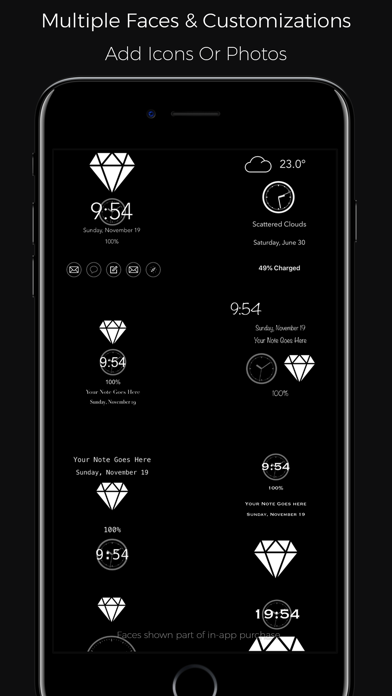
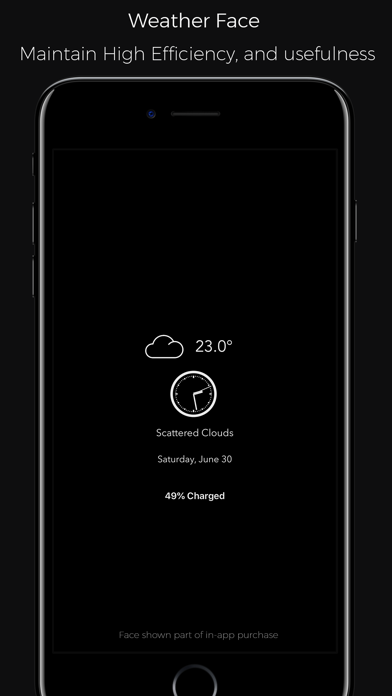
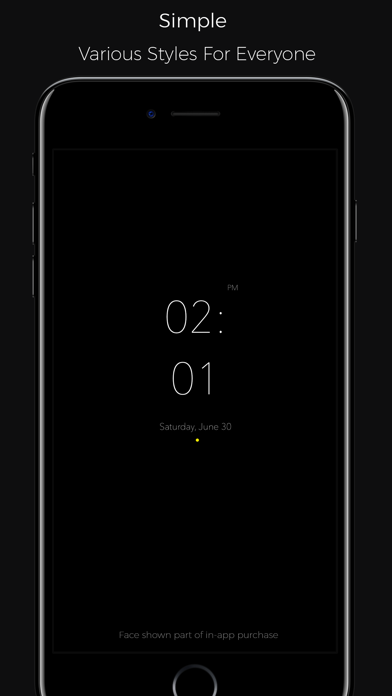
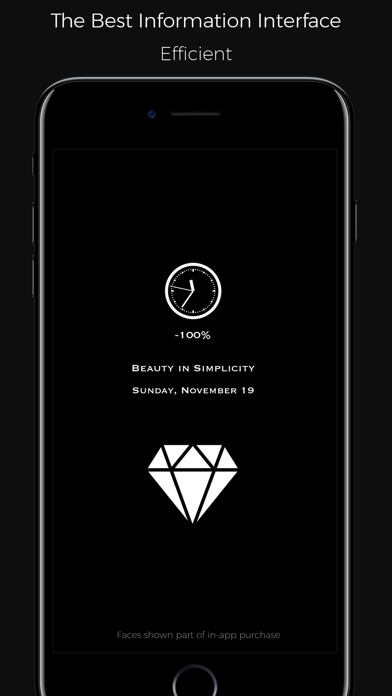
A simple Clock/Information Interface made to take advantage of the iPhone OLED displays. Keep track of time, add a personal note, check the weather, add icons or images to the Information Interface.
The interface takes minor jumps each minute (3 pixels), this is built as a safety measure for OLED panels.
OLEDX is highly energy efficient. By using the most efficient methods to accomplish its main purpose OLEDX achieves very low power consumption.
The iPhone OLED screens make it possible to have zero light emitting from pixels that are not being used, the entire screen will look completely dark while the information interface pixels will emit light.
Features:
-Display Time and Date …
Read the full description
A simple Clock/Information Interface made to take advantage of the iPhone OLED displays. Keep track of time, add a personal note, check the weather, add icons or images to the Information Interface. The interface takes minor jumps each minute (3 pixels), this is built as a safety measure for OLED panels. OLEDX is highly energy efficient. By using the most efficient methods to accomplish its main purpose OLEDX achieves very low power consumption. The iPhone OLED screens make it possible to have zero light emitting from pixels that are not being used, the entire screen will look completely dark while the information interface pixels will emit light. Features: -Display Time and Date -Current Weather Face -Display Battery Information -Display Icon or Personal Note -Display Icon -Dual Time Zone Interface -Analog Or Digital Clock -Proximity Sensor Monitoring -Energy Efficient -Multiple Watch Faces -Face color customization -Star Roofs -Adjust brightness of the interface by panning up and down across it. And more. Star roofs once set will go into a slide show mode and will loop through the set. This is done in order to prevent a single roof from being displayed for extended periods of time. The Settings button shows on and off when you first enter the app, but you can tap on that position of the screen anytime to access the settings menu. Screen brightness can be adjusted by panning up and down with your finger across the interface.
Installs, last 30 days
Apple does not publish download counts. Estimates are in testing.
Estimated store revenue Estimated Beta
App Store, worldwide, monthly rate from the last 15 chart days to 22 Nov 2026
Below the top 100 grossing apps in the markets we calibrate. In the United States that usually means under about $6.4M a month. App Store purchases and subscriptions only, before Apple's 15 to 30% fee. Ads and web payments are not included.
Ratings
5,170 ratings, 5,170 reviews
No rating breakdown published for this app.
Recent reviews
Latest public reviews from the store
- 7 Apr 2026
Wish there was seconds with the digital clock
Good app, but i wish there was seconds to the clock
- 2 Feb 2026
What’s not to love?
It's black and white.
- 7 Sep 2025
Like the display
I like the low key display of the clock overnight- no bright colors, no scrolling ads. The alarm seems to work when it’s set to recurring- however, I haven’t yet been able to get it to go off when it’s set to “once.” Also, the Star Roof feature doesn’t seem to work at all, and the “snooze” doesn’t go off. This wasn’t really worth paying for the full version. There is no support for the app, even within the app, clicking on support only takes you to a generic overview of tips.
- 30 May 2025
I don't rate apps BUT...
Wonderful tool!
What reviewers bring up
Topics mentioned in the latest 50 reviews, by how many reviews mention them
Liked in good reviews (20 reviews)
- iphone 7
- display 5
- set 4
- show 3
- mode 3
- feature 2
- stays 2
- worth 2
Raised in bad reviews (22 reviews)
- screen 6
- support 5
- clock 5
- money 4
- off 4
- stopped 3
- premium 3
- waste 3
Top chart positions
Latest App Store chart ranks by country, last 10 days
Not in any tracked top chart in the last 10 days.
OLEDX history
Release, install milestones, listing and store changes
- First released on the store 15 Nov 2017
Update frequency
How often OLEDX ships a new version, month by month
0 updates in the last 12 months. Less often than most similar apps: they shipped a median of 3 updates in the same year.
Recent versions
Current version 1.6.2
- Version 1.6.22 Oct 2024
- Fixes Critical Issue with app functionality caused by system update
Listing keywords
Words and phrases OLEDX repeats most in its store listing
Top phrases: information interface (3), display icon (2), energy efficient (2), iphone oled (2), personal note (2).
Highlighted words also appear in the title. Counts cover the title, short description and description.
Compliance
What the listing and the app package show
- Store status
- Live
- Upkeep
- No update since 2 Oct 2024
- Age rating
- 4+
Apps like OLEDX
 TimeoraVISTA TECH LTD★ 4.61
 One Cleaner: Clean up storageHONG KONG TOPONE NETWORK TECHNOLOGY CO.,LIMITED★ 4.47
 KeepClean AI: Storage CleanerOlosera Limited★ 4.24
 QR Code & Barcode Scanner app.Minimodev Technologies LTD★ 4.69
 EMF Field Detector RF ScannerJorge Gregorio Martin Bello★ 4.46
 System Status Pro: hw monitorTechet★ 4.77
 Unzip - Unarchive Expert青青 余★ 4.61
 JustIN MobileSalto Systems★ 4.64
 Fusvob VPN : Super VPN 2026Fuxin Technology★ 4.5
OLEDX: questions and answers
Who makes OLEDX?
OLEDX is published by Ronan Stark.
When was OLEDX last updated?
The latest version (1.6.2) was released on 2 Oct 2024.
Is OLEDX free?
Yes. OLEDX is free to download.
Is OLEDX still available?
Yes. OLEDX is live on App Store as of 22 Nov 2026.
Track OLEDX and its competitors
Watch any app for new versions, rating drops, chart moves and removals. Free plan, no card.