- Installs
- —
- Apple does not publish download counts
- Rating
- 4.28
- Ratings
- 114
- 114 reviews
- Version
- 2.25
- Updated 25 Nov 2019
- Released
- 2 Jan 2014
- Tracked since 10 May 2026
- Size
- 66 MB
- Needs 10.3
Screenshots
About One Minute Changes
The description on the store listing
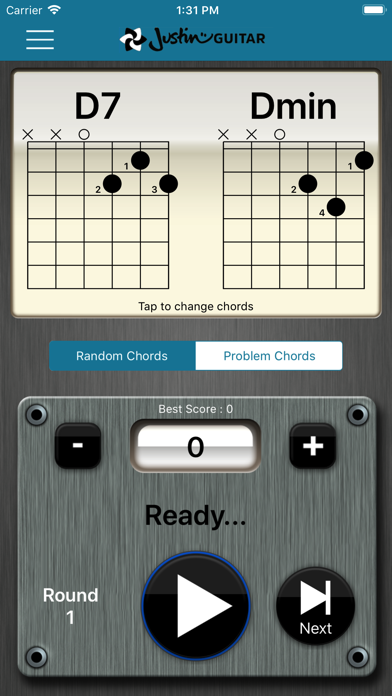
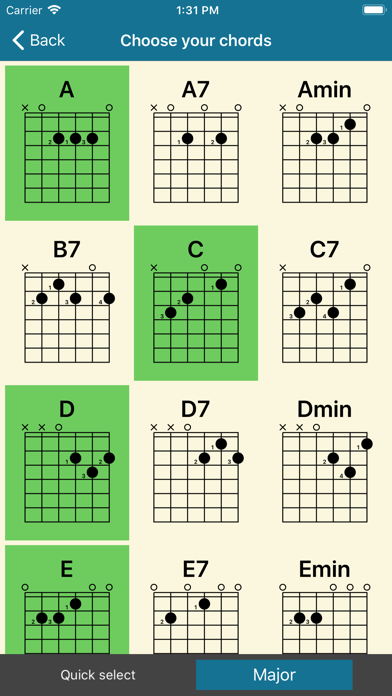
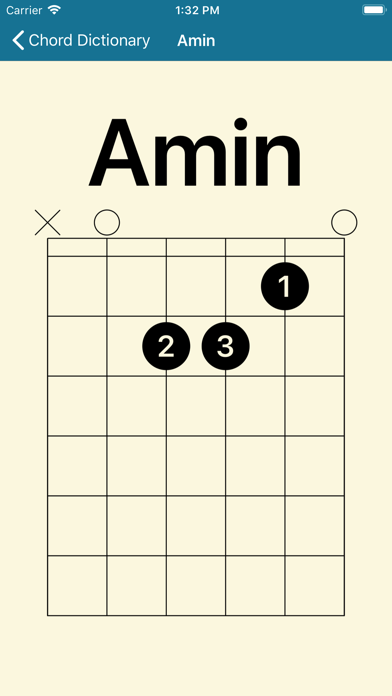
The One Minute Changes app is a free app from Justinguitar.com to help beginner guitarists using my Beginner's Course keep track of the amount of chord changes they can do! All the chords used in the course are built in, but you can add in your own too, see statistics and it will automatically pick the chords you struggle with most if you ask it to! If you dig it, please check out my other apps :)
Installs since 29 Aug 2026
Apple does not publish download counts. Estimates are in testing.
Estimated store revenue Estimated Beta
App Store, worldwide, monthly rate from the last 13 chart days to 20 Nov 2026
Below the top 100 grossing apps in the markets we calibrate. In the United States that usually means under about $6.4M a month. App Store purchases and subscriptions only, before Apple's 15 to 30% fee. Ads and web payments are not included.
Ratings
114 ratings, 114 reviews
No rating breakdown published for this app.
Recent reviews
Latest public reviews from the store
- 20 Apr 2021
Annoying bugs but useful app
This app is great for keeping track of chord changes, but the interface isn’t very intuitive, and if you try to tag a chord the writing is invisible. Also, if you want to see your lowest chord scores, it includes those with 0 changes if you haven’t practiced that chord. But still a very useful app. ALSO: it would be great to add a feature of you could see your progress over time by dates. It would be very motivating if you have 20 changes and get up to 40 in a few weeks!
- 26 Aug 2020
Mostly wonderful
I think it’s a great app and beautifully designed. I like that I can add chords to the library as need to I learn them. Personally, I’m glad that the library is not too extensive so you don’t have to spend a lot of time searching through and just focusing on the chords you want. I might’ve missed something, but I don’t see a way to remove a chord from the library. The only other issue I see is that once I shut the app, it does not remember the cords that I was working on so I have to re-select them each time. That aside, I think the app is brilliant and very helpful for beginning guitar players such as myself. Thanks Justin!
- 4 Sep 2019
Total home run
So far I’ve only used this app for two practice sessions. I’ve been working through the beginner course and now to the point of working on getting all my cord changes to 60 in a minute. I was tracking this just using the iPhone timer and pencil/paper but this app makes the whole process much more efficient so I end up getting to practice many more chord changes in the same practice session and can track the results is awesome. Having the cord chart right there for reference is another bonus especially just starting to learn the chord I found I ended up having to refer back to the section in the book to make sure I got it right. As someone who started with right hand guitar and switched to playing left handed I also appreciate that in the settings you can enable left handed mode so the chord charts are mirrored. I ended up not using it but I may be in the minority as to me it makes sense to look at the right handed chord chart and just flip it in my head - your results may very. All in all an invaluable tool to add to your practice routine which is definitely not a distraction. Highly recommend this app.
- 30 Mar 2018
Major improvements!
I just discovered that the two greatest shortcomings of this app have been fixed—the timer sound is now loud enough to hear, and you can hold your finger down on the count “counter” to jump up by large increments instead of having to tap it 50 times. Also it’s showing my previous high count which I could never figure out how to see before on my iPhone. Thanks for the efforts! A very nice app now, great for building up my speed.
What reviewers bring up
Topics mentioned in the latest 8 reviews, by how many reviews mention them
Liked in good reviews (5 reviews)
- timer 4
- definitely 3
- changes 3
- chord 3
- combinations 2
- especially 2
- practice 2
- through 2
Raised in bad reviews (1 reviews)
No topic comes up twice.
Top chart positions
Latest App Store chart ranks by country, last 10 days
Not in any tracked top chart in the last 10 days.
One Minute Changes history
Release, install milestones, listing and store changes
- First released on the store 2 Jan 2014
Recent versions
Current version 2.25
- Version 2.2525 Nov 2019
We've updated the screen layouts for iOS 13. You can now also save chords with a / in the name.
Listing keywords
Words and phrases One Minute Changes repeats most in its store listing
Top phrases: minute changes (2).
Highlighted words also appear in the title. Counts cover the title, short description and description.
Compliance
What the listing and the app package show
- Store status
- Live
- Upkeep
- No update since 25 Nov 2019
- Age rating
- 4+
Apps like One Minute Changes
 Dr. Panda Swimming PoolDr. Panda Ltd★ 4.24
 Homes by TinybopTinybop Inc.★ 4.25
 Homework Helper: Math AnswersNovoSolutions★ 3.65
 Abacus LessonHirokazu Komatsu★ 4.8
 Learn French (Beginners)BNR LANGUAGES INC.★ 4.72
 Illinois CDL Prep TestAltaf Mogal★ 4.75
 JAMB CBT PRACTICE 2026 - LFXLFX EDUCATIONAL SOFTWARE LTD★ 3.84
 Fish School - 123 ABC for KidsDuck Duck Moose LLC★ 3.69
 German FlashcardsMau Nguyen★ 4.32
One Minute Changes: questions and answers
Who makes One Minute Changes?
One Minute Changes is published by Justin Guitar.
When was One Minute Changes last updated?
The latest version (2.25) was released on 25 Nov 2019.
Is One Minute Changes free?
Yes. One Minute Changes is free to download.
Is One Minute Changes still available?
Yes. One Minute Changes is live on App Store as of 14 Nov 2026.
Track One Minute Changes and its competitors
Watch any app for new versions, rating drops, chart moves and removals. Free plan, no card.