
- Installs
- —
- Apple does not publish download counts
- Rating
- 3.63
- Ratings
- 182
- 182 reviews
- Version
- 10.0.0
- Updated 26 Oct 2026
- Released
- 2 Apr 2015
- Tracked since 10 May 2026
- Size
- 368 MB
- Needs 14.0
Also on Google Play: ONLYOFFICE Documents (6.2K ratings)
Screenshots


About ONLYOFFICE Documents
The description on the store listing
ONLYOFFICE Documents - Your mobile office for iOS
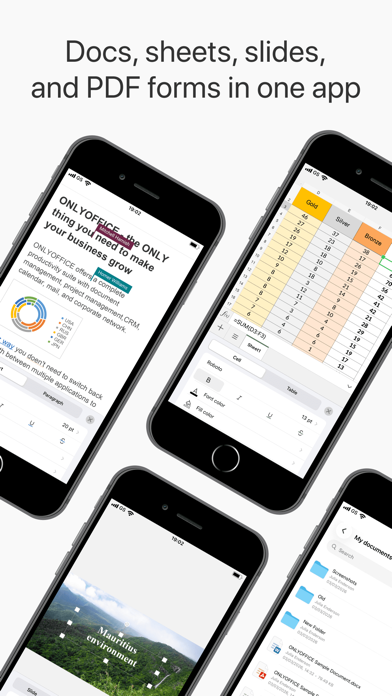
ONLYOFFICE Docs for iOS is a free office app allowing you to create and edit documents, spreadsheets, presentations, forms, and PDFs on your iPhone or iPad. Work locally or connect the app to your favourite cloud: ONLYOFFICE DocSpace or Workspace, Dropbox, Box, iCloud, Nextcloud, ownCloud, or kDrive.
ONLYOFFICE Documents for iOS offers wide format compatibility from MS Office formats (DOCX, XLSX, PPTX) to Apple files (Pages, Numbers, Keynote), Hangul Word Processor formats (HWP, HWPX), ODG drawings, Markdown files, and even media files.
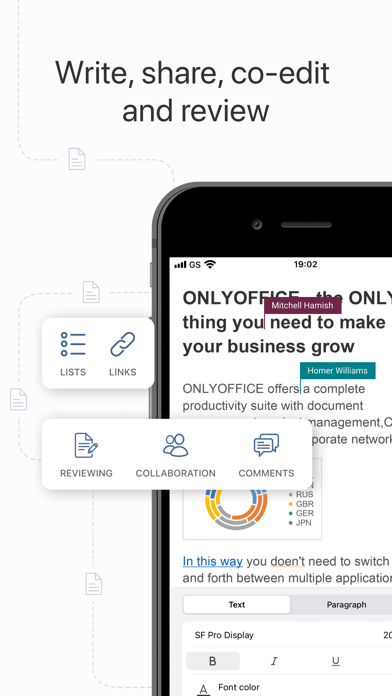
Connect to your DocSpace hub to collaborate with your teammates in real time. Leave comments, track …
Read the full description
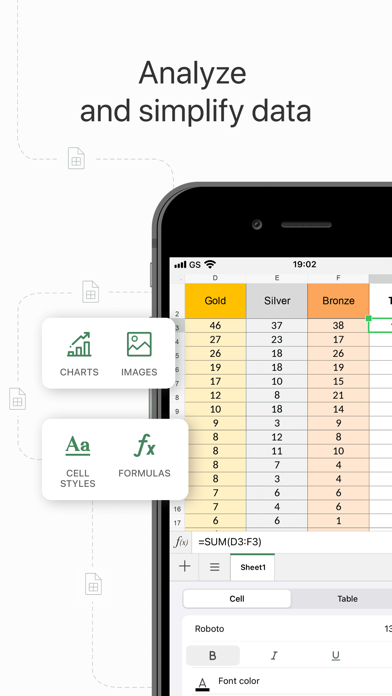
ONLYOFFICE Documents - Your mobile office for iOS ONLYOFFICE Docs for iOS is a free office app allowing you to create and edit documents, spreadsheets, presentations, forms, and PDFs on your iPhone or iPad. Work locally or connect the app to your favourite cloud: ONLYOFFICE DocSpace or Workspace, Dropbox, Box, iCloud, Nextcloud, ownCloud, or kDrive. ONLYOFFICE Documents for iOS offers wide format compatibility from MS Office formats (DOCX, XLSX, PPTX) to Apple files (Pages, Numbers, Keynote), Hangul Word Processor formats (HWP, HWPX), ODG drawings, Markdown files, and even media files. Connect to your DocSpace hub to collaborate with your teammates in real time. Leave comments, track changes, manage versions, and assign flexible permissions for viewing, commenting, or editing. You can also share documents with external collaborators via link, accept or reject their changes, and fill out role-based forms in secure Virtual Data Rooms (VDRs). Scan paper documents with your camera, extract text, and convert them into editable files. With powerful collaboration features and superb format compatibility, ONLYOFFICE Documents helps you stay connected and efficient on the go. Key features for better produсtivity Real-time collaboration • Comment, track and review changes • Fill out role-based forms in VDR • Control access with read, review, or full rights • Easy sharing, even with external collaborators Document Editor • Insert tables, autoshapes, images, charts • Recognize handwritten text to create notes • Add graphic annotations and markup • Insert footnotes, endnotes, page numbers, section breaks • Set font type, size, and colour • Change text wrapping • Protect documents with a password Spreadsheet Editor • Select, cut, copy, paste data • Set font type, size, and colour. • Apply cell style, add cell borders, align data in cells • Wrap text in a cell. • Insert tables, autoshapes, images, charts, formulas • Resize, move, rotate objects, reshape autoshapes • Add annotations and free-hand drawings • Protect spreadsheets with a password • Sort and filter data • Work collaboratively on spreadsheets Presentation Editor • Mobile presentation viewer • Select, cut, copy, paste text and objects • Change slide layout, background, parameters, theme • Apply transitions • Insert tables, autoshapes, images, charts • Add annotations and free-hand drawings • Create lists • Discuss slides in real-time • Protect presentations with a password • Download and print presentations PDF form filler • Open and fill out forms stored on your device. • Use ready templates from the template library • Protect forms with a password • Export ready forms in DOCX or PDF. Why Choose ONLYOFFICE Documents? • No need to install additional apps for editing docs • Clear, user-friendly interface • Work anywhere, anytime • Robust collaboration tools • Support for all key document formats • Absolutely free • No ads or in-app purchases Enjoy smooth editing and seamless document collaboration with ONLYOFFICE Documents. Your mobile office is just one tap away—download it today! Download Now
Installs since 29 Aug 2026
Apple does not publish download counts. Estimates are in testing.
Estimated store revenue Estimated Beta
App Store, worldwide, monthly rate from the last 8 chart days to 15 Nov 2026
Below the top 100 grossing apps in the markets we calibrate. In the United States that usually means under about $6.4M a month. App Store purchases and subscriptions only, before Apple's 15 to 30% fee. Ads and web payments are not included.
Ratings
182 ratings, 182 reviews
No rating breakdown published for this app.
Recent reviews
Latest public reviews from the store
- 1 May 2026
A Better Choice for MS 365 Users
A few years ago I transferred my Mac-based office out of Microsoft 365 and Google Workspace, and into the Apple office suite—Pages, Numbers, Keynote, Safari, Mail, Notes, and Reminders. For the most part this has been a smooth transition, but every once in a while I run into a situation where I need to produce a “native” Microsoft Office file. This is especially true now that I have moved all my work off the Mac OS and onto iOS. I don’t want to pay $100 annually to have the full MS 365 features at my disposal. But the free versions that Microsoft offers on the web and the app are too underpowered to do much of anything beyond the very basics. That’s where OnlyOffice comes in. This is just my experience, but in using it over the last several years, I’ve never run into a compatibility issue with it, either in opening MS files or saving files in MS file formats. Plus it is a fully featured suite of apps that is more tightly integrated internally than MS 365. And it’s completely free for individual users, with a very reasonable upgrade path for workgroups of three or more staff members. I’ve tried all the other alternatives to MS 365 for iOS, and I can’t make th
- 25 Oct 2025
Outstanding Microsoft Office alternative.
This application is remarkable. I have informed friends and colleagues, and they appreciate the suite of ONLYOFFICE applications. Other reviewers should allow the developers time to resolve issues, and I am pleased to report that these have been addressed, with further improvements anticipated. The software performs exceptionally well across Mac, iPhone, tablet, Windows, and Kubuntu Linux platforms. I am actively promoting this application because it is important for others to be aware of its capabilities. Thank you to the developers for resolving the issues and for their ongoing efforts in enhancing this software.
- 5 Jun 2022
How is this free???
What a gem!!!! I’ve read through others’ reviews and am now aware there may be some bugs to work out (I haven’t run into any yet) but I’m literally stunned that the developers have so far kept this app free. I’m guessing that once the bugs have been worked out it’ll be commercialized but in the meantime kudos to the developers for such an incredibly stunning piece of work!!! Such an incredibly complex piece of programming and extraordinarily well-executed. The human factors have been so well-engineered I’m guessing this was developed by a team of ex Microsoft or Apple developers. GREAT WORK!!
What reviewers bring up
Topics mentioned in the latest 8 reviews, by how many reviews mention them
Liked in good reviews (3 reviews)
- microsoft 3
- onlyoffice 2
- developers 2
- others 2
- apple 2
- suite 2
- aware 2
- once 2
Raised in bad reviews (5 reviews)
- unexpectedly 2
- actually 2
- document 2
- against 2
- writing 2
- already 2
- account 2
- leaving 2
Top chart positions
Latest App Store chart ranks by country, last 10 days
Not in any tracked top chart in the last 10 days.
ONLYOFFICE Documents history
Release, install milestones, listing and store changes
- First released on the store 2 Apr 2015
Update frequency
How often ONLYOFFICE Documents ships a new version, month by month
3 updates in the last 12 months. More often than most similar apps: they shipped a median of 1 updates in the same year.
Recent versions
Current version 10.0.0
- Version 10.0.026 Oct 2026
• Added an AI assistant in the Documents section for working with files without opening the editor. • Added AI-powered generation of documents and presentations. • Added on-device voice input for AI chats and AI assistants in the editors. • Added AI-powered Auto Fill for forms. • Added Grok and DeepSeek AI providers. • Improved ONLYOFFICE cloud integration. • Added room groups in the cloud: create and edit groups, filter rooms by group. • Added room covers with icon and color selection. • Expanded the set of filters; updated the context menu for files, folders, and VDR rooms. • Added the ability to paste tables while preserving formatting in the spreadsheet editor. • Added a separate Formula tab in the spreadsheet editor on iPad. • Added menu bar support on iPad. • Added comment highlighting by author color. • Added the ability to share access to Favorites for documents that don't support co-editing. • Added the ability to set paragraph spacing using numeric values in the document editor. • Redesigned hyperlink screens and context menu buttons; expanded the set of quick actions. • Improved the navigation bar transition animation when exiting selection mode. • Fixed moving files with duplicate names: added a "Create a copy" action in the cloud, fixed the "Failed to Move" error when moving files on iPad. We are constantly enhancing ONLYOFFICE. If you have any questions or comments, leave your review at ONLYOFFICE Documents page in App Store. We appreciate your feedback!
- Version 9.4.028 May 2026
• Added the ability to disable autosave for cloud files and manage saving in manual mode. • Added the ability to sort and filter comments. • Added the ability to number lines in the Document Editor. • Redesigned the quick actions structure and expanded the set of quick actions in editors on iPhone. • Added the ability to insert multiple images at once in editors. • Added the ability to change slide orientation in the Presentation Editor. • Added the ability to manage sheet order via the sheet panel in the Spreadsheet Editor. • Expanded the set of presentation themes. • Added the Mistral AI provider for use in Document Editor and Spreadsheet Editor. We are constantly enhancing ONLYOFFICE. If you have any questions or comments, leave your review at ONLYOFFICE Documents page in App Store. We appreciate your feedback!
- Version 9.3.112 Mar 2026
• Liquid Glass support - the app is adapted to the new iOS design. • Support for entering hieroglyphs in the text editor. • Ability to open external documents for editing. • Save a copy of a document directly from editors: to connected clouds, the app's internal storage, or anywhere on the device via the 'Files' app. • Other usability and stability improvements. We are constantly enhancing ONLYOFFICE. If you have any questions or comments, leave your review at ONLYOFFICE Documents page in App Store. We appreciate your feedback!
Listing keywords
Words and phrases ONLYOFFICE Documents repeats most in its store listing
Top phrases: onlyoffice documents (6), autoshapes images charts (3), insert tables autoshapes (3), tables autoshapes images (3), autoshapes images (3).
Highlighted words also appear in the title. Counts cover the title, short description and description.
Compliance
What the listing and the app package show
- Store status
- Live
- Upkeep
- Updated 26 Oct 2026
- Age rating
- 4+
Apps like ONLYOFFICE Documents
 FileCentral for iPhoneEuroSmartz Ltd★ 4.8
- Sloth - Task ManagerJafar Najafov★ 4.03
 Copy data - device switch翠玲 施★ 4.66
 Quicktalk for BusinessBJT Partners★ 4.75
 Easyapp.ai - Mini App MakerTaptoweb Corporation★ 4.05
 AdspireTrendicator, LLC★ 3.65
 IBackupIDrive Incorporated★ 4.49
 FasType - AI Writing KeyboardImagineArt★ 4.71
 ScrollToll: Study to UnlockNorth Star Labs LLC★ 4.8
ONLYOFFICE Documents: questions and answers
Who makes ONLYOFFICE Documents?
ONLYOFFICE Documents is published by Ascensio System SIA.
When was ONLYOFFICE Documents last updated?
The latest version (10.0.0) was released on 26 Oct 2026.
Is ONLYOFFICE Documents free?
Yes. ONLYOFFICE Documents is free to download.
Is ONLYOFFICE Documents still available?
Yes. ONLYOFFICE Documents is live on App Store as of 14 Nov 2026.
Track ONLYOFFICE Documents and its competitors
Watch any app for new versions, rating drops, chart moves and removals. Free plan, no card.