
- Installs
- —
- Apple does not publish download counts
- Rating
- 4.47
- Ratings
- 910
- 910 reviews
- Version
- 1.51
- Updated 3 Nov 2026
- Released
- 9 May 2020
- Tracked since 10 May 2026
- Size
- 15 MB
- Needs 18.4
Also on Google Play: OpenDocument Reader - view ODT (67.1K ratings)
Screenshots


About OpenDocument Reader - view ODT
The description on the store listing
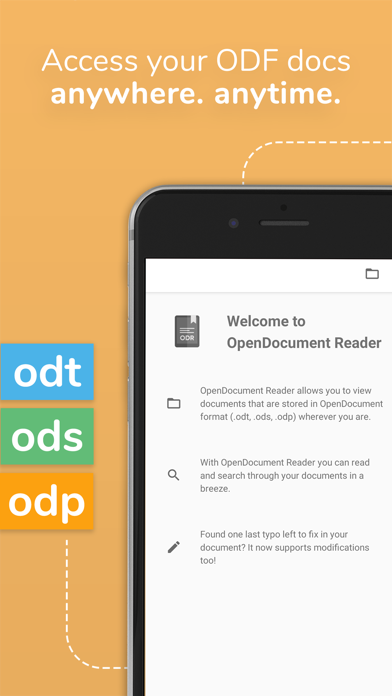
View and modify documents created using LibreOffice or OpenOffice on the go using the Document Reader & Document Editor!
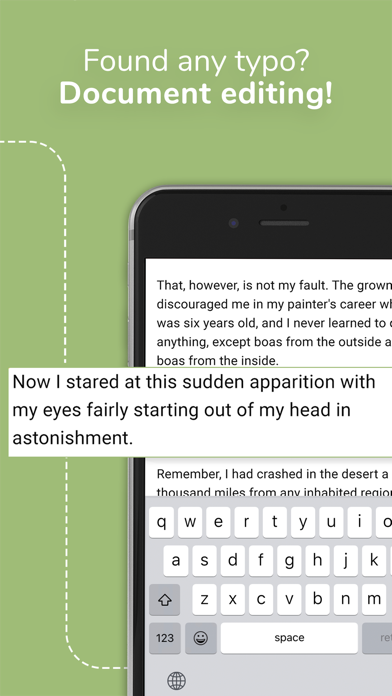
The file reader & document editor allows you to open files like ODF (Open Document Format) documents created using LibreOffice or OpenOffice wherever you are. In the bus on your way to school wanting to look at your notes before the big exam? No problem! With the Document Reader you can open files wherever you like and read & search through your documents to go in a clean and simple way. Is there just one last typo left to fix in your document before sending it out to colleagues? The File Editor supports modification of documents now! Fast, simple and well integrated. …
Read the full description
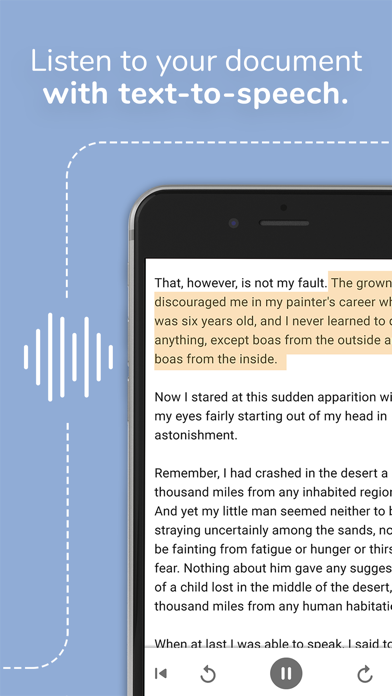
View and modify documents created using LibreOffice or OpenOffice on the go using the Document Reader & Document Editor! The file reader & document editor allows you to open files like ODF (Open Document Format) documents created using LibreOffice or OpenOffice wherever you are. In the bus on your way to school wanting to look at your notes before the big exam? No problem! With the Document Reader you can open files wherever you like and read & search through your documents to go in a clean and simple way. Is there just one last typo left to fix in your document before sending it out to colleagues? The File Editor supports modification of documents now! Fast, simple and well integrated. You can open files from ODF (ODT, ODS & many more) that you have created with Libre Office or OpenOffice also from within other apps. Supported apps include GMail, Google Drive, iCloud, OneDrive, Nextcloud, Box.net, Dropbox and lots of others! Or use our integrated file explorer instead to open files on your device. - open files with ODF: ODT (writer), ODS (calc), ODP and ODG without a hassle - basic editing of documents with the file editor to fix typos, add sentences, etc - securely open password-protected documents - search for keywords in your ODT (writer), ODS (calc) or ODG and highlight them - print documents if your device is connected to a printer - read your documents in fullscreen to avoid distractions - select and copy text out of your documents - enjoy your documents even without internet connectivity - fully offline capable In addition to that, OpenDocument Reader aims to support various other file formats as well as possible: - Portable Document Format (PDF) - Archives: ZIP - Images: JPG, JPEG, GIF, PNG, WEBP, TIFF, BMP, SVG, etc - Videos: MP4, WEBM, etc - Audio: MP3, OGG, etc - Text files: CSV, TXT, HTML, RTF - Microsoft Office (OOXML): Word (DOC, DOCX), Excel (XLS, XLSX), PowerPoint (PPT, PPTX) - Apple iWork: Pages, Numbers, Keynote - Libre Office and Open Office OpenDocument Format: ODF* (ODT, ODS, ODP, ODG) - PostScript (EPS) - AutoCAD (DXF) - Photoshop (PSD) This app is open source. We are not affiliated with OpenOffice, LibreOffice or similar. Made in Austria. Ads are shown in order to support the development of this app. They are free to remove temporarily via the in-app menu. We highly appreciate all kinds of feedback via email. * ODF (Open Document Format) is the format used by office suites like Open Office and Libre Office. Text documents (Writer, ODT), as well as spreadsheets (Calc, ODS) and also presentations (Impress, ODP) are supported, including support for complex formatting and embedded images. Graphs are no problem either. If you want to secure your data you can even open password-protected documents. Other applications that are using this format are LibreOffice, OpenOffice, NeoOffice, StarOffice, Go-oo, IBM Workplace, IBM Lotus Symphony, ChinaOffice, AndrOpen Office, Co-Create Office, EuroOffice, KaiOffice, Jambo OpenOffice, MagyarOffice, MultiMedia Office, MYOffice, NextOffice, OfficeOne, OfficeTLE, OOo4Kids, OpenOfficePL, OpenOfficeT7, OxOffice, OxygenOffice, Pladao Office, PlusOffice, RedOffice, RomanianOffice, SunShine Office, ThizOffice, UP Office, White Label Office, WPS Office Storm, Libre Office, Collabora Office and 602Office.
Installs since 29 Aug 2026
Apple does not publish download counts. Estimates are in testing.
Estimated store revenue Estimated Beta
App Store, worldwide, monthly rate from the last 8 chart days to 15 Nov 2026
Below the top 100 grossing apps in the markets we calibrate. In the United States that usually means under about $6.4M a month. App Store purchases and subscriptions only, before Apple's 15 to 30% fee. Ads and web payments are not included.
Ratings
910 ratings, 910 reviews
No rating breakdown published for this app.
Recent reviews
Latest public reviews from the store
- 21 Jul 2022
How to edit files.
Hi, Application claims that there is a way to edit odt files. Didn’t find this feature. Is there any kind of manual to understand how it works? Thank you
- 1 Jul 2021
Very nice - Useful
Thank you to the developers for providing such a practical and useful app. I use Libre Office on my laptop running Linux all the time, and can now view them on iPhone.
- 12 Oct 2020
R. Baldwin
This is the most usable program I have ever found I use it with my MacBook and my phone. I really like the way it works with all my documents. Thank you
What reviewers bring up
Topics mentioned in the latest 8 reviews, by how many reviews mention them
Liked in good reviews (3 reviews)
No topic comes up twice.
Raised in bad reviews (5 reviews)
- document 3
- file 3
- libreoffice 2
- correctly 2
- display 2
- created 2
- editing 2
- through 2
Top chart positions
Latest App Store chart ranks by country, last 10 days
Not in any tracked top chart in the last 10 days.
OpenDocument Reader - view ODT history
Release, install milestones, listing and store changes
- First released on the store 9 May 2020
Update frequency
How often OpenDocument Reader - view ODT ships a new version, month by month
2 updates in the last 12 months. More often than most similar apps: they shipped a median of 1 updates in the same year.
Recent versions
Current version 1.51
- Version 1.513 Nov 2026
- Password-protected Word, Excel, PowerPoint, Pages, Numbers and Keynote files now open when you enter the password
- Version 1.4329 Aug 2026
- Zip files open and show what's inside, and photos, text, rich text and Markdown files open too - Files that won't open now say why, instead of showing a blank page - Documents you edit and save open in LibreOffice again - Slides keep their colours, and links in a document open in the browser - PDFs open faster, zoom smoothly, and text you couldn't select or search now works - Tall spreadsheets keep many more rows before they stop
- Version 1.3523 Jun 2025
Improvements for various file formats
Listing keywords
Words and phrases OpenDocument Reader - view ODT repeats most in its store listing
Top phrases: open files (5), libre office (4), document format (3), odf odt (3), created using libreoffice (2).
Highlighted words also appear in the title. Counts cover the title, short description and description.
Compliance
What the listing and the app package show
- Store status
- Live
- Upkeep
- Updated 3 Nov 2026
- Age rating
- 4+
Apps like OpenDocument Reader - view ODT
 Purity: Safe BrowserFamilyFirstTechnology★ 4.61
 Mobileraker - Klipper UIPatrick Schmidt★ 4.87
 Dropshipping+Appryone Pte. Ltd.★ 4.67
 AI Email Writer - BossCurious Creators Co.★ 4.81
 Awesome Calendar LiteYunaSoft Inc.★ 4.04
 ChatBot・AI Dating AssistantAlexandru Bejan★ 4.66
 VPN Fast Proxy VON: UnlimitedAPPIO OYUN YAZILIM VE REKLAM ANONIM SIRKETI★ 4.44
 Nipto: Split ChoresNipto★ 4.68
 Tayasui Memopad - Notes & DrawSKETCHES SRL★ 4.43
OpenDocument Reader - view ODT: questions and answers
Who makes OpenDocument Reader - view ODT?
OpenDocument Reader - view ODT is published by Stefl und Taschauer OG.
When was OpenDocument Reader - view ODT last updated?
The latest version (1.51) was released on 3 Nov 2026.
Is OpenDocument Reader - view ODT free?
Yes. OpenDocument Reader - view ODT is free to download.
Is OpenDocument Reader - view ODT still available?
Yes. OpenDocument Reader - view ODT is live on App Store as of 14 Nov 2026.
Track OpenDocument Reader - view ODT and its competitors
Watch any app for new versions, rating drops, chart moves and removals. Free plan, no card.