
- Installs
- —
- Apple does not publish download counts
- Rating
- 2.86
- Ratings
- 28
- 28 reviews
- Version
- 5.1
- Updated 24 Feb 2026
- Released
- 22 Jan 2015
- Tracked since 10 May 2026
- Size
- 107 MB
- Needs 15.0
Also on Google Play: OpenManage Mobile (434 ratings)
Screenshots
About OpenManage Mobile
The description on the store listing
MINIMUM REQUIREMENTS FOR REMOTE ACCESS OVER MANAGEMENT NETWORK
• Remote access to iDRAC requires iDRAC7 or above
• Remote access to OpenManage Enterprise requires version 3.9 or later
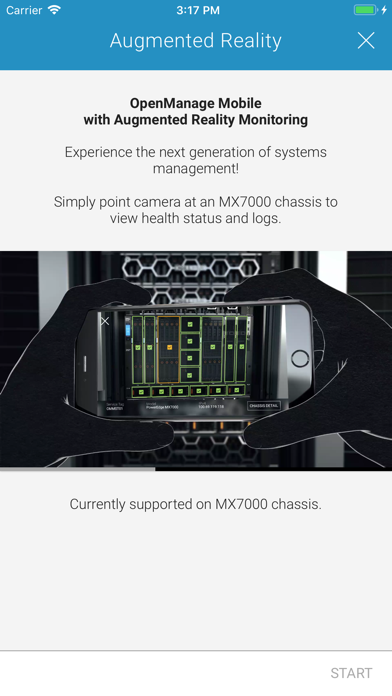
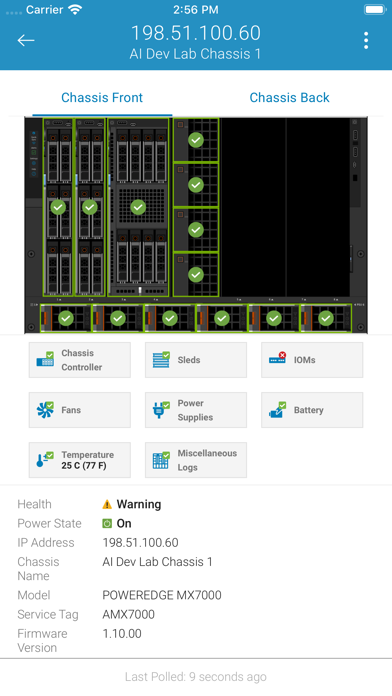
*** OpenManage Mobile now leverages Augmented Reality to easily and quickly monitor & troubleshoot MX7000 modular chassis. Aim the camera at MX7000, connect, and view health overlays. Tap on a component to view more details. ***
OVERVIEW OF OPENMANAGE MOBILE (OMM)
Wireless and Mobility are now pervasive inside data centers and we can leverage it to simplify data center operations. Dell OpenManage Mobile (OMM) is an app that enables IT Administrators to securely provision, monitor, and troubleshoot Dell …
Read the full description
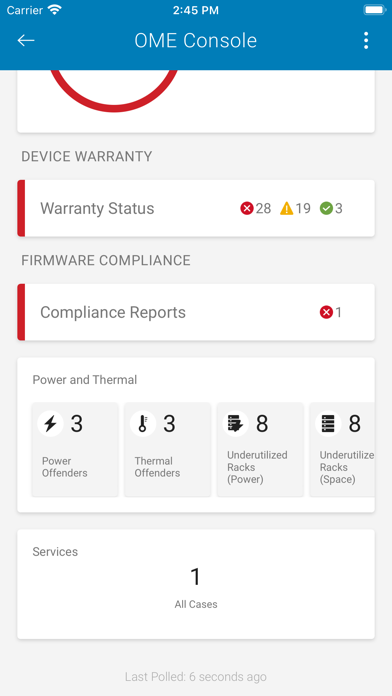
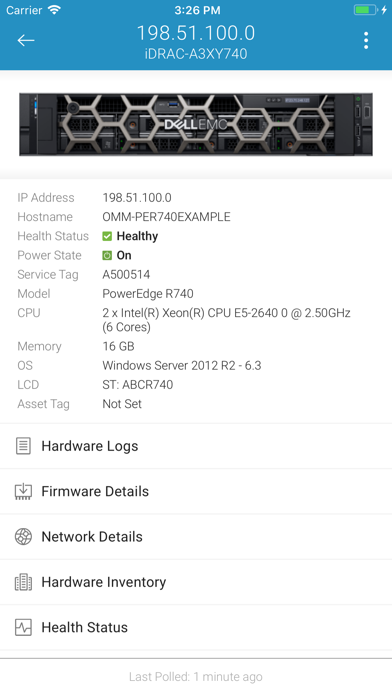
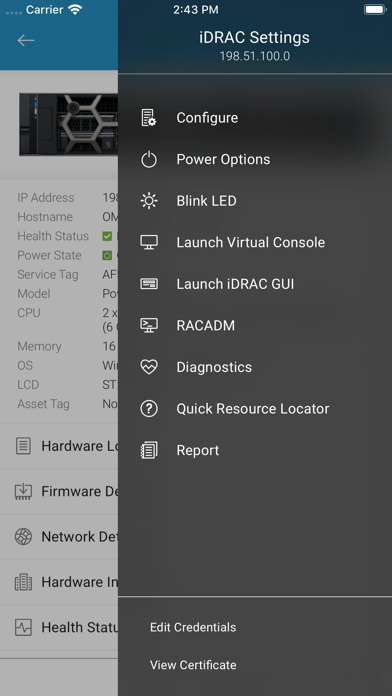
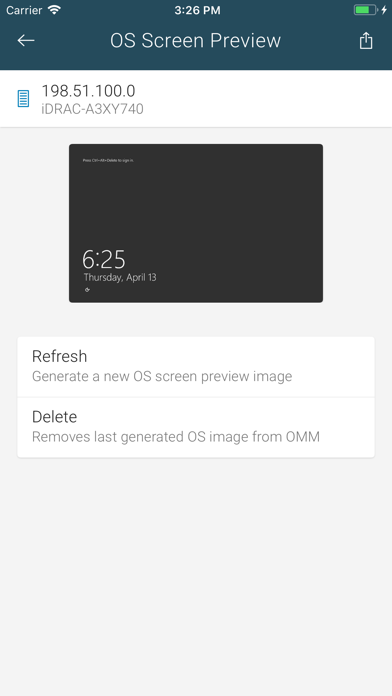
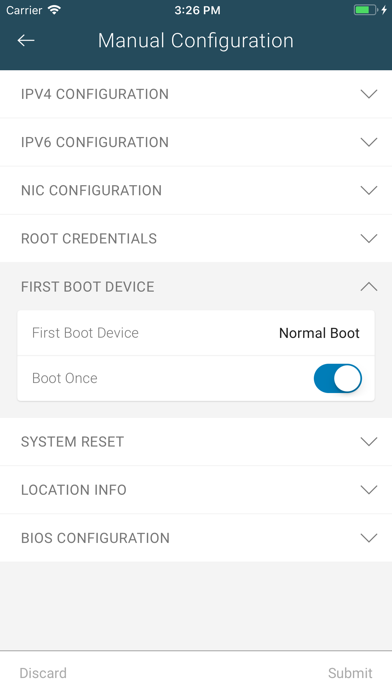
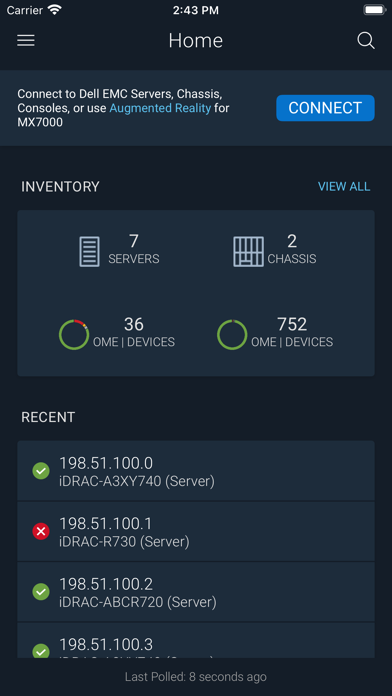
MINIMUM REQUIREMENTS FOR REMOTE ACCESS OVER MANAGEMENT NETWORK • Remote access to iDRAC requires iDRAC7 or above • Remote access to OpenManage Enterprise requires version 3.9 or later *** OpenManage Mobile now leverages Augmented Reality to easily and quickly monitor & troubleshoot MX7000 modular chassis. Aim the camera at MX7000, connect, and view health overlays. Tap on a component to view more details. *** OVERVIEW OF OPENMANAGE MOBILE (OMM) Wireless and Mobility are now pervasive inside data centers and we can leverage it to simplify data center operations. Dell OpenManage Mobile (OMM) is an app that enables IT Administrators to securely provision, monitor, and troubleshoot Dell PowerEdge servers or MX7000 chassis directly from a mobile device. OMM can access and manage PowerEdge servers or MX7000 modular chassis either remotely (i.e. over management network) or from inside the data center (i.e. when an IT Administrator is physically present in front of server or a chassis). Following are the ways you can access a server or an MX7000 chassis: • Remote into a server (iDRAC7, iDRAC8 or iDRAC9) • Remote into an MX7000 chassis and sleds • Remote into a console (OpenManage Enterprise) • At-the-server access to a PowerEdge server with iDRAC9 • At-the-chassis access to an MX7000 chassis and sleds When connected through a console (OpenManage Enterprise), OMM can access Dell servers, chassis, storage, networking, and any other supported third-party appliances being managed through this console. For specific feature support on OpenManage Mobile, please visit Dell Tech Center at www.DellTechCenter.com/OMM SUPPORT FOR AT-THE-SERVER MANAGEMENT • At-the-server access is available on PowerEdge 14th Generation and above rack and towers which support Quick Sync 2. For the latest list of supported hardware models, please contact a Dell Sales representative. • Quick Sync 2 module utilizes Bluetooth Low Energy (BLE) and Wi-Fi to establish a secure connection between server and mobile device running OMM. SUPPORT FOR AT-THE-CHASSIS MANAGEMENT • Quick Sync 2 module for at-the-chassis access is available on MX7000 modular chassis FEATURES Supported features depend on the type of access (console or iDRAC) and the specific generation of server being accessed. For specific details or more information on OpenManage Mobile, please visit Dell Tech Center at www.DellTechCenter.com/OMM KEY USE CASES – SUPPORT VARIES BY TYPE OF ACCESS AND SERVER GENERATION • Get pro-active alert notifications automatically on your mobile device from OpenManage Enterprise consoles. • Browse server or chassis details, health status, hardware & firmware inventory, networking details, and System Event or LC logs. (For MX7000 chassis, use Augmented Reality feature to monitor and troubleshoot easily and quickly.) • Power On, shut down, or reboot your server from anywhere. • For “bare metal configuration,” assign IP address, change credentials, and update common BIOS attributes. • Access, share or upload SupportAssist Collection reports; View Last Crash screen and video (requires iDRAC9) • Access Virtual Console securely (and reduce the need for crash carts) with a Third-Party app – VNC Viewer by RealVNC or Remotix by Nulana LTD • Dell Quick Resource Locator (QRL) video remediation, available when connecting to an OpenManage Enterprise, server or chassis – displays context relevant videos about the hardware based on available error logs For any questions, please send an email to [email protected]
Installs
Apple does not publish download counts. Estimates are in testing.
We publish iOS estimates only after they pass a back-test against real numbers. Chart history below is measured.
Estimated store revenue Estimated Beta
App Store, worldwide, monthly rate from the last 13 chart days to 20 Nov 2026
Below the top 100 grossing apps in the markets we calibrate. In the United States that usually means under about $6.4M a month. App Store purchases and subscriptions only, before Apple's 15 to 30% fee. Ads and web payments are not included.
Ratings
28 ratings, 28 reviews
No rating breakdown published for this app.
Recent reviews
Latest public reviews from the store
- 25 Jan 2022
Great App
It works by directly connecting to idrac and the virtual console app works well. I can monitor temperatures and other essential things. Thanks for bringing this app to your customers!
- 18 Oct 2020
Works fine with PE R730XD
No issues so far - able to login and access everything/use iDRAC with iPad Pro.
- 29 Jan 2015
Finally on iOS
This is great from Dell. A lifesaver. I downloaded it and am about to set up so I can use it with my server. Thanks!
What reviewers bring up
Topics mentioned in the latest 8 reviews, by how many reviews mention them
Liked in good reviews (3 reviews)
- idrac 2
Raised in bad reviews (5 reviews)
- crashes 2
- connect 2
- dell 2
Top chart positions
Latest App Store chart ranks by country, last 10 days
Not in any tracked top chart in the last 10 days.
OpenManage Mobile history
Release, install milestones, listing and store changes
- First released on the store 22 Jan 2015
Update frequency
How often OpenManage Mobile ships a new version, month by month
1 updates in the last 12 months. About as often as similar apps, which shipped a median of 1 updates in the same year.
Recent versions
Current version 5.1
- Version 5.124 Feb 2026
Dell OpenManage Mobile 5.1 supports PowerEdge 17G servers, enabling enhanced remote server management. This release also includes resolved issues to improve overall stability and performance.
Listing keywords
Words and phrases OpenManage Mobile repeats most in its store listing
Top phrases: openmanage mobile (6), mx7000 chassis (5), openmanage enterprise (5), mx7000 modular chassis (3), server or chassis (3).
Highlighted words also appear in the title. Counts cover the title, short description and description.
Compliance
What the listing and the app package show
- Store status
- Live
- Upkeep
- Updated 24 Feb 2026
- Age rating
- 4+
Apps like OpenManage Mobile
 Robin - Mobile AppRobin Powered, Inc★ 3.32
 Bright AisleMedia Solutions Corp★ 2.52
 Rhingie: phone call 2nd numberDating onlain, ooo★ 3.96
 PayClockLathem Time Corporation★ 2.08
 云电话-网络电话虚拟隐私小号国辉 李★ 4.74
 QuicklynQuicklyn★ 4.86
 Diligent BoardsDiligent Corporation★ 3.32
 DATABASICSDATABASICS★ 3.8
 vMEyeSuperGuangzhou Kedi Intelligence Technology Co., Ltd.★ 3.14
OpenManage Mobile: questions and answers
Who makes OpenManage Mobile?
OpenManage Mobile is published by Dell Inc..
When was OpenManage Mobile last updated?
The latest version (5.1) was released on 24 Feb 2026.
Is OpenManage Mobile free?
Yes. OpenManage Mobile is free to download.
Is OpenManage Mobile still available?
Yes. OpenManage Mobile is live on App Store as of 1 Jul 2026.
Track OpenManage Mobile and its competitors
Watch any app for new versions, rating drops, chart moves and removals. Free plan, no card.