- Installs
- —
- Apple does not publish download counts
- Rating
- 1.0
- Ratings
- 2
- 2 reviews
- Version
- 1.2
- Updated 4 Jun 2018
- Released
- 11 Apr 2018
- Tracked since 10 May 2026
- Size
- 14 MB
- Needs 11.2
Also on Google Play: Optoma SmartProjection (7 ratings)
Screenshots
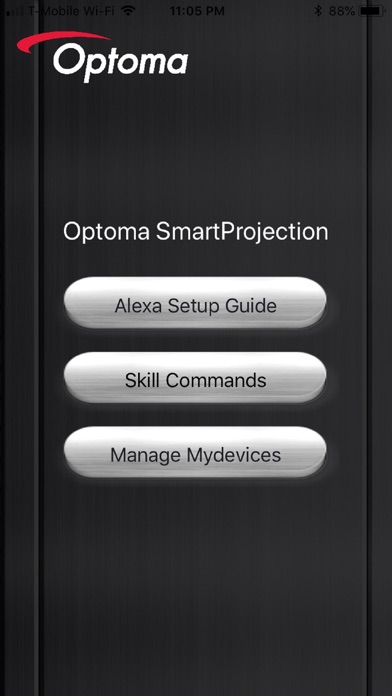

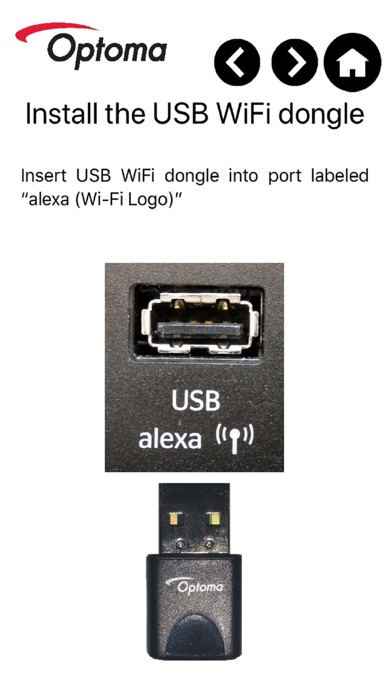
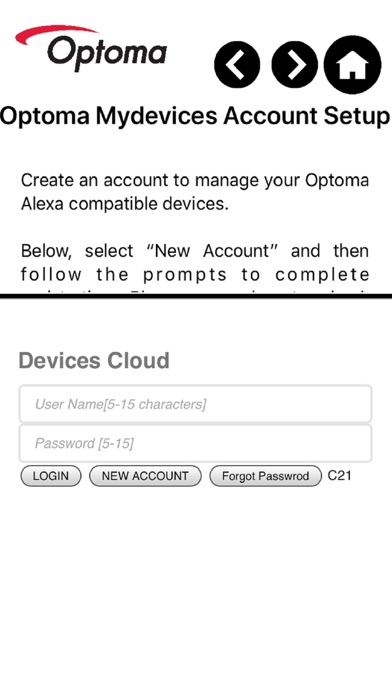
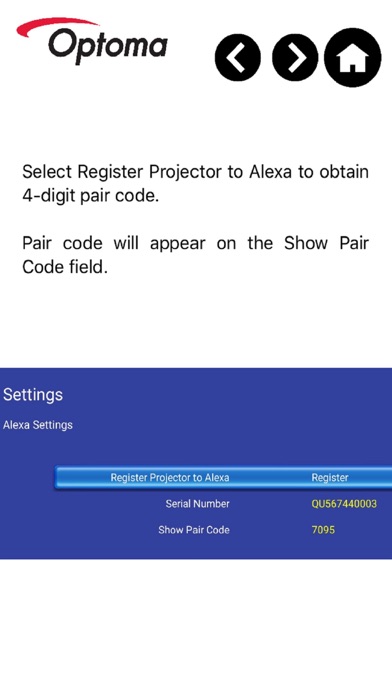


About Optoma - SmartProjection
The description on the store listing
The Optoma SmartProjection app features a step-by-step Alexa Setup Guide, SmartProjection for Smart Home command list and direct access to the Mydevices Cloud for registration and management of Optoma Alexa Enabled Projectors.
Note: You must own an Optoma Alexa Enabled Projector and have an internet connection to use this App. Projector registration is "required" to link and use the Optoma SmartProjection for Smart Home Skill with Amazon's Alexa Digital Assistant.
To view the PDF version of the complete Optoma Alexa Setup Guide please visit: https://www.optoma.com/support/download/
Supported Projectors:
- UHD51A
- UHD400X
- SUHD66A
- UHC556A
Features
- Alexa Setup Guide
- …
Read the full description
The Optoma SmartProjection app features a step-by-step Alexa Setup Guide, SmartProjection for Smart Home command list and direct access to the Mydevices Cloud for registration and management of Optoma Alexa Enabled Projectors. Note: You must own an Optoma Alexa Enabled Projector and have an internet connection to use this App. Projector registration is "required" to link and use the Optoma SmartProjection for Smart Home Skill with Amazon's Alexa Digital Assistant. To view the PDF version of the complete Optoma Alexa Setup Guide please visit: https://www.optoma.com/support/download/ Supported Projectors: - UHD51A - UHD400X - SUHD66A - UHC556A Features - Alexa Setup Guide - SmartProjection for Smart Home command list - Account creation (necessary to manage Optoma Alexa enabled projectors) - Projector Management such as add/remove projector - Alias (device name) assignment. For assistance with or questions regarding this app, please contact us below. Americas: https://www.optomausa.com/us/tech-support/contact-us-americas.aspx EMEA: https://www.optoma.co.uk/support http://www.optoma.com.cn/contact-us/
Installs
Apple does not publish download counts. Estimates are in testing.
We publish iOS estimates only after they pass a back-test against real numbers. Chart history below is measured.
Estimated store revenue Estimated Beta
App Store, worldwide, monthly rate from the last 15 chart days to 22 Nov 2026
Below the top 100 grossing apps in the markets we calibrate. In the United States that usually means under about $6.4M a month. App Store purchases and subscriptions only, before Apple's 15 to 30% fee. Ads and web payments are not included.
Ratings
2 ratings, 2 reviews
No rating breakdown published for this app.
Recent reviews
Latest public reviews from the store
No reviews in our sample for this app yet.
Top chart positions
Latest App Store chart ranks by country, last 10 days
Not in any tracked top chart in the last 10 days.
Optoma - SmartProjection history
Release, install milestones, listing and store changes
- First released on the store 11 Apr 2018
Recent versions
Current version 1.2
- Version 1.24 Jun 2018
This update from Apple will improve the functionality of this app. No new features are included. SmartProjection app allows users to setup and manage Optoma Alexa Enabled Projectors. The App includes a Complete Setup Guide, SmartProjection for Smart Home Skill Command List, Account Creation, and Projector Management (add/remove/modify).
Listing keywords
Words and phrases Optoma - SmartProjection repeats most in its store listing
Top phrases: optoma alexa (4), alexa setup guide (3), optoma alexa enabled (3), smartprojection for smart (3), alexa enabled (3).
Highlighted words also appear in the title. Counts cover the title, short description and description.
Compliance
What the listing and the app package show
- Store status
- Live
- Upkeep
- No update since 4 Jun 2018
- Age rating
- 4+
Apps like Optoma - SmartProjection
 LaundrappLaundrapp Limited★ 4.28
 RoomstylerFloorplanner.com★ 1.98
 XRunningShenzhen Qixiang Technology Co., Ltd.★ 2.98
 Tamilan Tamil Calendar 2026banuchander janarthn★ 4.64
 MR StarShenZhen Lenze Technology Co,.Ltd.★ 2.74
 rllyrlly★ 4.84
 Book of Psalms For WorshipDeo Volente, LLC★ 4.66
 Daily Bible Devotion & PrayerSalem Communications★ 3.38
 LINE FitnessChista Inc★ 4.98
Optoma - SmartProjection: questions and answers
Who makes Optoma - SmartProjection?
Optoma - SmartProjection is published by Optoma Corporation.
When was Optoma - SmartProjection last updated?
The latest version (1.2) was released on 4 Jun 2018.
Is Optoma - SmartProjection free?
Yes. Optoma - SmartProjection is free to download.
Is Optoma - SmartProjection still available?
Yes. Optoma - SmartProjection is live on App Store as of 1 Jul 2026.
Track Optoma - SmartProjection and its competitors
Watch any app for new versions, rating drops, chart moves and removals. Free plan, no card.