
- Installs
- —
- Apple does not publish download counts
- Rating
- 4.69
- Ratings
- 985
- 985 reviews
- Version
- 2.9.6
- Updated 16 Oct 2026
- Released
- 14 Sep 2016
- Tracked since 10 May 2026
- Size
- 234 MB
- Needs 12.4
Screenshots
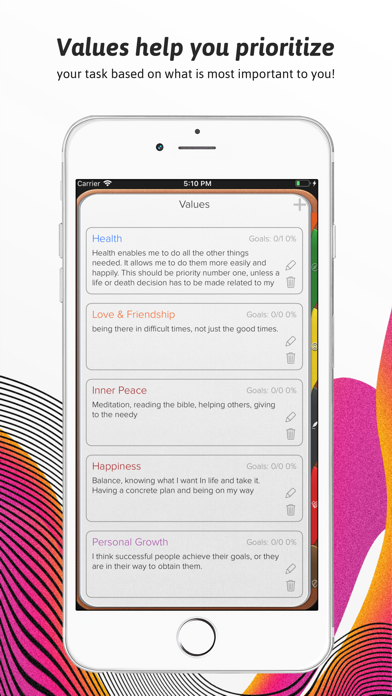

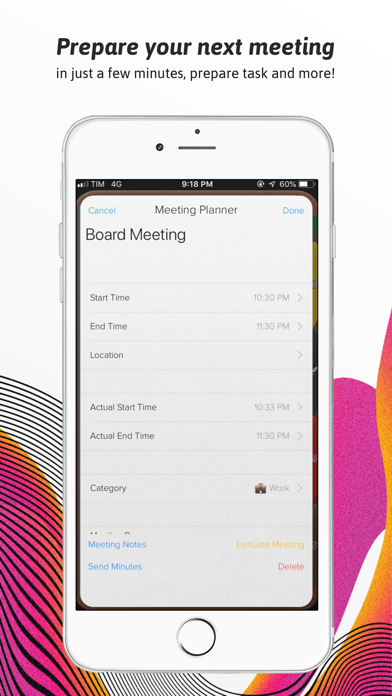
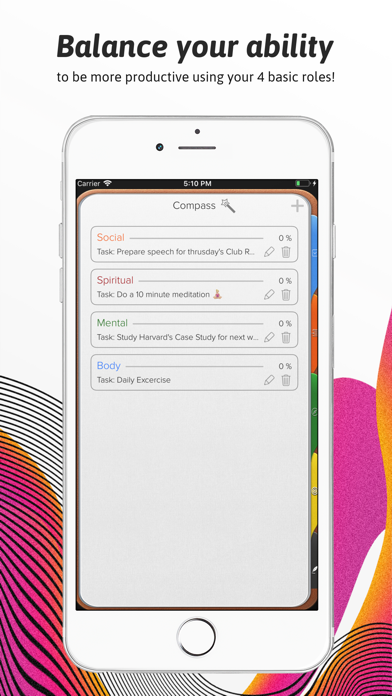
About Opus One: Digital Planner
The description on the store listing
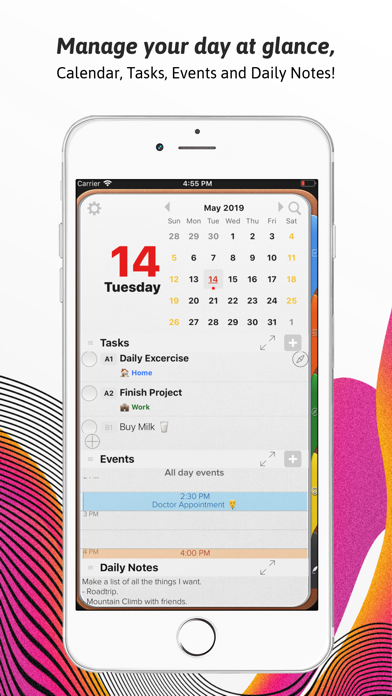
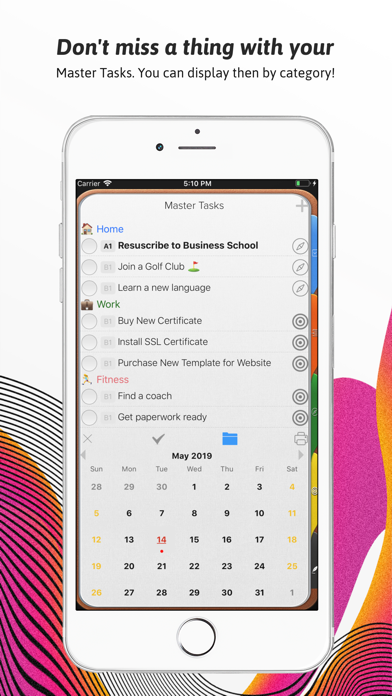
An effective to do manager. Use our Master Task section to get everything off your mind, easily glance at your day or week on the Planner, move from the list to the schedule. Finally drag and drop to reorder, prioritize or reschedule tasks & events.
Our powerful tools include:
1. Daily Task lists with status, priority and notes
2. Daily Schedule and Event integration with Calendar
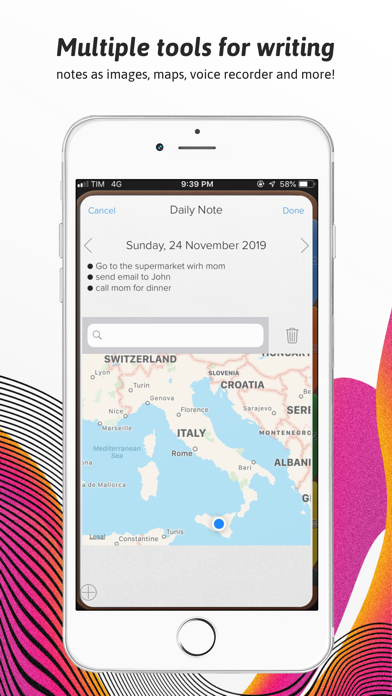
3. Daily Notes with Motivational Quotes and the ability to include text and maps.
4. Master Task list with side Planner Views.
5. Task Alarms synced through out devices.
6. New Daily Notes section that allow you to change font, size and color for a specific text, phrase or paragraph.
7. Daily Quotes Widgets.
8. …
Read the full description
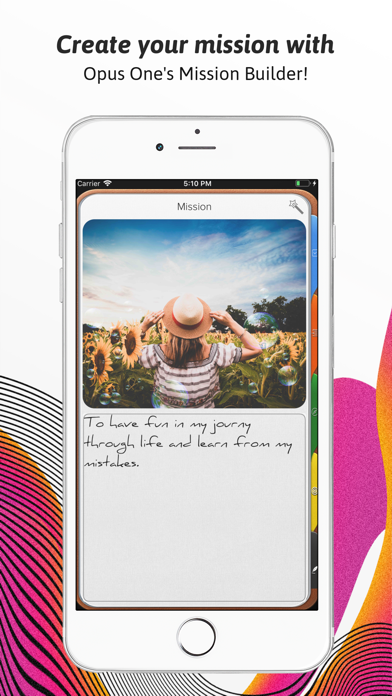
An effective to do manager. Use our Master Task section to get everything off your mind, easily glance at your day or week on the Planner, move from the list to the schedule. Finally drag and drop to reorder, prioritize or reschedule tasks & events. Our powerful tools include: 1. Daily Task lists with status, priority and notes 2. Daily Schedule and Event integration with Calendar 3. Daily Notes with Motivational Quotes and the ability to include text and maps. 4. Master Task list with side Planner Views. 5. Task Alarms synced through out devices. 6. New Daily Notes section that allow you to change font, size and color for a specific text, phrase or paragraph. 7. Daily Quotes Widgets. 8. New Widgets for Daily Tasks and events at a glance, Mission statement, Values & Principles. 9. Planner Themes. 10. The new notes section will allow you to change font at any point in the note, Change font size up or down and Change font color. 11. Meeting Planner section The Universal Subscription includes: 1. Cloud synchronization across other iOS Devices and MacOS. 2. Weather Information including Current Weather, 10 Day Weather forecast with automatic city location. 3. Images, PDF's, checklists, maps & audio notes. 4. Sketch drawing canvas optimized for Apple Pencil 5. Color Coded Categories 6. Repeating Rules with advanced customization 7. Goals. 8. Add tasks using Siri. 9. Planner Themes. 10. The new notes section will allow you to change font at any point in the note, Change font size up or down and Change font color. Our auto renewable Universal Subscription is available on a Yearly or Monthly basis. One subscription will give you access to Opus One for iOS devices (iPhone and iPad) and MacOS Information About our Universal Subscription: - Payment will be charged to iTunes Account at confirmation of purchase - Subscription automatically renews unless auto-renew is turned off at least 24-hours before the end of the current period - Account will be charged for renewal within 24-hours prior to the end of the current period, and identify the cost of the renewal - Subscriptions may be managed by the user and auto-renewal may be turned off by going to the user's Account Settings after purchase - No cancellation of the current subscription is allowed during active subscription period - One subscription is valid for all Apple devices (iPhone, iPad and Mac) that have the same iCloud account. Privacy Policy: https://piso13.com/privacy-policy-2/ Terms of Service: https://piso13.com/terms-of-service/
Installs since 29 Aug 2026
Apple does not publish download counts. Estimates are in testing.
Estimated store revenue Estimated Beta
App Store, worldwide, monthly rate from the last 12 chart days to 19 Nov 2026
Below the top 100 grossing apps in the markets we calibrate. In the United States that usually means under about $6.4M a month. App Store purchases and subscriptions only, before Apple's 15 to 30% fee. Ads and web payments are not included.
Ratings
985 ratings, 985 reviews
No rating breakdown published for this app.
Recent reviews
Latest public reviews from the store
- 9 Jan 2024
Amazing Planner!! Just needs to sync with Windows/PC
This is everything I was looking for, and more! I used to use the Franklin Covey planner before smart phones were around and this is the best app to provide the same features and more! The only complaint I have is that it does not have an online version or PC/Windows app that would allow me to use it on my work desktop and laptop and sync with my apple mobile devices. I hope that is on its way soon, since I see a lot of requests from other users for that feature. The support is amazing, and the developers have a great system to allow users to request new features and help the app grow and develop to meet the needs of its customers. Keep up the amazing work! This is a remarkable product!!
- 4 Nov 2023
Bad broken desktop app fixed
Update - The developer posted an update for the desktop version of the app a few days ago and it did fix the issue. Yay! Its much better now. My issue is with the length of time it took. But its fixed now and i can use the app. There are still some minor styling issues and when thats resolved i have no problem giving 5 stars. It is a really nice app. Past review - If you plan on using the desktop version of this, good luck! It broke where you cant even read certain parts of it due to styling and contrast issues and its going on two months where the developer promised a fix and nothing. They say they will fix it and never do. Paid for a subscription which I will cancel.
- 22 Apr 2022
Best Planner Ever
You need this planner! Worth every penny for pro. Why is this not the top planner app? I’ve never written an app review but I just had to in this case. I never want to lose my Opus One! There are great “life planners” that I’ve bought/downloaded over the past 15 years, but I still return to Opus. As an adult with ADHD, you can’t have but 1 place for planning, note taking, etc. I’ve tried hundreds of different apps & this is my #1. I think the only thing that would make this app stand out even more, above the rest, is if there was a way to speak reminders. I had an app like that back when all I had was a kindle and it was phenomenal. Especially when reminders and notifications are constantly pilling up on our watches & phones these days. And maybe some ways to set the colors different and give it options for more cuteness :). I’m a huge fan of Korean planners & find their designs are easier to use, aesthetically pleasing, & have more to offer in terms of ways it can be used. I look for a LOT in my planners and this def comes close to my high demands! I had another app once: weple diary. I loved it because upon opening the app you were in a room and clicked on different
- 9 Dec 2020
So frustrated. Want to like, but it’s not useable
I tried this app years ago when it first came out. Thought they worked out the bugs when syncing—but they haven’t. The program doesn’t synch with my other devices which makes it practically in useable. I spend more time trying to synch my devices than I do planning my day. I’ll plan my day on my iPad and open my phone, but nothing I planned is on it. And I’m paying a monthly fee to use a program that doesn’t work and now I’m not planning my day and my productivity is dropping off not getting better. Until they work this out I can’t use it any more.
What reviewers bring up
Topics mentioned in the latest 8 reviews, by how many reviews mention them
Liked in good reviews (6 reviews)
- planner 4
- franklin 3
- planning 3
- better 3
- opus 3
- daily notes 2
- especially 2
- developer 2
Raised in bad reviews (1 reviews)
No topic comes up twice.
Top chart positions
Latest App Store chart ranks by country, last 10 days
Not in any tracked top chart in the last 10 days.
Opus One: Digital Planner history
Release, install milestones, listing and store changes
- First released on the store 14 Sep 2016
Update frequency
How often Opus One: Digital Planner ships a new version, month by month
5 updates in the last 12 months. More often than most similar apps: they shipped a median of 2 updates in the same year.
Recent versions
Current version 2.9.6
- Version 2.9.616 Oct 2026
Your task alarms are rebuilt — louder, more persistent, and far more reliable. This update also includes: - A new Loud Alarm style that rings at full alarm volume, breaks through Silent mode and Focus, and shows a full-screen alert. Choose Notification or Loud Alarm for each task (iOS 26). - Set an alarm for when a task is due, or 5 minutes, 15 minutes, an hour, or a day before. - Real snooze with your choice of length, and escalating repeats that keep alarming until you deal with the task. - A proper alarm sound, and an alarm sheet that appears when you already have Opus One open. - Fixed alarms that arrived silently, and non-repeating alarms that could disappear before they fired. - Crash and sync fixes.
- Version 2.9.313 Aug 2026
Plan your day more realistically with task durations. You can now: - Add an estimated duration to each task. - Set a preferred default duration and adjust it for individual tasks. - See the estimated time directly in the task list. - Drag a task onto your schedule and have its end time calculated automatically from its duration. Task durations are optional, so you can use them only when they’re helpful. This update also lets you insert Note Tags from the text editor toolbar, include Note Tags in custom Notes sections, and access photo options more easily on iPhone. We’ve also improved syncing, refined iPad formatting, and fixed several crashes on Mac and iPad.
- Version 2.9.14 Jun 2026
This update focuses on improving reliability, syncing, and the new Tags experience across Opus One. New and Improved - Added support for Note Tags, including hidden tags and tag source details. - Improved the Tags interface with better responsiveness and smoother expansion. - Updated naming in the Daily and Weekly Planners for more clarity. - Improved search feedback with a more reliable activity indicator. Fixes - Fixed several sync issues affecting notes, checklists, task deletions, and note tags across devices. - Resolved crashes related to CloudKit syncing, shared data updates, and editing note tags. - Fixed issues with note conflicts when adding agenda items. - Improved calendar interaction and reduced UI delays in the Achievement/Promo Award overlay. - Fixed lag when editing title fields and improved horizontal scrolling on Mac. - Resolved issues with category filters, checklist syncing, and journal tag highlighting. Thank you for using Opus One. We’re continuing to refine the experience so planning, journaling, and organizing your day feels smoother and more dependable.
- Version 2.9.021 May 2026
This update focuses on stability, search improvements, and a smoother calendar experience across iPhone, iPad, and Mac. What’s New - Introducing Note Tags — a simple new way to organize your notes. Add a tag to any note by typing the # sign, then easily find all your tags in the Notes section. It’s a faster, cleaner way to keep related notes connected and easy to find. - Journals are now included in search results for easier discovery. Improvements & Fixes - Restored missing month labels in certain iPhone calendar views. - Fixed several crashes affecting calendar and task views. - Resolved an issue where editing the active calendar group on Mac could fail. - Fixed a bug where the weekend view could jump to the next week unexpectedly. - Improved calendar group UI behavior on iPhone and iPad. - Additional performance and reliability improvements throughout the app. Thanks for using Opus One!
Listing keywords
Words and phrases Opus One: Digital Planner repeats most in its store listing
Top phrases: change font (7), change font size (3), font size (3), notes section (3), universal subscription (3).
Highlighted words also appear in the title. Counts cover the title, short description and description.
Compliance
What the listing and the app package show
- Store status
- Live
- Upkeep
- Updated 16 Oct 2026
- Age rating
- 4+
Apps like Opus One: Digital Planner
 SimpleMind - Mind Mappingxpt Software & Consulting B.V.★ 4.54
 Corkulous - Your IdeasCorked Labs, LLC★ 4.45
 Passwords CloudDmytro Vynokurov★ 4.74
 Quinyx MobileQuinyx AB★ 4.75
 Wi-Fi SweetSpotsAXON Networks★ 4.07
 ALPACA - delete photos efficiently, organize camera roll and save memoryyuki tanabe★ 4.83
 AR Ruler: Digital Tape MeasureGrymala sp. z o.o.★ 4.65
 Realm Shepherd - for PastorsACS Technologies Group, Inc.★ 4.49
 fGet - File Manager & BrowserAlfredo Spadafina★ 4.58
Opus One: Digital Planner: questions and answers
Who makes Opus One: Digital Planner?
Opus One: Digital Planner is published by PISO 13, Inc..
When was Opus One: Digital Planner last updated?
The latest version (2.9.6) was released on 16 Oct 2026.
Is Opus One: Digital Planner free?
Yes. Opus One: Digital Planner is free to download.
Is Opus One: Digital Planner still available?
Yes. Opus One: Digital Planner is live on App Store as of 14 Nov 2026.
Track Opus One: Digital Planner and its competitors
Watch any app for new versions, rating drops, chart moves and removals. Free plan, no card.