
- Installs
- —
- Apple does not publish download counts
- Rating
- —
- Ratings
- —
- Version
- v4.34
- Updated 5 Apr 2026
- Released
- 6 Nov 2013
- Tracked since 11 May 2026
- Size
- 3 MB
- Needs 11.5
Also on Google Play: Overlay (36.1K ratings)
Screenshots


About Overlay
The description on the store listing
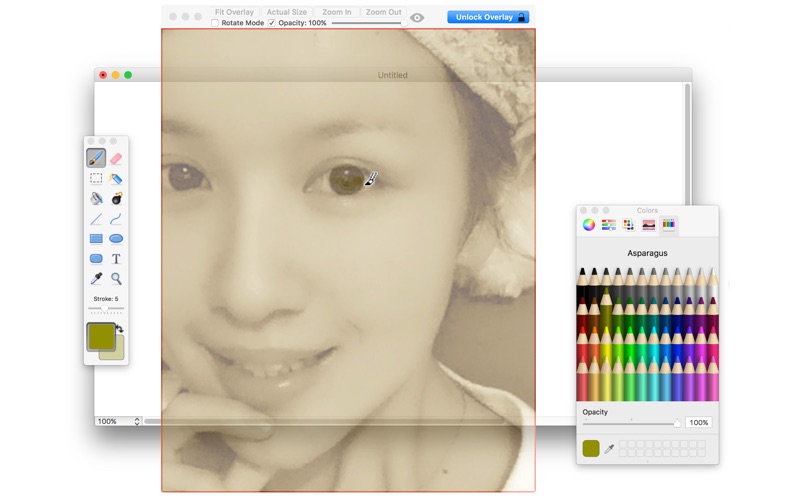
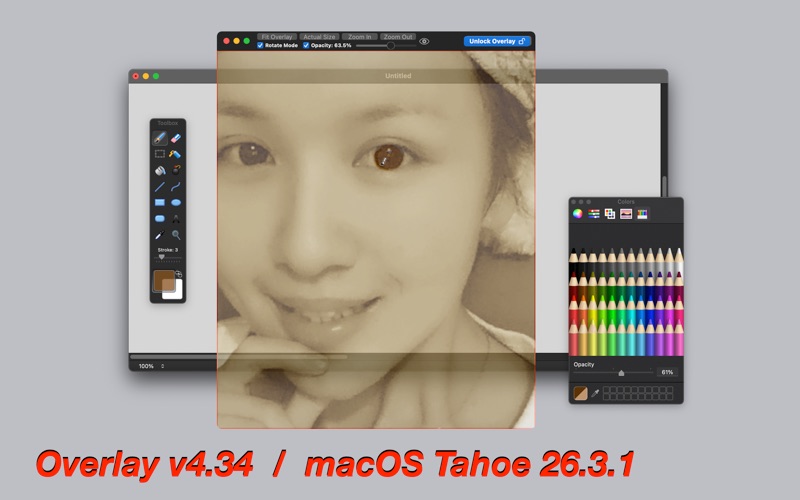
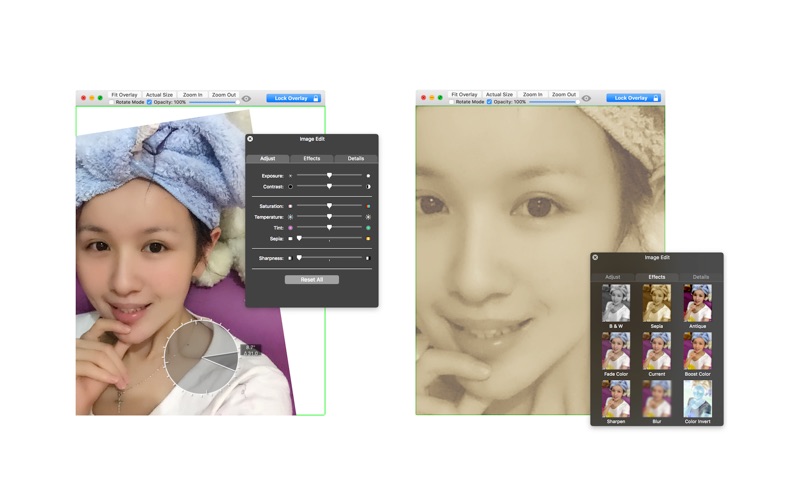
A frame that allows you to have an image or even PDF displayed semi-transparently in front of everything. It enables you to easily copy, trace, or compare designs, images, and documents since you can lock the frame and make it undisturbed by mouse gestures.
It’s a transparent overlay of an image or document on your screen that you can click through - like a transparent sticker on your screen.
Overlay is especially useful for artists, designers, and students as it allows you to make your art or design from or reference photos and screenshots.
features v2.00
- transparent overlay window is fully dragged moveable and resizable
- simply drag & drop to change your overlay photo / PDF document …
Read the full description
A frame that allows you to have an image or even PDF displayed semi-transparently in front of everything. It enables you to easily copy, trace, or compare designs, images, and documents since you can lock the frame and make it undisturbed by mouse gestures. It’s a transparent overlay of an image or document on your screen that you can click through - like a transparent sticker on your screen. Overlay is especially useful for artists, designers, and students as it allows you to make your art or design from or reference photos and screenshots. features v2.00 - transparent overlay window is fully dragged moveable and resizable - simply drag & drop to change your overlay photo / PDF document - transparency can be set anywhere from 0% - 100% - easy lock / unlock control from both the interface and menus. v2.00 -> v2.30 options added according to the user's feature request - autosave size, position, and picture fitting of the overlay window for easy resuming last work v2.30 -> v3.25 see readme for detail due to the 4K words limit v3.25 -> v3.30 - button size and style modified - "see through" function added according to the user's feature request - fix the version displaying bug on the support email subject - tip window and tip contents modified - icon color changed v3.30 -> v3.32 - status bar menu added - startup tip modified - menu re-arranged for simplification - more by dragonBTV simplified - app size dramatically reduced - performance improvements for macOS 10.13 High Sierra v3.32 -> v3.40 - options add according to feature requests: select overlay image from the Open menu - options add according to feature requests: overlay image can be simply switched from the Open Recent menu - Tips for v3.40 added to explain Open / Open Recent options v3.40 -> v3.42 - bug fixed for macOS Mojave, red lock ring and green unlock ring can be correctly displayed - status menu bar icon auto-switched for the dark mode of macOS Mojave - performance improvements for macOS 10.14 Mojave v3.42 -> v3.45 - bug fixed for macOS Mojave, all alert dialog box color under dark mode - bug fixed: About Overlay font color under the dark mode of macOS Mojave, - bug fixed: More Apps by dragonBTV link works under macOS Mojave 10.14 v3.45 -> v3.46 - bug fixed: More Apps by dragonBTV link works again under macOS Mojave 10.14 - bug fixed under macOS Mojave: close interface accidentally - hide dock icon option added to the Preferences menu v3.46 -> v3.52 a newer version for macOS Mojave 10.14.5 - bug fixed: overlay image can be freely moved via scrollbar - new option added: the overlay window can be fixed to one of your Desktops only - the background color of tip windows modified v3.52 -> v3.53 -> v3.60 -> v3.70 -> v3.80 -> v3.82 see readme for detail due to the 4K words limit of the description v3.82 -> v4.01 Feature added according to user's feature request: - Fully customizable Global HotKey toggled the hidden title bar - overlay window can be moved via direct mouse dragging when in unlock mode - overlay window will NOT be dragged moving when in rotate mode - default color of the borderline in unlock mode changed to blue - Toggle Hide / Unhide function added to all Menu - Toggle Lock / Unlock Overlay added to all Menu - Open Settings on Status Bar added to the main menu and dock menu - bug fixed on saving the selection of Over Fullscreen mode - what is Fullscreen & Over Fullscreen tip added - Show Tips of v4.01 menu added - More by dragonBTV menu updated v4.01 -> v4.03 - new option added according to user's feature requests - option: Actual Size in the retina (1/2) added to the setting - option: mouse right-click menu added: paste and zoom v4.03 -> v4.10 - option: last working status can be saved and fully reloaded - quitting alert modified to handle last job saving - 'Force Loading Last Saved Job' added to the File menu - Preferences menu renamed to Settings - bug fixed, all tips can be opened correctly from the Support menu see readme for detail
Installs
Apple does not publish download counts. Estimates are in testing.
We publish iOS estimates only after they pass a back-test against real numbers. Chart history below is measured.
Estimated store revenue Estimated Beta
App Store, worldwide, monthly rate from the last 12 chart days to 19 Nov 2026
Below the top 100 grossing apps in the markets we calibrate. In the United States that usually means under about $6.4M a month. App Store purchases and subscriptions only, before Apple's 15 to 30% fee. Ads and web payments are not included.
Ratings
No rating breakdown published for this app.
Recent reviews
Latest public reviews from the store
No reviews in our sample for this app yet.
Top chart positions
Latest App Store chart ranks by country, last 10 days
Not in any tracked top chart in the last 10 days.
Overlay history
Release, install milestones, listing and store changes
- First released on the store 6 Nov 2013
Update frequency
How often Overlay ships a new version, month by month
1 updates in the last 12 months. More often than most similar apps: they shipped a median of 0 updates in the same year.
Recent versions
Current version v4.34
- Version v4.345 Apr 2026
v4.33 -> v4.34 - App information updated for the new age-rating system - updated for the latest macOS Tahoe 26.3.1 compatible
Listing keywords
Words and phrases Overlay repeats most in its store listing
Top phrases: v3 v3 (12), bug fixed (9), macos mojave (9), overlay window (5), v3 v3 v3 (4).
Highlighted words also appear in the title. Counts cover the title, short description and description.
Compliance
What the listing and the app package show
- Store status
- Live
- Upkeep
- Updated 5 Apr 2026
- Age rating
- 4+
Apps like Overlay
 AI Cut - Photo Generate & EditBeijing Changhai Internet Technology Co., Ltd.★ 4.1
 Birthday Invitations Makerwilliam leandro aristizabal giraldo★ 4.7
 Artimind - AI Video GeneratorAPERO TECHNOLOGIES GROUP PTE.LTD★ 1.42
 AI VistaSCIENJOY META TECHNOLOGY LLC★ 2.9
 Logotipo - AI Logo GeneratorMobile Ocean★ 4.02
 Anime AI Maker: DreamtuneLYKOV STUDIO LTD★ 4.34
 DIY Wallpaper Maker DIYScreenEvgenii Fomin★ 4.68
 Vintage Camera - Film FiltersPlane Cubes★ 4.42
 Color Widgets - WallpapersFlying Pigeons LLC★ 4.34
Overlay: questions and answers
Who makes Overlay?
Overlay is published by Jiulong Zhao.
When was Overlay last updated?
The latest version (v4.34) was released on 5 Apr 2026.
Is Overlay free?
No. Overlay is a paid app priced at $17.99.
Is Overlay still available?
Yes. Overlay is live on App Store as of 11 May 2026.
Track Overlay and its competitors
Watch any app for new versions, rating drops, chart moves and removals. Free plan, no card.