
- Installs
- —
- Apple does not publish download counts
- Rating
- 4.59
- Ratings
- 6.5K
- 6.5K reviews
- Version
- 7.6.1
- Updated 9 May 2025
- Released
- 8 Aug 2013
- Tracked since 10 May 2026
- Size
- 19 MB
- Needs 15.0
Screenshots
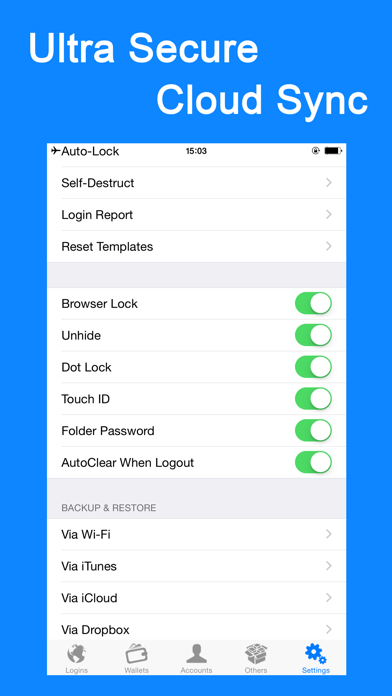
About Password Manager-
The description on the store listing
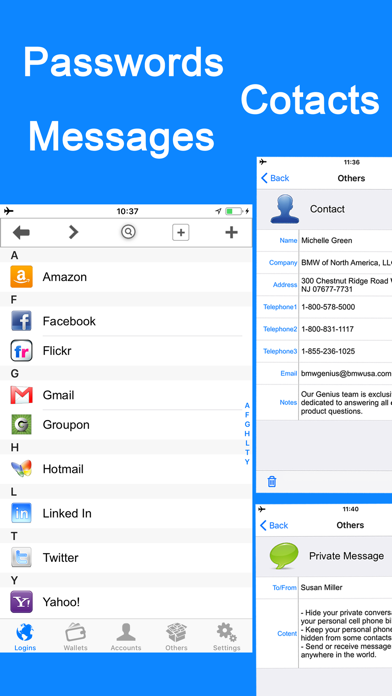
• iPassword can securely store your important information and can automatically log you into websites with a single tap. There's no need to remember the usernames, passwords, or even the website addresses.
FEATURES:
• Use ultra secure military AES 256-bit encryption to protect your confidential information such as account numbers, usernames, passwords, credit card info and more
• All protection mechanism is offline on your device only
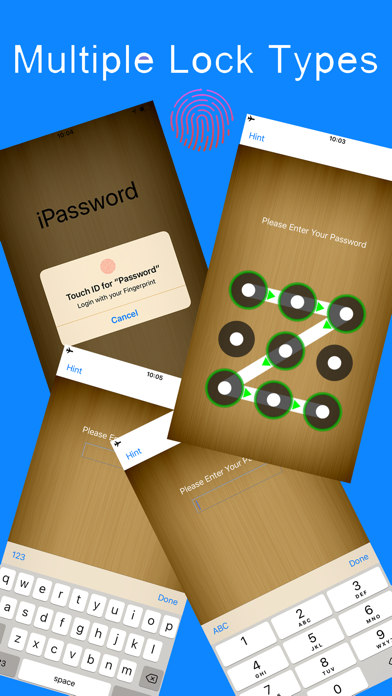
• Support Password Lock, Dot Lock & Touch ID
• Support folder lock, password field lock & browser lock
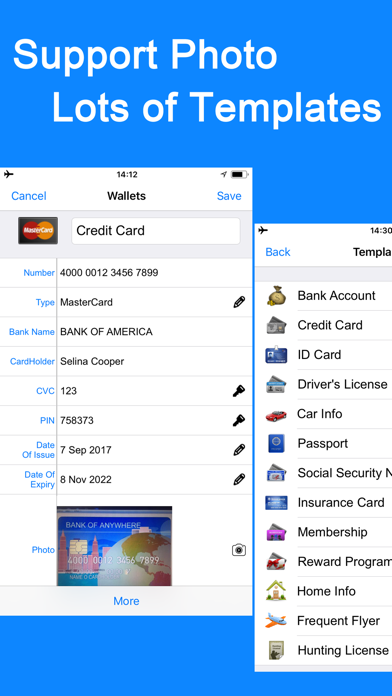
• Support photo storage
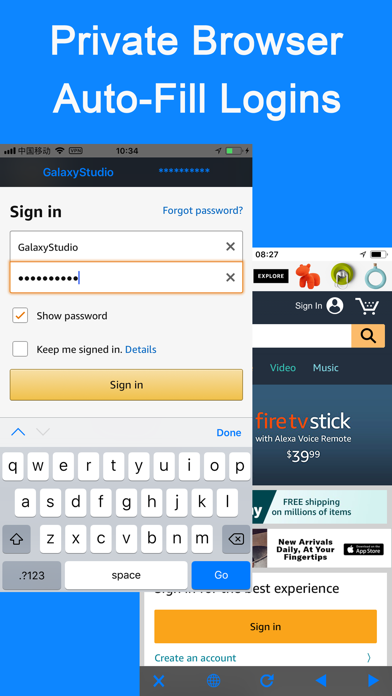
• AutoFill your usernames & passwords to websites exist in the "Login" templates or only one tap(include Copy-Past) to complete …
Read the full description
• iPassword can securely store your important information and can automatically log you into websites with a single tap. There's no need to remember the usernames, passwords, or even the website addresses. FEATURES: • Use ultra secure military AES 256-bit encryption to protect your confidential information such as account numbers, usernames, passwords, credit card info and more • All protection mechanism is offline on your device only • Support Password Lock, Dot Lock & Touch ID • Support folder lock, password field lock & browser lock • Support photo storage • AutoFill your usernames & passwords to websites exist in the "Login" templates or only one tap(include Copy-Past) to complete web forms with built-in web browser • 60 standard templates for fast data entry with the ability to create or edit custom templates with unlimited fields and the default templates can be reset • Support Categories, Folders & Subfolders for better file organization and you can select a template for any folder to create records as fast as possible • Powerful Password Generator to create un-guessable passwords • Over 235 icons to personalize your records • You can email, copy, cut, past or delete multiple files/folders at a time • Tap field to copy • Integrated search • Password hide/reveal • Optional auto-clear clipboard when exit app or clear manually • Links, phone numbers and email addresses can be activated by touch • Auto-lock to protect the app from prying eyes • Optional self-destruct if hacker attempts to guess your password • Login/break-in reports • Sharing of records via email or clipboard • Backup & Restore your data via iCloud, Dropbox, Wi-Fi or iTunes Join to iPassword today. Your digital life will be in comfort and safe with it. Feedback: [email protected]
Installs, last 30 days
Apple does not publish download counts. Estimates are in testing.
Estimated store revenue Estimated Beta
App Store, worldwide, monthly rate from the last 12 chart days to 19 Nov 2026
Below the top 100 grossing apps in the markets we calibrate. In the United States that usually means under about $6.4M a month. App Store purchases and subscriptions only, before Apple's 15 to 30% fee. Ads and web payments are not included.
Ratings
6,459 ratings, 6,459 reviews
- 5 ★81%
- 4 ★10%
- 3 ★1.7%
- 2 ★0.8%
- 1 ★6.2%
Recent reviews
Latest public reviews from the store
- 28 Mar 2021
Robust, Full-fledged , Feature Filled Password Manager
I really love this app and use the paid version as all of the features are well worth it in the security and safety that it offers me! I have been using this app for three or four years now and really enjoy it!I highly recommend it but as with everything make sure to double check their (and everyone’s ) data gathering practices on you and what information they get about you;you can never be too safe out here in this world! Do your own research before you get an app and install it!Especially a password manager! You need to make sure that it is from a reputable company that you personally trust and have done considerable research into before you trust them with your precious online data and information! I like this App but do your homework and check up on things and don’t blindly install apps just because they are popular!
- 6 Oct 2019
Best password app
This app is the best mix of functionality and cost. I love that it’s not a subscription (1time charge). I LOVE that once it’s on my phone, that’s it: it doesn’t talk back to its mothership. This app is an organized storage device only not a password and login manager. Sorry to other password apps, but I’d rather limit who manages my password entries on web sites or other apps. Right now I trust Apple and each of my app owners for the password they are each responsible for - no cross pollinating allowed. The last thing I need is for someone to hack my password app provider and I’m toast. I also like that it doesn’t try to give me a lot of functionality I don’t need like storage space on their web servers (already have iCloud ) or the ability to temporarily delete the app when traveling and restoring it when I return among others (I can already do that) among other things. The two things I have wanted added for a while is the ability to put pictures within the app as attachments to the description of a password info entry (now available but resolution way too low) and the ability to add my own within-app labeling icon (the list is dated and insufficient: I don’t
- 3 Aug 2019
I freaking love iPassword! It saves me everyday!
It’s easy, secure, and fast. Backing up my bajillion logins and passwords is easy and I can back up to plenty of location with a couple taps. Dropbox, google drive, and just about anywhere else I want to back it up to. Best of all if I lose my phone, it gets stolen, broken, falls in a pool, whatever, I get all my logins and passwords and financial info back on my new phone with a couple tops of the screen. It’s a lifesaver for those reasons, not to mention the fact that on a daily basis I end up needing to remember some obscure password that I almost never use but when I do and can’t remember it I password is right there. I don’t even have to try to remember passwords anymore. I just got a text from my wife asking what our Adobe cloud login and password is. Within seconds I can text it to her. All my kids random video game account passwords and they’re email logins and passwords, everything is in there. Kids never remember their login and password. Then they end up with like three Xbox accounts because they keep having to make a new login every daggum time they forget the one they used before because they lost the napkin they wrote it on. That is, if they ever wrote it do
- 28 May 2019
IPassword Pro and iPassword +
Sorry this is long, but if I don't give my own experiences then perhaps the developers of this app might not fully understand what's happening. After using iPassword + for quite a few years on various iPads and iPhones, the latest of which were the iPhone 7 and 8 without any trouble, we both my wife and I recently upgraded our phones to the XS. Neither mine nor my wife's phone are able to open this app since the new upgrade. Luckily my older iPad still works with this app and the ability to backup to Dropbox has saved a lot of headaches. I even upgraded to the iPassword Pro to see if that would work with the new XS. Guess what...no If you delete the app and then reload it from the app store it'll make you sign in like you were a new user (use your original password) but at least then you're able to restore your information (mine was Dropbox). Walah your done your info is back, or so you thought!! When you close the app and try to open it again later it won't open. Leaves me very frustrated knowing that with the most popular iPhone out there the developers of this app are lagging behind trying to sort this bug out.
What reviewers bring up
Topics mentioned in the latest 8 reviews, by how many reviews mention them
Liked in good reviews (5 reviews)
- password 4
- try 4
- information 3
- own 3
- understand 2
- manager 2
- popular 2
- ability 2
Raised in bad reviews (3 reviews)
- downloaded 2
- purchased 2
- passwords 2
- happened 2
- restore 2
- backup 2
- backed 2
- option 2
Top chart positions
Latest App Store chart ranks by country, last 10 days
- Countries ranked
- 16 of 50
- Best rank
- #30
- Top 10 placements
- 0
- of 16 chart placements
- Average rank
- #61.7
Best countries on App Store
- 🇮🇩 Indonesia · Top paid, Productivity#30
- 🇳🇬 Nigeria · Top paid, Productivity#39
- 🇿🇦 South Africa · Top paid, Productivity#45
- 🇮🇳 India · Top paid, Productivity#45
- 🇵🇭 Philippines · Top paid, Productivity#49
- 🇦🇪 United Arab Emirates · Top paid, Productivity#53
| Country | Chart | Category | Rank | Best (10 days) | Date |
|---|---|---|---|---|---|
| 🇮🇩 Indonesia | Top paid | Productivity | #30 | #30 | 19 Nov 2026 |
| 🇳🇬 Nigeria | Top paid | Productivity | #39 | #33 | 19 Nov 2026 |
| 🇿🇦 South Africa | Top paid | Productivity | #45 | #45 | 19 Nov 2026 |
| 🇮🇳 India | Top paid | Productivity | #45 | #45 | 19 Nov 2026 |
| 🇵🇭 Philippines | Top paid | Productivity | #49 | #42 | 19 Nov 2026 |
| 🇦🇪 United Arab Emirates | Top paid | Productivity | #53 | #53 | 19 Nov 2026 |
| 🇹🇼 Taiwan | Top paid | Productivity | #56 | #52 | 19 Nov 2026 |
| 🇲🇾 Malaysia | Top paid | Productivity | #58 | #54 | 19 Nov 2026 |
| 🇦🇷 Argentina | Top paid | Productivity | #61 | #60 | 19 Nov 2026 |
| 🇸🇬 Singapore | Top paid | Productivity | #61 | #54 | 19 Nov 2026 |
Password Manager- history
Release, install milestones, listing and store changes
- First released on the store 8 Aug 2013
Update frequency
How often Password Manager- ships a new version, month by month
0 updates in the last 12 months. Less often than most similar apps: they shipped a median of 4 updates in the same year.
Recent versions
Current version 7.6.1
- Version 7.6.19 May 2025
Bug fixes and stability improvements
Listing keywords
Words and phrases Password Manager- repeats most in its store listing
Top phrases: usernames passwords (3).
Highlighted words also appear in the title. Counts cover the title, short description and description.
Compliance
What the listing and the app package show
- Store status
- Live
- Upkeep
- Updated 9 May 2025
- Age rating
- 17+
Apps like Password Manager-
 Galaxy VPN - Fast & SecurityBLUE REV SOAR TECHNOLOGY LIMITED★ 4.61
 Miro: your visual workspaceRealtimeBoard Inc.★ 4.69
 A Cleaner: Storage CleanupHONG KONG LITTLE BEAR INFORMATION TECHNOLOGY CO., LIMITED★ 4.3
 Add Watermark -Batch ProcessSaraswati Javalkar★ 4.84
 PlatoVPN Fast:Super VPN ProxyMogoTech Inc.★ 4.73
 Group Text | Mass MessageMass Text LLC★ 4.34
 ViVi Keyboard: Theme & ChatbotMetaverse Technology LTD★ 4.27
 Drukpa Lunar CalendarLich Viet JSC★ 4.75
 Microsoft 365 AdminMicrosoft Corporation★ 4.65
Password Manager-: questions and answers
Who makes Password Manager-?
Password Manager- is published by 广栋 莫.
When was Password Manager- last updated?
The latest version (7.6.1) was released on 9 May 2025.
Is Password Manager- free?
No. Password Manager- is a paid app priced at $5.99.
Is Password Manager- still available?
Yes. Password Manager- is live on App Store as of 19 Nov 2026.
Track Password Manager- and its competitors
Watch any app for new versions, rating drops, chart moves and removals. Free plan, no card.