
- Installs
- —
- Apple does not publish download counts
- Rating
- 4.5
- Ratings
- 16.5K
- 16.5K reviews
- Version
- 1.08.00
- Updated 20 Aug 2024
- Released
- 11 Jun 2019
- Tracked since 10 May 2026
- Size
- 41 MB
- Needs 12.0
Screenshots
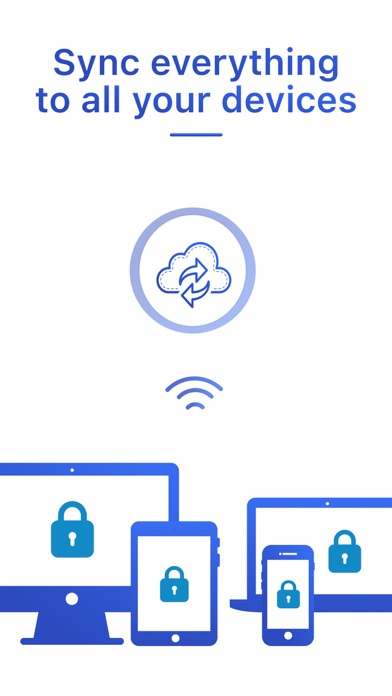
About Password Manager - Safe Lock
The description on the store listing
Generate and autofill strong passwords on all your devices thanks to cloud sync. Easy to use, this app is an indispensable tool for all web surfers looking for security.
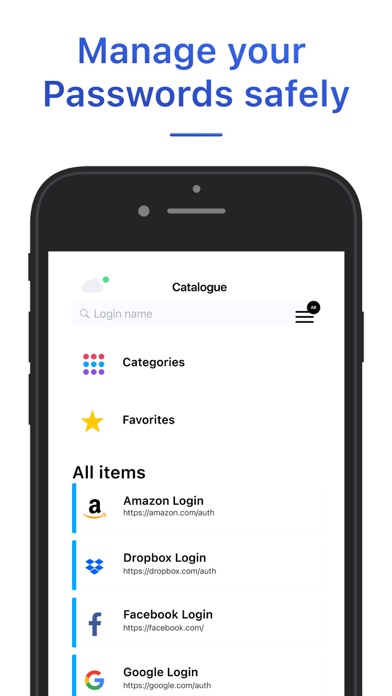
Get organized, stay safe and never lose passwords again!
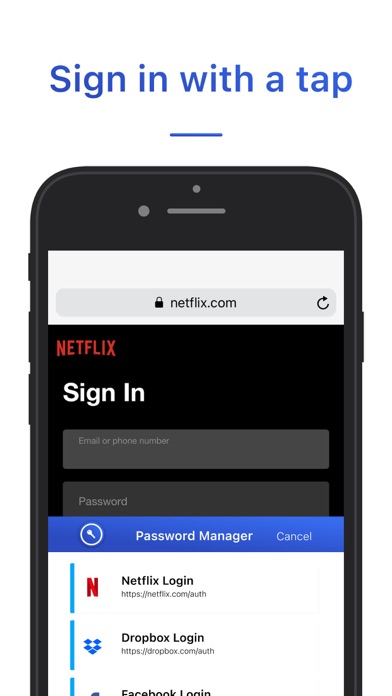
The great Autofill feature fills in automatically all your credentials (logins, passwords, credit card details, address, etc.) in one tap and allows you to browse on the internet and check out much faster than before. All of this while staying safe online of course!
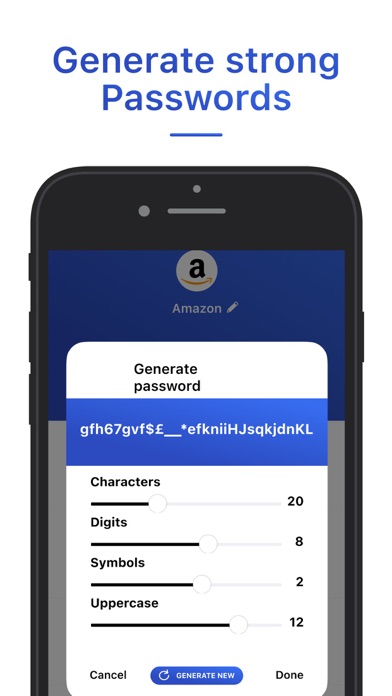
Tired of creating secure passwords? Don’t worry, you have the ability to generate strong passwords within this app and enjoy maximum security.
Premium benefits:
The premium subscription allows you to …
Read the full description
Generate and autofill strong passwords on all your devices thanks to cloud sync. Easy to use, this app is an indispensable tool for all web surfers looking for security. Get organized, stay safe and never lose passwords again! The great Autofill feature fills in automatically all your credentials (logins, passwords, credit card details, address, etc.) in one tap and allows you to browse on the internet and check out much faster than before. All of this while staying safe online of course! Tired of creating secure passwords? Don’t worry, you have the ability to generate strong passwords within this app and enjoy maximum security. Premium benefits: The premium subscription allows you to access to use the Cloud synchronization feature, to secure unlimited items and generate strong passwords. Don’t hesitate to contact our team at: [email protected] # KEY FEATURES # Browser autofill for logins, passwords, addresses, credit cards and more Password Generator to create secure passwords Add and store unlimited items in your catalogue Encrypted data for maximum security: only you can have access to the infos Single tap unlock with Touch ID Cloud synchronisation and backup SUBSCRIPTION INFORMATION Subscribe to get unlimited access to the premium features Weekly, Monthly & Yearly subscriptions * Free trial subscription is automatically renewed unless cancelled 24 hours before the renewal Payment will be charged to iTunes Account at confirmation of purchase Account will be charged for renewal within 24-hours prior to the end of the current period, at the same price Subscriptions may be managed by the user and auto-renewal may be turned off by going to the user’s Account Settings after purchase Privacy Policy & Terms of Service: http://approver-studio.com/products/password/tos *Price are equal to the value that “Apple’s App Store Matrix” determines is the equivalent of the subscription price in $USD.
Installs, last 30 days
Apple does not publish download counts. Estimates are in testing.
Estimated store revenue Estimated Beta
App Store, worldwide, monthly rate from the last 12 chart days to 19 Nov 2026
Below the top 100 grossing apps in the markets we calibrate. In the United States that usually means under about $6.4M a month. App Store purchases and subscriptions only, before Apple's 15 to 30% fee. Ads and web payments are not included.
Ratings
16,512 ratings, 16,512 reviews
No rating breakdown published for this app.
Recent reviews
Latest public reviews from the store
- 7 May 2021
This app doesn’t deserve the backlash
I personally love this app. I think that the reason people are giving bad reviews is because it is hard to get out of the free trial screen. I recommend looking up a video on how to do it because once you get out of it (which it is pretty easy to do) it doesn’t bother you any more with the trial. I also love how someone actually takes the time and responds to these terrible reviews, when most other companies don’t. Thank you Hannah!! And just to be clear, I am not one of those people who work for the companies and dish out good reviews for money. I just like this app. The only other thing that I do t like about this app is that there is no way to be sure if they are going to steal my info, but there is no way for the apps to make us trust us. So I am still trusting them. Thank you for reading!! Have a good day.
- 9 Oct 2020
About a passcode
Hi I am Olivia princess and all your passcodes with your thumb and your passcode I’m not telling nobody mine because somebody can be spying on me and my iPad if you haven’t saw on Facebook you can see right now but it’s a really good app and I can download any app I want it’s very very very very very very very very very very good but I love it I just love it the whole thing like why would I not download it is the best Ok bye
- 31 Jul 2020
For the people that keep saying “ I can’t exit the trial page”.
If you want to exit the trial page you will see a button called “Ads and locked version” press it then it will ask for your master password. After you do that you have to go to setting go to passwords and auto fill, then press auto fill passwords! After that tap the password manager app button. After you do those instructions you can log in or don’t (your choice). Then when log in at any app you will find passwords! It will open the app and ask you for your finger print or master password. After that it will log in in the app Thank you for your time Faisal
- 25 Jul 2020
AWESOME 🤩🤩🤩
Ok so first off, I just wanted to say that this app is amazing and really convenient. I found this app from an ad on Instagram and at first I was skeptical because I was scared of getting hacked, so I tested the app with an instagram account that I have and so far my account is fine. For everyone who can’t get passed the trial screen, there’s words in the middle of the screen that says something like “ads+locked features” I just pressed that and it got me passed the trial screen for free. I do like how you have to have a password called your “Master Password” (there’s also an option to add face recognition or Touch ID) to get into your passwords so people can’t access your passwords without the password. I like all the different “apps” you can save your passwords in, I would also like to get to save my password for other trending apps like TikTok ect. if you have the rights for that. For everybody who’s also looking to save some identity info, credit card info, passwords, and even secret notes, this app is definitely for you!! I’m not sure what the app is like if you pay for it but trust me there is a way to get passed the trial screen!! I definitely recomme
What reviewers bring up
Topics mentioned in the latest 8 reviews, by how many reviews mention them
Liked in good reviews (5 reviews)
- trial 4
- master password 3
- passwords 3
- people 3
- screen 3
- called 3
- sure 3
- finger print 2
Raised in bad reviews (3 reviews)
- reading 2
- tried 2
- pay 2
Top chart positions
Latest App Store chart ranks by country, last 10 days
Not in any tracked top chart in the last 10 days.
Password Manager - Safe Lock history
Release, install milestones, listing and store changes
- First released on the store 11 Jun 2019
Update frequency
How often Password Manager - Safe Lock ships a new version, month by month
0 updates in the last 12 months. Less often than most similar apps: they shipped a median of 1 updates in the same year.
Recent versions
Current version 1.08.00
- Version 1.08.0020 Aug 2024
We fixed some bugs in this version.
Listing keywords
Words and phrases Password Manager - Safe Lock repeats most in its store listing
Top phrases: strong passwords (3), generate strong passwords (2), generate strong (2), logins passwords (2), maximum security (2).
Highlighted words also appear in the title. Counts cover the title, short description and description.
Compliance
What the listing and the app package show
- Store status
- Live
- Upkeep
- No update since 20 Aug 2024
- Age rating
- 4+
Apps like Password Manager - Safe Lock
 Rocket Lawyer Legal & Law HelpRocket Lawyer Incorporated★ 4.88
 Talview CandidateTalview Inc★ 4.7
 Yandex Mail: Email & CloudDirect Cursus Computer Systems Trading★ 4.74
 Reminder & CountdownSergey Astakhov★ 4.76
 The Image Converter □Float Tech, LLC★ 4.65
 RoboAI - Chat & Ask AI ChatbotSense Yazilim★ 4.58
 Fax From iPhone - Receive FaxFree AI Utility Apps LLC★ 4.78
 Password Manager'广栋 莫★ 4.37
 Wix - Website BuilderWix.com Inc.★ 4.58
Password Manager - Safe Lock: questions and answers
Who makes Password Manager - Safe Lock?
Password Manager - Safe Lock is published by App Rover.
When was Password Manager - Safe Lock last updated?
The latest version (1.08.00) was released on 20 Aug 2024.
Is Password Manager - Safe Lock free?
Yes. Password Manager - Safe Lock is free to download.
Is Password Manager - Safe Lock still available?
Yes. Password Manager - Safe Lock is live on App Store as of 19 Nov 2026.
Track Password Manager - Safe Lock and its competitors
Watch any app for new versions, rating drops, chart moves and removals. Free plan, no card.