
- Installs
- —
- Apple does not publish download counts
- Rating
- —
- Ratings
- —
- Version
- 25.3.5
- Updated 19 Nov 2025
- Released
- 22 Jun 2014
- Tracked since 10 May 2026
- Size
- 10 MB
- Needs 10.13
Screenshots
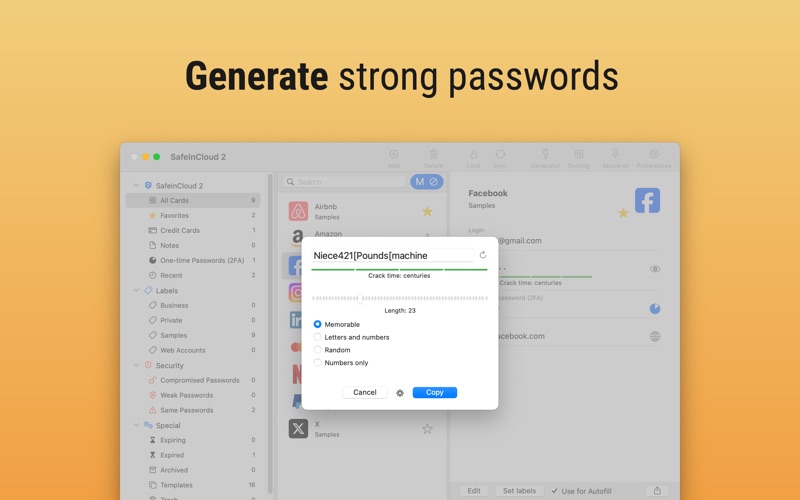
About Passwords & Codes-Safe
The description on the store listing
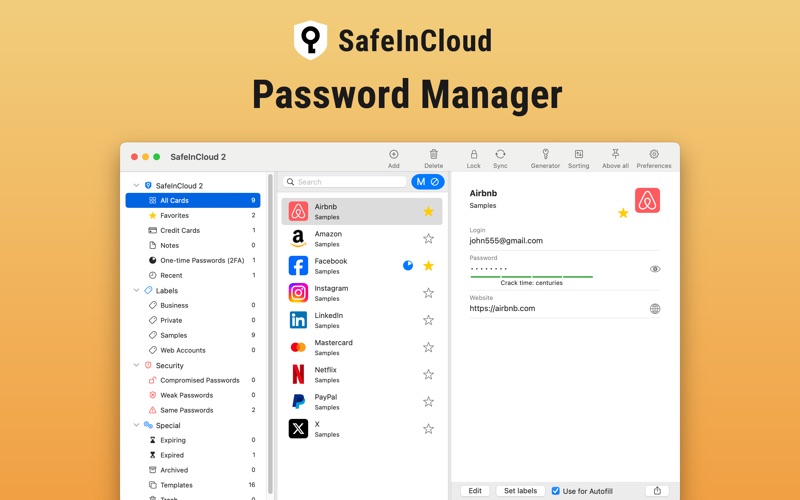
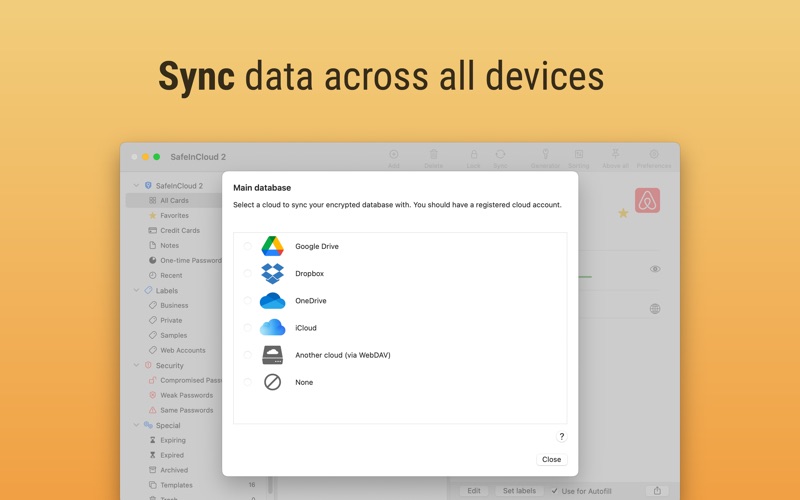
SafeInCloud Password Manager allows you to keep your logins, passwords, and other private info safe and secure in an encrypted database. You can synchronize your data with another phone, tablet, Mac or PC via your own cloud account.
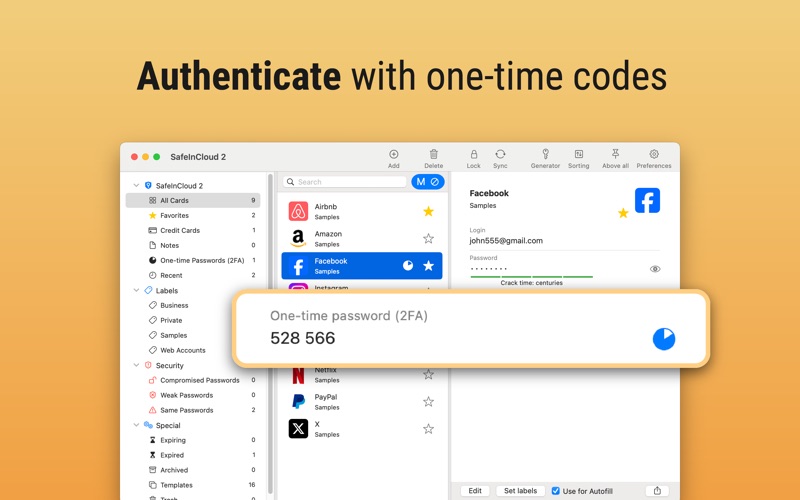
SafeInCloud is not just a password vault, but also a 2FA authenticator that generates one-time codes for any website. This means you won't need a separate 2FA authenticator app.
ALL-IN-ONE PASSWORD MANAGER
◆ Easy to Use
◆ Strong Encryption (256-bit Advanced Encryption Standard)
◆ Cloud Synchronization (iCloud, Google Drive, Dropbox, Microsoft OneDrive, NAS, WebDAV)
◆ Login with Touch ID
◆ Multiple Databases
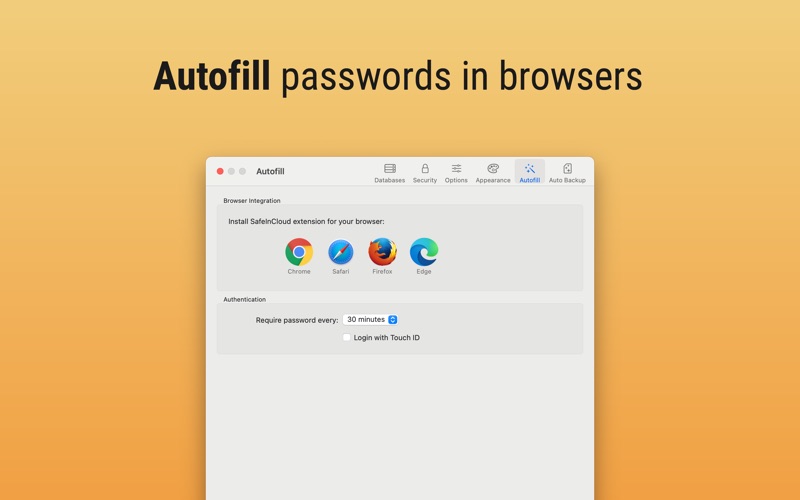
◆ Browser Integration (Safari, Google Chrome, …
Read the full description
SafeInCloud Password Manager allows you to keep your logins, passwords, and other private info safe and secure in an encrypted database. You can synchronize your data with another phone, tablet, Mac or PC via your own cloud account. SafeInCloud is not just a password vault, but also a 2FA authenticator that generates one-time codes for any website. This means you won't need a separate 2FA authenticator app. ALL-IN-ONE PASSWORD MANAGER ◆ Easy to Use ◆ Strong Encryption (256-bit Advanced Encryption Standard) ◆ Cloud Synchronization (iCloud, Google Drive, Dropbox, Microsoft OneDrive, NAS, WebDAV) ◆ Login with Touch ID ◆ Multiple Databases ◆ Browser Integration (Safari, Google Chrome, Firefox) ◆ Password Strength Analysis ◆ Password Generator ◆ 2FA Authenticator (MFA, TOTP, OTP) ◆ Check for Compromised Passwords ◆ Automatic Data Import ◆ Cross-Platform EASY TO USE Try it yourself and enjoy an easy-to-use yet powerful user interface. STRONG ENCRYPTION Your data is always encrypted on a device and in a cloud with a strong 256-bit Advanced Encryption Standard (AES). CLOUD SYNCHRONIZATION Your database is automatically synchronized with your own cloud account. Thus you can easily restore your entire database from a cloud to a new phone or computer (in case of a loss or an upgrade). LOGIN WITH TOUCH ID You can instantly unlock SafeInCloud with a fingerprint on devices with Touch ID. BROWSER INTEGRATION The Desktop application integrates with a browser. This allows you to paste passwords directly into web pages. You don't need to manually copy and paste passwords from SafeInCloud into a browser. PASSWORD STRENGTH ANALYSIS SafeInCloud analyses your password strengths and shows a strength indicator next to each password. PASSWORD GENERATOR The password generator helps you generating random and secure passwords. There is also an option to generate memorable, but still strong passwords. 2FA AUTHENTICATOR SafeInCloud supports two factor authentication (2FA, MFA, TOTP, OTP), providing an additional layer of security without the need for a separate verification app like Microsoft authenticator. CHECK FOR COMPROMISED PASSWORDS Hundreds of millions of real world passwords have previously been exposed in data breaches. Safely and anonymously check your passwords for being compromised. AUTOMATIC DATA IMPORT The Desktop application can automatically import your passwords from another password manager like 1password or LastPass. You don't need to manually reenter all your passwords.
Installs
Apple does not publish download counts. Estimates are in testing.
We publish iOS estimates only after they pass a back-test against real numbers. Chart history below is measured.
Estimated store revenue Estimated Beta
App Store, worldwide, monthly rate from the last 13 chart days to 20 Nov 2026
Below the top 100 grossing apps in the markets we calibrate. In the United States that usually means under about $6.4M a month. App Store purchases and subscriptions only, before Apple's 15 to 30% fee. Ads and web payments are not included.
Ratings
No rating breakdown published for this app.
Recent reviews
Latest public reviews from the store
No reviews in our sample for this app yet.
Top chart positions
Latest App Store chart ranks by country, last 10 days
Not in any tracked top chart in the last 10 days.
Passwords & Codes-Safe history
Release, install milestones, listing and store changes
- First released on the store 22 Jun 2014
Recent versions
Current version 25.3.5
- Version 25.3.519 Nov 2025
- Critical bug fix for Safari extension on macOS Tahoe 26
Listing keywords
Words and phrases Passwords & Codes-Safe repeats most in its store listing
Top phrases: 2fa authenticator (4), password generator (3), password manager (3), touch id (3), advanced encryption standard (2).
Highlighted words also appear in the title. Counts cover the title, short description and description.
Compliance
What the listing and the app package show
- Store status
- Live
- Upkeep
- Updated 19 Nov 2025
- Age rating
- 4+
Apps like Passwords & Codes-Safe
 Super VPN: Fast Private ProxyGeek Incorporated★ 4.4
 Hubtel RetailerHubtel Limited★ 4.32
 Monthly Calendar 2022 - CalistOmoboto LLC★ 4.38
 Firstly: To-Do List & PlannerfocusCove LLC★ 4.7
 CBUS 311City of Columbus, Ohio★ 1.8
 Themes for Powerpoint - DesiGNGraphic Node★ 4.22
 iSiloDC & Co.★ 3.82
 Flashlight Pro [Multipurpose LED light]KAVAPOINT★ 3.88
 WiPryOscium LLC★ 2.68
Passwords & Codes-Safe: questions and answers
Who makes Passwords & Codes-Safe?
Passwords & Codes-Safe is published by SAFEINCLOUD SAS.
When was Passwords & Codes-Safe last updated?
The latest version (25.3.5) was released on 19 Nov 2025.
Is Passwords & Codes-Safe free?
Yes. Passwords & Codes-Safe is free to download.
Is Passwords & Codes-Safe still available?
Yes. Passwords & Codes-Safe is live on App Store as of 10 May 2026.
Track Passwords & Codes-Safe and its competitors
Watch any app for new versions, rating drops, chart moves and removals. Free plan, no card.