
- Installs
- —
- Apple does not publish download counts
- Rating
- —
- Ratings
- —
- Version
- 2.4.7
- Updated 7 Oct 2024
- Released
- 14 Dec 2016
- Tracked since 10 May 2026
- Size
- 9 MB
- Needs 10.14
Screenshots
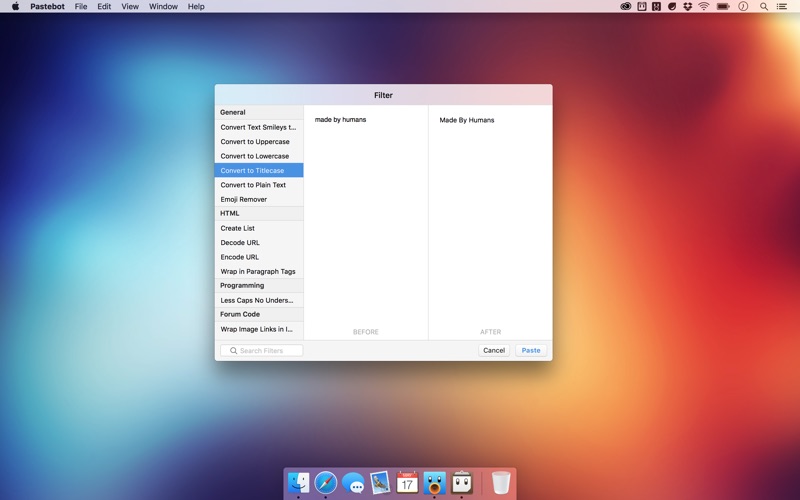
About Pastebot
The description on the store listing
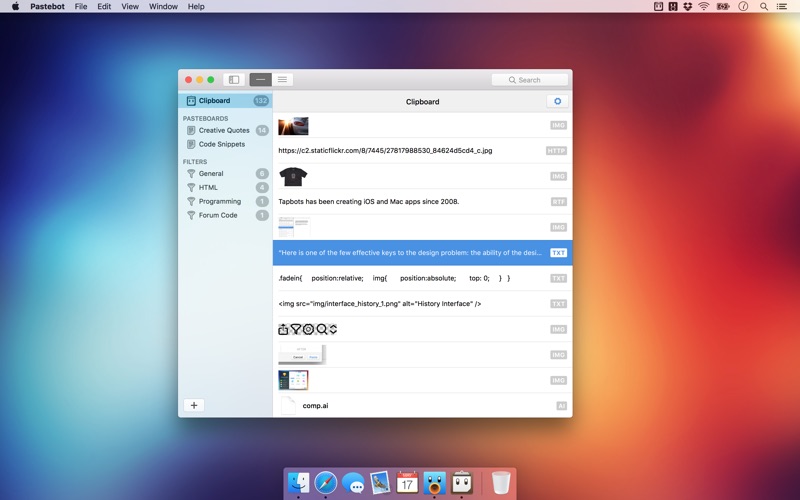
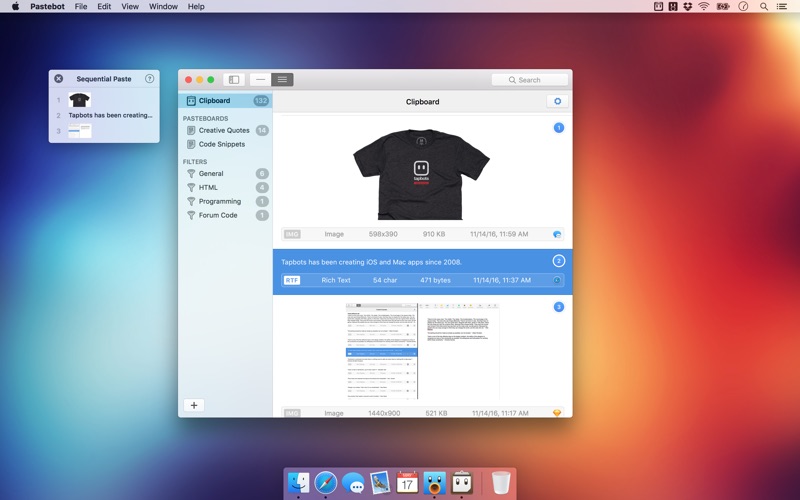
If copy & paste is a part of your workflow, Pastebot is an indispensible tool to improve your productivity. Quickly recall clippings that you have copied before and apply powerful text filters to format before pasting. You can even queue up multiple copies to paste in sequence. Pastebot is always running and only a keyboard shortcut away to command copy & paste.
Clipboard History:
Pastebot saves everything you copy so that you can quickly recall them in the future. Save and organize frequently-used clippings into custom pasteboards and create keyboard shortcuts to access pasteboards and paste specific clippings.
Powerful Filters:
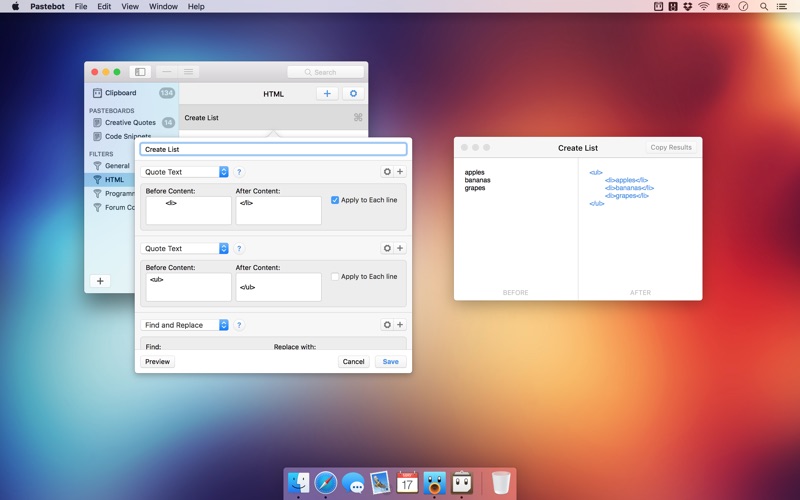
Build powerful filters with a live preview and apply them …
Read the full description
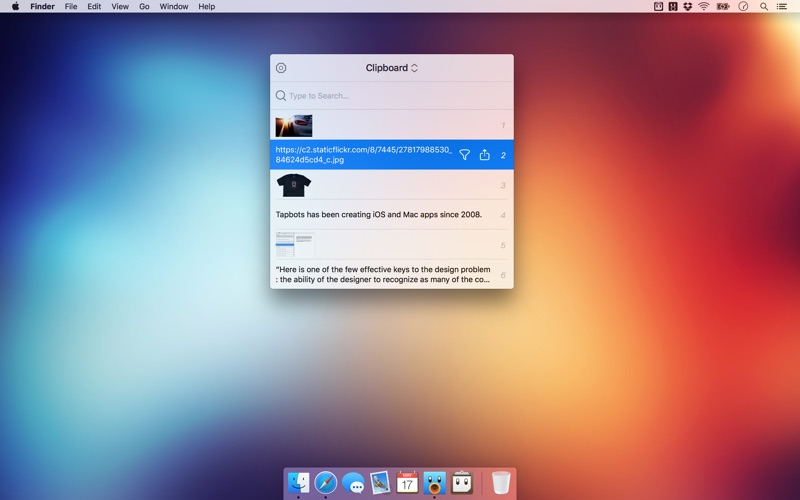
If copy & paste is a part of your workflow, Pastebot is an indispensible tool to improve your productivity. Quickly recall clippings that you have copied before and apply powerful text filters to format before pasting. You can even queue up multiple copies to paste in sequence. Pastebot is always running and only a keyboard shortcut away to command copy & paste. Clipboard History: Pastebot saves everything you copy so that you can quickly recall them in the future. Save and organize frequently-used clippings into custom pasteboards and create keyboard shortcuts to access pasteboards and paste specific clippings. Powerful Filters: Build powerful filters with a live preview and apply them as you paste. Create keyboard shortcuts to quickly paste using your filters and export your filters to share with other Pastebot users. Quick Paste Menu: Pastebot is there when you need it and invisible when you don’t. Quickly access your clippings from any app and search, preview, or filter clippings before pasting. You can even set the order of clippings to paste in sequence. iCloud Sync: With iCloud enabled, your main clipboard, custom pasteboards and filters sync across all of your computers running Pastebot. Your clipboard and filters will be on every mac you work on. Custom Pasteboards: Create custom pasteboard groups to organize important clippings you want to save and re-use. Assign keyboard shortcuts to clippings you use most often. Works with Universal Clipboard: macOS Sierra’s Universal Clipboard works alongside Pastebot. Copy a clipping in Pastebot and paste it on your iOS device via Universal Clipboard. Full Screen Support: Pastebot works in full-screen and split-screen mode. Running in split-screen mode allows you to use Pastebot as a scratch pad. Options: Choose from various quick paste window styles to suit your preferences, always paste in plain text, enable release-to-paste and more. Blacklist: There are apps you copy from that you never want stored in Pastebot. Just add that application to the blacklist and Pastebot will ignore it. Search: Find a clipping quickly with Pastebot’s powerful search capabilities. Search based on content or metadata. You can search by application, date, data type and more. Keyboard Shortcuts: Pastebot features many keyboard shortcuts to satisfy any copy & paste maestro. Paste the previous item on the clipboard or paste the current clipping while applying the last used filter.
Installs
Apple does not publish download counts. Estimates are in testing.
We publish iOS estimates only after they pass a back-test against real numbers. Chart history below is measured.
Estimated store revenue Estimated Beta
App Store, worldwide, monthly rate from the last 13 chart days to 20 Nov 2026
Below the top 100 grossing apps in the markets we calibrate. In the United States that usually means under about $6.4M a month. App Store purchases and subscriptions only, before Apple's 15 to 30% fee. Ads and web payments are not included.
Ratings
No rating breakdown published for this app.
Recent reviews
Latest public reviews from the store
No reviews in our sample for this app yet.
Top chart positions
Latest App Store chart ranks by country, last 10 days
Not in any tracked top chart in the last 10 days.
Pastebot history
Release, install milestones, listing and store changes
- First released on the store 14 Dec 2016
Recent versions
Current version 2.4.7
- Version 2.4.77 Oct 2024
- Fixed startup crasher after receipt expiration
Listing keywords
Words and phrases Pastebot repeats most in its store listing
Top phrases: keyboard shortcuts (5), copy paste (3), custom pasteboards (3), universal clipboard (3), create keyboard shortcuts (2).
Highlighted words also appear in the title. Counts cover the title, short description and description.
Compliance
What the listing and the app package show
- Store status
- Live
- Upkeep
- No update since 7 Oct 2024
- Age rating
- 4+
Apps like Pastebot
 Super VPN: Fast Private ProxyGeek Incorporated★ 4.4
 Hubtel RetailerHubtel Limited★ 4.32
 Monthly Calendar 2022 - CalistOmoboto LLC★ 4.38
 Firstly: To-Do List & PlannerfocusCove LLC★ 4.7
 CBUS 311City of Columbus, Ohio★ 1.8
 Themes for Powerpoint - DesiGNGraphic Node★ 4.22
 iSiloDC & Co.★ 3.82
 Flashlight Pro [Multipurpose LED light]KAVAPOINT★ 3.88
 WiPryOscium LLC★ 2.68
Pastebot: questions and answers
Who makes Pastebot?
Pastebot is published by Tapbots.
When was Pastebot last updated?
The latest version (2.4.7) was released on 7 Oct 2024.
Is Pastebot free?
No. Pastebot is a paid app priced at $12.99.
Is Pastebot still available?
Yes. Pastebot is live on App Store as of 10 May 2026.
Track Pastebot and its competitors
Watch any app for new versions, rating drops, chart moves and removals. Free plan, no card.