
- Installs
- —
- Apple does not publish download counts
- Rating
- —
- Ratings
- —
- Version
- 1.0
- Updated 15 Aug 2024
- Released
- 15 Aug 2024
- Tracked since 10 May 2026
- Size
- 7 MB
- Needs 15.0
Screenshots

About PDF AI: Doc Scan Editor Reader
The description on the store listing
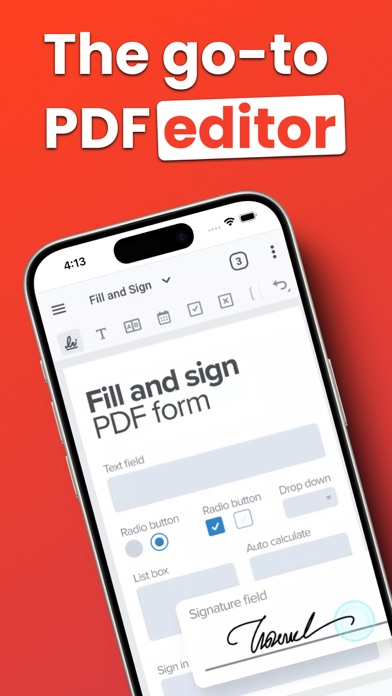
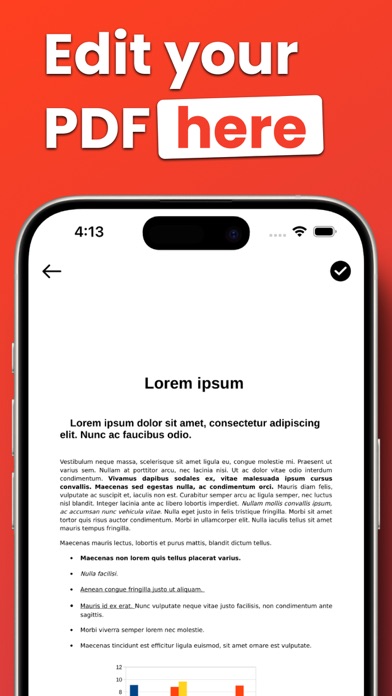
With PDF Editor powered by AI, you have freedom to edit any element in your PDF. Effortlessly edit any image, text or even sign. You can even merge and convert your PDF files into other types of documents easily. Whether you're a student, professional, or simply need to work with PDFs, we've got you covered.
Experience hassle-free editing with our user-friendly interface. Streamline your PDF workflow today!
USE PDF EDITOR TO CONVERT DOCUMENTS
• Convert PDF to high-resolution print or small web PDF files.
• Convert PDF to JPG and PNG.
• Convert PDF to Word.
• Convert any image to PDF.
• Convert Word to PDF.
• Convert PowerPoint to PDF.
• JPG to PDF: Take a picture of a document and save …
Read the full description
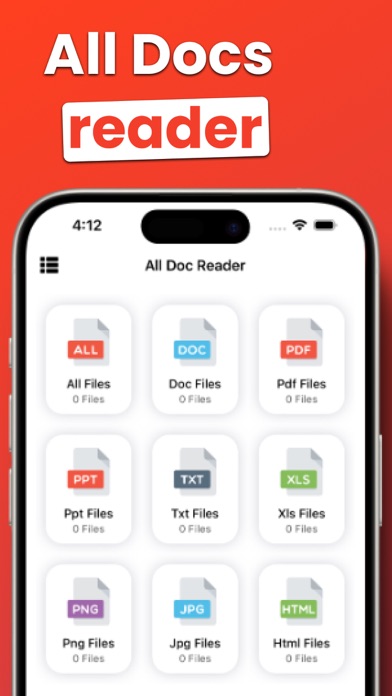
With PDF Editor powered by AI, you have freedom to edit any element in your PDF. Effortlessly edit any image, text or even sign. You can even merge and convert your PDF files into other types of documents easily. Whether you're a student, professional, or simply need to work with PDFs, we've got you covered. Experience hassle-free editing with our user-friendly interface. Streamline your PDF workflow today! USE PDF EDITOR TO CONVERT DOCUMENTS • Convert PDF to high-resolution print or small web PDF files. • Convert PDF to JPG and PNG. • Convert PDF to Word. • Convert any image to PDF. • Convert Word to PDF. • Convert PowerPoint to PDF. • JPG to PDF: Take a picture of a document and save it to PDF. • MS Office Converter: Convert office documents to PDF files. Turn your PDF files into editable Office formats such as Word, Excel, Powerpoint. • Extract images from PDF: Extract images from your PDF document with high quality. Convert your own images to single or multiple PDF files. PDF EDITOR • Annotate PDF: Simply highlight the relevant text in your PDF. Add notes and annotations to PDF documents, leave comments, draw or insert images to PDF. Choose your format of annotation. • Fill and sign forms: Quickly fill out a PDF form by typing text and e-sign it using your finger. • PDF Reader: View, edit and modify PDF files stored on your device whenever you need. OPTIMIZE, ORGANIZE AND PROTECT DOCUMENTS • Compress PDF: Reduce the filesize of your document while keeping visual quality. • Merge PDF: Combine multiple documents into a single PDF file. • Split PDF: Split PDF pages or extract pages to multiple PDF documents with high quality. • Rotate PDF: Rotate specific PDF pages and adjust their fit within your doEcument. • PDF Protection: Remove or add PDF passwords. • Add page numbers to PDF: Customize your PDF files. Choose position, typography, and size of your page numbers. • Watermark PDF: Choose an image or a text and add it to your PDF document. Select position, transparency or typography for the best result. Download this superior office app to support your work and study, you will have both a PDF viewer, ebook reader, and PDF editor at the same time. Simple, free, and lightweight, really worth a try! PREMIUM SUBSCRIPTION - You can subscribe to get unlimited access to certain app features. - Subscriptions are billed monthly, or annually at the rate selected depending on the subscription plan. Privacy Policy: https://standardiosapps.blogspot.com/2023/12/privacy-policy.html EULA & Terms of Use: https://standardiosapps.blogspot.com/2023/12/terms-of-use.html
Installs
Apple does not publish download counts. Estimates are in testing.
We publish iOS estimates only after they pass a back-test against real numbers. Chart history below is measured.
Estimated store revenue Estimated Beta
App Store, worldwide, monthly rate from the last 14 chart days to 21 Nov 2026
Below the top 100 grossing apps in the markets we calibrate. In the United States that usually means under about $6.4M a month. App Store purchases and subscriptions only, before Apple's 15 to 30% fee. Ads and web payments are not included.
Ratings
No rating breakdown published for this app.
Recent reviews
Latest public reviews from the store
No reviews in our sample for this app yet.
Top chart positions
Latest App Store chart ranks by country, last 10 days
Not in any tracked top chart in the last 10 days.
PDF AI: Doc Scan Editor Reader history
Release, install milestones, listing and store changes
- First released on the store 15 Aug 2024
Recent versions
Current version 1.0
- Version 1.015 Aug 2024
Listing keywords
Words and phrases PDF AI: Doc Scan Editor Reader repeats most in its store listing
Top phrases: pdf files (7), pdf editor (4), convert pdf (3), extract images (2), high quality (2).
Highlighted words also appear in the title. Counts cover the title, short description and description.
Compliance
What the listing and the app package show
- Store status
- Live
- Upkeep
- No update since 15 Aug 2024
- Age rating
- 4+
Apps like PDF AI: Doc Scan Editor Reader
 GoTime RepairAudatex North America Inc.★ 3.94
 Super VPN: Fast Private ProxyGeek Incorporated★ 4.4
 Hubtel RetailerHubtel Limited★ 4.32
 Monthly Calendar 2022 - CalistOmoboto LLC★ 4.38
 CBUS 311City of Columbus, Ohio★ 1.8
 Themes for Powerpoint - DesiGNGraphic Node★ 4.22
 iSiloDC & Co.★ 3.82
 Flashlight Pro [Multipurpose LED light]KAVAPOINT★ 3.88
 WiPryOscium LLC★ 2.68
PDF AI: Doc Scan Editor Reader: questions and answers
Who makes PDF AI: Doc Scan Editor Reader?
PDF AI: Doc Scan Editor Reader is published by Doreen Eichelberger.
When was PDF AI: Doc Scan Editor Reader last updated?
The latest version (1.0) was released on 15 Aug 2024.
Is PDF AI: Doc Scan Editor Reader free?
Yes. PDF AI: Doc Scan Editor Reader is free to download.
Is PDF AI: Doc Scan Editor Reader still available?
Yes. PDF AI: Doc Scan Editor Reader is live on App Store as of 10 May 2026.
Track PDF AI: Doc Scan Editor Reader and its competitors
Watch any app for new versions, rating drops, chart moves and removals. Free plan, no card.