- Installs
- —
- Apple does not publish download counts
- Rating
- —
- Ratings
- —
- Version
- 6.2
- Updated 27 Feb 2021
- Released
- 24 Mar 2018
- Tracked since 10 May 2026
- Size
- 2 MB
- Needs 10.13
Screenshots
About PDF Annotation Maker
The description on the store listing
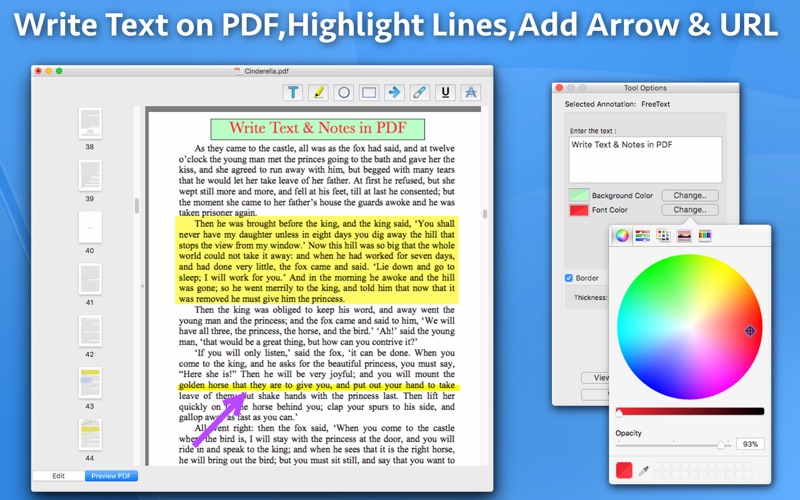
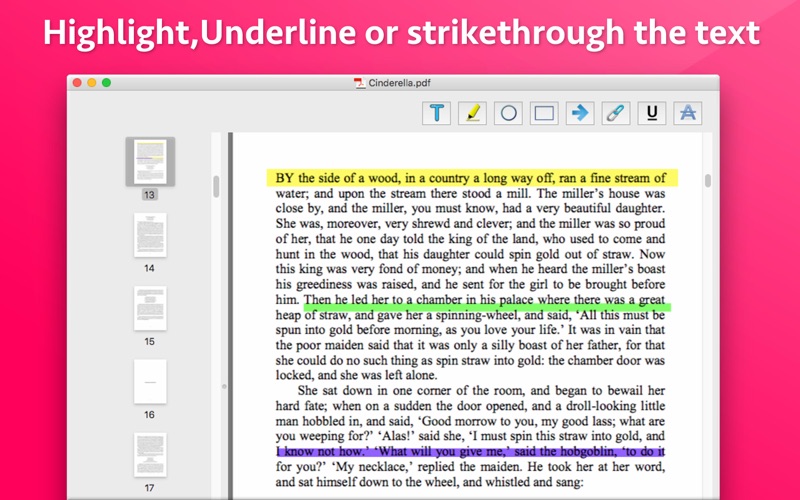
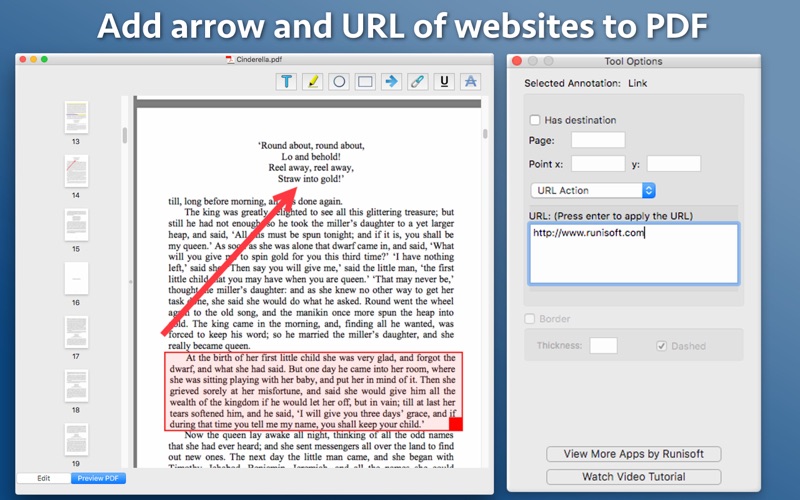
Write text on PDF, Highlight, underline or strikethrough lines, add arrow, add url of website & many more. Using these features you could highlight important lines and paragraphs in a PDF. You could also write text on pages of the PDF. For example : You could write "Important" on the important pages of the PDF. Also, you could show important points & images using Arrow.
This could be very helpful in making notes, preparing documentation or for making presentation. Annotated PDF files are easier to understand and help to focus on important points, images and topics.
Below are some additional usage :
-- Getting feedback on a document that is sent for review. The reviewer could highlight …
Read the full description
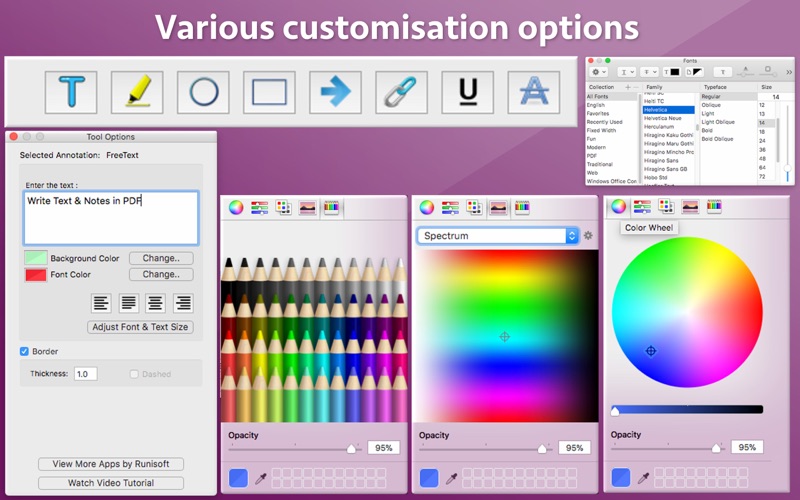
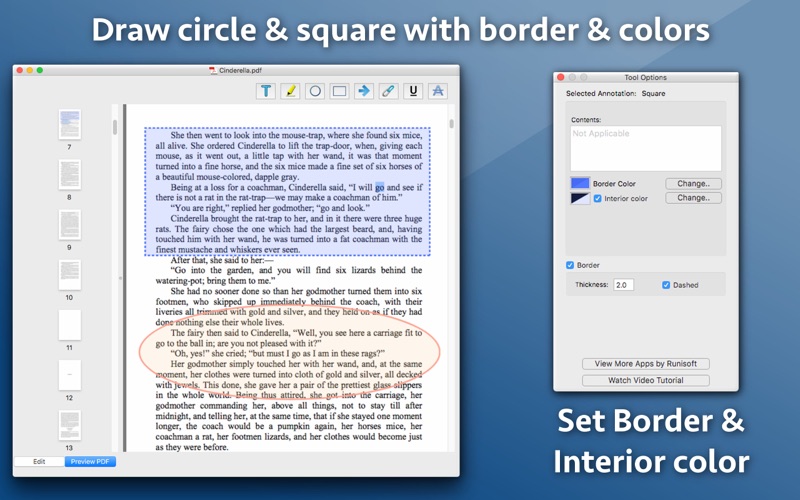
Write text on PDF, Highlight, underline or strikethrough lines, add arrow, add url of website & many more. Using these features you could highlight important lines and paragraphs in a PDF. You could also write text on pages of the PDF. For example : You could write "Important" on the important pages of the PDF. Also, you could show important points & images using Arrow. This could be very helpful in making notes, preparing documentation or for making presentation. Annotated PDF files are easier to understand and help to focus on important points, images and topics. Below are some additional usage : -- Getting feedback on a document that is sent for review. The reviewer could highlight the areas, or write text at the places that need correction or improvements. -- Holding a meeting or discussion on a PDF Document with several users and adding highlights, writing text & adding arrows wherever the document needs changes or where it needs more discussions. -- Adding your own notes makes it much easier to find the document later and to remember why it is important or which pages & topics are important. -- Approving documents with text and commenting on the PDF. -- Highlighting the important paragraphs in the study materials. -- Adding references or points on the PDF pages by writing text on the PDF. Using the application you could do below operations : a) Write Text on PDF : Using the application the Text could be written anywhere on the pages.After the text is written, you could perform various customisations as shown below : -- Change the background colour & the text colour -- Set transparency/opacity of the colours (from Change Colour-> Opacity ) -- Change Font of the text -- Change the Text Size -- Change the alignment of the text to Left, Right, Center and Justified b) Highlight Text in PDF : Just select the text to be highlighted & click on the Highlight button. This will highlight the text.The default highlight colour is Yellow. But, you could change the colour to any colour of your choice.Once the Text is highlighted, you could also resize the highlighted part as per the requirements. c) Underline Text - Underline the text.The underline colour could be changed as per the requirements. d) Strikethrough Text - Strikethrough the text.The strikethrough colour could be changed as per the requirements. e) Draw Circle - You could draw a circle on the PDF file.After the circle is shown, below customisations could be done to it : -- Keep the border of the circle or make the circle borderless. -- If the border is kept, you could change the thickness of the border. -- Change the border to dotted if required. -- Change its border colour. -- Fill the circle with the colour of choice. -- Set transparency/opacity of the colours. (from Change Colour-> Opacity ) f) Draw Square - You could also draw a square or rectangle on the PDF. Just like the Circle, you could perform below operations : -- Keep the border of the square/rectangle or make them borderless. -- If the border is kept, you could change the thickness of the border. -- Change the border to dotted if required. -- Change the border colour. -- Fill the square/rectangle with the colour of choice. -- Set transparency/opacity of the colours. (from Change Colour-> Opacity ) g) Add arrow - You could add Arrows to show important points.The colour of arrows could be changed as well.You could also change its thickness as per the requirements. h) Hyperlink a Text to a website : using the application, you could make a selected text or image point to a website.After setting up the URL, when the mouse is clicked on that text or image, it will open the specified website in the web browser. i) Hyperlink to another page in the same PDF : You could link a section of the PDF to point to some other page of the same PDF. For example : You could set a text or image so that when someone clicks on it, it will jump to page 30 of the PDF document.
Installs
Apple does not publish download counts. Estimates are in testing.
We publish iOS estimates only after they pass a back-test against real numbers. Chart history below is measured.
Estimated store revenue Estimated Beta
App Store, worldwide, monthly rate from the last 13 chart days to 20 Nov 2026
Below the top 100 grossing apps in the markets we calibrate. In the United States that usually means under about $6.4M a month. App Store purchases and subscriptions only, before Apple's 15 to 30% fee. Ads and web payments are not included.
Ratings
No rating breakdown published for this app.
Recent reviews
Latest public reviews from the store
No reviews in our sample for this app yet.
Top chart positions
Latest App Store chart ranks by country, last 10 days
Not in any tracked top chart in the last 10 days.
PDF Annotation Maker history
Release, install milestones, listing and store changes
- First released on the store 24 Mar 2018
Update frequency
How often PDF Annotation Maker ships a new version, month by month
0 updates in the last 12 months. Less often than most similar apps: they shipped a median of 1 updates in the same year.
Recent versions
Current version 6.2
- Version 6.227 Feb 2021
- Now the application is a Universal application. In case of any issue or questions, please write to us on [email protected]. We will be happy to assist.
Listing keywords
Words and phrases PDF Annotation Maker repeats most in its store listing
Top phrases: write text (4), change colour opacity (3), change the border (3), colours from change (3), set transparency opacity (3).
Highlighted words also appear in the title. Counts cover the title, short description and description.
Compliance
What the listing and the app package show
- Store status
- Live
- Upkeep
- No update since 27 Feb 2021
- Age rating
- 4+
Apps like PDF Annotation Maker
 Robin - Mobile AppRobin Powered, Inc★ 3.32
 Bright AisleMedia Solutions Corp★ 2.52
 Rhingie: phone call 2nd numberDating onlain, ooo★ 3.96
 PayClockLathem Time Corporation★ 2.08
 云电话-网络电话虚拟隐私小号国辉 李★ 4.74
 QuicklynQuicklyn★ 4.86
 Diligent BoardsDiligent Corporation★ 3.32
 DATABASICSDATABASICS★ 3.8
 vMEyeSuperGuangzhou Kedi Intelligence Technology Co., Ltd.★ 3.14
PDF Annotation Maker: questions and answers
Who makes PDF Annotation Maker?
PDF Annotation Maker is published by Ruchira Ramesh.
When was PDF Annotation Maker last updated?
The latest version (6.2) was released on 27 Feb 2021.
Is PDF Annotation Maker free?
No. PDF Annotation Maker is a paid app priced at $4.99.
Is PDF Annotation Maker still available?
Yes. PDF Annotation Maker is live on App Store as of 10 May 2026.
Track PDF Annotation Maker and its competitors
Watch any app for new versions, rating drops, chart moves and removals. Free plan, no card.