- Installs
- —
- Apple does not publish download counts
- Rating
- 2.0
- Ratings
- 1
- 1 reviews
- Version
- 1.7.4
- Updated 16 Sep 2020
- Released
- 11 Jun 2015
- Tracked since 10 May 2026
- Size
- 18 MB
- Needs 14.0
Screenshots

About PDF Draw Pro - Vector Editor
The description on the store listing
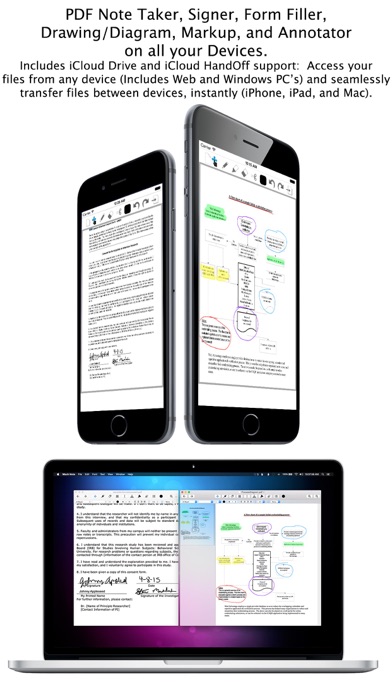
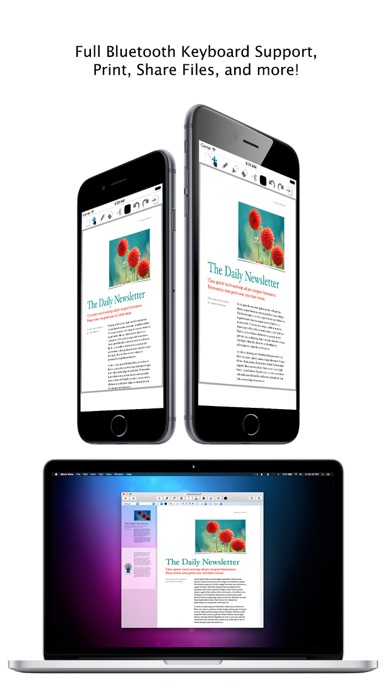
PDF Draw Pro is a flexible and powerful new iCloud PDF Note Taker, Signer, Form Filler, Drawing/Diagram app, and Annotator for iOS and OS X. PDF Draw Pro features freehand drawing using a native PDF Format, allowing you to use powerful note taking and annotating tools to markup PDFs instantly. Featuring iCloud Drive* and iCloud Continuity/HandOff** Support so not only are all your PDFs synced to all your devices, but you can also transfer PDFs between devices instantly. PDF Draw Pro is not only the most innovative PDF apps for Mobile and Desktop, yet also the easiest to use PDF creation and markup applications in the world. And best of all, PDF Draw Pro is free for iOS and only $4.99 (U.S.) …
Read the full description
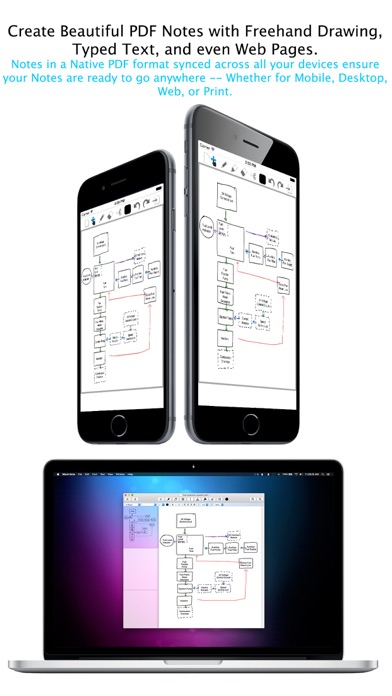
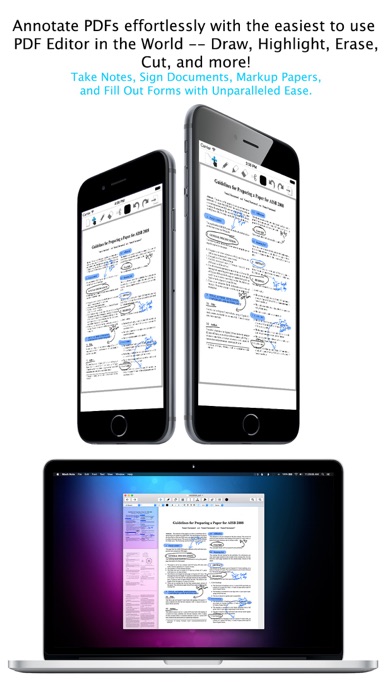
PDF Draw Pro is a flexible and powerful new iCloud PDF Note Taker, Signer, Form Filler, Drawing/Diagram app, and Annotator for iOS and OS X. PDF Draw Pro features freehand drawing using a native PDF Format, allowing you to use powerful note taking and annotating tools to markup PDFs instantly. Featuring iCloud Drive* and iCloud Continuity/HandOff** Support so not only are all your PDFs synced to all your devices, but you can also transfer PDFs between devices instantly. PDF Draw Pro is not only the most innovative PDF apps for Mobile and Desktop, yet also the easiest to use PDF creation and markup applications in the world. And best of all, PDF Draw Pro is free for iOS and only $4.99 (U.S.) for OS X! iOS Specific Features: - Innovative Graphical File Manager with Natural Touch Gestures: Single Tap to Select a File, Double-Tap to Open a File, Two Finger "Pinch" to Zoom the File Manager, and Tap and Hold to Drag Files onto Folders - Photorealistic page swipe animations (swipe the vertical edge of a PDF page horizontally to go to the previous or next page) - Draw using Palm Rest or Magnifier Window with "Smart Shift" technology - DOC/DOCX Read Support Included Innovative Features on both iOS and OS X: - Freehand draw on PDFs with “Vector" note taking tools such as Pencil, Eraser, and Highlighter; keeping PDF file sizes small - iCloud support keeps your documents in Sync across iPhone, iPad, and Mac; and with iCloud Drive, Windows PCs and well* - iCloud Continuity/HandOff lets you start work on one device and continue on another (iPhone, iPad, and Mac)** - DOC/DOCX Read support on iOS, DOC/DOCX Read/Write support on OS X - Create blank PDFs super easily and add Text, Drawings, Images, Web Pages, and more - RTF Word processing support for instances when all you need is the keyboard - Text Tool lets your Touch/Click to Type anywhere (iPad/Mac) - Cut Tool Makes it easy to reposition PDF content - Add Images, Text, and Web Pages to a PDF instantly (iPad/Mac) - Full Speech-To-Text Dictation support anywhere you can Type (Press Dictation key on keyboard on iOS, press “Fn” key twice on OS X) - Read Support for Password-Protected PDFs - iCloud is completely optional — PDF Draw Pro works just as well offline as online! *iCloud Drive Support for Windows requires iCloud Drive install, iCloud Drive for Mac requires OS X 10.10 or later; iCloud Drive supports PDF/RTF/RTFD/DOC/DOCX **iCloud HandOff requires both Bluetooth 4.0/LE and WiFi on and enabled
Installs
Apple does not publish download counts. Estimates are in testing.
We publish iOS estimates only after they pass a back-test against real numbers. Chart history below is measured.
Estimated store revenue Estimated Beta
App Store, worldwide, monthly rate from the last 13 chart days to 20 Nov 2026
Below the top 100 grossing apps in the markets we calibrate. In the United States that usually means under about $6.4M a month. App Store purchases and subscriptions only, before Apple's 15 to 30% fee. Ads and web payments are not included.
Ratings
1 ratings, 1 reviews
No rating breakdown published for this app.
Recent reviews
Latest public reviews from the store
No reviews in our sample for this app yet.
Top chart positions
Latest App Store chart ranks by country, last 10 days
Not in any tracked top chart in the last 10 days.
PDF Draw Pro - Vector Editor history
Release, install milestones, listing and store changes
- First released on the store 11 Jun 2015
Update frequency
How often PDF Draw Pro - Vector Editor ships a new version, month by month
0 updates in the last 12 months. Less often than most similar apps: they shipped a median of 1 updates in the same year.
Recent versions
Current version 1.7.4
- Version 1.7.416 Sep 2020
- Updated Google Ads with iOS 14's App Tracking Transparency
Listing keywords
Words and phrases PDF Draw Pro - Vector Editor repeats most in its store listing
Top phrases: pdf draw pro (6), draw pro (6), icloud drive (6), pdf draw (6), doc docx (4).
Highlighted words also appear in the title. Counts cover the title, short description and description.
Compliance
What the listing and the app package show
- Store status
- Live
- Upkeep
- No update since 16 Sep 2020
- Age rating
- 17+
Apps like PDF Draw Pro - Vector Editor
 Robin - Mobile AppRobin Powered, Inc★ 3.32
 Bright AisleMedia Solutions Corp★ 2.52
 Rhingie: phone call 2nd numberDating onlain, ooo★ 3.96
 PayClockLathem Time Corporation★ 2.08
 云电话-网络电话虚拟隐私小号国辉 李★ 4.74
 QuicklynQuicklyn★ 4.86
 Diligent BoardsDiligent Corporation★ 3.32
 DATABASICSDATABASICS★ 3.8
 vMEyeSuperGuangzhou Kedi Intelligence Technology Co., Ltd.★ 3.14
PDF Draw Pro - Vector Editor: questions and answers
Who makes PDF Draw Pro - Vector Editor?
PDF Draw Pro - Vector Editor is published by Mach Software Design.
When was PDF Draw Pro - Vector Editor last updated?
The latest version (1.7.4) was released on 16 Sep 2020.
Is PDF Draw Pro - Vector Editor free?
Yes. PDF Draw Pro - Vector Editor is free to download.
Is PDF Draw Pro - Vector Editor still available?
Yes. PDF Draw Pro - Vector Editor is live on App Store as of 1 Jul 2026.
Track PDF Draw Pro - Vector Editor and its competitors
Watch any app for new versions, rating drops, chart moves and removals. Free plan, no card.