
- Installs
- —
- Apple does not publish download counts
- Rating
- 1.0
- Ratings
- 4
- 4 reviews
- Version
- 2.0
- Updated 27 Aug 2018
- Released
- 3 Jun 2014
- Tracked since 10 May 2026
- Size
- 9 MB
- Needs 8.0
Screenshots

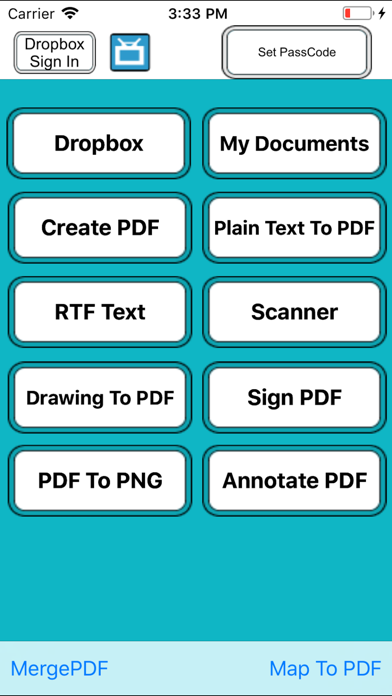
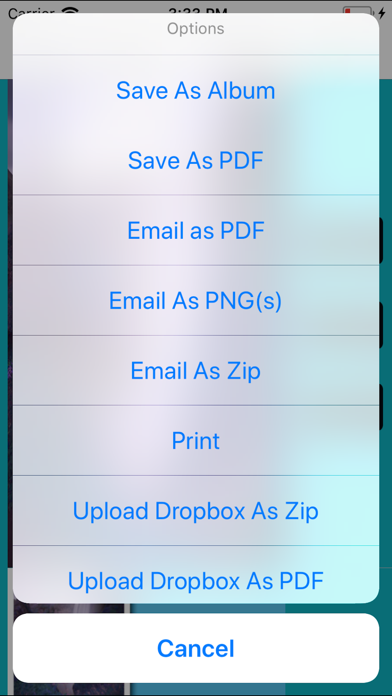
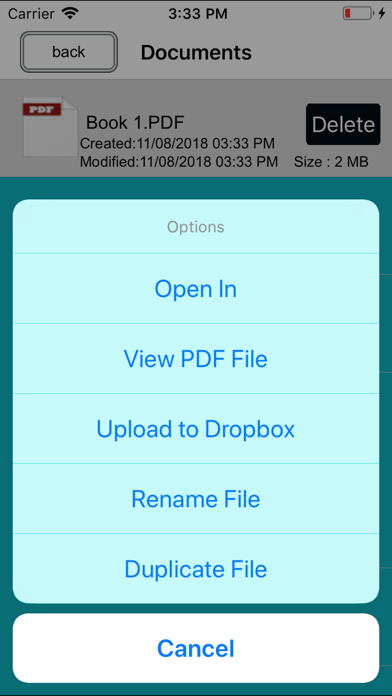
About PDF Professional Tools
The description on the store listing
Must Have App
+ PDF writer :
- Create and Edit Rich Text Documents on your iPhone or iPad. Work on your Documents even when not connected to the internet. Open , Edit files created through this app from any other app that supports the “Open In” feature .
- View/Edit/Create Rich Text Documents and PDF
- Fonts, Styles,Font Sizes, Bold, italic, Underline, Strike out , Text Color, Background Color selection, Text Alignment, Undo Changes, Easy Copy and Paste etc
+ Smart Management:
• Keep track your document by the time it scanned or last edit.
• Keep track the size of document and files.
• Multipage editing: view, delete pages
• Document naming ,Merge, Export , Rename your documents or even …
Read the full description
Must Have App + PDF writer : - Create and Edit Rich Text Documents on your iPhone or iPad. Work on your Documents even when not connected to the internet. Open , Edit files created through this app from any other app that supports the “Open In” feature . - View/Edit/Create Rich Text Documents and PDF - Fonts, Styles,Font Sizes, Bold, italic, Underline, Strike out , Text Color, Background Color selection, Text Alignment, Undo Changes, Easy Copy and Paste etc + Smart Management: • Keep track your document by the time it scanned or last edit. • Keep track the size of document and files. • Multipage editing: view, delete pages • Document naming ,Merge, Export , Rename your documents or even Create a Copy of file and storage inside the app . + Build-in PDF Merger • easy PDF file Combiner & Joiner designed to merge multiple PDF files . (No Limit Of PDF Files to Combine ) + Built-in viewer for PDF : • Thumbnail, Fit to Screen, Fit to Width, Actual Size & full screen views • Go to/rotate page • Multiple Bookmarks • Printing PDF Files to AirPrint Printers in your wifi network • Email Attachments + Draw with your finger- Use it to make handwritten notes or highlight text in scanned books. + Sign Contracts - Sign PDF Document On the Go any time any where. + Annotate PDF - Annotate PDF Document On the Go any time any where. + Read PDFs on the go One of the best PDF viewers for iPad and iPhone. It opens large files. + Copy Files From Mac or PC via Wi-Fi and USB Use iTunes file sharing to transfer files directly to your iPad or iPhone via USB cable. No additional software is required. + Save Email Attachments Open attachments directly from the Mail app. Also, you can open PDF files from any other application on the iPad or iPhone via "Open In..." dialogue. + Sync your files with cloud services This App allows you to download and upload files from Dropbox, and other services. + Password Options Restrict access with a password to protect your files from unauthorized reading. More Feature Coming Soon
Installs
Apple does not publish download counts. Estimates are in testing.
We publish iOS estimates only after they pass a back-test against real numbers. Chart history below is measured.
Estimated store revenue Estimated Beta
App Store, worldwide, monthly rate from the last 13 chart days to 20 Nov 2026
Below the top 100 grossing apps in the markets we calibrate. In the United States that usually means under about $6.4M a month. App Store purchases and subscriptions only, before Apple's 15 to 30% fee. Ads and web payments are not included.
Ratings
4 ratings, 4 reviews
No rating breakdown published for this app.
Recent reviews
Latest public reviews from the store
No reviews in our sample for this app yet.
Top chart positions
Latest App Store chart ranks by country, last 10 days
Not in any tracked top chart in the last 10 days.
PDF Professional Tools history
Release, install milestones, listing and store changes
- First released on the store 3 Jun 2014
Recent versions
Current version 2.0
- Version 2.027 Aug 2018
This update from Apple will improve the functionality of this app. No new features are included. - bug fixed
Listing keywords
Words and phrases PDF Professional Tools repeats most in its store listing
Top phrases: pdf files (4), ipad or iphone (2), rich text documents (2), annotate pdf (2), email attachments (2).
Highlighted words also appear in the title. Counts cover the title, short description and description.
Compliance
What the listing and the app package show
- Store status
- Live
- Upkeep
- No update since 27 Aug 2018
- Age rating
- 4+
Apps like PDF Professional Tools
 Super VPN: Fast Private ProxyGeek Incorporated★ 4.4
 Hubtel RetailerHubtel Limited★ 4.32
 Monthly Calendar 2022 - CalistOmoboto LLC★ 4.38
 Firstly: To-Do List & PlannerfocusCove LLC★ 4.7
 CBUS 311City of Columbus, Ohio★ 1.8
 Themes for Powerpoint - DesiGNGraphic Node★ 4.22
 iSiloDC & Co.★ 3.82
 Flashlight Pro [Multipurpose LED light]KAVAPOINT★ 3.88
 WiPryOscium LLC★ 2.68
PDF Professional Tools: questions and answers
Who makes PDF Professional Tools?
PDF Professional Tools is published by Abdul Rahim Khurram.
When was PDF Professional Tools last updated?
The latest version (2.0) was released on 27 Aug 2018.
Is PDF Professional Tools free?
Yes. PDF Professional Tools is free to download.
Is PDF Professional Tools still available?
Yes. PDF Professional Tools is live on App Store as of 1 Jul 2026.
Track PDF Professional Tools and its competitors
Watch any app for new versions, rating drops, chart moves and removals. Free plan, no card.